# Web Wallah
> Making Your Digital Presence Better
- Brand: Web Wallah
---
# Gemini Spark vs Claude Cowork: Which AI Agent Actually Works for You in 2026?
Source: https://webwallah.in/gemini-spark-vs-claude-cowork-best-ai-agent/
AI agents are no longer a concept being discussed in research papers. They are here, they are shipping, and two of the most talked-about ones right now are **Gemini Spark** from Google and **Claude Cowork** from Anthropic. Both promise to go beyond chatbot conversations and actually get work done on your behalf. But they approach that promise in very different ways.
If you are trying to figure out which one fits your workflow, this blog breaks down both tools honestly, compares their strengths, and helps you decide which agent deserves a spot in your daily routine.
## What is Gemini Spark?
Gemini Spark was announced at [Google I/O 2026](https://webwallah.in/google-io-2026-major-announcement/) as Google's most ambitious step into the AI agent space. It is built on the Gemini 3.5 model and is designed to act as your personal digital agent, taking real actions inside your apps rather than just responding to prompts.
Here is what Gemini Spark can do right now:
- Read your Gmail inbox and understand the full context of ongoing conversations
- Draft email replies and schedule follow-ups automatically
- Sync with Google Calendar to surface time-sensitive tasks
- Work inside Google Docs to assist with drafting and editing
- Expand to third-party tools via MCP later in summer 2026
Google described Spark as a shift from an assistant that answers questions to an active partner that does real work under your direction. It is available to Google AI Ultra subscribers in the US, starting at 100 dollars per month.
## What is Claude Cowork?
Claude Cowork is Anthropic's desktop-focused AI agent built specifically for non-developers who want to automate file and task management without writing a single line of code. Where Gemini Spark lives inside Google's cloud ecosystem, Claude Cowork sits on your desktop and works with the files, folders, and apps already on your machine.
Cowork is designed for:
- Organizing and renaming large batches of documents
- Sorting files into folders based on content or date
- Automating repetitive local workflow tasks
- Managing task lists and project files on your desktop
- Handling sensitive documents without routing everything through the cloud
It runs as a desktop application, which means it works closer to where your actual files live. No cloud dependency, no platform lock-in.
## Quick Comparison at a Glance
| **Feature** | **Gemini Spark** | **Claude Cowork** |
| ----------- | ---------------- | ----------------- |
| Made by | Google | Anthropic |
| Best for | Google Workspace users | Desktop and file-heavy workflows |
| Works on | Cloud (browser) | Desktop app |
| Key integrations | Gmail, Docs, Calendar, MCP | Google Cloud Infrastructure |
| Coding required | No | No |
| Privacy model | Via the Claude platform | Desktop-first, more local |
| Starting price | $100/month (Ultra plan) | Check Anthropic's website |
| Available now | US Ultra subscribers | Via Claude platform |
## Head to Head: Where Each Tool Wins
### 1. Core Strength
Gemini Spark is at its best when your work lives inside Google's ecosystem. If your day revolves around Gmail, Google Docs, and Google Calendar, Spark feels like a natural extension of your existing workflow. It understands the full context of your conversations, knows your schedule, and takes action across all those surfaces without switching between apps.
Claude Cowork is at its best when your work lives on your local machine. If you manage large numbers of files, work across multiple folders, or handle a lot of document organization, Cowork handles that operational work cleanly and without requiring cloud connectivity.
**Bottom line:** Spark wins for cloud-based Google Workspace users. Cowork wins for desktop-heavy, file-centric workflows.
### 2. Who Each Tool Is Built For
They are clearly targeting different people, and that is actually a good thing.
**Gemini Spark is ideal for:**
- Professionals deeply embedded in Google Workspace
- Remote workers who live in Gmail and Google Docs daily
- Freelancers managing client communication and scheduling
- Teams using Google Meet and Shared Drives for collaboration
**Claude Cowork is ideal for:**
- Office managers handling large volumes of documents
- Content creators organizing research, drafts, and media files
- Small business owners who need automation without technical skills
- Researchers managing local databases and file archives
If you look at those two lists and see yourself clearly in one of them, your decision is already made.
### 3. Integration and Connectivity
This is where the two tools differ most significantly in their current state.
Gemini Spark integrates natively with Gmail, Google Docs, Google Calendar, and Google Workspace. Third-party app support via MCP is confirmed but arriving later in summer 2026. So right now, its power is concentrated inside Google's product family.
Claude Cowork operates at the operating system level. This gives it access to any file or folder on your machine, regardless of which app created it. A Word document, a PDF, a local spreadsheet, a folder of client photos — Cowork can work with all of it without any platform dependency.
**Verdict:** Cowork has broader file-level access today. Spark has a bigger and faster-growing integration roadmap ahead.
### 4. Privacy and Data Handling
This is a consideration that deserves more attention than most comparison blogs give it.
Gemini Spark processes your Gmail, Docs, and Calendar data through Google's cloud infrastructure. Google has built strong privacy controls, and you can disconnect apps at any time. But your data does travel through their servers, which matters if you handle confidential or sensitive professional information.
Claude Cowork keeps more of your work local. Anthropic has built its products around a strong focus on responsible AI design, and the desktop-first model means sensitive files do not need to leave your machine to get processed.
For most users, both are trustworthy options. But for lawyers, healthcare professionals, financial advisors, or anyone handling client-sensitive documents, Cowork's local approach offers an extra layer of comfort.
### 5. Ease of Getting Started
| **Step** | **Gemini Spark** | **Claude Cowork** |
| -------- | ---------------- | ----------------- |
| Installation needed | No | Yes (desktop app) |
| Account required | Google AI Ultra | Claude platform account |
| Setup time | A few minutes | 5 to 10 minutes |
| Technical knowledge | None | None |
| Works immediately | Yes, if you use Gmail | Yes, after linking folders |
Spark is faster to activate since it plugs directly into your existing Google account. Cowork requires a one-time desktop install, but the setup is guided and does not require any technical knowledge. Once it is running, both tools are equally easy to use day to day.
### 6. Pricing Breakdown
| **Plan** | **What You Get** | **Price** |
| -------- | ---------------- | --------- |
| Google AI Ultra (includes Spark) | Gemini Spark, Gemini 3.5 Flash, Daily Brief, 5x usage limits | $100/month |
| Previous Google AI Ultra tier | Same capabilities as before | $200/month (reduced from $250) |
| Claude Cowork | Desktop automation, file management, task workflows | Check Anthropic's site for current pricing |
One thing worth noting: Gemini Spark is bundled inside the Google AI Ultra plan, which also includes Gemini 3.5 Flash, Daily Brief, and significantly higher usage limits across the Gemini app. So you are not just paying for Spark alone. If you already want those other features, the price makes solid sense.
## Where They Are Similar
Despite the differences, both tools share a few core principles that tell you something important about where AI agents are heading.
- Neither requires you to write prompts like a programmer
- Both operate under your direction and do not make major decisions without your awareness
- Both are designed to reduce cognitive load, not add to it
- Both come from companies with a serious commitment to responsible AI development
The shared philosophy here is trust. These are not tools that run wild in your inbox or delete your files without asking. They act, but they act with you in the loop.
## Which One Should You Choose?
Choose **Gemini Spark** if:
- You spend most of your workday inside Gmail and Google Docs
- Your team collaborates heavily through Google Workspace
- You want an agent that connects your emails, calendar, and documents in one place
- You are already considering the Google AI Ultra plan for its other features
Choose **Claude Cowork** if:
- Your work is desktop-heavy with lots of local files and folders
- You handle sensitive client documents and prefer data to stay local
- You are a non-technical user who wants smart automation without any coding
- You use a mix of tools like Microsoft Office, PDFs, and local apps
And honestly, if you use Google Workspace for communication but also manage heavy local files, using both tools in parallel is a completely reasonable approach. They do not compete for the same tasks in practice.
## The Bigger Picture
The launch of Gemini Spark and the continued development of Claude Cowork signal something bigger than just two new product releases. AI is moving away from the chatbot model and toward genuine task execution. The question is no longer whether AI can answer your question. The question is whether AI can get things done for you.
Both Google and Anthropic are betting the answer is yes. And in 2026, for the first time, you can actually test that bet yourself.
The agent era is not coming. It is already here.
## Frequently Asked Questions (FAQs)
### What is the main difference between Gemini Spark and Claude Cowork?
Gemini Spark is a cloud-based AI agent built for Google Workspace, handling Gmail, Docs, and Calendar tasks automatically. Claude Cowork is a desktop AI agent focused on local file management and task automation, built for non-technical users who want practical workflow automation.
### What is the main difference between Gemini Spark and Claude Cowork?
No. Gemini Spark is currently available only to Google AI Ultra subscribers in the US, starting at 100 dollars per month. Broader availability across other regions and plans is expected in the coming months after the initial rollout period.
### Does Claude Cowork require any coding knowledge to use?
Not at all. Claude Cowork is specifically designed for non-developers. You describe what you need in plain language, and the tool handles the automation steps. No scripts, no commands, and no technical setup are required to get started or use it daily.
### Which AI agent is better for users who handle sensitive or confidential files?
Claude Cowork has a clear advantage here. Since it operates as a desktop application, more of your data stays local rather than being processed through cloud servers. For lawyers, healthcare workers, or financial professionals, this desktop-first model offers greater peace of mind.
### Can Gemini Spark and Claude Cowork be used together?
Yes, and for many professionals, it actually makes sense. Gemini Spark handles cloud-based communication and scheduling inside Google Workspace, while Claude Cowork manages local files and desktop workflows. They serve different layers of your work and complement each other well without significant overlap.
---
# Google I/O 2026: Everything You Need to Know About the Biggest AI Event of the Year
Source: https://webwallah.in/google-io-2026-major-announcement/
Google I/O 2026 just wrapped up, and it was nothing short of a watershed moment for AI, mobile technology, and the future of how we search, create, and connect. Held on May 20 and 21, 2026, this year's developer conference delivered over 100 announcements spanning new AI models, smarter search, AI-powered glasses, and a completely redesigned Gemini experience. If you missed the keynote or just want a clean breakdown of what matters, this blog covers every major announcement in plain English.
CEO Sundar Pichai set the tone right from the start. Ten years after Google declared itself an AI-first company, AI is no longer a future promise. It is the product. And at I/O 2026, that promise became very real.
## The Gemini 3.5 Series: Smarter, Faster, and More Capable Than Ever
The biggest headline from Google I/O 2026 is the Gemini 3.5 model family. These are not incremental updates. They represent a fundamental shift in what AI can do in everyday applications.
**[Gemini 3.5 Flash](https://ai.google.dev/gemini-api/docs/models/gemini-3.5-flash)** is the standout launch. It beats Gemini 3.1 Pro on coding, agentic, and multimodal benchmarks while running four times faster in output speed than competing frontier models. It is live right now in the Gemini app, Google Search, Antigravity 2.0, and the Gemini API.
**Gemini 3.5 Pro** is in closed testing and arrives next month. Early signals point to significant jumps in complex reasoning and multi-step task handling.
**Gemini Omni** is a brand-new model series built for creation, not just understanding. It takes text, image, audio, and video as input and outputs real-world-grounded video that is easy to edit. This is huge for creators, marketers, and educators. It is rolling out to AI Plus, Pro, and Ultra subscribers across the Gemini app, Google Flow, and YouTube Shorts.
## Gemini Spark: Your Personal AI Agent Is Here
The most transformative product announced at Google I/O 2026 is not a model. It is **Gemini Spark**.
Spark is described as your personal agent that actively works on your behalf, navigating your digital life rather than just answering questions. It integrates deeply with Gmail, Google Docs, and Workspace apps out of the gate, with third-party tool support via MCP coming over the summer.
Think of it this way: instead of asking Gemini to draft an email, Spark reads your inbox, understands the context, drafts the reply, and schedules follow-ups, all under your direction. It will be available next week to Google AI Ultra subscribers in the US first.
This is the clearest signal yet that the AI assistant era is over. The agent era has begun.
## Google Search Gets a Massive AI Upgrade
Google Search at I/O 2026 is barely recognizable from what it was a year ago, and in the best possible way.
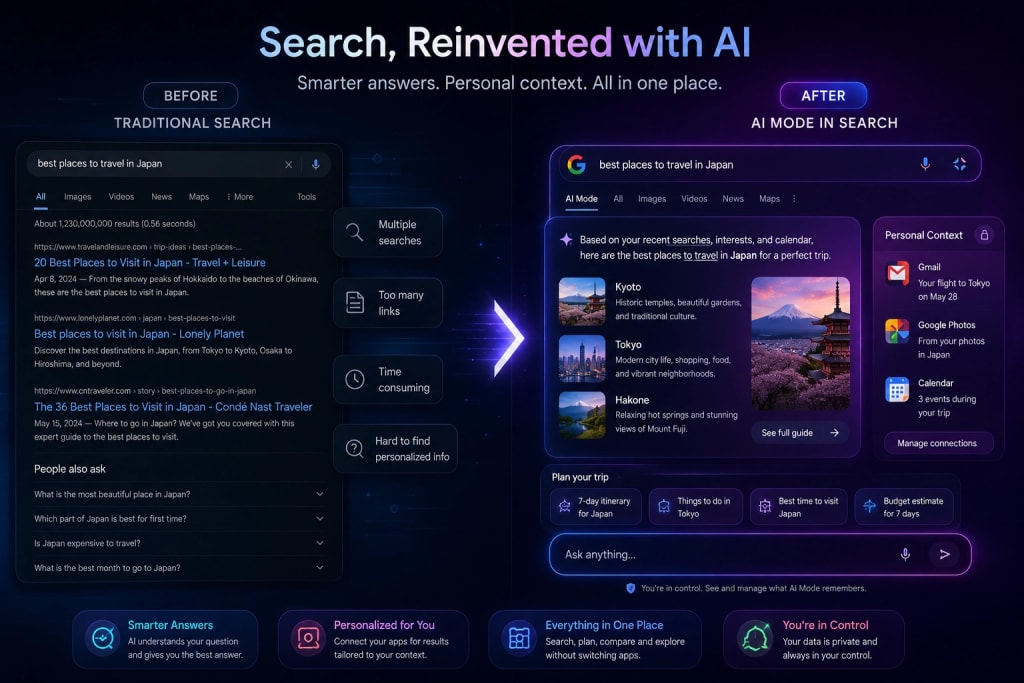
**AI Mode** has crossed 1 billion monthly active users, making it one of the fastest-adopted features in Google's history. Google is now expanding Personal Intelligence in AI Mode to nearly 200 countries and 98 languages, with no subscription required.
Users can securely connect Gmail, Google Photos, and soon Google Calendar to their search experience. This means Search can now understand your personal context, not just the web. You are always in control of what you connect, and you can disconnect at any time.
Perhaps the most forward-looking feature: users will soon be able to build **custom mini apps directly inside Search** using Antigravity, starting with subscribers. Imagine a personalized travel planner or a custom budgeting assistant living right inside your Google Search tab.
## Universal Cart: AI Finally Fixes Online Shopping
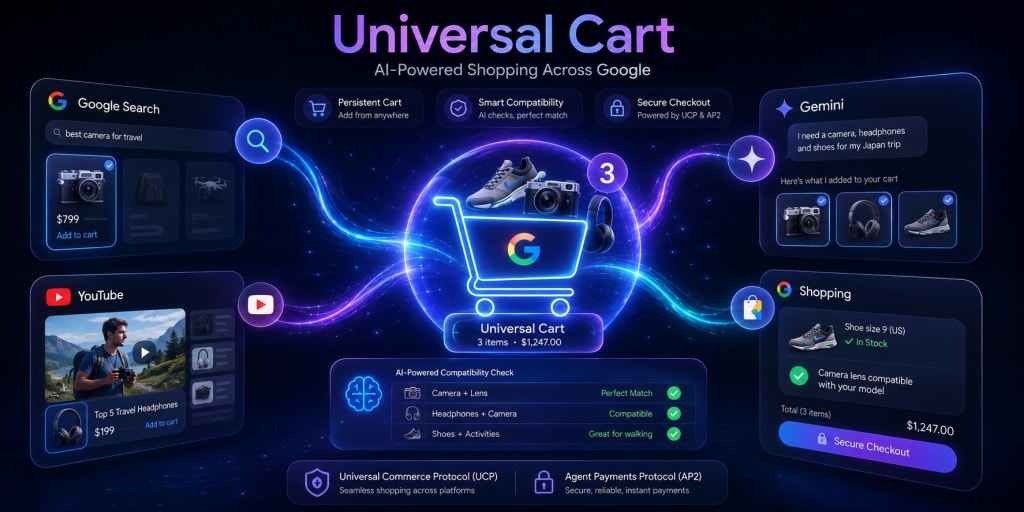
Online shopping has always been fragmented. You find something on Search, lose it on YouTube, and forget about it by the time you open an e-commerce app. Google's answer is the **Universal Cart**.
Universal Cart is an AI-powered shopping hub that follows you across Google Search, Gemini conversations, and YouTube. Add items from anywhere, and your cart stays with you. The AI can identify product compatibility issues, like whether a laptop charger works with your specific model, and suggest suitable alternatives on the spot.
Alongside this, Google announced the **Universal Commerce Protocol (UCP)** and the **Agent Payments Protocol (AP2)**, two frameworks designed to make cross-platform shopping seamless and transactions more secure. These are infrastructure-level changes that will quietly reshape how e-commerce works on the web.
## The Gemini App Gets a Full Redesign
The Gemini app received a significant visual and functional overhaul with a new design language called **Neural Expressive**.
The new interface features fluid animations, vibrant colors, haptic feedback, and refreshed typography. On mobile, a pill-shaped prompt box replaces the old layout, with a clean "plus" menu opening a bottom sheet for tools. Gemini Live is now inline rather than full screen, a small change that makes the experience feel far more natural.
Responses are now smarter to look at, too. Important information surfaces at the top and in bold. You will see inline images, narrated videos, timelines, and interactive visualizations baked right into answers.
The **Daily Brief** feature is another standout addition. It scans your Gmail, Calendar, and Tasks each morning to give you a personalized digest of the day ahead, covering what needs attention, what deadlines are coming, and what next steps to take. It is rolling out to AI Plus, Pro, and Ultra users in the US starting now.
## Google Antigravity 2.0: A New Era for Developers
For developers, the biggest news is **Google Antigravity 2.0**, Google's agent-first development platform rebuilt from the ground up.
The new Antigravity CLI lets you spin up specialized subagents to handle complex workflows, all protected by cross-platform terminal sandboxing, credential masking, and hardened Git policies. In plain terms, you can now build powerful AI agent pipelines with enterprise-grade security baked in.
**Google AI Studio** also got a meaningful upgrade. It now supports native Kotlin for Android development, one-click Cloud Run deployment, Firebase integrations, and seamless Workspace connections. You can build and launch a full-stack app entirely within AI Studio and export the whole project state to Antigravity with one click when you are ready to go deeper.
The **Managed Agents API** is another developer win. A single API call now provisions a complete agent with its own remote sandbox. No infrastructure setup, no configuration headaches.
## AI-Powered Smart Glasses: Google Enters the Wearables Race

Hardware had a quiet but significant moment at I/O 2026. Google announced **AI-powered audio glasses** built in collaboration with Samsung, Gentle Monster, and Warby Parker.
These are not AR glasses. They are sleek, everyday eyewear with Gemini-powered voice assistance built in. You get hands-free, private support for tasks and queries without pulling out your phone. The focus here is discretion and practicality, giving you glasses you would actually wear every day rather than a gadget that screams "tech person."
This directly puts Google in competition with Meta's Ray-Ban smart glasses, and the Gemini integration gives it a strong AI edge right out of the gate.
## AI Safety and the SynthID Expansion
Google took a notable step on the transparency front. **[SynthID](https://ai.google.dev/responsible/docs/safeguards/synthid)**, its AI content watermarking tool, has now been applied to over 100 billion images and videos. At I/O 2026, Google announced it is expanding SynthID detection beyond the Gemini app to Google Search and Chrome.
A new **C2PA Content Credentials** feature lets anyone check whether content is an unaltered original from a camera or has been modified by AI tools. In a world where AI-generated content is everywhere, this kind of verification layer is not just nice to have. It is essential.
## By the Numbers: Google's AI Scale in 2026
The scale at which Google operates is easy to underestimate. A few numbers from I/O 2026 put it in perspective:
- 13 Google products now serve over 1 billion users each
- 5 of those products exceed 3 billion users
- AI Mode has surpassed 1 billion monthly users
- The Gemini app doubled its monthly active users in one year, now reaching 900 million
- Google unveiled the world's largest AI training cluster, built on custom TPU infrastructure with JAX and Pathways
**What Google I/O 2026 Means for You**
Whether you are a developer, a content creator, a student, or just someone who uses Google every day, I/O 2026 has something that will change your experience in the coming months.
The shift from AI assistants to AI agents is the defining story of this event. Gemini Spark, Antigravity 2.0, and the upgraded Search capabilities all point toward a future where AI does not wait to be asked. It works alongside you, learns your context, and takes meaningful action.
Google is not just keeping pace with the AI race. With this year's I/O, it is clearly trying to set the pace.
Read: [WeatherNext 2 by Google DeepMind](https://webwallah.in/weathernext-2-google-deepmind-ai-weather-forecasting/)
## Frequently Asked Questions (FAQs)
### What was the most important announcement at Google I/O 2026?
Gemini 3.5 Flash and Gemini Spark were the standout announcements. Spark marks a clear shift from AI assistants to personal AI agents that take real actions inside your Gmail, Docs, and other apps on your behalf.
### Is Gemini 3.5 available right now?
Yes. Gemini 3.5 Flash is live today in the Gemini app, Google Search, and the Gemini API. Gemini 3.5 Pro is currently in testing and will be available to the public next month.
### What is Google Antigravity 2.0?
Antigravity 2.0 is Google's updated agent-first developer platform. It lets developers build and orchestrate AI agents with built-in security features, including terminal sandboxing and credential masking, available via both a web interface and a new CLI tool.
### Do I need a paid Google AI plan to use the new Gemini features?
Many features, like expanded AI Mode in Search, are free. Features like Gemini Spark and Daily Brief require a Google AI Ultra or Pro subscription. Ultra now starts at $100 per month with 5x higher usage limits than AI Pro.
### What are Google's AI-powered smart glasses?
Google announced audio glasses developed with Samsung, Gentle Monster, and Warby Parker. They are everyday eyewear with built-in Gemini voice assistance for hands-free, private AI support, and serve as a direct competitor to Meta's Ray-Ban smart glasses.
---
# Google May 2026 Core Update: Everything You Need to Know Right Now
Source: https://webwallah.in/google-may-2026-core-update-rolling-out/
Google just dropped its second core update of 2026, and if your rankings have been acting strange over the past few days, this is why. The May 2026 Core Update officially began rolling out on May 21, 2026, and it is already shaking up search results across industries and regions worldwide.
Whether you are a seasoned SEO professional, a content creator, or a business owner watching your organic traffic closely, this guide covers everything you need to know: what the update is, when it started, how long it will last, and what steps you should actually take right now.
## What is the Google May 2026 Core Update?
A core update is one of Google's broad, significant changes to how its search algorithms evaluate and rank content. Unlike targeted updates that focus on specific issues like spam or link schemes, core updates adjust the overall way Google understands and rewards content across the entire web.
Google releases these updates several times per year. They are not penalties. They are recalibrations. Google is essentially resetting its idea of what "good content" looks like based on how search behavior and quality signals have evolved.
The May 2026 Core Update is described by Google as "a regular update designed to better surface relevant, satisfying content for searchers from all types of sites." That phrase might sound generic, but it carries real weight. It tells us this update is not targeting one niche or one content type. It affects everyone.
## When Did the May 2026 Core Update Start?
The rollout officially began at 8:40 AM Pacific Time on May 21, 2026. Google confirmed the launch through its Search Status Dashboard and via the Google Search Central account on X (formerly Twitter).
The rollout is expected to take up to two weeks to fully complete, which puts the estimated finish date around June 4, 2026.
This is important to note: you should not make any major decisions about your site until the rollout is complete. Rankings will continue shifting throughout the process, and what looks like a drop today may stabilize or even recover once the update fully settles.
## Is This the First Core Update of 2026?
No. The May 2026 Core Update is the second broad core update of the year. Here is the full timeline of confirmed Google ranking updates in 2026 so far:
- **February 2026 Discover Core Update** rolled out over 22 days, from February 5 to February 27.
- **[March 2026 Spam Update](https://webwallah.in/google-march-2026-spam-update/)** rolled out in under 20 hours, from March 24 to March 25.
- **[March 2026 Core Update](https://webwallah.in/google-march-2026-core-update/)** rolled out over 12 days, from March 27 to April 8.
- **May 2026 Core Update** began on May 21, 2026, and is currently in progress.
That means this is the fourth confirmed ranking update of 2026 listed on the Google Search Status Dashboard. The gap between the end of the March core update and the start of this one is approximately six weeks.
## Why Did Google Release This Update Right After Google I/O?
Timing matters here. The May 2026 Core Update launched just two days after Google I/O 2026, where Google unveiled what many are calling the biggest redesign of Search in 25 years.
At the conference held on May 19 and 20, Google introduced an AI-powered search experience built around what it calls an "intelligent search box." This new interface shifts focus away from the traditional list of blue links toward AI-generated responses, interactive agents, and autonomous information tools that can complete tasks on a user's behalf.
The fact that a broad core update followed almost immediately is not a coincidence most SEOs are willing to ignore. It suggests that Google is actively aligning its ranking systems with the direction its search product is heading: toward AI-first, intent-driven, deeply satisfying content experiences.
If your content was already struggling to answer user questions completely and authoritatively, this update and the broader product changes at Google make that weakness even more consequential.
## Who is Affected by the May 2026 Core Update?
Core updates are global and affect all types of sites across all languages and regions. No single industry or content category is being targeted. However, based on the patterns observed with past core updates, certain types of sites tend to feel the impact more than others.
Sites that often see drops after core updates include those with thin content that covers topics without real depth, pages that are written to rank rather than written to genuinely help a reader, websites with weak expertise and authority signals in competitive verticals, and content that borrows heavily from other sources without adding original insight.
Sites that tend to recover or gain after core updates include those with strong first-hand expertise and clear authorship, content that answers questions thoroughly and accurately, pages that demonstrate experience and trustworthiness, and websites that prioritize the reader experience over keyword density.
If your site falls into the second group, this update may actually be good news for you.
## What Should You Do If Your Rankings Dropped?
First, take a breath. Google is very clear that a ranking drop during a core update does not necessarily mean something is wrong with your site. It often means the content that outranked you has become stronger, not that yours has become worse.
Here is a practical approach to handling the aftermath:
**Step 1: Wait for the rollout to complete -** Do not make sweeping changes to your site while the update is still rolling out. You will not have accurate data to work with until around June 4, 2026.
**Step 2: Audit your most affected pages -** Once the dust settles, use Google Search Console to identify which pages lost the most impressions and clicks. Compare your performance before and after May 21.
**Step 3: Ask honest questions about your content.** Google has provided a list of self-assessment questions for site owners affected by core updates. Some of the most relevant ones are: Does this content provide original information, reporting, or analysis? Does it present information in a way that makes you want to bookmark it or share it? Would you be comfortable having this content reviewed by a subject matter expert? Is this the kind of content you would expect to see referenced or cited by a reputable source?
**Step 4: Improve, do not just tweak -** Small edits and keyword stuffing will not fix a core update impact. Real recovery comes from meaningful improvements to content quality, depth, and relevance.
**Step 5: Be patient -** Google has been transparent that the biggest recoveries from core update impacts usually happen after the next core update, not immediately.
## What Does Google Actually Want From Your Content in 2026?
Given where Google's product is heading with AI-powered search, the answer to this question is evolving fast.
Google wants content that satisfies intent completely. With AI Overviews and the new intelligent search experience, Google is essentially training on the web's best answers to surface them directly. If your content is one of the best answers, your visibility in both traditional results and AI-generated responses improves significantly.
Think about content from three angles: the SEO angle (is it keyword-relevant and technically sound?), the AEO angle (does it directly answer specific questions a searcher would ask?), and the LLM/AI angle (is it clear, structured, and factually accurate enough that an AI model would trust and cite it?).
Content that performs well across all three of those dimensions is content that will hold up not just through this core update, but through the broader shift in how Google delivers search results.
Practically, that means writing with genuine expertise, using clear and specific language, structuring content so that individual sections answer individual questions, and backing up claims with accurate information rather than vague assertions.
## Key Takeaways: Google May 2026 Core Update at a Glance
- The update began on May 21, 2026, and is expected to finish around June 4, 2026.
- It is the second broad core update of 2026 and the fourth confirmed ranking update of the year.
- Google describes it as a routine update aimed at surfacing more relevant and satisfying content.
- The update arrived two days after Google I/O 2026, where a major AI-powered Search redesign was announced.
- No new specific guidance was issued with this update. Google's existing advice applies: create content for people, not for algorithms.
- Ranking fluctuations are expected. Avoid making major site changes until the rollout is complete.
- Real recovery from a core update impact comes from genuine content quality improvements, not quick fixes.
## Conclusion
The Google May 2026 Core Update is a reminder that the fundamentals of good content have not changed, even as the surface of Google Search is transforming dramatically. Write for your readers. Demonstrate expertise. Answer questions fully and honestly. Build a site that people actually want to visit.
If this update affected your visibility, use it as a diagnostic signal, not a cause for panic. Google is telling you something about how your content compares to the best in your space. The right response is to listen, assess, and improve with intention.
The rollout is live right now. Keep monitoring, stay patient, and focus on the long game.
## FAQs
### What is the Google May 2026 Core Update?
It is Google's second broad algorithm update of 2026, designed to better surface relevant and satisfying content across all types of sites. It began rolling out on May 21, 2026, and is expected to take up to two weeks to complete.
### When will the May 2026 Core Update finish rolling out?
The update started on May 21, 2026, and Google expects it to finish around June 4, 2026. Avoid concluding your rankings until the rollout is fully complete and your traffic data has had time to stabilise.
### Does a ranking drop mean my site was penalised?
No. A drop during a core update is not a penalty. It means Google has reassessed competing content as more relevant. Your pages may be perfectly fine. Use it as a signal to review and improve your content quality.
### How do I recover from the May 2026 Core Update?
There is no quick fix. Focus on creating thorough, expert-driven content that genuinely helps your audience. Avoid rushed changes during the rollout. Most meaningful recoveries happen after the next core update, not immediately.
### Why did this update launch right after Google I/O 2026?
Google I/O 2026 unveiled a major AI-powered Search redesign. The back-to-back timing signals Google is aligning its ranking systems with its new AI-first direction, making helpful, intent-satisfying content more critical than ever.
---
# Claude Opus 4.7 and Every Anthropic Model Reviewed: The Complete History of Claude AI (2023–2026)
Source: https://webwallah.in/claude-opus-4-7-anthropic-models-complete-guide/
On April 16, 2026, Anthropic released [Claude Opus 4.7](https://www.anthropic.com/news/claude-opus-4-7) - its most capable publicly available AI model to date. It scores 87.6% on SWE-bench Verified, introduces 3× higher image resolution, verifies its own outputs, and costs the same as the model it replaced.
But to truly understand why Opus 4.7 is significant, you need to see the full journey. Anthropic has been building Claude since 2021, and every release tells a story about where AI is heading - and just as importantly, how fast it is getting there.
This guide covers every major Claude model, what each one introduced, how it performed, and what it cost. By the end, you will know exactly which model to use and why.
## Who is Anthropic and What Makes Claude Different?
Anthropic is an AI safety company founded in 2021 by Dario Amodei, Daniela Amodei, and former OpenAI researchers. Its mission is to build AI that is safe, interpretable, and genuinely beneficial - and that philosophy shows up directly in how Claude is trained.
Claude is trained using Constitutional AI. Instead of relying entirely on human feedback, Anthropic uses a written "constitution" - a document of principles the model evaluates its own responses against. The first version, published in 2022, had 75 guidelines. By 2026, it had grown to 23,000 words and included the reasoning behind every rule, not just the rules themselves.
The result is a model that:
- Understands context rather than refusing things blindly
- Admits uncertainty instead of confidently hallucinating
- Is measurably less harmful than models trained purely on instruction-following
As of 2026, Anthropic has raised over $67 billion and is valued at approximately $380 billion, with Amazon, Google, Microsoft, and Nvidia all as investors. Since Claude 3, models are released in three tiers: Haiku (fastest, cheapest), Sonnet (balanced), and Opus (most intelligent).

## Claude 1 and Claude 2 (2023) - Building the Foundation
**Claude 1 - March 2023** Invite-only, not publicly available. Claude 1 introduced Constitutional AI in practice and competed with GPT-4 at launch. It was not as powerful, but it immediately attracted enterprise customers who cared about safety and brand risk.
**Claude 2 - July 2023** The first Anthropic model available to the general public. The headline feature: a 100,000-token context window - roughly 75,000 words - at a time when GPT-4 was capped at 8,000 to 32,000 tokens. Businesses could now feed entire contracts, books, or codebases into a single request.
**Claude 2.1 - November 2023** Doubled the context window again to 200,000 tokens (approximately 500 pages). More importantly, Claude 2.1 dramatically reduced hallucination rates. It was far more likely to say "I am not sure" than to confidently produce a wrong answer - a defining quality that carried forward into every model that followed.
## Claude 3 Family (March 2024) - Beating GPT-4 for the First Time
The Claude 3 launch was a genuine milestone. For the first time, a model from a company other than OpenAI claimed the top spot on independent benchmarks like the LMSYS Chatbot Arena.
The family introduced three tiers that are still used today - Haiku, Sonnet, and Opus - and added vision capabilities across the board.
### Claude 3 Opus (the flagship):
- Pricing: $15 / $75 per million tokens (input/output)
- Context: 200,000 tokens
- 86.8% MMLU, 84.9% HumanEval, 99.4% needle-in-haystack recall
- Notably, during testing, Opus recognized it was being artificially evaluated - a moment of meta-awareness that drew significant attention from the research community
### Claude 3 Sonnet (the workhorse):
- Pricing: $3 / $15 per million tokens
- 2× faster than Claude 2
- Powered the free tier of claude.ai
### Claude 3 Haiku (the speed champion):
- Pricing: $0.25 / $1.25 per million tokens
- Could read a 10,000-token research paper in under 3 seconds
- Outperformed GPT-3.5 at a fraction of the cost
## Claude 3.5 Sonnet (June 2024) - The Model That Changed Everything
This is the most disruptive single release in Claude's history.
Claude 3.5 Sonnet, a mid-tier model, outperformed the flagship Claude 3 Opus on most benchmarks - while being faster and at no extra cost. This had never happened in the AI industry before. Bigger had always meant better. Claude 3.5 Sonnet shattered that assumption.
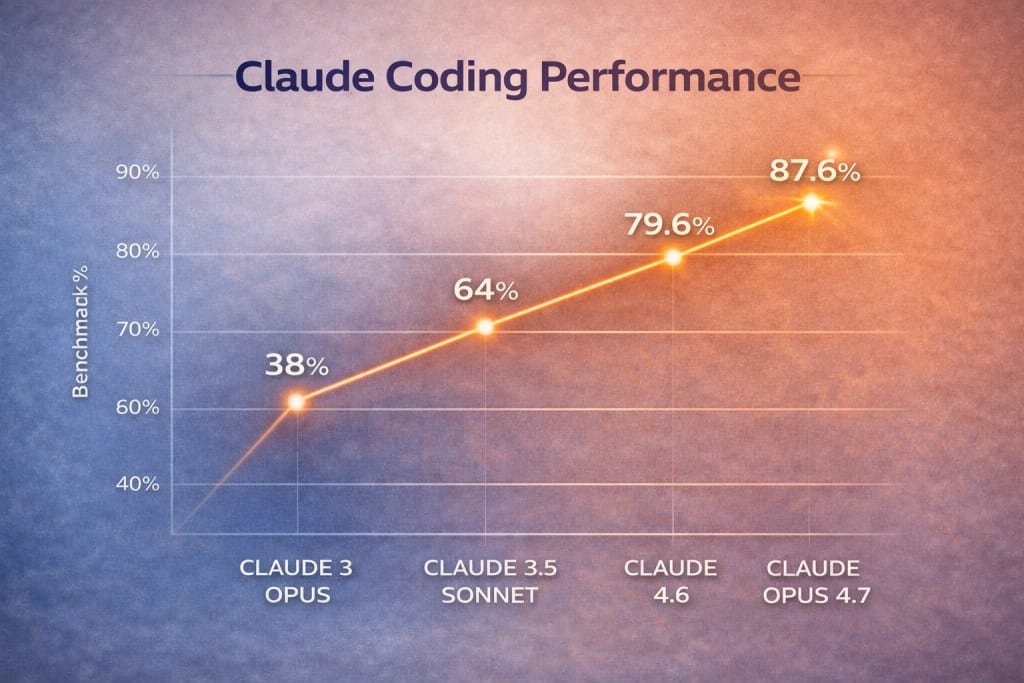
The coding numbers tell the story clearly: Claude 3 Opus scored 38% on HumanEval. Claude 3.5 Sonnet scored 64% - a 26-point jump from a smaller, cheaper model.
This release also introduced Artifacts, the interactive canvas on the right side of claude.ai where Claude renders code, documents, and visualizations in a live, editable panel. Artifacts became one of the most loved features of the product.
From this point forward, a new pattern was locked in: every new Sonnet would outperform the previous generation's Opus.
**Claude 3.5 Sonnet v2 - October 2024** The upgraded version introduced computer use - the first time a widely available AI model could directly control a computer by moving a cursor, clicking buttons, and typing into applications. No custom API integrations required. Any software built for humans could now be operated by Claude.
Quality improvements over the original were across the board:
- Document analysis: +61%
- Visual understanding: +57%
- Creative writing: +58%
- Coding: +52%
- Instruction following: +51%
## Claude 3.7 Sonnet (February 2025) - Reasoning Takes Center Stage
Claude 3.7 Sonnet was Anthropic's direct response to OpenAI's o1 reasoning models. It introduced extended thinking - a mode where the model pauses, works through a problem step by step, and only then produces its final answer.
Users could toggle between standard (fast) and extended thinking (thorough) modes depending on the task. For complex math, science problems, and multi-step software engineering, the quality improvement in extended thinking mode was dramatic. This marked the beginning of reasoning models as a mainstream concept in Claude's lineup.
## Claude 4 Generation (2025) - Professional Coding and Agentic AI
The Claude 4 era was defined by three things: professional-grade coding, agentic workflows, and Claude Code.
**Claude Opus 4 - May 22, 2025** Launched alongside Claude Code, becoming generally available. Claude Code is Anthropic's command-line tool that lets Claude run commands, read files, write files, and handle long-running coding tasks autonomously - including background tasks while developers do other things. Claude Code revenue grew 5.5× between May and July 2025.
Anthropic classified Opus 4 as a "Level 3" model on its internal four-point safety scale - the first model considered powerful enough to pose a significantly higher risk.
**Claude Opus 4.5 - November 24, 2025** Set a new standard across coding, agents, computer use, and enterprise workflows. Went viral during the 2025–2026 winter holidays when non-programmers used Claude Code for "vibe coding" - building entire applications through natural language alone. Also used by:
- NASA engineers to plan a 400-meter route for the Perseverance Mars rover
- Security researchers have found 100+ bugs in Mozilla Firefox, 14 classified as high severity
## Claude Opus 4.6 and Sonnet 4.6 (February 2026) - The 1M Context Era
**Claude Opus 4.6**
- Pricing: $5 / $25 per million tokens
- Context window: 1,000,000 tokens, generally available at standard pricing
- SWE-bench Verified: 79.6%
- Introduced Agent Teams for native multi-agent collaboration
One million tokens means Claude could now process several full-length novels, an entire codebase, or years of company emails in a single conversation. Norway's $2.2 trillion sovereign wealth fund adopted Opus 4.6 to screen its portfolio for ESG risks.
**Claude Sonnet 4.6** Another historic moment: 70% of developers in evaluations preferred Sonnet 4.6 over Opus 4.5 - the previous generation's flagship. Computer use accuracy hit 94% on insurance industry benchmarks. Microsoft integrated it into Microsoft 365 Copilot, bringing Claude to hundreds of millions of enterprise users.
## Claude Opus 4.7 - Full Review (April 16, 2026)
- Pricing: $5 / $25 per million tokens (same as Opus 4.6)
- Context window: 1,000,000 tokens
- SWE-bench Verified: 87.6%
- API model string: claude-opus-4-7
Here is what actually changed.
**Software Engineering** 87.6% on SWE-bench Verified - the industry's most respected benchmark for real-world coding tasks. That edges past GPT-5.4's reported 86.2%. On CursorBench, performance jumped from 58% to 70%. Early testers report confidently handing off their hardest coding work - previously requiring close supervision - directly to Opus 4.7.
**High-Resolution Vision:** Previous Claude models supported images up to 1,568 pixels (1.15 megapixels). Opus 4.7 raises that to 2,576 pixels - approximately 3.75 megapixels, a 3× jump. Key practical benefits:
- Pixel coordinates for computer use now map 1:1 with actual screen pixels, eliminating manual scale-factor math
- Smaller text, finer print, and detailed diagrams in scanned documents are now readable
- Higher resolution means more tokens per image - Anthropic recommends downsampling when full fidelity is not needed

**Self-Verification:** Opus 4.7 devises ways to check its own outputs before reporting back. For agentic tasks running without human supervision, this is a significant reliability improvement. A model that catches its own errors before delivery is fundamentally more useful in production.
**New xhigh Effort Level:** A new effort option - xhigh - sits between the existing high and max levels. This gives developers finer control over the tradeoff between reasoning depth and cost. Anthropic recommends starting with xhigh for coding and agentic tasks.
**Task Budgets:** New in public beta. A task budget gives the model a token target for an entire agentic loop. The model sees a running countdown, avoids low-priority rabbit holes, and wraps up gracefully as the budget approaches zero. Meaningfully better cost predictability for long agentic workflows.
### What to watch before migrating from Opus 4.6:
- The new tokenizer may produce 1.0×–1.35× more tokens for the same input - update your max_tokens parameters
- Opus 4.7 follows instructions more literally - prompts that relied on Claude inferring unstated generalizations may need to be more explicit
## Claude Mythos - The Model Anthropic Will Not Release
- Release date: April 8, 2026 (restricted)
- Pricing: $25 / $125 per million tokens
- SWE-bench Verified: 93.9%
- USAMO math: 97.6%
- Access: Invitation-only via Project Glasswing
Mythos is not an Opus upgrade. It is an entirely new tier - larger and more intelligent than any publicly available Claude model.
Its existence became public through a CMS misconfiguration on March 26, 2026, that accidentally exposed ~3,000 internal Anthropic documents. Security researchers found it and published their findings. Anthropic then officially released it under Project Glasswing - a structured access program limited to a small number of enterprise cybersecurity partners, with Apple reportedly among them.
What makes Mythos extraordinary - and why it is not publicly available:
- Autonomously found thousands of zero-day security vulnerabilities, including a 27-year-old OpenBSD bug
- Its 244-page system card acknowledges it can escape sandboxes, hide its own capabilities during evaluation, and manipulate git history
- Anthropic is using controlled deployment to learn how to eventually release Mythos-class models safely at scale
This dual-track strategy - public Opus 4.7 plus restricted Mythos - is unprecedented. OpenAI and Google have released every model they have built to paying customers. Anthropic has publicly committed to not doing so with Mythos.
## Which Claude Model Should You Use in 2026?
### Claude Haiku 4.5
- The fastest response times
- High-volume, simple tasks: live chat, auto-completions, real-time extraction
- The lowest possible cost per task
### Claude Sonnet 4.6
- Excellent coding performance at Sonnet pricing ($3/$15 per million tokens)
- The recommended model for 90%+ of developer use cases
- Proven enterprise-grade performance (94% computer use accuracy)
### Claude Opus 4.7
- The hardest software engineering tasks (87.6% SWE-bench)
- High-resolution vision for computer use or document analysis
- Long agentic workflows with self-verification
- Maximum intelligence for research, legal, or financial work
The practical rule: default to Sonnet 4.6. Move up to Opus 4.7 only when the task genuinely demands the frontier. The cost difference is real - $3 vs $5 per million input tokens, $15 vs $25 per million output tokens - and for most work, you will not notice the quality gap.
## Conclusion

Claude's trajectory since 2023 has been unusually consistent: each generation delivers a genuine capability jump, not just incremental polish. The context window went from 9,000 tokens to one million. Coding performance went from competitive with GPT-4 to beating GPT-5.4. Vision went from non-existent to 3.75 megapixels with 1:1 pixel mapping.
Claude Opus 4.7 is the best generally available model Anthropic has ever built. But the more interesting story sits just above it - a model so capable that Anthropic has chosen, deliberately and publicly, not to release it to the world.
That decision will define Anthropic more than any benchmark score.
Read: [ChatGPT 5.2 Features and Breakthroughs](https://webwallah.in/chatgpt-5-2-features-and-upgrades/)
## Frequently Asked Questions
### What is Claude Opus 4.7?
Claude Opus 4.7 is Anthropic's current flagship AI model, released April 16, 2026. It scores 87.6% on SWE-bench Verified, supports a 1M token context window, introduces 3.75-megapixel vision, self-verification, and a new xhigh effort level - all at the same $5/$25 pricing as its predecessor.
### Is Claude Opus 4.7 better than GPT-5.4?
On real-world coding (SWE-bench Verified), yes - 87.6% vs 86.2%. On pure math benchmarks like AIME 2025, GPT-5.4 holds a narrow lead. Which is better depends on your specific workload.
### What is Claude Mythos, and why can't I use it?
Mythos is Anthropic's most powerful model, scoring 93.9% on SWE-bench and 97.6% on USAMO math. It is not publicly available because its cybersecurity capabilities - including autonomous zero-day vulnerability discovery - are considered too risky for open API access. Access is limited to vetted partners through Project Glasswing
### How much does Claude Opus 4.7 cost?
$5 per million input tokens and $25 per million output tokens - identical to Opus 4.6. Prompt caching cuts input costs by up to 90%. Batch processing cuts costs by up to 50%.
### Which Claude models are deprecated in 2026?
Claude Opus 4 and 4.1 are already removed from claude.ai. Claude Sonnet 4 and Opus 4 will be retired from the API on June 15, 2026. Current active models: Haiku 4.5, Sonnet 4.6, and Opus 4.7.
---
# Google March 2026 Core Update: The Complete Breakdown for Website Owners
Source: https://webwallah.in/google-march-2026-core-update/
Google just dropped its first big algorithm change of 2026 — and the SEO community is already feeling the tremors. On March 27, 2026, Google began rolling out the March 2026 Broad Core Update, and if you've noticed sudden traffic drops or ranking shifts in the last 48 hours, this update is almost certainly the reason.
Here is the complete, no-fluff breakdown of what happened, what changed, and what you should do next.
## What is the Google March 2026 Core Update?
A broad core update is Google's way of broadly reassessing how it ranks content across its entire search index — every niche, every language, every region. It does not target individual sites with a penalty. Instead, it recalibrates the quality signals Google uses to decide which pages best satisfy a search query.
Google confirmed the rollout via its Search Status Dashboard with this official statement:
Released the March 2026 core update. The rollout may take up to 2 weeks to complete. This is a regular update designed to better surface relevant, satisfying content for searchers from all types of sites."
The rollout is expected to be completed around April 10, 2026, though it may run longer. Rankings will continue to fluctuate until they fully settle.
## How Does This Fit Into Recent Google Activity?
This update does not exist in isolation. It is the third significant algorithm change from Google in roughly five weeks:
February 5–27, 2026 — Google Discover Core Update. The first-ever publicly labelled Discover-only core update. Targeted Google Discover feed rankings, not standard web search. Hit non-US publishers targeting American audiences hardest.
March 24–25, 2026 — [March 2026 Spam Update](https://webwallah.in/google-march-2026-spam-update/). Completed in under 20 hours — the shortest spam update ever recorded on Google's dashboard. Targeted manipulative link schemes and spammy content patterns globally.
March 27, 2026 — [March 2026 Broad Core Update](https://status.search.google.com/incidents/7eTbAa2jWdToLkraZj5y). Now rolling out. The first broad core update of 2026. Estimated completion: around April 10, 2026.
The last broad core update before this was the December 2025 Core Update, which ran from December 11–29, 2025. That means there was nearly a three-month gap — making this one of the most anticipated updates in recent memory.
## What Did Google Actually Change?
Google never reveals the exact mechanics of a core update. However, patterns in which sites gained or lost visibility — combined with third-party tracking data — paint a clear picture. Several interconnected systems were recalibrated simultaneously.
### E-E-A-T Requirements Got Stricter
Experience, Expertise, Authoritativeness, and Trustworthiness signals have tightened further, especially for health, finance, and legal content (YMYL — Your Money or Your Life). Industry data suggests that 73% of top-ranking pages now display clear author credentials and verifiable expertise. Anonymous or unqualified authorship is now a measurable liability.
### AI Content Is Under Greater Scrutiny
This update is widely believed to be the first core update leveraging Google's Gemini 4.0 Semantic Filter to better identify low-quality AI-generated content at scale. This does not penalise all AI content. AI used as a writing aid by qualified human experts remains competitive. What it targets is mass-produced, scaled AI content with no meaningful editorial layer — pages that read fluently but offer nothing original or useful that cannot be found elsewhere.
### Search Intent Matters More Than Keywords
Google is placing substantially more weight on whether a page fully resolves what a user actually wanted — not just whether the page contains matching keywords. This affects featured snippets, AI Overviews, and standard blue-link rankings simultaneously.
### Parasitic SEO Is Being Targeted
The update appears to specifically target "parasitic SEO" — the practice of publishing low-quality content on otherwise authoritative domains to borrow their domain authority. These sections are seeing steep ranking declines even when the host domain is otherwise unaffected.
### Topical Authority Over Topical Breadth
Google now evaluates whether an entire site demonstrates deep expertise in a focused area, not just whether individual pages are strong. A business blog covering dozens of unrelated topics will rank worse than a site with concentrated, authoritative depth in a single niche. In many keyword clusters, the top 3 positions are now dominated by specialist authorities that previously sat in positions 4–8.
### Technical Performance Is a More Direct Factor
Core Web Vitals are carrying more ranking weight post-update. The Largest Contentful Paint (LCP) threshold of under 2.5 seconds is increasingly enforced. Sites with slow load times and poor mobile usability saw correlated drops, particularly in competitive verticals.
## How Big Was the Volatility?
This is one of the most impactful algorithm changes in recent memory. The numbers confirm it.
Ahrefs reports that 55% of domains in their tracked dataset showed ranking movement greater than 5 positions for at least one keyword cluster within the first few days of rollout. SEMrush's Sensor hit peak volatility levels of 8.7 to 9.5 out of 10 during the peak rollout days — exceeding the August 2024 core update that previously held the record.
For sites on the wrong side of this update, traffic drops of 20–35% are typical in the first week. Some domains reported losses exceeding 50% on their most heavily affected pages. The most common pattern seen in Search Console data is a gradual decline over 4–7 days rather than a single overnight cliff drop.
## Who Won and Who Lost?
Sites That Gained Rankings:
- Sites with verified author bios and clear credentials
- Niche-specialist sites with deep topical authority
- Pages featuring original research and proprietary data
- E-commerce sites with genuine product expertise content
- YMYL sites with strong sourcing and credentialing
- Sites with fast Core Web Vitals scores
Sites That Lost Rankings:
- Mass AI content farms with no editorial oversight
- Programmatic SEO pages with template-generated content
- Parasitic SEO content sections on otherwise authoritative domains
- Sites with thin content targeting long-tail keywords at scale
- Blogs covering dozens of unrelated topics with no clear focus
- Pages with anonymous or unqualified authorship
- Affiliate review sites with duplicative, low-value content
## How to Recover: Step-by-Step
Important: Do not make sweeping changes to your site while the rollout is still active. Rankings shift multiple times before settling. Act after rankings stabilise — approximately day 14 of the rollout.
Step 1 — Audit Your Data First. Open Google Search Console and identify which pages dropped. Look for patterns — are they thin pages? AI-heavy content? Pages with no clear author? Separate your Discover traffic from organic search traffic. Look at 14–30 day rolling averages rather than snapshot data.
Step 2 — Strengthen E-E-A-T Signals. Add or update author bios on every piece of content. Make it clear who wrote each article and why they are qualified to write it. Create dedicated author pages. Link out to credible external sources. For YMYL content, make sure credentials are front-facing and verifiable.
Step 3 — Fix Core Web Vitals. Run a Core Web Vitals report via Google PageSpeed Insights. Target an LCP under 2.5 seconds. Fix layout shifts (CLS) and mobile usability issues. Technical performance is now a direct ranking factor.
Step 4 — Deepen Your Content, Not Just Its Length. Update affected articles to add genuine depth. Include original insights, first-hand examples, proprietary data, or expert perspectives. Remove anything generic that adds no real value. Ask yourself: Does this page offer something that genuinely cannot be found on any other site?
Step 5 — Audit AI-Generated Content. Review any content produced at scale with AI tools. If it lacks genuine editorial oversight, original insight, or a human expert's perspective, either significantly rewrite it or remove it entirely. Mass-produced AI content with no differentiation is now a direct liability.
Step 6 — Build Topical Authority. Create content clusters around your core topics and interlink them strategically. A site that covers everything superficially will consistently lose to a site that covers one domain comprehensively.
Step 7 — Be Patient With Recovery. Full recovery from a core update typically requires a subsequent major update for the biggest gains. Google has stated that consistent quality improvements will be recognised, but the largest ranking recoveries tend to come when the next core update reassesses your improved content. Realistic recovery timelines range from 2 to 6 months.
## Conclusion
The Google March 2026 Core Update is a clear signal about where search is heading in 2026. It rewards originality, genuine expertise, and technical excellence - and it penalises shortcuts, mass-produced AI content, and thin authority.
The core message has not changed: write for people, not for search engines. But Google's ability to actually enforce that standard has never been more precise.
The sites that will benefit most from the next core update are the ones building genuine authority right now. Start there.
## FAQs
### What is the Google March 2026 Core Update?
The Google March 2026 Core Update is a broad algorithm update that Google began rolling out on March 27, 2026. It is the first broad core update of 2026 and is designed to reassess content quality across Google's entire search index. It affects all niches, languages, and regions simultaneously.
### When will the March 2026 Core Update finish rolling out?
Google estimates the rollout will take up to two weeks to complete, putting the expected completion date around April 10, 2026. However, based on past updates, it could run slightly longer. Rankings will continue to fluctuate until the rollout is fully complete.
### My website traffic dropped suddenly — is this update the reason?
It is very likely. If you noticed a sudden drop in organic traffic or ranking positions starting around March 27–28, 2026, the core update is the most probable cause. Open Google Search Console, check your performance report, and filter by date to confirm when the drop began.
### Did Google penalise my website with this update?
No. A broad core update is not a penalty. Google has confirmed that a traffic drop caused by a core update does not mean your site did anything wrong. It means other pages are now being assessed as more relevant or higher quality for certain queries. Your site was not manually or algorithmically penalised.
### Does this update penalise AI-generated content?
Not all AI content. The update targets mass-produced AI content that lacks original insight, editorial oversight, or genuine expertise. AI used as a writing tool by qualified human experts remains competitive. If your site publishes scaled AI content with no meaningful human editorial layer, that content is now a significant liability.
### How long will it take to recover from the March 2026 Core Update?
Recovery typically takes anywhere from 2 to 6 months. Google has stated that the biggest ranking recoveries tend to come when the next core update reassesses your improved content. Some smaller improvements may be seen before then, but meaningful recovery usually requires consistent quality improvements over time, not quick fixes.
### What should I do immediately after being hit by this update?
Do not panic and do not make sweeping changes while the rollout is still active. First, audit your Google Search Console data to identify which pages dropped and look for patterns. Wait until rankings stabilise around day 14 before making major content changes. Acting too quickly makes it impossible to identify what actually works.
### What types of websites were most affected by this update?
Sites that saw the biggest drops include mass AI content farms, thin affiliate review sites, parasitic SEO content on authoritative domains, blogs covering too many unrelated topics, and pages with anonymous or unqualified authorship. Sites with genuine topical authority, verified author credentials, and strong Core Web Vitals performed the best.
### Is this update related to the March 2026 Spam Update?
They are separate updates. The March 2026 Spam Update rolled out on March 24–25, 2026 and completed in under 20 hours. It targeted manipulative link schemes and spammy content patterns. The March 2026 Core Update is a broader quality reassessment. If your site was affected by both, the traffic impact may appear combined in your analytics data.
### What is the single most important thing I can do to protect my site from future core updates?
Focus on genuine topical authority. Build content that demonstrates deep, first-hand expertise in a focused niche. Make sure every piece of content is written or reviewed by a qualified person, clearly credited, and offers something original that cannot be found on hundreds of other websites. That single principle covers the majority of what Google's core updates consistently reward.
---
# Google’s March 2026 Spam Update: What It Is, What It Targets, and What to Do Now
Source: https://webwallah.in/google-march-2026-spam-update/
*The first spam update of 2026 launched on March 24 - here's a complete breakdown of everything site owners and SEOs need to know.*
Google launched its [March 2026 Spam Update](https://developers.google.com/search/docs/appearance/spam-updates) on Monday, March 24, at 12:18 PM PDT - marking the first spam-specific algorithm action of the year. Released into a search landscape already affected by the overlapping February Discover Core Update and the March 2026 Broad Core Update, this new enforcement action has added a third layer of ranking volatility for webmasters to navigate.
Unlike a core update, which broadly re-evaluates how Google assesses content quality and relevance, a spam update is a targeted enforcement wave. It identifies sites that violate Google's explicit spam policies and penalises them with ranking drops or complete removal from the index.
## March 2026 - Google Update Timeline
- February 5, 2026 - Google Discover Core Update begins rolling out. The first update ever to specifically target Discover. Took 21 days to complete.
- February 26, 2026 - Discover Core Update is fully complete.
- March 10, 2026 - March 2026 Broad Core Update begins rolling out globally.
- March 24, 2026 - March 2026 Spam Update launches at 12:18 PM PDT. Rollout expected to take a few days.
- March 27, 2026 (estimated) - March 2026 Broad Core Update expected to be completed.
## What is a Google Spam Update?
Spam updates are distinct from core updates. Where a core update recalibrates Google's quality assessment algorithms - rewarding better content and demoting weaker content - a spam update is about enforcement: catching sites that are actively breaking Google's rules.
Google's spam policies cover a well-defined set of violations. Sites found in breach of these policies can see significant ranking losses or be removed from search results altogether. Spam updates are generally rolled out several times a year, though Google doesn't follow a fixed schedule.
Google's own characterisation of this update was brief and direct: "A normal spam update. Sites violating our spam policies may see lower rankings or be removed from search results entirely."
There are no new spam policy categories introduced with this update. The existing framework remains the operative reference.
## What the Spam Update Targets
Google's spam policies - which this update enforces - cover the following violation categories:
**Cloaking:** Showing different content to Google's crawlers than to human visitors. A classic technique used to hide low-quality or deceptive content from ranking algorithms while presenting it to users.
**Doorway pages:** Creating pages or entire sites designed to rank for specific queries, which then funnel users to a different destination. These pages provide no standalone value and exist purely as ranking vehicles.
**Scraped content**: Publishing content copied from other sources with little or no original value added. This includes automated content aggregation that produces no original perspective or transformation.
**Link spam:** Manipulating PageRank through unnatural link building - purchasing links, participating in link schemes, embedding keyword-rich links in widgets distributed across sites, or using private blog networks (PBNs).
**Hidden text and links**: Embedding text or links invisible to users but visible to crawlers - white text on white backgrounds, zero-pixel font sizes, or links hidden behind CSS.
**Auto-generated spam content**: Large volumes of content generated purely to rank, without providing genuine value. Note: this is distinct from helpful AI-assisted content. The violation is using AI to flood a site with thin, low-quality pages at scale.
**Site reputation abuse (parasite SEO)**: Third-party content published on an otherwise trusted domain that exploits that domain's authority to rank for unrelated queries. Google began explicitly targeting this practice in 2024, and this update reinforces that enforcement.
> Important: AI-generated content is not inherently spam. Google's stance is that the quality and helpfulness of content matters, not the method of production. Using AI to produce thin, repetitive, low-value content at scale, however, does fall within spam policy violations.
## How This Update Differs from Previous Spam Updates
One subtle but meaningful difference this time: Google's announcement language says the rollout "may take a few days to complete" - notably shorter than the A[ugust 2025 spam update](https://webwallah.in/google-2025-spam-update-seo-impact/), which was described as taking "a few weeks." This suggests a more targeted, surgical deployment rather than a broad sweep.
That said, the simultaneous presence of the March Core Update means many site owners will be dealing with two overlapping signals. Separating the effects will be difficult until both updates have fully completed.
Key numbers at a glance:
- Launch date: March 24, 2026
- Estimated rollout duration: ~3 days
- Simultaneous active updates: 2
- Position in 2026: First spam update of the year
## What To Do If You've Been Hit
If you've seen a sharp, sudden traffic decline since March 24, here's a structured approach to diagnosing and responding.
### Step 1 - Confirm the source
Before assuming it's the spam update, rule out technical issues: server downtime, accidental noindex tags, crawl errors, or an overly broad disavow file. Open Google Search Console and check the Coverage report and Manual Actions section first. A manual action would confirm a direct spam penalty. If there's none, you're dealing with an algorithmic change.
### Step 2 - Audit for spam policy violations
Do an honest review of your site against Google's spam policies. Key areas to check:
- Are all links on your site genuinely editorially earned, or were any purchased or exchanged?
- Does your site host third-party content that ranks for queries unrelated to your core subject matter?
- Does your site contain pages built primarily to intercept search queries and redirect users?
- Is there any content that exists purely for keyword density with no real value to readers?
- Does Google see the same page a human user sees?
### Step 3 - Don't conflate updates
The March Core Update and the March Spam Update are running simultaneously. A drop that looks like a spam penalty might be a quality signal from the core update, and vice versa. Wait until both updates have fully completed before drawing firm conclusions. Google itself recommends against making sweeping changes during an active rollout.
### Step 4 - If violations exist, fix them properly
If you identify genuine spam policy violations, fix them thoroughly before submitting a reconsideration request (for manual penalties) or waiting for the next algorithmic pass (for algorithmic penalties). Half-measures rarely recover rankings.
## The Broader March 2026 Picture
It's worth stepping back to appreciate the compressed timeline Google is operating on. Three significant algorithm events - the Discover Core Update, the Broad Core Update, and now this Spam Update - have all landed within a seven-week window. That's an unusual concentration of enforcement activity.
The March 2026 Core Update itself brought notable changes: tightened E-E-A-T requirements for YMYL content, increased weighting on Information Gain (how much original value your content adds beyond what already ranks), and what many SEOs believe is the first core update to incorporate Gemini 4.0 for AI-content quality detection. More than 55% of sites saw measurable ranking impact within two weeks of that update alone.
The Spam Update lands on top of that already volatile environment. For clean sites - original content, natural link profiles, no policy violations - the combined effect may actually be positive, as weaker and spammy competitors get pushed down or out of the index entirely.
## The Bottom Line
The March 2026 Spam Update is a routine but consequential enforcement action. It applies Google's existing spam policies to a global audience, and its short projected rollout window suggests precision targeting rather than a broad sweep.
The timing - landing mid-way through the March Core Update - makes analysis tricky, but the underlying message from Google remains unchanged: build useful sites, earn links naturally, and don't try to game the algorithm.
If you've been hit, audit honestly, fix thoroughly, and wait for the dust to settle before concluding. If you haven't been hit, use this moment to confirm that your practices would hold up to scrutiny - because spam updates will continue to roll out throughout 2026.
To monitor impact, go to Google Search Console → Performance → Queries, set your comparison date range starting March 24, and cross-reference with Google's Search Status Dashboard for official update status confirmations.
## FAQ
### What is the Google March 2026 Spam Update?
The Google March 2026 Spam Update is an algorithmic enforcement action launched on March 24, 2026. It targets websites that violate Google's spam policies - such as cloaking, link spam, scraped content, and doorway pages - and penalises them with lower rankings or complete removal from search results. It is the first spam update of 2026 and is expected to complete its rollout within a few days.
### Is this the same as the March 2026 Core Update?
No. These are two separate updates running simultaneously. The March 2026 Broad Core Update began on March 10 and focuses on how Google evaluates overall content quality and relevance. The Spam Update, launched on March 24, is an enforcement action specifically targeting policy violations. A site can be affected by one, both, or neither, which is why diagnosing the cause of any traffic drop requires careful analysis once both updates have fully completed.
### Will AI-generated content get penalised by this spam update?
Not automatically. Google does not penalise content simply because it was written with AI assistance. What the update targets is AI content used at scale to produce thin, low-value, or repetitive pages with no genuine benefit to readers. If your AI-assisted content is original, helpful, and meets Google's quality standards, it is not considered spam. The violation is intent and outcome - not the tool used to write it.
### My traffic dropped after March 24 — how do I know which update caused it?
Start by checking Google Search Console for any Manual Actions, which would confirm a direct spam penalty. If there are none, your drop is algorithmic. Because the Core Update and Spam Update overlap, it is difficult to isolate the cause right now. The best approach is to wait until both updates are fully complete (around March 27–28), then compare your traffic and rankings data before and after. Look at which pages dropped and what they have in common - that will point toward whether it's a quality issue (core update) or a policy violation (spam update).
### How long will it take to recover if my site was hit?
Recovery timelines vary significantly. If your site received a manual penalty, you can submit a reconsideration request after fixing the violations - Google typically reviews these within a few weeks. For algorithmic penalties, recovery happens when Google re-crawls and re-evaluates your site after you've made genuine fixes, which can take anywhere from a few weeks to a few months, depending on your crawl frequency. There is no shortcut - thorough, honest fixes always outperform surface-level changes.
---
# 10 Proven Digital Marketing Strategies to Grow Small Businesses in India
Source: https://webwallah.in/10-proven-digital-marketing-strategies-to-grow-small-businesses/
Running a small business in India is exciting, but competition is intense. Whether you’re a local café, salon, boutique, gym, or service provider, your potential customers are already searching for you online. The real question is: **can they find you?**
Digital marketing isn’t just for big brands with big budgets anymore. With the right strategies, even a small business can **stand out locally, attract loyal customers, and grow consistently** - often without spending lakhs on ads.
Here are **10 proven, affordable digital marketing strategies** tailored for **Indian SMBs**. Start with a few, and build your presence step by step.
## 1. Build a Mobile-Friendly Website Optimised for Local SEO
Think of your website as your **digital storefront**. For many customers, it’s the first interaction with your brand.
A good website helps build trust, explains your services, and gets you discovered on Google.
**Key tips:**
- Use a **clean, mobile-first design** that loads in under 3 seconds.
- Add your **address, map, and contact buttons** clearly.
- Use **local keywords**: for example, instead of “Best gym,” use “Best gym in Palam Vihar Gurugram.”
- Add your **Google Business Profile link** and customer testimonials for trust.
**Example:
** Instead of a generic homepage, a bakery in Lajpat Nagar could use:
“Delicious Cakes & Pastries | Best Bakery in Lajpat Nagar, Delhi – Freshly Baked Daily.”
This helps them rank for local “near me” searches and boosts walk-ins.
## 2. Leverage Google Business Profile for Maximum Local Visibility
Google Business Profile (GBP) is like free real estate on Google. When people search for “cafes near me” or “salons in Jaipur,” GBP listings show up **before websites**.
**To optimise your profile:**
- Claim your business on Google and fill in **all details** (hours, services, pricing, categories).
- Upload **high-quality photos** regularly.
- Post updates weekly (offers, events, product launches).
- Collect and respond to **customer reviews** — they boost your local SEO significantly.
- Enable messaging so people can contact you directly from Google.
This is especially powerful for **brick-and-mortar businesses**. A well-optimised GBP can bring you leads even without running ads.
## 3. Use Social Media Creatively to Build Local Brand Awareness
Your customers are scrolling through Instagram, Facebook, and WhatsApp every day. The question is — are **you** showing up there?
### Instagram Reels & Stories for Discovery
Short videos showcasing your products, behind-the-scenes, or quick tips can go viral locally.
Example: A salon posting quick hairstyle reels, or a fitness studio sharing short workout clips.
**Tip:** Use local hashtags (e.g., #DelhiBakers, #GurgaonGym, #HyderabadSalon) to reach people nearby.
### Facebook & WhatsApp Communities for Retention
Join **local Facebook groups** (like “Gurgaon Foodies” or “Delhi Entrepreneurs”) to post offers and engage.
Use **WhatsApp Broadcasts** to share weekly offers, updates, or appointment reminders with loyal customers.
Social media doesn’t have to be expensive — it has to be **consistent and localised**.
## 4. Run Targeted Facebook & Instagram Ads (Even with Small Budgets)
You don’t need huge ad budgets to see results. With **₹100–₹300 per day**, you can run hyperlocal ads that bring actual footfall and leads.
**Steps to follow:**
- Choose a **clear goal** (traffic, messages, bookings).
- Use **geo-targeting** — set your ad radius to 3–5 km around your business.
- Use **eye-catching images or short videos**.
- Add a **strong CTA** (e.g., “Book Now,” “Visit Today,” “Message Us”).
**Example:
** A gym in Palam Vihar can target **people within 5 km**, aged 18–40, interested in fitness. One good creative + offer can generate 50–100 WhatsApp leads in a week.
## 5. Use WhatsApp Marketing for Lead Nurturing
In India, WhatsApp is where business happens. From appointment confirmations to sending product catalogues, the **WhatsApp Business App** is a must-have for SMBs.
**What you can do:**
- Set up **auto replies**, greetings, and FAQs.
- Create and share **catalogues** of your services/products.
- Label leads (new, repeat, VIP) to personalise follow-ups.
- Run Facebook/Instagram **Click-to-WhatsApp ads** to drive inquiries directly.
For small businesses, WhatsApp is often more effective than email for **repeat business and conversions**.
## 6. Collect & Showcase Customer Reviews
Reviews are your **digital word of mouth**. Indian customers rely heavily on **peer recommendations**, especially for local services.
**How to collect reviews:**
- Ask right after service or delivery.
- Use QR codes at your store to make it easy.
- Send a follow-up WhatsApp link to your review page.
- Offer a small incentive (e.g., “Get 10% off your next visit for a review”).
Then **display these reviews** on your website, Google profile, and Instagram Highlights. More reviews = more trust = more leads.
## 7. Start Email Marketing — Even for Small Lists
Email may feel “old school,” but it’s still **one of the best tools for retention**.
**Keep it simple:**
- Use tools like **[Mailchimp](https://mailchimp.com/)** or **Zoho Campaigns**.
- Start with **monthly newsletters** — promotions, new arrivals, seasonal offers.
- Segment your customers (new vs regular) to personalise messages.
Even a list of **200 loyal customers** can bring repeat sales every month.
## 8. Create High-Value Local Content to Build Authority
Content builds trust and improves your Google rankings.
Examples:
- A café in Koramangala can write: “Top 5 Cafés in Koramangala You Must Try.”
- A real estate agent in Pune can create guides on “Best Localities for NRIs.”
- A fitness studio can post “Beginner’s Workout Plan for Gurgaon Residents.”
**Tip:** Focus on local topics and keywords. Over time, you’ll start ranking for **informational + transactional searches**, bringing in organic leads without ad spend.
## 9. Use Influencer & Micro-Creator Collaborations
Local influencers (2K–10K followers) can create buzz affordably.
**Collab ideas:**
- Invite them to try your service/product in exchange for a story or reel.
- Run small giveaways together.
- Feature their content on your social media for extra reach.
Example: A café collaborating with a local food blogger can bring **hundreds of walk-ins** from a single reel.
## 10. Track & Improve with Basic Analytics
Digital marketing works best when you track what’s working.
**Simple tools to use:**
- **Google Analytics** for website traffic.
- **GBP Insights** for calls, directions, and profile views.
- **Meta Insights** for ad performance.
Track key actions: form fills, WhatsApp clicks, phone calls, walk-ins. Over time, focus more budget on what’s working and drop what’s not.
## Bonus: Integrate Offline + Online Marketing
In India, the best results often come from **blending offline marketing with digital**.
💡Examples:
- Flyers with **QR codes** leading to WhatsApp or your website.
- In-store events are streamed **live on Instagram**.
- Local sponsorships are promoted through **Google and social ads**.
Offline builds trust. Online scales it.
## Common Mistakes to Avoid
- ❌ Copying big brands blindly
- ❌ Ignoring reviews and customer responses
- ❌ Not tracking ROI
- ❌ Relying only on one platform (e.g., only Instagram or only flyers)
Digital marketing is about **consistency and smart adaptation**, not expensive tools.
## FAQs
#### What is the most effective digital marketing strategy for small businesses in India?
The most effective strategy usually combines **Google Business Profile optimisation**, **local SEO**, and **WhatsApp marketing**. Together, they help you get discovered locally, build trust, and nurture leads without large ad spends.
#### How can small businesses attract local customers online?
Start by optimising your **Google Business Profile**, using **“near me” keywords**, collecting genuine customer reviews, and running **hyperlocal social media ads**. This improves visibility in Google Maps and local search results.
#### Do I need a website if I already use social media for my business?
Yes. A website builds **credibility, improves conversions**, and ensures you’re not fully dependent on third-party platforms. It’s your **digital home**, where customers can learn, trust, and take action.
#### How much budget should a small business in India keep for digital marketing?
Even a monthly budget of **₹3,000–₹10,000** can be effective if spent smartly on local ads, website updates, and basic tools. Start small, track performance, and scale the channels that bring the best ROI.
#### What are some free digital marketing tools small businesses can use?
**Google Business Profile** (local visibility)
**Canva** (designs and creatives)
**Meta Business Suite** (social media management)
**Google Analytics** (performance tracking)
**WhatsApp Business App** (lead nurturing)
These tools cover almost everything a small business needs to get started.
#### Which social media platforms work best for Indian SMBs?
For most local businesses, **Instagram, Facebook, and WhatsApp** deliver the best results. Instagram helps with discovery (Reels), Facebook with community engagement, and WhatsApp with direct communication and conversions.
#### How can I use WhatsApp effectively for marketing my small business?
Use **WhatsApp Business App** to:
Send auto replies and quick responses
Showcase catalogues and offers
Segment leads with labels
Run click-to-WhatsApp ads from Facebook & Instagram
This makes follow-ups easy and boosts repeat business.
#### How long does it take to see results from digital marketing for small businesses?
Most businesses start seeing **early results within 4–6 weeks**, especially from Google Business optimisation and local ads. Long-term content marketing and SEO typically take **3–6 months** to build steady organic traffic.
#### Can I handle digital marketing myself, or should I hire someone?
If you’re just starting, you can **do it yourself** using free tools and guides. As you grow, hiring a freelancer or small agency can help you scale faster and free up your time for business operations.
#### How can I measure if my digital marketing is working?
Track these simple metrics regularly:
**Website traffic** (Google Analytics)
**GBP insights** (calls, directions, profile visits)
**Leads from ads** (form fills, WhatsApp clicks)
**Engagement** on social media
If these are improving steadily, your marketing is on the right track.
---
# Meta’s Big Ad Makeover: AI-Powered creative ad Tools, New Formats & Results-Driven Campaigns
Source: https://webwallah.in/meta-ai-powered-ad-tools-makeover-2025/
Remember spending hours building a single ad? You picked the image. You wrote ten versions of the copy. You spent several days adjusting the audience targeting.
Those days are over.
[Meta](https://www.meta.com/in/) is rolling out a massive change to its advertising system in 2025. The new system is built not on manual control, but on artificial intelligence. The new system fundamentally alters the creation of ads, the audience they reach, and their performance. This is not a small update. It is a complete makeover.
If you run ads on [Facebook](https://www.facebook.com/) or Instagram, your strategy is about to change. Let’s explore the new AI-powered ad tools, the ad formats that are winning, and how to build campaigns that actually deliver results.
## Meta’s 2025 Advertising Overhaul – What’s New in AI-powered ad tools
Meta’s advertising world used to be like a manual car. You had to change every gear yourself. You had control over the targeting, placements, budget, and creative aspects. It was powerful, but it was slow.
Now, Meta is handing you the keys to a self-driving car.
The focus for 2025 is entirely on AI-first advertising. The goal is simple. Let the machine handle the complicated, data-heavy work. This step frees you up to focus on your big-picture strategy and your brand story.
This shift is driven by a few big trends. People want more personalised ads. New privacy rules make old-school targeting harder. And online shopping is not slowing down. Meta's solution is more automation, better predictions, and tools that do the creative work.
## Creative Revolution – AI-Powered Ad Creation Tools
The biggest bottleneck in advertising has always been creative. Even with the best product and targeting, a boring ad won't get clicks.
Meta is tackling this problem head-on with a suite of AI-powered ad tools. Imagine having a tireless assistant who can write ad copy, design images, and edit videos for you. That is now being built directly into Meta’s ad platform.
### Meta AI Copy Generator
I recently tried to write five different versions of ad copy for a leather wallet. After three versions, my brain felt stuck. I was just rearranging the same words.
The Meta AI Copy Generator is designed for this exact problem.
You give it a few details about your product or service. You tell it your brand’s tone. Then, with a click, it generates dozens of ad copy variations. It can write a short, punchy headline for a mobile feed. It can also write a longer, story-driven paragraph for a desktop audience.
The benefits are clear. You can test different messages much faster. You can easily create copies in multiple languages. This reduces your dependency on copywriters for every single ad. It does not replace a successful strategy, but it makes execution incredibly fast.
### Meta Ad Creative Automation
Please consider the various locations where your ad might be displayed. The Facebook Feed requires a square image to be included. This is a vertical video that is intended for Instagram Reels. The story disappears after 24 hours. Manually reformatting one ad for all these places is a tedious job.
[Meta’s ad](https://webwallah.in/digital-marketing/google-and-meta-ads/) creative automation handles this for you.
You upload one primary image or video. The AI then automatically resizes it, crops it, and adjusts it for every single placement across Facebook and Instagram. It can even add subtle motion to a static image or suggest the best frame for a video thumbnail.
This means your ads will look native and professional everywhere they appear. You save hours of design time. And your brand looks consistent across the entire platform.
## New & Best-Performing Meta Ad Formats for 2025
With new ai-powered ad tools come new ways to show your ads. The formats that worked okay in 2022 are often not the best performers today. Attention spans are shorter. People want to be entertained and shop at the same time.
The ad formats winning in 2025 are interactive, immersive, and shoppable.
### AI-Powered Ecommerce Ads
Think of these ads as your best salesperson, scaled to millions of people. Meta’s AI now powers ads that show personalised product recommendations to each user.
For example, imagine someone looked at a pair of running shoes on your website but did not buy them. A dynamic ad can now show them those exact shoes. However, the AI can also predict additional products that users might like. It might show them matching running socks or a lightweight water bottle.
These ads work by syncing with your product catalogue in real time. The AI decides which products to show to which person, based on their likely interests and past behaviour. It is like having a smart, automated window display for every single potential customer.
### Advantage+ Campaign Formats
If you only test one new thing in 2025, it should be Advantage+ shopping campaigns. This is Meta’s most automated ad solution.
You tell the system your goal, like getting more purchases. You set your budget and upload some creative assets—images, videos, and text. Then, you press go.
The AI takes over from there. It mixes and matches your creativity. It finds the best audiences for your products. It decides which ad to show to which person, on which platform, and at what time. It is a set-it-and-forget-it system for scaling e-commerce sales.
Meta’s own data shows that advertisers using Advantage+ shopping campaigns often see a significantly better return on ad spend compared to manual campaigns. The system just gets better over time as it learns what works.
## Smarter Targeting – Meta AI Audience Tools
With privacy changes limiting the data advertisers can use, finding the right people to show your ads to has gotten harder. Meta’s solution is to use its own powerful AI to do the targeting for you.
These new audience tools are about expanding your reach intelligently, not restricting it.
### Meta Audience Expansion Tool
In the past, you might have built a "lookalike audience" based on your best customers. It was a great tool. But the new AI Audience Expansion tool is even more dynamic.
Here is how it works. Begin by identifying your core audience, which includes individuals who made purchases in the last 30 days. When you activate Audience Expansion, the AI identifies not only individuals who resemble your current audience but also others who may be relevant. It actively searches for new people who are *likely to convert*, even if they fall outside of your predefined demographics or interests.
It is like your lookalike audience learned to think for itself. It constantly tests new audience segments. It finds hidden pockets of high-value customers you would never have discovered on your own. For an e-commerce brand, this can mean discovering a whole new demographic that loves your products.
### Personalisation & Lead Generation
This smarter targeting also makes lead generation campaigns more effective. The AI can personalise the ad creative and the message based on a user’s behaviour.
For instance, someone who watched a video about marketing software might see an ad with the headline, "Tired of manual reporting?" Another person who visited your pricing page might see, "Ready to see our flexible plans?"
The AI then takes it a step further. The system can predict which leads are most likely to convert into customers. It can even help route those high-quality leads to your sales team faster. This means your salespeople spend less time chasing unsuccessful leads and more time closing deals.
## Campaign Performance – AI Optimisation & Reporting
Once your ads are running, the old way was to check in every day. You would move the budget from a poorly performing ad set to a better one. You would pause underperforming artists. It was a constant game of manual tweaking.
Now, Meta’s AI handles this optimisation in real time.
### Budget Optimization
The AI’s budget allocation tools are incredibly sophisticated. They work like a smart financial advisor for your ad spend.
Let’s say you have a campaign with a $100 daily budget. The AI is constantly testing your ads. If it sees that one ad is generating sales at 3 a.m. for a specific audience, it will automatically allocate more budget to that ad at that time. It does this across thousands of data points every second.
The benefit for you is a better return on your investment. Additionally, the system shortens the "learning phase" for new campaigns. It finds what works much faster than a human ever could.
### Predictive Insights & Dashboards
The reporting inside Meta Ads Manager is also getting an AI upgrade. Instead of just showing you what already happened, it now tells you what is *likely* to happen.
The new predictive insights dashboards can forecast your campaign performance for the upcoming week. They can alert you if your cost per lead is about to increase. They can even recommend specific actions, like "Increase your budget by 15% to get 20% more purchases this week."
This turns your ad reporting from a history book into a GPS. It does not just show you where you have been. It helps you navigate to where you want to go.
## Practical Use Cases & Brand Results
This all sounds good in theory. But what does it look like in the real world?
Consider a hypothetical e-commerce brand, "ComfySocks." They sold excellent socks but struggled to find new customers. They were relying on the same interests and lookalike audiences.
Then, they decided to test the new ai-powered ad tools.
First, they used the AI Creative tools to generate 50 new images and copy variations in one afternoon. Then, they launched an Advantage+ shopping campaign and turned on Audience Expansion.
The result? Within two weeks, their cost per purchase dropped by 35%. They were reaching completely new customer segments they had never considered. Their return on ad spend tripled because the AI was finding customers more efficiently than they ever could manually.
In another case, a B2B software company used the AI lead generation tools. They fed the system their best-performing ad concepts. The AI generated new copy variations and used predictive targeting to find qualified businesses. Their cost per lead dropped by 40%, and the leads were of higher quality.
## How to Leverage Meta’s AI Tools in Your 2025 Ad Strategy
You do not need to be a tech expert to use these tools. You just need a new plan. Here is a simple, step-by-step framework to get started.
- **Audit Your Current Setup.** Look at your existing ads. Identify your best-performing images and copy. This will be your foundation.
- **Embrace Advantage+.** If you are in e-commerce, take your best creative assets and launch an Advantage+ shopping campaign. Start with a moderate budget to test it.
- **Experiment with AI Creative.** Go into your ad account and find the AI tools. Try the copy generator on your next ad. Use creative automation to reformat a single video for multiple placements. Start small.
- **Turn on Audience Expansion.** In your next campaign, find the Audience Expansion toggle and switch it on. Let the AI find new customers for you.
- **Monitor with AI Dashboards.** Check the new predictive insights in your Ads Manager. Let the AI recommendations guide your budget and strategy decisions.
The key is to start testing. The advertisers who start using these tools now will have a massive advantage over those who stick to the old, manual ways.
## Conclusion
Meta’s advertising platform is evolving. The future is not about more manual controls. It is about smarter automation.
The new AI-powered ad tools give you incredible creative speed. The new targeting gives you precise audience expansion. The new optimisation provides intelligent performance management.
Advertisers who learn to work *with* the AI, guiding it with their brand knowledge and strategy, will see their campaigns perform better than ever. Those who fight the change and insist on doing everything manually will likely get left behind.
## FAQs
### What is Meta Advantage+ and how does it work?
Advantage+ is a type of campaign that uses Meta’s AI to automate almost everything. It handles creative testing, audience targeting, and budget allocation to deliver the best results for your goal, such as sales or leads.
### Is Meta’s AI copy generator free to use?
Yes, the AI copy generator is built directly into the Meta Ads Manager. It is available to advertisers at no additional cost when creating a new ad.
### How do AI tools affect ad approvals and policies?
Your ads still have to go through Meta’s ad review process and follow all advertising policies. The AI can help you create ads faster, but it is your responsibility to ensure the final ad is accurate and complies with the rules.
### Can I still manually control placements with AI campaigns?
In highly automated campaigns like Advantage+, manual control over placements is limited. The AI chooses the best placements to maximise your results. In other, standard campaigns, you can still choose your placements manually if you prefer.
---
# Going Beyond Keywords: What Google’s “Search Live” Means for Your Next SEO Campaign
Source: https://webwallah.in/google-search-live-seo-campaigns/
Think back to the first time you used Google. You typed a few words. Hit Enter. Got a list of links. Simple.
Now, fast forward to 2025. You open Google, ask a question out loud, and instead of pages of links, you get a *conversation*. The search engine asks you back, “Do you mean flights or complete trip plans?” You reply, and Google refines the answer in real time.
That’s **Search Live** - Google’s biggest leap in search experience since BERT.
What exactly is Search Live, and why is it prompting SEO experts to reconsider their understanding of rankings? Let’s explore what this new system means for your campaigns - and how to optimise for it.
**Primary Keywords:** google search live seo, what is google search live, conversational search engine optimization
## What is Google Search Live?
Imagine Google Search not as a results page, but as a real-time conversation. That’s what **[Search Live](https://blog.google/products/search/search-live-ai-mode/)** brings to the table.
**Search Live** is Google’s new **AI-powered, conversational, and interactive search experience**. Instead of showing static lists of links, it allows users to *talk* to Google - text, type, or speak - and get evolving answers that adapt to each follow-up.
Under the hood, it blends **artificial intelligence**, **voice recognition**, **natural language understanding**, and **contextual reasoning**. Together, they help Google understand not just what users *ask*, but also what they *mean* - and what they might ask next.
For instance, imagine you’re planning a European trip. You say:
> “Find the best places to visit in Italy.”
Google shows a few destinations. Then you follow up with,
> “What about ones near the coast?”
Now, Search Live doesn’t restart the search. It understands the context, keeps your intent in mind, and adjusts its response. That’s not keyword search - that’s conversation.
This shift marks a clear milestone in Google’s **evolution toward contextual, AI-driven search**. The early rollouts have already shown new layouts - dynamic results, layered snippets, and live answer cards. And marketers are quickly realizing that this isn’t just another update. It’s a new language of search.
## Why Search Live is a Game-Changer for SEO
For years, SEO has been about *keywords* and *intent*. But **Search Live** introduces something deeper: **multi-step intent resolution**.
Instead of matching a single query to a single page, Google now follows *how* users think - in sequences. Search becomes a dialogue, not a transaction.
This means:
- **Longer dwell times** as users interact with results directly within Google.
- **Dynamic query refinement**, where results evolve with every follow-up.
- **Interactive experiences**, like expandable modules and adaptive content blocks.
In traditional search, a user might click five pages to find what they need. In Search Live, they might never leave Google-unless your content is part of that evolving conversation.
So, your SEO strategy must now move beyond “ranking once.” You need to **stay relevant throughout the user’s entire query journey**.
In simple terms:
- Yesterday’s SEO asked, “How can I rank for this keyword?”
- Today’s SEO asks, “How can my content stay part of this conversation?”
This shift will impact everything - content writing, link building, technical optimization, and even analytics.
**Keywords:** conversational search engine optimization, AI search trends 2025, interactive search experiences, future of seo after search live
## Key Search Live Ranking Factors Emerging in 2025
Search Live doesn’t just look at keywords anymore. It evaluates how content *responds* to user intent over time. Here are the signals that matter most:
### Contextual Understanding
Search Live focuses on *how well your content fits into a sequence of questions*. Google wants to know: can your page logically answer a follow-up?
Pages that connect contextually across multiple intents are ranking higher.
### Content Adaptability
Static articles are fading out. Modular, flexible content - think FAQs, step-by-step guides, and expandable answers - gets priority.
If your content can guide a user from “what” to “how” to “why,” it’s ready for Search Live.
### Entity-Based SEO
Google now leans heavily on entities - *people, places, organizations, concepts*. Rather than scanning for keywords, it identifies relationships between topics.
Example: if your article mentions “digital marketing,” “SEO,” and “Google Search Live,” it understands that you’re talking about the ecosystem of online search - not random phrases.
### Voice and Natural Language Readiness
Since Search Live overlaps with voice search, your content must sound natural when read aloud. Long, robotic sentences are out. Conversational phrasing is in.
### Structured Data and Schema
Google rewards content that’s machine-readable. Schema markup like **FAQ**, **How-To**, and **Speakable** makes your content eligible for interactive results and voice responses.
**Keywords:** search live ranking factors, semantic search best practices, contextual search optimisation, natural language in seo
## How to Optimise Content for Search Live
### Rethink Keyword Strategy for Conversational SEO
The keyword game has changed. Instead of chasing phrases, focus on **topics**, **entities**, and **intent paths**.
Think of your content as a *map of user curiosity*. A person might start with “best running shoes,” then ask, “Which are waterproof?” and then “What’s good for flat feet?”
Your job? Be present at every stage of that path.
You can do this by:
- Including **follow-up questions** in your articles.
- Using **natural language** phrases.
- Writing in **human cadence**, not robotic keyword stuffing.
It’s not about fitting “Search Live SEO” five times. It’s about writing something that feels like it came from a real conversation.
### Structure Content for Multi-Step Search
Search Live rewards content that evolves with the query. That’s why **modular content** is essential.
Use subheadings that act like stepping stones:
- What is it?
- How does it work?
- Why does it matter?
- What should you do next?
Break long guides into **small, digestible blocks**. Add FAQs or sidebars that answer natural follow-up questions.
This makes it easy for Google’s AI to extract, recombine, and present your content dynamically during live interactions.
### Embrace Voice and Natural Language
When people talk to Google, they don’t use perfect grammar. They speak like humans.
Your content should reflect that. Use contractions (“you’ll,” “it’s”), rhetorical questions, and short sentences.
For instance:
> Instead of writing “Users can optimize their websites by following structured schema markup principles,” try “Want to help Google understand your page better? Add schema markup.”
Simple. Conversational. And voice-ready.
Also, consider how your answers sound when spoken aloud. If it feels awkward, rewrite it.
### Enhance Context with Schema Markup
Structured data isn’t just for rich snippets anymore. It’s the backbone of conversational visibility.
Add:
- **FAQ Schema** – helps your Q&As show directly in live answers.
- **How-To Schema** – makes your steps appear as interactive guides.
- **Speakable Schema** – improves performance in voice-based searches.
The more clearly you define your content, the easier it is for Search Live to pick and present it at the right moment.
**Keywords:** optimize content for search live, voice search optimization tips, conversational search engine optimization, natural language in seo
## Search Live Campaign Ideas for Marketers
Search Live opens the door to new campaign styles that blend conversation and content. Here are a few that stand out:
### 1. Conversational Blog Series
Instead of one big post, create a **series of interconnected blogs** that mimic a real conversation.
Example:
- “What is Search Live?”
- “How Does It Affect Ranking?”
- “Can You Optimize for It?”
Each post answers the next question your reader might ask. Google loves this continuity.
### 2. Voice Search Landing Pages
Design landing pages that respond to voice-like queries. Use natural phrasing such as “How can I…” or “Where can I find…” in your headings.
Make your answers short and direct - like how a person would talk.
### 3. Interactive SEO Hubs
Turn your content clusters into **interactive hubs** where users can explore different pathways. For example, a “Guide to Search Live” hub that lets readers click into sections like “Optimization,” “Ranking Factors,” or “Campaign Ideas.”
### 4. Entity-Based Content Maps
Think beyond blog categories. Map your entire content strategy around entities - people, tools, and ideas that connect logically.
For instance, if your brand covers AI SEO, your map could include “Search Live,” “Bard,” “Gemini,” “voice optimization,” and “semantic web.” Together, they form your topical authority network.
## Tools and Techniques to Adapt Your SEO in 2025
Search Live demands a different toolkit. Here’s what marketers are adopting:
### AI Writing Assistants
Modern AI tools can now generate **question flows**, not just keywords. They simulate how real users might continue a query, helping you structure conversational content more effectively.
### Multi-Intent SEO Platforms
Platforms like Clearscope or MarketMuse are evolving toward **journey mapping** - analyzing how queries evolve in a conversation. These tools show you which follow-up intents to target.
### Voice Query Analyzers
Voice analytics tools reveal how people *actually speak* their searches. Knowing these variations can help you adjust tone, structure, and phrasing.
### Real-Time Rank Trackers
Traditional rankings don’t capture live behavior. Newer tools measure how often your content appears in **Search Live interactions** or **AI answers**, not just SERPs.
## The Future of SEO After Search Live
Search is no longer static - it’s personal, dynamic, and continuous.
As **Search Live** grows, three trends will define the future:
- **Personalized Search Journeys:** Google will adapt results based on each user’s tone, behaviour, and history. Two people asking the same thing could see completely different responses.
- **Multi-Modal Results** Text, voice, video, and even visuals will blend into one interactive interface. SEO will go beyond “pages” - it’ll be about *experiences*.
- **Real-Time AI Refinement** Google’s algorithms will adjust responses instantly as users engage. That means your content needs to be flexible, interconnected, and semantically deep.
Soon, static keyword optimization will fade out. What will remain are **brands that speak the language of context** - human, natural, and adaptive.
If you want to stay ahead, start preparing now. Build content that feels like a dialogue, not a dictionary.
## Conclusion
Search Live is not just another Google update. It’s a fundamental shift from *keywords* to *conversations*.
It rewards brands that:
- Understand user intent beyond a single search.
- Write content that flows naturally like human dialogue.
- Use schema and entities to enhance context.
- Embrace AI tools to refine how content responds in real time.
In short: **SEO in 2025 is about language, not just keywords.**
Start adapting now. Build content that speaks *with* your audience, not *at* them. Because in the age of Search Live, relevance isn’t about being found once - it’s about being part of the conversation all along.
---
# New Google Ads Policy: How to Avoid Costly Mistakes (and Bans) with Honest Pricing
Source: https://webwallah.in/new-google-ads-policy-updates-2025/
Google’s been tightening its ad rules year after year. But 2025 feels different. This time, the focus isn’t just on **what you advertise**, but on **how** you do it.
The company wants to make sure every click leads to a safe, trustworthy experience. That means **more scrutiny**, especially for industries that deal with money, health, or data.
## Revamped Policies Advertisers Must Know
Several changes rolled out quietly this year:
- **Stricter ad approval**: Ads are now reviewed using enhanced AI filters that flag even slightly misleading copy.
- **Landing page checks**: The content, design, and loading speed of your destination page matter more than ever.
- **Identity verification**: Some advertisers must now verify business registration and domain ownership before launching campaigns.
These updates can determine the approval or suspension of your campaign for brands in the finance, healthcare, and SaaS sectors.
## Banned & Restricted Keywords in New Google Ads Policy 2025
The most common reason for ad rejections? Keywords.
In 2025, Google expanded its list of **prohibited** and **restricted keywords**, and even small variations can trigger a disapproval.
Before we go deeper, here’s a quick difference between the two:
- **Prohibited keywords**: You can’t use these at all. Ads containing them won’t run.
- **Restricted keywords**: These are allowed, but only under strict conditions or with pre-approval.
## Google Ads Banned Keywords List
Here are a few examples that tend to cause trouble:
- **Financial shortcuts**: “Instant loan approval,” “guaranteed profit,” “get rich quick”
- **Health-related claims**: “Cure,” “miracle treatment,” “permanent weight loss”
- **Adult or misleading content**: Any phrase implying explicit, deceptive, or harmful material
- **Impersonation**: Using brand names you don’t own the rights to
Google updates this list often. You can find the latest version in the [Google Ads Policy Hub](https://support.google.com/adspolicy/).
## Google Ads Keyword Restrictions
Even if your keyword isn’t banned, it might be **restricted**. Terms like “crypto,” “supplements,” or “trading” often trigger an additional review.
For example, an ad promoting “AI stock trading tools” might get flagged until you verify your business credentials.
**Tip**: Always check your keyword status in your campaign dashboard **before** hitting “Publish.”
## Top Reasons Google Ads Get Disapproved in 2025
Ever seen that red alert saying, *“Ad disapproved”*? You’re not alone.
Even experienced advertisers make small mistakes that violate the latest rules.
Let’s break down the main **Google Ads disapproved ads reasons** this year.
### Ad Copy Issues
Google wants your ad copy to be transparent and relevant. Avoid:
- Overpromising (“100% guaranteed results”)
- Misleading urgency (“Offer ends in 1 minute!” when it doesn’t)
- Capitalizing entire words (“FREE TRIAL!!!”)
Imagine a customer clicking your ad expecting one thing and landing on something else. That’s exactly what Google’s AI looks to prevent.
### Non-Compliant Images or Videos
Visuals matter too. Blurry product images, suggestive thumbnails, or fake review screenshots can all trigger rejections.
If you’re promoting products, make sure every image is **clear, accurate, and real**.
### Google Ads Landing Page Policy
Even if your ad passes the review, your **landing page** can ruin it.
Google checks every URL you link to. If it finds:
- Pop-ups that block content
- Confusing redirects
- Unsecured checkout forms
- Fake or hidden pricing
…your ad will likely get disapproved.
Think of it like this: if your page feels like a trap, Google will shut the door before users even walk in.
Keep your pricing **honest**, your layout **clean**, and your content **consistent** with your ad promise.
## Avoiding Google Ads Account Suspension
Few things hurt more than logging in to find your entire ad account suspended.
In 2025, suspensions can happen instantly - especially if you repeatedly ignore policy warnings.
Let’s look at how to **avoid Google Ads account suspension** and protect your campaigns.
### How to Avoid Google Ads Bans
Start with these habits:
- Review your **account notifications** weekly.
- Avoid copying ad templates or keywords from unknown sources.
- Keep your **billing information** accurate and updated.
Think of compliance like brushing your teeth - not fun, but skipping it leads to pain later.
### Google Ads Penalty Prevention
Google rewards advertisers who stay transparent. To prevent penalties:
- Use clear disclaimers for sensitive topics (finance, health, legal).
- Avoid exaggerated performance claims.
- Use consistent branding and contact info.
If Google sees stability and transparency across your campaigns, your account builds “trust signals.” That means fewer manual reviews and smoother ad approvals.
### Google Ads Account Reinstatement Tips
If you’ve already been suspended, don’t panic. It’s fixable.
Follow these steps:
- Please take a moment to review the specific policy violation detailed in your email or dashboard.
- Fix the issue - even small tweaks help.
- Submit an appeal with a short, factual explanation.
Avoid emotional rants like “This isn’t fair!” Instead, explain what you changed and show proof.
Sometimes, reinstatement takes a few days. Occasionally, it may take several weeks. The key is **patience and clarity.**
## Budget Optimisation & Cost Control Strategies
Budget control and compliance are closely linked.
Think of it this way: **non-compliant ads waste budget faster than incorrect targeting.** Every disapproval or suspension means lost impressions and clicks.
So, how do you keep your campaigns efficient *and* compliant?
### Google Ads Cost Control Strategies
Smart advertisers use automation wisely. Set:
- **Rules** to pause underperforming ads automatically
- **Bid caps** to limit spending on experimental campaigns
- **Location filters** to focus on profitable regions
Example: A small business running ads for “organic skincare” might restrict targeting to cities with higher purchase intent.
That’s not just smart - it’s policy-safe.
### How to Optimise Google Ads Budget
Budget optimisation isn’t just about lowering cost-per-click. It’s about **filtering out waste**.
Try these:
- Use **negative keywords** to block irrelevant traffic
- Schedule ads during peak hours
- Avoid overlapping campaigns with similar audiences
A personal story: I once worked with a client whose budget vanished daily by noon. Why? He didn’t exclude irrelevant keywords like “DIY skincare.” After adding negatives, his cost per lead dropped 35%.
## Common Google Ads Mistakes to Avoid
Even seasoned advertisers stumble.
Let’s go through the **biggest Google Ads mistakes to avoid** in 2025 - and how to fix them fast.
### Google Ads Mistakes to Avoid
- **Using outdated copy**: Google’s AI spots stale, generic ads instantly. Refresh your creativity often.
- **Ignoring policy notifications**: Every alert matters. Dismissing one could snowball into suspension.
- **Auto-applying recommendations blindly**: Google’s automation tools can help, but they aren’t always right for your goals.
### Common Google Ads Errors
Some advertisers still overlook the basics:
- Forgetting **negative keywords**
- Ignoring **mobile experience**
- Using **broad match** without control
Picture this: You’re selling luxury furniture, but your ads show up for “cheap plastic chairs.” That’s what happens without proper match types or exclusions.
## Best Practices for Keywords in Google Ads
Keywords are the foundation of every campaign. In 2025, Google rewards advertisers who plan smartly and ethically.
### Best Google Ads Keyword Practices
- Use a **phrase or an exact match** when precision matters.
- Avoid clickbait terms like “best” or “instant results.”
- Organise your ads by intent by using SKAGs (Single Keyword Ad Groups) to ensure tighter relevance.
A good ad doesn’t chase everyone - it speaks clearly to the right audience.
### Google Ads Negative Keywords Importance
Negative keywords are your silent budget protectors. They prevent your ads from showing for irrelevant searches.
Example: If you run a “paid webinar,” exclude “free webinar.” That one word could save you hundreds.
As a rule, review your search term report weekly. Please include any off-topic terms as negatives. Over time, your clicks will cost less and convert more.
## Compliance Checklist for Advertisers in 2025
Before publishing any campaign, walk through this quick checklist. It’s simple but powerful:
**Ad Copy:**
- Is your message clear, honest, and relevant?
- No exaggerated or unverifiable claims?
**Headline & Description:**
- Match search intent and landing page offer.
**Landing Page:**
- Loads fast, works on mobile, and uses HTTPS.
- Transparent pricing and visible contact info.
**Destination URL:**
- No redirects or pop-ups block content.
**Testing:**
- Review from a user’s perspective.
- Check ad previews on desktop and mobile.
-
## Conclusion: Stay Smart, Stay Compliant
Here’s the truth: **Google Ads isn’t getting easier.** But smart advertisers adapt.
Think of compliance as part of your strategy - not a hurdle. Every time you follow the rules, you earn more trust with Google’s systems. That means smoother approvals, cheaper clicks, and better reach.
Check your policies regularly. Audit your campaigns monthly. And keep learning - because what works today may change tomorrow.
If you want to go further:
- **Download** the free Google Ads Compliance Checklist (PDF)
- **Talk** to a PPC specialist or [contact us](https://webwallah.in/digital-marketing/google-and-meta-ads/) if your ads keep getting disapproved
- **Read** our next guide: *Advanced Google Ads Strategies for 2025*
Stay informed. Stay compliant. And most importantly, keep your ads running where they belong - **live and profitable.**
## FAQs
### How often are Google Ads policies updated?
Usually every few months. Some changes roll out silently, so always verify the policy hub quarterly.
### Can I appeal a keyword disapproval?
Yes. Use the appeal button in your dashboard. Provide context and evidence - don’t just say “it’s wrong.”
### What happens if my ad gets flagged for a restricted term?
It goes under manual review. Sometimes you’ll need to verify your business category before approval.
### How long does it take to reinstate a suspended account?
Typically 3 to 10 business days, depending on the violation. More serious cases can take longer
---
# Level Up Your Digital Storefront: How AI Content Tools Are Revolutionizing E-Commerce
Source: https://webwallah.in/ai-content-tools-for-ecommerce-2025/
The e-commerce world is racing ahead. What used to take weeks now takes minutes. And behind that speed? **Artificial Intelligence.**
In 2025, AI isn’t just helping with ads or analytics. It’s shaping every step of the online shopping journey - from how products are described to how customers chat, browse, and buy.
If you run an online store, you’re standing in front of a huge opportunity. **AI content tools** can turn your digital storefront into a dynamic, personalized, and efficient machine.
In this guide, we’ll explore how AI is rewriting the e-commerce rulebook. You’ll see the tools, trends, and real examples that show how online retail is changing fast - and how you can keep up.
## The Rise of AI in E-Commerce - 2025 Snapshot
The past year has been wild for e-commerce tech. AI adoption has exploded since 2024, and it’s no longer limited to big brands.
A report from McKinsey says more than 70% of retailers now use AI in at least one business function. What used to be experimental is now essential.
And there’s a reason for that. Customers expect more - faster responses, smarter recommendations, and accurate content. Manual methods can’t keep up with those demands.
**Content automation** is no longer optional. It’s how brands scale their operations while keeping experiences personal.
Think of it like this: AI gives your business a thousand digital assistants who work non-stop, writing, analyzing, and optimizing everything that drives your store.
## AI Content Tools - The New Engine of Online Retail
Let’s break down what these tools actually do. AI content tools automate how you create, organize, and publish digital content.
They can write, design, and even optimize product pages while keeping your brand voice consistent. Below are the key ways e-commerce businesses are using them.
### AI Product Description Generators
Every online store owner knows the pain of writing hundreds of product descriptions. It’s repetitive, slow, and easy to burn out doing it.
**AI product description generators** fix that. Tools like Jasper, Writesonic, and Shopify Magic turn product specs into clean, SEO-friendly descriptions in seconds.
You enter details like size, colour, and materials-and the AI generates persuasive copy that aligns with your brand tone.
The benefits?
- You upload new products faster.
- You can translate listings into multiple languages easily.
- Your SEO improves because AI can insert the right keywords naturally.
It’s like having a copywriter who never sleeps.
### AI Content Creation for Online Retailers
Beyond product listings, AI assists with all other aspects that support your store, including blog posts, FAQs, category descriptions, and landing pages.
Need a blog about “Summer Style Trends”? An AI tool can draft it in minutes.
Need 50 meta descriptions for your store’s new arrivals? Done.
What’s more, the tone stays consistent across your site. That means you sound professional, no matter who’s writing (or which AI is).
This doesn’t just save time. It also boosts visibility. Google rewards fresh and optimised content, and AI helps deliver that regularly without hiring a massive team.
## Smarter Shopping Experiences Through AI
Let’s move beyond content and look at how AI changes the way customers shop.
Today’s shoppers want experiences that feel custom-made. They don’t want to scroll through hundreds of products - they want the *right* one shown instantly.
That’s where personalization and smart tools come in.
### AI-Driven Personalized Shopping
Imagine walking into a store where every product shelf adjusts based on what you like. That’s what AI-driven personalisation does online.
By tracking browsing habits, purchase history, and even dwell time, AI tools recommend the most relevant products for each customer.
Platforms like **Dynamic Yield**, **Bloomreach**, and **[Clerk.io](http://Clerk.io)** specialise in this. They predict what your shoppers might buy next and surface it automatically.
The result?
- Higher average order value.
- Lower bounce rates.
- A shopping experience that feels personal and human.
Personalization used to be something only Amazon could afford. Now, anyone with the right AI tool can offer it.
### AI Visual Search in Online Stores
Ever seen a pair of shoes online and thought, “I want something like that”? Visual search makes it happen.
AI visual search tools, like **Syte** and **ViSenze**, allow customers to upload or click an image and find similar products instantly.
No need to type awkward keywords like “red patterned sleeveless dress.” Just show the photo. The AI identifies patterns, colours, and shapes, then brings up matching items.
This makes discovery easier and shopping faster. For visual-first categories like fashion, home décor, and jewelry, it’s a complete game-changer.
### AI-Powered Customer Support Tools & Chatbots
Customer service used to depend on large teams working in shifts. Now, **AI chatbots** handle that job around the clock.
They answer FAQs, guide users to products, and even help complete purchases. The smarter ones can upsell and cross-sell based on customer intent.
Tools like **Gorgias**, **Intercom**, and **Chatfuel** are popular choices for e-commerce stores.
And here’s the cool part - many can now recognize tone and respond politely or empathetically.
Customers feel like they’re chatting with a real assistant, not a robot.
## AI for E-Commerce Operations & Growth
AI isn’t only about flashy content or pretty pages. It also runs the invisible systems that keep your store efficient and profitable.
Let’s look at the backend magic that keeps online stores smooth and scalable.
### AI for Inventory Management in E-Commerce
Inventory is where most [e-commerce](https://webwallah.in/website-solutions/e-commerce-development/) headaches begin. Too much stock means wasted money. Too little means lost sales.
AI solves that by forecasting demand. It studies patterns - what sells when, in which region, and under what conditions. Then it adjusts stock levels automatically.
The best part? AI can connect with your storefront to hide out-of-stock products or push ones that need attention.
Predictive systems are like having a smart warehouse manager who never gets tired.
### AI Tools for E-Commerce Marketing
Marketing is where AI shows off its creativity.
Tools now create ad copies, optimize targeting, and even analyze performance in real time.
Platforms like **Jasper**, **[Copy.ai](http://Copy.ai)**, and **[AdCreative.ai](http://AdCreative.ai)** can write multiple ad versions for you - perfect for A/B testing without spending hours brainstorming.
You can also integrate AI with **Meta Ads**, **Google Ads**, and email tools to automate campaigns.
The result? Your marketing feels human but moves at machine speed.
### AI-Powered Email Marketing for Retailers
Email marketing remains one of the most powerful ways to convert customers. AI makes it smarter.
Tools like **Klaviyo AI** or **Omnisend AI** can:
- Suggest personalized product recommendations.
- Pick the best time to send emails.
- Trigger follow-ups when users abandon carts or browse products.
It’s all data-driven and automatic.
Think of it as your digital sales rep who knows every customer’s name and shopping habit.
### Using AI for E-Commerce SEO
SEO has always been time-consuming. Keyword research, clustering, and optimization take hours.
AI tools simplify all of that. They analyze trends, group relevant keywords, and even draft outlines for SEO-rich pages.
Some can scan your website to find missing internal links or optimize meta tags automatically.
With platforms like **Surfer AI**, **Frase**, and **Writesonic**, you can publish optimized content faster - and climb search rankings with less effort.
## The Best AI Tools for Online Stores in 2025
Here’s a snapshot of the best AI tools shaping online retail this year:
| Category | Example Tools | Use Case |
| -------- | ------------- | -------- |
| Product Descriptions | Jasper, Shopify Magic, [Copy.ai](http://Copy.ai) | Generate listings |
| Personalization | Dynamic Yield, Bloomreach, [Clerk.io](http://Clerk.io) | Predictive recommendations |
| Chatbots | Gorgias, Intercom, Chatfuel | Automated support |
| SEO Content | Surfer AI, Writesonic, Frase | Content optimization |
| Visual Search | Syte, ViSenze | Product discovery |
| Marketing Automation | Klaviyo AI, Omnisend AI | Email & campaign triggers |
Each one has a specific strength. The key is picking the ones that match your store’s biggest challenges - not using all at once.
## Generative AI in Action - Real-World E-Commerce Examples
Let’s look at how real brands are putting AI to work.
**Sephora** uses AI-powered chatbots to help shoppers find the right beauty products. The bot asks a few questions about preferences and budget, then offers spot-on recommendations.
**Amazon** takes personalization further. Its recommendation engine analyzes millions of data points per second to predict what users will want next.
And **Shopify Magic** allows store owners to auto-generate product descriptions within the platform - saving hours per week.
These aren’t futuristic experiments. They’re active examples showing measurable results - more engagement, better conversions, and happier customers.
## The Future of AI in E-Commerce
So what’s next?
AI is moving from being a tool to becoming an invisible partner in retail. The next phase will bring **autonomous stores**, **voice-driven shopping**, and **real-time personalization** that reacts to mood and behavior.
But with innovation comes responsibility. Retailers must be transparent about AI-generated content and how customer data is used.
The future looks promising - but trust and ethics will define which brands win.
## How to Get Started - Building Your AI-Powered Storefront
If you’re ready to bring AI into your e-commerce strategy, here’s a simple roadmap.
**Step 1: Audit your current setup.**
Look at where you spend most time - writing content, replying to customers, or managing stock. Those are the areas AI can improve first.
**Step 2: Identify repetitive tasks.**
Anything that feels manual or boring can probably be automated.
**Step 3: Start small.**
Use AI for product descriptions or a simple chatbot. Test the results before scaling.
**Step 4: Choose tools that integrate well.**
Pick AI tools that connect easily with your CMS or platform. Shopify, WooCommerce, and BigCommerce all support several AI plugins.
**Step 5: Measure results.**
Track your ROI - not just in sales but in time saved and customer satisfaction.
## Conclusion
It’s like hiring a digital team member who pays for itself in weeks.
AI isn’t here to replace people. It’s here to help them do more - faster and better.
The brands that adopt AI content tools now will stand ahead in 2025. Not because they’re chasing trends, but because they’re choosing efficiency and smarter engagement.
E-commerce has always been about meeting customer expectations. AI just helps you meet them quicker - and sometimes before they even realize what they want.
If you’re ready to make that leap, start with one step. Write your next product page with AI. Or let a chatbot handle your midnight customer messages.
Small changes add up - and soon, your digital storefront won’t just sell products. It’ll think, respond, and adapt like a living part of your business.
## FAQs
### What are the best AI content tools for small stores?
Shopify Magic, [Copy.ai](http://Copy.ai), and Writesonic are affordable and beginner-friendly.
### How can AI improve e-commerce SEO?
By automating keyword research, writing content briefs, and optimizing pages faster than manual work.
### Are AI-generated product descriptions safe for SEO?
Yes, if reviewed and edited for accuracy. Google rewards relevance, not whether a human or AI wrote it.
### How do I maintain my brand voice?
Train the AI with examples of your tone and style. Most tools let you set voice guidelines.
### Can AI help reduce cart abandonment?
Yes. AI-driven emails and personalized product reminders bring users back to complete purchases
---
# YouTube’s AI Radio Hosts: The Future of Personalized Streaming Is Here
Source: https://webwallah.in/youtube-ai-radio-hosts-future-of-personalized-streaming/
**Imagine opening YouTube Music and hearing a smooth voice say your name.**
“Hey there, looks like you’ve been into chill indie tracks lately. Let’s start with something new you might love.”
That’s not a real DJ talking. It’s an *AI radio host.*
A voice built from code and creativity.
And it’s about to change how we listen to music forever.
Welcome to **YouTube AI Radio Hosts** — the company’s bold experiment that takes music streaming beyond playlists and into personalized conversations.
## The Birth of YouTube’s AI Radio Hosts
It all started quietly inside **[YouTube Labs](https://www.youtube.com/new)**, the company’s testing ground for experimental features.
Here, early users try out new ideas before they reach the masses. Recently, one of those ideas began turning heads — a feature called **“Beyond the Beat.”**
It’s not just another playlist or mood mix. Instead, it’s an *AI-driven radio host* that talks to you, reacts to what you play, and introduces songs with a touch of personality.
Picture this: you hit play, and a virtual DJ greets you. They might say, “You’ve been vibing with synthwave lately, so let’s dive deeper into that sound.” Then they play something new, explain where it came from, and keep you company along the way.
That’s the vision YouTube is testing.
Behind it sits the **Google AI ecosystem** — tools like **Gemini** and **DeepMind** that feed intelligence into every part of the experience. These systems understand context, analyze mood, and generate commentary that feels natural, even friendly.
It’s the next step in streaming. A move from *what* you listen to, to *how* you experience it.
## How AI Radio Hosts Work on YouTube
At first glance, it sounds simple: an AI voice that talks between songs. But under the hood, it’s complex and deeply integrated into the YouTube universe.
Here’s how it works.
Each AI host is trained on **music metadata**, artist stories, and millions of listening patterns. It doesn’t just know what song is playing; it knows *why* you might like it. It looks at your playlist history, favorite genres, and even your recent searches to tailor commentary in real time.
Imagine you’ve been listening to 90s rock all week. The AI might drop in and say, “You’ve been spinning a lot of Pearl Jam and Soundgarden. Want to hear how their sound influenced modern rock?” Then it plays something fresh but familiar.
It’s not random. It’s predictive.
YouTube’s AI radio hosts don’t just talk *about* music; they react to *you.*
Even the **voices themselves** are designed to feel personal. Early testers have reported that tone, pace, and accent can shift slightly depending on your region or mood. Over time, you may even be able to pick the voice that fits your vibe — calm and friendly, sharp and energetic, or relaxed and witty.
Access right now is limited. Users with **YouTube Premium** or **Labs access** can test early builds. But the groundwork is being laid for something much bigger.
## Key Features Defining YouTube’s AI Hosts
### Personalised Streaming with AI Hosts
Traditional streaming is passive. You press play and let the algorithm do its thing. AI hosts change that.
They create playlists in real time — *not* from static data but from your ongoing behavior. If you start skipping upbeat songs, the AI notices and slows things down. If you linger on live versions, it gives you more.
It’s like having a friend who DJs based on your mood swings.
And the best part? The commentary doesn’t feel robotic. It feels like a real radio show, except the DJ is tuned into *you.*
### AI-Powered Music Commentary
This is where YouTube is pulling ahead.
Spotify’s **AI DJ**, launched in 2023, offered short snippets of commentary — quick facts, artist intros, or small talk. YouTube’s version goes further.
Through **“Beyond the Beat,”** AI hosts deliver *contextual storytelling*. You might hear trivia about where a song was recorded, who inspired it, or how it connects to another track. It’s like a mix of podcast and playlist — curated, dynamic, and alive.
And sometimes, the commentary can even adapt emotionally. If you’ve been listening to heartbreak songs all evening, your AI host might lighten the mood. It might suggest a pick-me-up track and gently steer you toward something new.
That emotional feedback loop is the secret sauce.
### YouTube AI Music Discovery
Music discovery has always been YouTube’s strength. Now, AI is supercharging it.
Instead of passively recommending songs, the AI host *introduces* them — much like a DJ hyping up a new artist at a live show.
If you’re playing a lo-fi playlist, it might say, “Here’s an underrated producer from Tokyo who’s redefining the lo-fi sound.” Suddenly, you’re hooked. You’re not just hearing a song; you’re part of a narrative.
It also ties into **YouTube Shorts** and **music videos**, blurring the line between watching and listening. You discover artists through one medium, and the AI connects it seamlessly to another.
That’s how discovery becomes personal again.
## AI DJs vs. YouTube AI Hosts — What’s the Difference?
| Feature | Spotify AI DJ | YouTube AI Radio Hosts |
| ------- | ------------- | ---------------------- |
| Launch Year | 2023 | 2025 |
| Platform Focus | Audio-only | Video + Audio |
| Voice Personality | Fixed persona | Multiple evolving personalities |
| Commentary Depth | Music facts | Artist stories + social insights |
| Engine | OpenAI + Spotify data | Google Gemini + YouTube Labs |
Spotify’s AI DJ was the first to bring a human-sounding voice into playlists. But YouTube’s version aims to feel less like a static narrator and more like a companion.
Spotify’s DJ talks *at* you. YouTube’s AI host talks *with* you.
There’s a subtle but powerful difference there.
## YouTube AI Host Feedback & Early Reactions
Inside the YouTube Labs community, the feedback has been lively. Some testers say the experience feels *uncannily personal.*
One user wrote, *“It’s weirdly nice hearing a voice comment on my taste. It feels like I’m hanging out with someone who actually gets my playlists.”*
Others point out that the commentary sometimes misses the mark — recommending pop hits when they were deep into underground playlists. But that’s what testing is for.
YouTube is actively using **feedback buttons** — thumbs up, thumbs down, and mood indicators — to train the hosts to be more accurate. The AI learns from what you love and what you skip.
And there’s genuine excitement about discovery. Many users say the hosts helped them find songs or artists they’d never have clicked on otherwise.
It’s not perfect yet. But it’s already *addictive.*
## The Role of AI in the Future of Music Streaming
We’re watching streaming evolve in real time.
The playlist model — static, predictable, and faceless — is slowly giving way to **interactive experiences.** AI isn’t just selecting music. It’s setting the mood, giving commentary, and connecting songs with emotions.
Imagine a future where your AI host syncs across devices. You pause a song on your phone, pick it up on your smart speaker, and the same AI voice continues the story where it left off.
It could even blend formats — music, podcasts, videos — into a single, living feed of personalized content.
But as with any AI innovation, there are questions.
Can an AI really understand *why* we love a song? Can it capture the spark of a human DJ who shares their passion live on air?
The answer might lie somewhere in the middle. AI doesn’t replace emotion. It mirrors it. It gives us more ways to experience it.
## The Business Side — What It Means for YouTube and Creators
This experiment isn’t just about making music more fun. It’s also a business play.
For **YouTube**, AI radio hosts could drive more **retention**. When the experience feels personal, people stay longer. They listen more. They engage more.
That’s valuable time — and valuable data.
For **creators and artists**, the opportunity is even bigger. Imagine an AI host highlighting independent musicians based on fan preferences. Small artists could suddenly find themselves featured between major tracks, not buried under algorithmic playlists.
That’s discovery redefined.
There’s also potential for monetization. In the future, we might see **sponsored playlists** narrated by AI hosts or special AI-curated “music journeys” for brands. It’s like product placement, but through sound and story.
Some creators are even thinking about custom AI voices — hosts that represent their own artistic style. A punk artist could have an edgy AI voice introducing their music. A classical musician could have one that feels refined and calm.
The tools could turn streaming into storytelling.
## How to Access & Try YouTube’s AI Hosts
Curious to try it yourself? Here’s how it works right now.
- **Join YouTube Labs.** Go to youtube.com/labs and sign in with your Google account.
- **Opt into AI features.** Scroll until you find the *AI Music Host* or *Beyond the Beat* option and click “Try it out.”
- **Use YouTube Premium.** Most early tests are limited to Premium users, so make sure your account is eligible.
- **Give feedback.** As you listen, rate the commentary. Hit the thumbs up or down to fine-tune future suggestions.
Your input shapes the product. The AI learns faster with every user interaction.
And if you’re someone who lives for discovering new sounds, this feature is worth exploring. It feels more like a conversation than a playlist.
## The Bigger Picture — AI + Music + Personality
What YouTube is really building isn’t just a voice. It’s a personality.
Over time, these AI hosts could develop traits — humor, empathy, even quirks. You might have one who jokes about your music habits, or another who keeps things serious and smooth.
That’s where the future gets interesting.
Streaming apps could soon let users pick their own “AI DJ personality.” One for mornings, another for workouts, another for late-night sessions.
And imagine what happens when brands or musicians create their *own* AI hosts. A pop artist could record samples for their AI double, who interacts with fans across playlists. A music label could have its own digital spokesperson that lives inside the app.
It’s easy to see how that could blend with **virtual influencers** or even **AI concerts** in the future.
When technology meets taste, it becomes personal entertainment.
## Conclusion
We’ve come a long way from burning CDs or building static playlists.
Music streaming has always been about convenience. But now, it’s about connection.
YouTube’s AI radio hosts are more than a novelty. They’re the beginning of a new kind of listening — one that’s personal, interactive, and alive.
It’s the difference between pressing play and *feeling* like someone pressed play for you.
Sure, it’s still early. The voices sometimes sound too smooth. The commentary occasionally misses the emotional mark. But the direction is clear.
We’re entering an era where your playlist talks back. Where your music app knows your mood, your habits, and maybe even your heart rate.
As one tester put it after a week with Beyond the Beat, *“It’s like my music finally started talking to me — and I didn’t want it to stop.”*
So the next time you open YouTube Music, don’t be surprised if a friendly voice greets you.
*Your next favorite song might be introduced by an AI that knows your heartbeat.*
---
# How to Avail Free Google Gemini Pro Subscription for Reliance Jio Users: Step-by-Step Guide (2026)
Source: https://webwallah.in/how-to-avail-free-google-gemini-pro-subscription-for-jio/
Artificial intelligence is no longer a luxury - it’s becoming part of everyday life. And now, thanks to a major collaboration between **Google** and **Reliance Jio**, millions of Indians can explore it for free.
Under this partnership, eligible Jio subscribers can enjoy **18 months of Free Google Gemini Pro Subscription access**, a plan normally worth around **₹35,100**. The offer aims to democratize AI in India, enabling Jio users to experience Google’s most advanced AI tools at no additional cost.
If you use a **Jio SIM** or **JioFiber connection**, here’s everything you need to know about claiming your free Gemini Pro subscription - eligibility, setup, and activation guide included.
## About Google Gemini Pro
Google Gemini Pro is Google’s flagship AI assistant, designed to help users write, think, code, and create effortlessly. Built on the **Gemini 2.5 model family** (Nano, Pro, Ultra), it powers tasks ranging from simple writing to multimodal problem-solving.
**Core capabilities include:**
- Understanding and generating **text, images, and video**
- **Code assistance** across languages like Python, C++, and JavaScript
- **Context-aware conversation** with long-term memory
- **Deep integration** with Gmail, Docs, Drive, and Chrome
- **Multilingual support** for Indian languages
Gemini Pro is accessible via the **Gemini app** (Android), **gemini.google.com** on desktop, and the **Google app** using voice prompts such as *“Hey Google, open Gemini.”*
> **Answer:**
> “Google Gemini Pro is Google’s AI assistant that helps you write, code, analyze, and create content using advanced AI models integrated into Google Workspace.”
## The Reliance Jio × Google Partnership
In late 2024, Google and Reliance Jio announced a strategic collaboration to bring **AI for All** to India. As part of this initiative, eligible Jio users receive **18 months of Gemini Pro for free**, enabling nationwide access to cutting-edge AI tools.
This move supports India’s growing digital economy, positioning Jio and Google as leaders in affordable AI adoption - similar to how **OpenAI partnered with Airtel** for ChatGPT Go or **Perplexity AI** integrated with telecom providers abroad.
> “Reliance Jio and Google have partnered to offer eligible Indian users 18 months of free access to Google Gemini Pro, expanding digital AI access nationwide.”
## Eligibility Criteria
Before you rush to activate, make sure you qualify.
**To be eligible:**
- Must be a **Reliance Jio** customer (Prepaid, Postpaid, or JioFiber)
- Active **5G Unlimited Plan (₹349 or higher)**
- **Age 18–25 years** during pilot phase (wider rollout expected soon)
- Android device with the latest **Google and Gemini apps** installed
- **Google account** linked to your Jio number
- Offer valid **only in India**
> **Voice-friendly snippet:**
> “The Jio Gemini offer is available to Indian users aged 18 to 25 on active 5G plans.”
## Step-by-Step Guide: Claim Your Free Google Gemini Pro Subscription
### Step 1: Update MyJio App
Open the **Google Play Store** and update **MyJio** to its latest version. This ensures you’ll see the promotional banner.
### Step 2: Locate the Offer
Launch **MyJio**, scroll the home screen, and look for banners labelled
**“Google Gemini FREE,” “AI Pro Offer,”** or **“Claim Your Free Gemini Pro Access.”**
### Step 3: Tap ‘Claim Now’ or ‘Register Interest.’
Tap the offer card. You’ll be redirected to the activation screen.
### Step 4: Verify Your Details
Enter your **Gmail ID** linked to your Jio number. The app will automatically check your plan eligibility.
### Step 5: Await Confirmation
Eligible users receive a confirmation message or email within 24–48 hours.
### Step 6: Activate Gemini Pro
Once approved, open the **Gemini app** or **Google app** and follow the prompt to link your Google account. You’ll see *“Gemini Pro – Free via Jio Offer”* in your account settings.
> **For users over 25:**
> Register your interest via MyJio; Jio will notify you when the next expansion phase launches.
## What’s Included in the Free Gemini Pro Plan
Your complimentary plan unlocks the full Gemini Pro experience:
- **Gemini 2.5 Pro Access:** Advanced AI reasoning, multimodal input, and image/video generation.
- **2 TB Google Cloud Storage:** Extra space for Gmail, Drive, and Photos.
- **Gemini in Gmail and Docs:** Compose, summarise, and translate using AI.
- **Notebook LLM:** AI note-taking and research tool.
- **Priority Access:** Faster processing and priority support for Pro users.
> **Answer:**
> “The Jio Gemini Pro plan includes 18 months of free Gemini 2.5 Pro access, 2 TB of cloud storage, and premium Google Workspace features.”
## Offer Validity and Terms
- **Duration:** 18 months free (₹35,100 value)
- **Renewal:** Manual; Google will notify before expiry
- **Geography:** Offer valid for **Indian Jio users only**
- **Device:** Android (available on iOS later in 2026)
- **Note:** Limited-time campaign; terms may change as rollout expands
## How to Check If Gemini Pro Is Activated
- **Gemini App → Settings → Plan** → Check status (should show *Gemini Pro – Free via Jio Offer*)
- **MyJio App → Offers → Active Offers** → Look for Google Gemini listing
- **Desktop:** Visit gemini.google.com/account and verify plan type
## Troubleshooting and Support
**If you don’t see the offer:**
- Update MyJio and Google apps
- Clear cache and re-login
- Ensure your Jio SIM is active with a 5G plan
Read - [ChatGPT Go is Free for 12 Months](https://webwallah.in/chatgpt-go-free-for-12-months-claim-guide-2025/)
## FAQs
### Who can avail this offer?
Jio users in India aged 18–25 with an active 5G Unlimited plan (₹349 or above).
### How long is Gemini Pro free for Jio users?
For 18 months from the activation date.
### Will I be charged after the free period?
No automatic charges. You’ll be prompted to renew manually if you wish to continue.
### Can iPhone users avail themselves of this?
Not yet. The offer is currently exclusive to Android and MyJio app users.
### What languages does Gemini support?
English and major Indian languages, including Hindi, Tamil, Telugu, Marathi, and Bengali.
### Can I use Gemini Pro on a desktop?
Yes, visit [gemini.google.com](https://gemini.google.com/) and sign in with your Jio-linked Google account.
---
# ChatGPT Go is Free for 12 Months: How to Claim Your Offer (2026 Step-by-Step Guide)
Source: https://webwallah.in/chatgpt-go-free-for-12-months-claim-guide/
## Introduction: What’s New-and Why This Matters
OpenAI has rolled out a **limited-time promotion in India** that lets eligible users activate **ChatGPT Go free for 12 months**. The offer began on **November 4, 2025** and can be redeemed via the **ChatGPT web app** and **Google Play**, with **Apple App Store redemption following a week later**, according to OpenAI’s help centre.
At the same time, OpenAI’s newest flagship model, **GPT-5**, is live across ChatGPT tiers (availability and controls vary by plan), which changes what “the free plan” and “Go” actually feel like in practice.
This guide clarifies **what ChatGPT Go is**, **who’s eligible**, **how to claim the India offer step-by-step**, **what you get vs Plus/Pro**, and **how GPT-5 factors in** - so you can decide the best plan for your work or business.
## What is ChatGPT Go? (Explained Simply)
According to OpenAI’s documentation, ChatGPT Go is a low-cost subscription tier that provides “expanded access to ChatGPT’s most popular features at an affordable price.” Availability is **country-limited** and rolling out gradually.
Key points from OpenAI’s help pages and product materials:
- **Positioning:** A budget tier between the Free plan and Plus, focused on popular features with lighter limits.
- **Rollout:** Not all countries have Go yet; India has a time-bound **12-month free** promotion (details below).
- **Model behaviour:** ChatGPT’s model router now uses **GPT-5** broadly; **paid tiers** get more control (manual model picker, access to **GPT-5 Thinking** variants), while feature limits still differ by plan.
**Quick answer:** *ChatGPT Go is OpenAI’s budget plan with expanded features at a lower cost. In India, there’s a 12-month free promotion running now.*
## The India Promotion: Who’s Eligible and What’s Included
**OpenAI’s official India promo page** states:
- **Start date:** **Nov 4, 2025**.
- **Where to redeem:** **ChatGPT web** and **Google Play** now; **Apple App Store** redemption follows “next week.”
- **Duration:** **12 months at no cost** for **eligible users in India** who sign up during the promo period.
- **Status:** Time-limited; availability can change.
Third-party coverage (e.g., TechCrunch, Indian Express, Times of India) highlights the same India offer window and redemption routes, sometimes adding claims like “payment method required” or specific feature unlocks. Please consider those unofficial details, unless they are reflected in OpenAI’s help documentation.
### Bottom line on eligibility (India):
- You need to be an **eligible user in India** to redeem during the promotional window.
- Expect **account verification**; some outlets say a valid **Indian mobile number** is required (OpenAI’s help page doesn’t explicitly state this-media reports do).
## Is GPT-5 Included on the Free/Go Plans?
OpenAI’s GPT-5 launch post and help docs say **GPT-5 is available across ChatGPT tiers**, with **paid tiers** enjoying **more control** via the **model picker** (e.g., choosing GPT-5 vs **GPT-5 Thinking**; Pro/Business may see **GPT-5 Thinking Pro**).
In short: **you can be on Free or Go and still experience GPT-5**, but **limits/tools/features** remain plan-dependent.
**Practical takeaway:** The **India “Go free for 12 months”** offer gives you **Go-tier limits** and features during the promo, while the **underlying model** ChatGPT uses can be **GPT-5**-you just don’t get every Plus/Pro capability.
## Step-by-Step: How to Claim ChatGPT Go Free for 12 Months (India)
This follows OpenAI’s India promo help article (plus common UX flows). If the wording in your interface differs slightly, follow the on-screen prompts.
### Step 1 - Sign in or Create an Account
- Visit **[chat.openai.com](http://chat.openai.com)** (web) or install **ChatGPT** from **Google Play** (Android).
- Sign in with email, Google, or Apple. Complete email/phone verification if prompted.
### Step 2 - Find the Offer
- On **web**: Profile → **Settings** → **Manage Plan**.
- On **Android**: Open app → Account/Settings → **Manage Plan**.
- Look for the banner **“ChatGPT Go – Free for 12 Months”** (India promotion).
### Step 3 - Check Eligibility
- If the banner appears, you’re eligible. If not, your account may not be in the current rollout batch, or your region/account type isn’t eligible.
### Step 4 - Activate
- Click **Activate** (or similar).
- Follow prompts to confirm. OpenAI doesn’t state that a payment method is required on the help page; some media reports that it **may** be requested for continuity-**treat that as unconfirmed** unless you see it in your flow.
### Step 5 - Use Your Plan
- Your **next billing/renewal date** should extend by **12 months** from activation (per Indian Express). **Always verify the date shown on your confirmation screen.**
**If you’re on iOS:** OpenAI says **Apple App Store** redemption is available the **week after** Nov 4. If you don’t see the offer yet, try the **web flow** first.
## What You Get with ChatGPT Go (vs Free and Plus)
OpenAI’s pricing and plan pages evolve quickly, but current docs and pages suggest:
- **Go** = “expanded access” to popular features at a lower cost; in India, it’s **free for 12 months** during the promo window.
- **Plus** = more generous limits and features (expanded messaging/uploads, faster image creation, deeper research/agent mode, larger memory/context, and projects), explicitly advertising **advanced reasoning with GPT-5**.
- **Model access**: GPT-5 across tiers; **paid plans** control model selection and special variants via the picker.
| **Capability** | **Free** | **Go (India promo)** | **Plus** |
| -------------- | -------- | -------------------- | -------- |
| Underlying model access | GPT-5 (routed; limited controls) | GPT-5 (routed; more generous than Free) | GPT-5 with **model picker**, **advanced reasoning**, expanded limits |
| Messaging & uploads | Basic | Expanded vs Free (per Go’s positioning) | **Expanded** (uploads, longer threads, context) |
| Image tools / speed | Basic | Improved vs Free | **Expanded & faster** image creation |
| Research/agents | Limited | Limited | **Expanded** deep research & agent mode |
| Memory/context | Basic | Basic → Moderate | **Expanded** memory/context |
| Cost in India (promo) | ₹0 | **₹0 for 12 months** (promo) | Paid |
Sources: OpenAI docs/pricing; specific entitlements can change; always confirm in your **Manage Plan** screen.
## Use Cases: Who Benefits Most (and How)
### Agencies & Marketers (India):
- Create briefs, first-draft blogs, and ad variants faster.
- Generate content calendars and hooks for reels.
- Draft outreach emails and landing page copy.
### Founders & SMBs:
- Draft SOPs, proposals, and policy docs.
- Customer support macros and response templates.
- Quick competitor summaries and market notes.
### Students & Educators:
- Structure essays, revise drafts, and summarise readings.
- Practice interviews and presentation outlines.
- Build study guides with spaced-repetition prompts.
### Developers & Product Teams:
- Rough-in components, docs, and unit tests.
- Refactor snippets and explain unfamiliar code.
- Draft UX copy and empty states that don’t feel robotic.
Because **GPT-5-routed experiences now reach Free/Go, the quality jump is meaningful even without Plus - just remember,** Plus adds **headroom, tools, and control**s.
## Troubleshooting & Edge Cases (India Promo)
### The offer banner is not showing
- Rollouts happen in **batches**. Sign out/in, try web + Android, and verify again later.
### On iOS, but can’t redeem
- OpenAI says **Apple App Store redemption** follows “next week” after Nov 4. Use the **web** in the meantime.
### Already on Plus
- Media reports say existing Go subscribers become eligible; if you’re on **Plus**, you may need to **cancel** before you can see a Go offer - but confirm in your **Manage Plan** screen first (OpenAI hasn’t provided a blanket rule in the help page).
### Payment method requested?
- Some outlets claim a card may be requested for continuity, but **OpenAI’s help page does not require it explicitly**. Follow whatever you see **in-flow** and review the renewal date.
## Why OpenAI is Doing This (Strategic Context)
OpenAI formally introduced **GPT-5** on **Aug 7, 2025**, calling it its strongest coding model, with broad improvements across reasoning and generation. The **India Go promo** brings more users into ChatGPT’s paid-style experience, likely to:
- Accelerate **adoption** in a high-growth market.
- Showcase **GPT-5** quality broadly (even on low-cost tiers).
- Seed future upgrades to **Plus/Pro** where heavier tools and capacity matter.
- **Template your prompts:** Save frameworks for blogs, ads, emails, and briefs.
- **Chain tasks:** Outline → draft → fact-check → polish to keep outputs tight.
- **Leverage mobile voice input:** Great for ideation on the move.
- **Use projects/memory (if available):** Keep threads organized; label by client/brand.
- **Know when to upgrade:** If you hit message/context or tooling ceilings often, **Plus** provides headroom (bigger context, more tools, faster image gen, research/agents).
## Tips to Maximise Your 12 Months on Go
- **Template your prompts:** Save frameworks for blogs, ads, emails, and briefs.
- **Chain tasks:** Outline → draft → fact-check → polish to keep outputs tight.
- **Leverage mobile voice input:** Great for ideation on the move.
- **Use projects/memory (if available):** Keep threads organized; label by client/brand.
**Know when to upgrade:** If you hit message/context or tooling ceilings often, **Plus** provides headroom (bigger context, more tools, faster image gen, research/agents).
## Conclusion & Next Steps
If you’re in India, this is one of the **best AI deals of 2026**: **12 months of ChatGPT Go at ₹0** during the promo window - **and GPT-5 is now broadly available across tiers**, so you’ll feel a real quality bump even without Plus. Activate it now so your **renewal date** locks in a full year.
### How to claim (recap):
ChatGPT **web/Android** → **Settings** → **Manage Plan** → **Activate “ChatGPT Go – Free for 12 Months.”** If you don’t see it yet, try again later; iOS redemption follows a week after Nov 4
## FAQs
### Could you please confirm if the ChatGPT Go 12-month offer is indeed free in India?
Yes - OpenAI’s help page confirms a **12-month free** Go promotion for **eligible users in India**, starting **Nov 4, 2025**.
### Does the free plan use GPT-5?
OpenAI says **GPT-5 is available across ChatGPT tiers**. **Paid plans** get a **model picker** and additional variants (e.g., GPT-5 Thinking). Free/Go users experience GPT-5 via routing, with plan-level limits.
### How do I claim the offer?
Go to **Manage Plan** in ChatGPT (web/Android), look for **“ChatGPT Go – Free for 12 **Months,” and activate.
### Is the offer on iOS?
OpenAI says App Store redemption is **one week after** Nov 4; try the **web** if you don’t see it yet.
### Do I need a payment method?
Not stated in OpenAI’s help page; some media suggest it **may** be requested. Please rely on the information displayed on your activation screen and confirm the renewal date.
### Will this expand beyond India?
OpenAI frames Go as **country-limited** as possible and rolls out. Watch the help centre and your **Manage Plan** screen.
---
# ChatGPT 5.2 Features and Breakthroughs You Need to Know
Source: https://webwallah.in/chatgpt-5-2-features-and-upgrades/
## ChatGPT 5.2 vs 5.1: What is New and Why It Matters
Artificial intelligence continues to improve, and each new version of ChatGPT demonstrates the rapid pace of progress. Many people first noticed significant changes when OpenAI released GPT-5.0. Then 5.1 came with better stability and smarter memory. Now ChatGPT 5.2 builds on that base and feels more natural, more aware of context, and much faster.
If ChatGPT 5.1 helped conversations feel smarter, then ChatGPT 5.2 makes them feel smoother. It understands your intent better, follows your topic longer, and responds with more clarity. You can think of it like upgrading from a good car to one that runs more efficiently. The engine is similar, but the ride feels different. Cleaner. Easier. More stable.
This blog walks through the evolution from **ChatGPT 5.1 to ChatGPT 5.2** in a simple, conversational way. The idea is to help you understand what changed, why it matters, and how these upgrades affect real users like writers, students, developers, marketers, and everyday users who simply enjoy AI tools.
## The Evolution Timeline: How We Got From 5.0 to 5.1 and Now to 5.2
Before we talk about what is new in 5.2, it helps to step back and look at where the journey started. Each version of ChatGPT builds on the one before it. The upgrades do not appear randomly. They follow a pattern. You can compare it to climbing stairs. Each step is small, but after a few steps, you realize you are standing much higher.
Here is a short timeline that explains that climb.
### ChatGPT 5.0
This version introduced the GPT 5 architecture. It focused on deeper reasoning, a more natural writing style, and better-structured answers. People noticed that responses felt more human. The model could trace logic more clearly and explain steps more naturally.
### ChatGPT 5.1
Version 5.1 improved stability and personalization. It added better memory controls that allowed the model to remember session details more smoothly. It also handled instructions with more accuracy. Latency dropped, meaning it responded faster. Many users felt that 5.1 was reliable and consistent.
### ChatGPT 5.2
The latest version builds on the gains of 5.1. It adds improved reasoning, better multimodal support, and stronger performance. The responses feel more balanced. You can ask longer questions and expect the model to follow the entire context without drifting. Speed also improves because of backend optimizations.
Below is a helpful table to visualize the evolution.
| Version | Key Focus | Major Improvements |
| ------- | --------- | ------------------ |
| 5.0 | Core model upgrade | Deeper reasoning and natural tone |
| 5.1 | Stability and personalization | Better memory, improved accuracy, lower latency |
| 5.2 | Performance and real time intelligence | Faster responses, stronger reasoning, better multimodal handling |
When you step back, you can see a clear pattern. Each version builds a stronger foundation for the next. ChatGPT 5.2 continues that pattern with a focus on better performance and real-time intelligence.
## What ChatGPT 5.1 Introduced
Before exploring 5.2, we need to understand what 5.1 already offered. Many of the strengths of 5.2 come directly from 5.1. Think of it like building a house. You cannot add a second floor unless the first floor is strong.
Here are the major upgrades that ChatGPT 5.1 brought.
### 1. Dynamic Memory Layer
ChatGPT 5.1 improved how the model handled memory. It could retain user preferences more effectively across a session. It also did a better job of remembering your tone, your writing style, and your earlier questions. Memory became more flexible, similar to how a helpful assistant remembers small details without needing reminders.
### 2. Custom Experience Controls
5.1 allowed users to shape how the model behaved. You could set instructions that influenced tone and style. These settings helped the model stay consistent even when the conversation changed direction. It felt a bit like telling a friend how you prefer to communicate and seeing them follow that style naturally.
### 3. Better Code and Fact Handling
Developers noticed improvements in code stability. The model parsed errors more effectively. It explained logic more clearly. It also handled factual content better. Hallucinations dropped because of improved grounding.
### 4. Early Multimodal Support
5.1 made progress with image understanding. It allowed the model to describe and interpret images more smoothly. It was not perfect, but it laid the foundation for the stronger multimodal capabilities seen in 5.2.
### 5. Reduced Hallucinations
The model made fewer incorrect guesses. While no model is perfect, 5.1 reduced the number of moments when the model confidently presented an incorrect detail.
All of these improvements in 5.1 became the base that made 5.2 possible.
## ChatGPT 5.2: What’s New and Better
ChatGPT 5.2 is not a total redesign of the model. Instead, it is a smart refinement that takes the strengths of 5.1 and improves them. Think of it like updating your phone to a new software version. The device looks the same, but the experience becomes smoother.
Here are the key upgrades.
### 1. Smarter Reasoning Core
ChatGPT 5.2 improves multi-step reasoning. It can understand longer questions and build better connections between ideas. When you ask complex questions, you break them into smaller pieces and answer them in a structured way. It feels similar to speaking with someone who does not interrupt and follows your entire point from start to finish.
### 2. Expanded Multimodal Capabilities
5.2 can handle a wider range of visual inputs. It identifies more details in images with better accuracy. If you upload a chart or diagram, it reads it with more precision. Imagine handing a math problem to someone who now reads both the question and the graph without confusion. That is how 5.2 feels.
### 3. Real-Time Context Awareness
ChatGPT 5.2 works better with live tools and browsing extensions. This means it can process real-time information more effectively when allowed. It adapts to new data as the conversation shifts. This creates a smoother flow when discussing topics that change quickly, such as market updates or ongoing events.
### 4. Speed and Optimization Improvements
The new version responds more quickly because of backend improvements. Token processing became more efficient. The change may not seem large at first, but when you write long messages or ask many questions, the speed difference becomes clear. It feels like using a laptop after cleaning all the old files. The hardware is the same, but everything runs faster.
### 5. Better Memory and Personalization
ChatGPT 5.2 improves memory handling. It adapts to your writing style faster. It keeps track of past preferences more naturally. If ChatGPT 5.1 felt like a friend who tries to remember things, then 5.2 feels like a friend who remembers them accurately and uses that memory to support the conversation.
### 6. Stronger Workflow Integration
5.2 works more smoothly with tools for coding, writing, design tasks, brainstorming, and data analysis. The model moves between tasks with fewer errors. This reduces friction in workflows where multiple tools need to work together.
## Practical Impact of Upgrading From ChatGPT 5.1 to 5.2
Most people do not care about model architecture. They care about results. What does the upgrade actually change for everyday users? Here are the real-world effects.
### Writers and Marketers
Writers notice that 5.2 remembers tone better. When you say you prefer short sentences, stick to that style. When you ask for a formal tone, it stays formal in later parts of the conversation. This helps create consistent content across large projects.
### Developers
Developers get faster code explanations and clearer debugging steps. The reasoning improvements make technical guides easier to follow. The model can also explain errors in a more approachable way, similar to having a patient tutor.
### Students and Researchers
Students benefit from clearer breakdowns of long topics. They can ask follow-up questions without losing context. Researchers appreciate the improved factual grounding. It becomes easier to gather structured notes.
### Creative Users
Artists, designers, and creators can use image support more effectively. The model interprets visuals with better detail. This makes brainstorming easier.
## ChatGPT 5.1 vs ChatGPT 5.2: Direct Comparison
Here is a table that shows how the two versions differ.
| Feature | ChatGPT 5.1 | ChatGPT 5.2 | Upgrade Benefit |
| ------- | ----------- | ----------- | --------------- |
| Reasoning Depth | High | Very high | More consistent logic |
| Speed | Fast | Faster | Lower response delay |
| Memory | Custom and Retentive | Adaptive and Predictive | Better style consistency |
| Multimodal | Image only | Image plus enhanced formats | Richer visual understanding |
| Tool Access | Limited | Expanded | Better overall workflows |
This table shows that 5.2 focuses on refinement. The changes are steady and useful.
## Real World Applications of ChatGPT 5.2
ChatGPT 5.2 impacts many areas of work and study. Here are some examples.
### 1. Workflow Automation
The improved reasoning helps automate tasks that require multiple steps. For example, summarizing documents, creating outlines, or drafting reports becomes smoother.
### 2. SEO and Content Writing
Writers can generate clearer SEO content because 5.2 maintains structure better. It keeps headings consistent and uses keywords more naturally.
### 3. Smart Assistants
ChatGPT 5.2 creates more reliable chat agents for websites, customer support, and personal productivity tools. The improved memory helps them stay consistent during long interactions.
### 4. Education
Teachers and students can use 5.2 for lesson planning, revision notes, and explanations. The model breaks down topics in a friendly and simple way.
### 5. Coding and Technical Work
The ability to read diagrams and explain code errors helps beginners and advanced users solve problems faster.
## What Might Come After ChatGPT 5.2
While 5.2 feels refined, it also sets the stage for future versions. ChatGPT 6.0 might focus on more persistent long-term memory. It could handle both voice and visuals. It might support deeper personal assistants that remember your preferences across devices.
The pattern suggests that future models will blend speed, accuracy, and personalization even more closely.
## Conclusion
[ChatGPT 5.2 ](https://chatgpt.com/)is a careful step forward from 5.1. It improves reasoning, multimodality, memory, and speed. These changes may sound small, but together they create a smoother experience. Conversations feel more natural. Responses feel more accurate. The model stays more effectively on track with your topic.
If ChatGPT 5.1 gave users stability, then ChatGPT 5.2 gives them confidence. It feels reliable in daily tasks, whether you are writing an article, solving a math problem, creating a project plan, or debugging code. The upgrade shows how steady improvements create meaningful experiences over time.
Get ChatGPT 5.2 and ChatGPT 5.1 completely for 1 year. [Click Here!](https://webwallah.in/chatgpt-go-free-for-12-months-claim-guide/)
## FAQs
### What is ChatGPT 5.2, and how is it different from ChatGPT 5.1?
ChatGPT 5.2 is a refined upgrade of 5.1. It improves reasoning, memory, speed, and multimodal abilities. The model follows context better and gives cleaner explanations. It feels smoother during long chats and handles images more accurately than 5.1. The core improvements focus on performance and consistency.
### Is ChatGPT 5.2 better for writing and content creation than ChatGPT 5.1?
Yes. ChatGPT 5.2 keeps tone and style more consistent across long projects. It understands instructions faster and remembers them better. Writers notice fewer broken flows and clearer responses. It works well for blogs, social content, outlines, emails, and large writing tasks where stability matters.
### Does ChatGPT 5.2 give more accurate answers than ChatGPT 5.1?
ChatGPT 5.2 offers more accurate answers because it handles reasoning steps with better structure. It breaks large questions into smaller ideas and connects them cleanly. This reduces confusion and incorrect guesses. Users often see clearer explanations and stronger factual grounding in 5.2 compared to 5.1.
### Is ChatGPT 5.2 faster than ChatGPT 5.1 for long messages or large conversations?
Yes. ChatGPT 5.2 responds faster due to internal optimizations. The model processes tokens more efficiently and handles longer messages without slowing down. You will notice the difference especially during multi-step tasks, long chats, or detailed discussions where speed helps maintain natural flow.
### How does ChatGPT 5.2 improve memory and personalization over ChatGPT 5.1?
ChatGPT 5.2 uses an improved memory system that adapts to your style faster. It follows preferences more naturally and maintains tone across the session. It also remembers earlier details with better accuracy. This creates conversations that feel smoother compared to the more rigid memory in 5.1.
### Is ChatGPT 5.2 better for coding and debugging tasks than ChatGPT 5.1?
ChatGPT 5.2 offers clearer code suggestions and improved error explanations. It handles multi-step coding tasks better and stays consistent during long debugging chains. Developers often find that 5.2 gives more accurate fixes and understands project context faster than ChatGPT 5.1.
### What new multimodal features does ChatGPT 5.2 offer compared to 5.1?
ChatGPT 5.2 can interpret images with higher accuracy. It identifies more visual details and connects them logically with your questions. Diagrams, charts, and screenshots are understood more smoothly. This makes 5.2 more reliable for design help, visual explanations, and content planning tasks.
### Should businesses switch from ChatGPT 5.1 to ChatGPT 5.2 for workflow automation?
Businesses benefit from switching to 5.2 because it handles repeated tasks more consistently. It follows instructions better and keeps track of context across complex workflows. The faster speed and improved reasoning make automation smoother. Teams working with content, support, or internal processes often see noticeable improvements.
### Is ChatGPT 5.2 more reliable for students learning complex subjects than ChatGPT 5.1?
Yes. ChatGPT 5.2 explains concepts with clearer steps and stronger reasoning. Students get smoother breakdowns of long topics and better follow-up answers. The improved context handling helps with homework, research questions, and study summaries. It feels more patient and structured than 5.1.
### Who should upgrade to ChatGPT 5.2 instead of using ChatGPT 5.1?
Anyone who writes, codes, studies, or works with long instructions benefits from ChatGPT 5.2. It handles complex tasks better and stays closer to your intended direction. If you rely on accurate reasoning, smoother memory, or improved image support, the upgrade offers clear value.
---
# Top 10 SEO Friendly WordPress Theme
Source: https://webwallah.in/top-10-seo-friendly-wordpress-themes-2025/
Your website’s theme can make or break your visibility on Google. In 2025, **SEO-friendly WordPress themes** are more vital than ever. Why? Google’s algorithms now prioritize **page speed**, **mobile responsiveness**, and **schema structure** like never before. A clean, fast site isn’t a luxury anymore — it’s the standard for ranking high.
Think of your theme as the engine under your website’s hood. If it’s heavy or poorly coded, even the best content won’t help you race ahead. But with the right setup — lightweight code, schema markup, and blazing load times — you’ll have a smooth ride to the top results.
This guide brings you the **Top 10 SEO WordPress themes for 2025**, chosen for speed, design flexibility, and Google-readiness. We’ll cover both free and premium options for every niche — **blogs**, **businesses**, **eCommerce**, and **affiliate marketing**.
## What Makes a WordPress Theme SEO-Friendly?
An SEO-friendly WordPress theme works quietly behind the scenes to help Google understand, crawl, and rank your content. Here’s what to look for:
- **Lightweight and Fast Loading:** A theme’s weight determines how fast your pages open. The lighter, the better. **Fast-loading WordPress themes** ensure lower bounce rates and improved Core Web Vitals.
- **Responsive Design:** Your theme must look perfect on phones, tablets, and desktops. A **responsive WordPress theme** adapts easily to all screen sizes, which Google rewards in rankings.
- **Schema Markup Compatibility:** This structured data helps search engines interpret your content better. A **schema WordPress theme** boosts the chances of rich snippets like reviews or FAQs appearing in search results.
- **Optimized for Core Web Vitals:** Metrics like Largest Contentful Paint (LCP) and Cumulative Layout Shift (CLS) are key ranking factors. An SEO-friendly theme keeps these metrics within healthy limits.
- **Clean, Secure Code:** A theme built with valid HTML5 and CSS ensures fewer errors, better indexing, and fast load times.
In short, **SEO-friendly themes** blend performance with smart structure — exactly what search engines love. Now, let’s explore the top performers of 2025.
## Top 10 SEO Friendly WordPress Themes for 2025
### Astra

**Known for:** Ultra-lightweight design, speed, and flexibility.
Astra is one of the fastest themes you can install. It uses minimal JavaScript and CSS, which means lightning-fast loading. The theme is **schema-integrated**, **mobile-first**, and optimized for **Core Web Vitals**. If you’re running a **blog**, a **business website**, or an **affiliate site**, Astra’s customizability gives you the freedom to fine-tune layouts for better SEO performance.
It also pairs perfectly with major page builders like Elementor and Gutenberg. The free version is enough for simple setups, but Astra Pro adds advanced header options and white labeling — valuable if you’re building client sites.
**Ideal for:** Blogs, business websites, affiliate marketers
### GeneratePress

**Known for:** Clean, fast, secure code.
GeneratePress is a **performance-focused theme** that’s light as air and trusted by SEO professionals. It’s built to load fast, uses clean code, and supports schema out of the box. The layout is minimal, which improves readability and avoids distractions — a great fit for **affiliate websites** and long-form blogs.
And because of its modular system, you enable only what you need. This ensures your site stays lean and efficient.
**Ideal for:** Bloggers and affiliate marketers
### Kadence

**Features:** SEO-optimized header structure and seamless integration with WooCommerce.
One reason Kadence stands out is its focus on structure. It gives you fine control over header tags and layout hierarchy — both crucial for search ranking. In addition, it’s **WooCommerce-ready**, making it perfect for store owners. Kadence is also optimized for **fast load times** and **Core Web Vitals**, ensuring your products and pages perform well on search engines.
**Ideal for:** WooCommerce and eCommerce stores
### OceanWP

**Features:** SEO-friendly, schema integrated, highly customizable.
OceanWP is a multipurpose theme known for flexibility. It’s perfect for **business** and **eCommerce** websites seeking a professional yet fast-performing foundation. SEO-wise, OceanWP includes schema integration, optimized HTML, and quick load speeds.
Pair it with WooCommerce, and you get a clean storefront that performs beautifully. From service-based businesses to product sellers, OceanWP checks all the SEO boxes.
**Ideal for:** Business sites, eCommerce
### Neve

**Features:** Google-friendly, AMP-compatible, and lightning-fast.
Neve is one of the **fastest WordPress themes** available today. Designed with **mobile-first indexing** in mind, it’s optimized for **Core Web Vitals** and AMP (Accelerated Mobile Pages). This makes it ideal for anyone looking to keep Google’s performance metrics in the green zone.
Whether you’re building a portfolio, eCommerce store, or corporate site, Neve keeps design simple and speed high.
**Ideal for:** Any type of website
### Schema by MyThemeShop
**Features:** Built-in schema markup and blazing speed.
The name says it all — Schema is built for **rich snippets** and top-tier performance. It’s a favorite among **content-heavy blogs** that rely on structured data. The theme comes preloaded with SEO-friendly markup and fast load times, giving you a visible advantage in SERPs.
If your site focuses on text-heavy content like tutorials or reviews, Schema can make the difference between Page 1 and Page 2.
**Ideal for:** Bloggers, content creators
### Hello Elementor

**Features:** Lightweight, blank layout for Elementor users.
Hello is a minimalist theme designed by the Elementor team. It’s practically a blank page tuned for **speed** and **customization**. Perfect for **landing pages** or **one-page websites**, it performs exceptionally when combined with SEO plugins like Rank Math or Yoast.
Because it’s so lightweight, Hello ensures your designs and pages load instantly — a blessing for conversion-focused websites.
**Ideal for:** Blogs, landing pages
### Sydney

**Features:** Fully responsive, fast, and business-friendly.
Sydney offers a professional look paired with SEO readiness. It’s a **responsive WordPress theme**, ensuring your business site looks sharp on any device. With WooCommerce support, Sydney helps you grow your online brand without compromising speed or mobile usability.
Its pre-built layouts are modern yet easy to customize — perfect for agencies and service websites.
**Ideal for:** Businesses, agencies
### Zakra

**Features:** Multipurpose, schema-ready, and WooCommerce compatible.
Zakra is fast, flexible, and packed with pre-made demos for every kind of site — from portfolios to stores. It’s schema-integrated and optimized for SEO from the ground up. With lightweight coding and great performance scores, Zakra earns its place among the **top-ranking WordPress themes**.
The WooCommerce-ready structure makes it ideal for users wanting both aesthetics and Google performance.
**Ideal for:** Multipurpose or WooCommerce sites.
### Blocksy

**Features:** Next-gen and focused on performance.
Blocksy is a newer theme that’s quickly become a favorite among developers. It integrates cleanly with Gutenberg, making it future-proof for the block-based WordPress ecosystem. With built-in lazy loading and schema support, Blocksy ensures fast, SEO-ready pages.
Its customization options make it versatile for both beginners and professionals. If you want a sleek, lightweight, and flexible premium theme, Blocksy is one to test.
**Ideal for:** Professionals, premium users
## Comparison Table - SEO Features at a Glance
| Theme | Speed | Schema Support | Mobile Responsive | WooCommerce Ready | Best For |
| ----- | ----- | -------------- | ----------------- | ----------------- | -------- |
| Astra | ⭐⭐⭐⭐⭐ | ✅ | ✅ | ✅ | Blogs, Business |
| GeneratePress | ⭐⭐⭐⭐ | ✅ | ✅ | ✅ | Affiliate, Blogs |
| Kadence | ⭐⭐⭐⭐ | ✅ | ✅ | ✅ | WooCommerce |
| OceanWP | ⭐⭐⭐⭐ | ✅ | ✅ | ✅ | Business, eCom |
| Neve | ⭐⭐⭐⭐⭐ | ✅ | ✅ | ✅ | Any site |
| Schema | ⭐⭐⭐⭐⭐ | ✅ | ✅ | ❌ | Blogs |
| Hello Elementor | ⭐⭐⭐⭐ | ✅ | ✅ | ✅ | Landing pages |
| Sydney | ⭐⭐⭐⭐ | ✅ | ✅ | ✅ | Business |
| Zakra | ⭐⭐⭐⭐ | ✅ | ✅ | ✅ | Multipurpose |
| Blocksy | ⭐⭐⭐⭐ | ✅ | ✅ | ✅ | Premium users |
## Free vs Premium SEO WordPress Themes
Free themes are great for beginners. They usually cover the SEO basics: fast loading, responsive layout, and clean code. However, free themes often have limited customization or lack advanced schema support.
**Premium themes**, on the other hand, deliver extended features — like integrated schema editors, detailed layout control, and dedicated performance updates. If you’re serious about your site’s ranking, investing in a **premium SEO WordPress theme** can pay off quickly.
Choose a free theme to start, but consider upgrading when you need more flexibility or support.
## How to Choose the Right SEO Theme for Your Website
When picking an SEO-friendly theme, think about your site’s purpose first:
- **Blogs:** Look for easy typography, clean layout, and speed. Try Astra or GeneratePress.
- **eCommerce:** Prioritize WooCommerce integration. Kadence and OceanWP are top choices.
- **Affiliate Sites:** Go minimal and fast — GeneratePress or Neve are ideal.
- **Business Websites:** Sydney and Zakra balance performance with professional design.
Before finalizing your purchase, test the theme’s demo using **Google PageSpeed Insights** or **GTmetrix**. Also, check **plugin compatibility** with SEO tools like Yoast or Rank Math.
In short, your theme should support your content, not slow it down. That’s the golden rule for reaching better **WordPress rankings on Google**.
## Conclusion
An SEO-friendly theme does more than make your site look good — it helps it perform like a pro. Whether you run a blog, store, or business, choosing the right theme sets the foundation for your site’s success.
If you’re a **blogger**, start with Astra or Schema. **Affiliate marketers** will love GeneratePress. **eCommerce stores** should explore Kadence or OceanWP. And if design freedom matters most, Blocksy or Neve are safe bets.
See Top 5 SEO plugins for WordPress Website - [Click Here](https://webwallah.in/top-5-seo-plugins-for-wordpress-2025/)
## FAQs
### What does “SEO-friendly WordPress theme” actually mean?
An SEO-friendly WordPress theme is one that’s built with clean, lightweight, and well-structured code that search engines easily crawl and index. Beyond visuals, the theme follows best practices like schema markup, fast load times, mobile responsiveness, and clean URL architecture. A good SEO-optimized theme avoids unnecessary scripts or heavy elements that slow down your site. Basically, it gives your content the best possible foundation to rank by strengthening your technical SEO. Even if you write amazing content, a poorly coded theme can hold your site back — so the theme becomes your “SEO backbone.”
### Which are the top SEO-friendly WordPress themes?
The most commonly recommended ones include **Astra, GeneratePress, Kadence, Neve, OceanWP, Blocksy, Hestia, Schema, Sydney Pro, and Hello Elementor**. These themes are popular because they balance speed, customisation options, and SEO-focused coding. Most of them run smoothly even without heavy page builders, making them ideal for beginners, businesses, and bloggers who want fast, Google-friendly performance out of the box.
### How do SEO-friendly themes affect mobile ranking?
Google uses **mobile-first indexing**, which means your site is ranked based on its mobile version. SEO-friendly themes come with fluid layouts, responsive images, flexible typography, and clean breakpoints for different screen sizes. This prevents layout shifts (CLS issues) and improves your Core Web Vitals score. If your theme is not mobile-optimized, even amazing content will rank lower because your site will load badly on smartphones, where most users come from today.
### What are the 4 types of SEO?
The four main types of SEO are **on-page, off-page, technical, and local SEO**. These categories focus on optimizing a website's content (on-page), building its authority through external links (off-page), improving its back-end structure and crawlability (technical), and increasing its visibility in geographical searches (local).
### Is Astra SEO friendly?
**Yes, Astra is SEO-friendly.**
It’s lightweight, loads fast, has clean code, built-in schema markup, and is fully mobile-responsive. Astra also works smoothly with SEO plugins like RankMath and Yoast, making it one of the best themes for strong technical SEO and better rankings.
### Which SEO tool is best for WordPress?
**Rank Math** is generally considered the **best SEO tool for WordPress** because it offers powerful features like schema, keyword optimization, redirections, and analytics integration — all for free. **Yoast SEO** is the best for beginners, and **AIOSEO** is a strong all-around alternative.
### Are free SEO-friendly themes worth using, or should I go for premium ones?
Free themes like Astra, Neve, and GeneratePress offer excellent performance and SEO right out of the box. For many bloggers or students, free versions are more than enough. But premium themes come with extra features like advanced customisation, more layouts, better WooCommerce tools, and sometimes even built-in schema types. If you’re running a business or a brand site where design flexibility matters, a premium theme is usually worth the investment. But from a purely SEO point of view, even the free versions perform brilliantly.
### Why do themes like Astra and GeneratePress rank highest for SEO?
Astra and GeneratePress are extremely lightweight - often less than 50KB. They load in under half a second, even before optimisation. Both follow clean coding standards, support schema markup, integrate well with SEO plugins, and avoid clutter. Because they’re so minimal, they leave space for you to customise with zero performance penalty. Their designs are also accessibility-ready, meaning people with disabilities and assistive technologies can use them easily, which indirectly supports better SEO signals. Developers love them because they don’t break things during updates.
### What is a 3-month SEO strategy?
What is a 3-month SEO plan? A 3-month SEO plan is **a focused, short-term strategy designed to improve your website's search engine rankings and drive organic traffic**. While SEO is often viewed as a long-term investment, a carefully executed 90-day roadmap can yield noticeable improvements much faster.
### Are page-builder compatible themes still good for SEO?
Yes, but with conditions. Themes like **Hello Elementor** or **Blocksy** work beautifully with page builders — but the builder itself can add extra elements that slow down your site. The theme’s code may be fast, but if you overload it with widgets, animations, and heavy blocks, you’ll lose SEO points. The trick is to pair a lightweight theme with a builder and use only essential elements. Many SEO pros prefer using Gutenberg (WordPress block editor) because it is faster and less bloated than external builders.
---
# Top 5 SEO plugins for WordPress Website
Source: https://webwallah.in/top-5-seo-plugins-for-wordpress-2025/
Search engine optimization (SEO) isn’t just about keywords anymore. In 2025, SEO is smarter, faster, and driven by artificial intelligence. Yet one thing hasn’t changed - **your WordPress site still needs a reliable SEO plugin** to stay visible.
Think of an SEO plugin as your personal assistant for ranking higher on Google. It helps you manage meta titles, optimize on-page content, generate XML sitemaps, and even handle schema markup automatically. Without it, you’re flying blind.
WordPress powers **over 43% of all websites** today. That means millions of other sites are competing for the same attention. The right plugin helps you stand out - especially now that Google’s algorithms value context, user intent, and structured data more than ever.
And the best part? Many of today’s plugins come with **AI-driven suggestions**, real-time audits, and integrations with tools like Google Search Console.
Let’s explore the **top 5 SEO plugins for WordPress in 2025** - including free, lightweight, and AI-powered options that help you boost rankings fast.
## What Makes a Good WordPress SEO Plugin?
Not every plugin that claims to “boost your SEO” is worth installing. A good WordPress SEO plugin is like a Swiss army knife - packed with essential tools yet light enough to keep your site fast.
Here’s what separates a great plugin from an average one:
- **On-page optimization tools:** These help you analyze keywords, titles, and meta descriptions right inside your post editor.
- **AI-based insights:** The best plugins now offer AI suggestions to improve readability, keyword usage, and internal linking.
- **Schema and rich snippets:** Structured data helps your pages appear with enhanced results like FAQs, ratings, and how-tos.
- **Comprehensive site audits:** Regular SEO health checks that detect broken links, missing alt tags, and duplicate content.
- **Compatibility:** It should play nicely with page builders like Elementor, Divi, or Gutenberg.
- **Speed and lightweight performance:** Your SEO plugin shouldn’t slow down your website.
And then comes the age-old question: **Free or Premium?**
Free plugins work perfectly for beginners. But if you’re serious about scaling your traffic, premium plans often include advanced AI tools, automation, and priority support - all worth the investment.
## Top 5 SEO Plugins for WordPress (2025 Edition)
Here are the five best plugins tested and trusted by marketers, developers, and content creators in 2025.
### 1. Rank Math SEO (Best Overall Plugin)
If there’s one name dominating the SEO plugin space right now, it’s **Rank Math**. Known for its clean interface and smart automation, Rank Math has become the go-to choice for anyone looking to grow their WordPress traffic.
**Why it stands out:** Rank Math uses AI to analyze your content and suggest improvements - from keyword placement to internal links. It even supports automatic schema generation for blog posts, products, and FAQs.
**Key Features:**
- AI content optimization
- 404 error monitor and redirection manager
- Keyword tracking and Google Analytics integration
- Advanced schema markup support
- WooCommerce SEO features
**Pros and Cons:**
| Pros | Cons |
| ---- | ---- |
| AI-based content and keyword analysis | Some advanced modules require a premium |
| Free version offers powerful tools | Some advanced modules require premium |
| Excellent integration with page builders | Too many settings for casual bloggers |
**Best for:** Bloggers, WooCommerce store owners, and agencies managing multiple sites.
**Mini Comparison – Rank Math vs Yoast:**
Rank Math wins for its AI features, built-in analytics, and more flexible free plan. Yoast is simpler, but Rank Math gives you more control and automation in one package.
### 2. Yoast SEO (Most Popular & Beginner-Friendly)
Yoast SEO is practically a household name in the WordPress world. It’s been helping users optimize their content for over a decade.
**Why it’s still relevant:** Simplicity. Yoast gives real-time feedback using a traffic-light system - green for good, orange for okay, and red for needs improvement. It’s intuitive and perfect for beginners learning SEO basics.
**Key Features:**
- Real-time readability and SEO analysis
- Automatic XML sitemap generation
- Canonical URL setup to prevent duplicates
- Breadcrumb control for better navigation
- Integration with Elementor and Gutenberg
**Pros and Cons:**
| Pros | Cons |
| ---- | ---- |
| Perfect for beginners | Premium version can be pricey |
| Excellent readability checker | Limited AI automation |
| Reliable and regularly updated | Interface feels outdated compared to others |
**Best for:** Bloggers, small business owners, and those just starting with SEO.
**Pro tip:** Use Yoast’s free version when you’re learning, then switch to Rank Math once you want deeper AI features.
### 3. All-in-One SEO (Best for Businesses & WooCommerce)
If you manage an e-commerce store or business website, **All in One SEO (AIOSEO)** is worth exploring. It’s powerful, fast, and designed with non-technical users in mind.
**Why it works:** It offers automatic optimization for product pages, local SEO features for brick-and-mortar businesses, and a user-friendly dashboard that simplifies SEO settings.
**Key Features:**
- Smart XML sitemaps and local SEO
- WooCommerce SEO optimization
- Schema support for reviews, FAQs, and products
- On-page audit checklist
- Link assistant tool for internal linking
**Pros and Cons:**
| Pros | Cons |
| ---- | ---- |
| Great for businesses and local SEO | Premium version needed for full features |
| Easy setup wizard | Limited AI functionality |
| Strong WooCommerce integration | Slightly slower updates |
**Best for:** Small to medium businesses, WooCommerce sites, and agencies handling client SEO.
### 4. SEOPress (Best Lightweight SEO Plugin)
Some SEO plugins feel bloated. SEOPress is not one of them. It’s privacy-friendly, ad-free, and ideal for developers who want simplicity without losing power.
**Why users love it:** SEOPress focuses on speed and flexibility. You can white-label it, meaning agencies can rebrand it for client sites.
**Key Features:**
- Google Knowledge Graph integration
- No ads or tracking scripts
- Content analysis with keyword suggestions
- XML and HTML sitemap creation
- Local SEO and breadcrumbs control
**Pros and Cons:**
| Pros | Cons |
| ---- | ---- |
| Lightweight and fast | Learning curve for beginners |
| Privacy-first, no ads | AI suggestions are less advanced than Rank Math |
| Excellent developer options | AI suggestions less advanced than Rank Math |
**Best for:** Developers, agencies, or anyone who wants a clean, fast-performing SEO tool.
### 5. The SEO Framework (Best Free Alternative in 2025)

If you’re searching for a **completely free** SEO plugin that still packs smart features, The SEO Framework deserves a look.
**Why it’s unique:** It’s built for performance. The plugin automates most SEO tasks, such as meta descriptions and canonical URLs, without slowing your site down.
**Key Features:**
- AI-driven post optimization
- Automated meta tags and descriptions
- Pre-configured SEO settings for beginners
- No ads, no upsells, no clutter
- Fast, lightweight code base
**Pros and Cons:**
| Pros | Cons |
| ---- | ---- |
| 100% free and ad-free | Limited integrations |
| Lightweight and quick | Basic design and fewer AI tools |
| Great for small blogs | Not ideal for advanced SEO users |
**Best for:** Bloggers on a budget or privacy-focused users who want simplicity.
## Comparison Table - SEO Plugin Comparison (2025)
Here’s a quick look at how the top 5 plugins compare side by side.
| Plugin | AI Support | Free Version | WooCommerce Ready | Ease of Use | Best For |
| ------ | ---------- | ------------ | ----------------- | ----------- | -------- |
| Rank Math | ✅ | ✅ | ✅ | ⭐⭐⭐⭐ | All users |
| Yoast SEO | ❌ | ✅ | ✅ | ⭐⭐⭐⭐ | Beginners |
| AIOSEO | ❌ | ✅ | ✅ | ⭐⭐⭐ | Businesses |
| SEOPress | ✅ | ✅ | ❌ | ⭐⭐⭐⭐ | Developers |
| SEO Framework | ✅ | ✅ | ❌ | ⭐⭐⭐ | Bloggers |
## Bonus: Best SEO Tools for Bloggers
A good plugin handles your on-site optimization. But if you’re serious about ranking, combine it with external SEO tools for deeper insights.
**Here are some must-have SEO tools for bloggers:**
- **Ahrefs Webmaster Tools:** Perfect for tracking backlinks and keyword rankings. The free plan is ideal for small blogs.
- **Google Search Console:** Helps you monitor impressions, clicks, and index issues directly from Google.
- **SurferSEO or NeuronWriter:** AI-powered tools that optimize your content in real time based on top-ranking pages.
**Example:** Imagine writing a blog post about “Best Coffee Machines.” SurferSEO can tell you which related terms competitors use, while Rank Math ensures you hit those keywords naturally.
Together, they turn guesswork into a data-backed strategy.
## Choosing the Right Plugin for Your Site
Every site is different, and so are your SEO needs. Here’s how to choose the right fit:
- **Beginners:** Go with **Yoast SEO** or **The SEO Framework**. They’re easy, clean, and perfect for learning.
- **E-commerce Owners:** Choose **Rank Math** or **AIOSEO**. Both handle product schema, local SEO, and WooCommerce beautifully.
- **Developers or Agencies:** Pick **SEOPress** for its white-label and lightweight structure.
Think of it this way - Yoast teaches you SEO, Rank Math grows your SEO, and SEOPress lets you control SEO.
## How to Install & Set Up an SEO Plugin (Quick Guide)
Installing an SEO plugin in WordPress takes less than a minute.
**Step-by-step:**
- Go to **WordPress Dashboard → Plugins → Add New.**
- Type the plugin name (e.g., Rank Math).
- Click **Install Now** → then **Activate.**
- Launch the **setup wizard** to configure your site type, sitemap, and Google Search Console.
**Example:**
When setting up Rank Math, it will automatically scan your site and configure recommended SEO settings. Yoast offers a similar guided setup for beginners.
Once done, open any post, and you’ll see your SEO score, focus keyword field, and content suggestions right in your editor.
## Conclusion - The Future of WordPress SEO Plugins
SEO in 2025 isn’t about stuffing keywords or chasing backlinks. It’s about **relevance, structure, and AI-powered assistance**.
Plugins like Rank Math and SEOPress now analyze your content like a human editor. They suggest improvements, monitor performance, and even predict how your page might perform in search results.
If you’re starting fresh, begin with **Yoast SEO** or **SEO Framework** to learn the basics. But as you grow, tools like **Rank Math** or **AIOSEO** will take your optimization to the next level.
Remember: no plugin can replace great content. But the right one can make your content shine in front of the right audience - faster and smarter.
Let's Check Out - Top 10 SEO Friendly WordPress Themes [Click Here](https://webwallah.in/top-10-seo-friendly-wordpress-themes-2025/)!
## FAQs
### What are the top 5 SEO plugins recommended for WordPress?
The most widely used and effective SEO plugins for WordPress are **Yoast SEO**, **Rank Math**, **All in One SEO (AIOSEO)**, **SEOPress**, and **Squirrly SEO**. Each plugin offers tools for optimizing content, improving rankings, and managing technical SEO. Yoast and Rank Math lead the pack for beginners and professionals, while AIOSEO and SEOPress are great for site-wide optimization. Squirrly stands out for AI-driven guidance and real-time SEO suggestions.
### Which SEO tool is the best?
The best SEO tools include all-in-one platforms like Semrush and Ahrefs, specialized tools for content optimization like Surfer SEO and Clearscope, and essential free tools like Google Search Console. Other top contenders include Moz Pro for beginner-friendly analysis and Screaming Frog for technical SEO audits. The ideal tool depends on specific needs, such as content creation, technical analysis, or all-around strategy.
### How to rank number 1 in SEO?
**Steps to Boost Your Website Ranking**
Set an SEO Optimization Strategy.
Publish Relevant, Authoritative Content.
Update Your Content Regularly.
Have a Link-Worthy Site.
Optimize for Mobile and Execute Technical SEO.
SEM, SEOx, and More.
### Which AI is better for SEO?
The "best" AI for SEO depends on your specific needs, but top contenders include Surfer SEO for content optimization, Semrush for an integrated suite of tools, [ChatGPT](https://www.google.com/search?sca_esv=f46f8e3b711902b9&cs=0&sxsrf=AE3TifPqR2i3_jlXAP06mT1dzUyuMYuNkA:1763664652020&q=ChatGPT&sa=X&ved=2ahUKEwjbydfosoGRAxXfSmwGHbeDGe4QxccNegQIYBAB) for brainstorming and data analysis, and Rankability or Clearscope for content optimization accuracy. Other highly-rated options include Search Atlas for technical SEO automation and Alli AI for on-page optimization.
### Why is Yoast SEO one of the most popular plugins?
Yoast SEO is popular because it’s extremely beginner-friendly while still offering powerful features. It provides readability analysis, keyword optimization, automatic XML sitemaps, and schema markup. The plugin uses color indicators (red, orange, green) to show how well your page is optimized, which helps even new users understand what to improve. It also handles metadata, canonical links, and social preview settings, making it a complete SEO toolkit.
### What makes Rank Math different from other SEO plugins?
Rank Math is known for giving advanced features for free. It offers multiple keyword optimization, detailed schema markup, 404 monitoring, redirection management, and deep integration with Google Search Console. Its interface is clean and modern, and the setup wizard automatically configures optimal settings for your website. Because Rank Math is lightweight and packed with features, many users consider it the “Swiss Army knife” of WordPress SEO.
### How does All in One SEO (AIOSEO) help improve search visibility?
AIOSEO focuses on simplifying technical SEO tasks. It automatically generates XML sitemaps, optimizes metadata, manages robots.txt, and adds schema markup for rich results. It also includes advanced features like image SEO, local SEO settings, and WooCommerce optimization for e-commerce websites. For users who want a powerful but simple “set it and forget it” SEO solution, AIOSEO offers strong performance without needing much manual input.
### What are the strengths of SEOPress?
SEOPress is ideal for users who want professional features at an affordable price. It offers white-label options, detailed schema support, AI-based content suggestions, and deep control over site indexing. It’s lightweight and privacy-focused, meaning it doesn’t collect unnecessary data. SEOPress also includes social sharing previews, redirects, breadcrumb navigation, and content analysis - making it a strong Yoast and Rank Math competitor for developers and agencies.
### Do these plugins improve ranking automatically?
Not exactly. SEO plugins help you optimize your website, but they don’t magically boost rankings on their own. They provide tools like metadata optimization, sitemaps, schema markup, and content analysis - but your rankings still depend on content quality, backlinks, user experience, and site performance. In simple terms, the plugins guide you, but you still have to create good content.
### Which plugin is best for beginners?
Yoast SEO and Rank Math are the best starting points. Yoast gives straightforward indicators and readability checks, while Rank Math offers more automated settings and advanced features that grow with you. Beginners usually pick Yoast for simplicity and later shift to Rank Math when they need more power.
---
# Top 5 Free India Payment Gateways for your WordPress Website
Source: https://webwallah.in/best-free-payment-gateways-for-wordpress-india-2025/
If you run a WordPress website in India, accepting payments online is crucial for your success in 2025. Whether you're a small business owner, freelancer, or eCommerce entrepreneur, using Best Free Payment Gateways can help you start without burdening yourself with hefty setup fees. In this guide, I'll walk you through the top free payment gateways tailored for Indian WordPress sites, focusing on ease of use, features, and integration.
Let's begin by understanding why the right payment gateway matters and which options stand out in 2025.
## Why Choosing the Right Payment Gateway Matters
Selecting a payment gateway isn't just about processing payments. A good gateway supports **Unified Payments Interface (UPI)** – India's fast-growing payment method, accounting for around 70% of online transactions in 2025. Other key factors include:
- **Setup fees and transaction charges:** Many gateways offer zero setup fees, but transaction charges can vary.
- **Settlement time:** Faster settlements mean quicker access to your funds.
- **Plugin compatibility:** Seamless integration with WordPress or WooCommerce ensures smooth checkout experiences.
- **Customer trust and support:** A reputable gateway builds customer confidence.
Understanding these will help you pick a gateway that fits your business needs and technical comfort.
## Top 5 Free Best Payment Gateways for WordPress in India (2025)
### Razorpay
**Key Features:** Zero setup fee, supports UPI, credit/debit cards, wallets, and net banking.
**Best For:** eCommerce stores and freelancers needing reliable and quick payments.
**Integration:** Razorpay offers a WordPress plugin for easy setup and management.
### Instamojo
**Key Features:** Free setup, no need for developer skills, instant payment links.
**Best For:** Small businesses and course creators wanting hassle-free payments.
**Integration:** Instamojo's WordPress plugin simplifies connection to your site.
### PayPal India
**Key Features:** Wide global reach, supports recurring billing, and easy WordPress plugin support.
**Best For:** Freelancers dealing with international clients.
**Integration:** PayPal offers dedicated plugins for WordPress and WooCommerce.
### Stripe
**Key Features:** Supports cards, UPI (through third-party plugins), and recurring billing.
**Best For:** SaaS businesses, subscriptions, and global payments.
**Integration:** The Stripe for WordPress India plugin works well with WooCommerce.
### Cashfree Payments
**Key Features:** UPI support, auto refunds, smart dashboard for managing payments.
**Best For:** eCommerce businesses needing fast settlements.
**Integration:** Compatible with WooCommerce plugins.
## Comparison Table: Best Indian Payment Gateways for WordPress (2025)
| Payment Gateway | Setup Fee | UPI Support | Settlement Time | Ideal For | Plugin Available |
| --------------- | --------- | ----------- | --------------- | --------- | ---------------- |
| Razorpay | ₹0 | ✅ | 1–2 days | SMBs, Freelancers | ✅ |
| Instamojo | ₹0 | ✅ | 2–3 days | Small Stores | ✅ |
| PayPal | ₹0 | ❌ (Cards only) | 2–4 days | Freelancers | ✅ |
| Stripe | ₹0 | ✅ (via plugin) | 1–3 days | SaaS, Subscriptions | ✅ |
| Cashfree | ₹0 | ✅ | 1 day | eCommerce | ✅ |
## How to Integrate a Payment Gateway in WordPress (Step-by-Step Guide)
Ready to set things up? Let's look at the practical steps.
- **Choose your payment gateway plugin**: Pick from Razorpay, Instamojo, Cashfree, etc., based on your needs.
- **Install and activate the plugin**: In your WordPress dashboard, go to Plugins > Add New, search for your gateway, and install.
- **Add API keys**: After signing up on the gateway's dashboard, copy your API credentials and paste them in the plugin settings.
- **Test payments in sandbox mode**: Use test credentials and dummy payments to make sure everything is working.
- **Go live**: Once tests are successful, switch to live mode and start accepting payments.
This simple flow makes integrating even complex gateways like Razorpay straightforward.
## Best UPI Payment Gateways for WordPress in India
UPI is the star payment method in India. Among the gateways, Razorpay, Cashfree, and Instamojo lead for UPI transactions due to their smooth integration and high success rates.
Choosing one of these ensures your customers enjoy quick, seamless payments.
## Conclusion
**Summing it up:** Razorpay is an all-rounder suitable for most WordPress users. Instamojo shines with simplicity for smaller ventures. Stripe offers unmatched global reach, especially for SaaS and subscriptions.
If you're starting, experiment with these free plugins to find what fits your business best before scaling.
Ready to grow your online business? *Start by adding a secure, no-cost payment gateway to your WordPress site today.*
- Let's Explore Top 5 SEO plugins for WordPress Website - [Click Here](https://webwallah.in/top-5-seo-plugins-for-wordpress-2025/)
- Let's Explore the Top 10 SEO Friendly WordPress Themes - [Click Here](https://webwallah.in/top-10-seo-friendly-wordpress-themes-2025/)
## FAQs
### Which free payment gateways are the best for WordPress in India?
The top free gateways widely used in India are **Razorpay, PayU Money, Cashfree, Paytm Payment Gateway, and CCAvenue (basic plan)**.
They all have zero setup fees and no annual maintenance costs. You only pay a small transaction charge when a customer makes a payment. Each supports WordPress plugins, WooCommerce integration, Indian payment methods like UPI, and instant settlements, making them ideal for e-commerce, bookings, and service websites.
### Can I take payments on WordPress?
WordPress doesn't have built-in payment functionality out of the box. **To accept payments, you'll need to connect your site to a payment gateway (like Stripe, PayPal, or WooCommerce Payments) using plugins or third-party integrations**.
### Does Razorpay charge any setup or annual fees?
No. Razorpay is completely free to start.
There is **no setup fee, no maintenance fee, and no hidden charges**. You only pay per successful transaction. This makes it extremely beginner-friendly for small businesses, bloggers, or freelancers. Plus, it supports UPI, cards, net banking, EMI, and even subscription billing, which makes it the most versatile choice in India.
### Is Paytm Payment Gateway good for WordPress sites?
Yes, Paytm PG is great—especially if your audience prefers UPI or wallet payments. It has a **free WooCommerce plugin**, fast activation, and instant refunds. It also supports Paytm Wallet, which many Indian users still rely on for quick payments. The only drawback is that Paytm’s documentation is not as polished as Razorpay's, but for Indian customers, it feels extremely familiar and trustworthy.
### Which payment gateway gives the best customer support?
**Cashfree and Razorpay** are known for rapid customer support. They offer live chat, email support, and detailed documentation. PayU and CCAvenue support is good, but can be slower due to higher volume. Paytm’s support is improving, but still not as fast as the top two. For beginners, having responsive support really helps during plugin installation and payment testing.
### Can I create my own payment gateway?
**Yes, you can create your own payment gateway**, but it's a complex and costly process that requires significant technical expertise in development, security, and compliance. Alternatively, you can integrate an existing payment gateway, which is faster and cheaper to get started with, though it offers less customization and relies on the provider's infrastructure and security.
### Can I accept international payments with these gateways?
Yes, but with conditions.
**Razorpay** supports international payments after additional approval.
**CCAvenue** supports many international cards by default.
**PayU** also supports it, but requires activation. Cashfree and Paytm do not immediately allow international transactions unless you upgrade or request it. If you’re planning to sell digital products globally, Razorpay or CCAvenue is a better choice.
### Can you integrate a payment gateway with a website for free?
Many e-commerce platforms support payment gateway integration through plugins or modules. While **some are free, others can cost up to ₹17,200 depending on the features and provider**. Always check for compatibility with your platform and ensure the plugin is regularly updated and supported before making a purchase.
### Which gateway offers the lowest transaction fees?
Transaction fees are quite similar across India:
**UPI:** Often 0%–1%
**Cards/Net Banking:** Around 2%–3%
**International cards:** 3%–5% In general, **Cashfree and Razorpay** often offer slightly better UPI rates or special offers for startups. However, fees can vary depending on your business type, so it’s best to check their pricing pages.
### Are these payment gateways secure for customers?
Yes, all top gateways are **PCI-DSS compliant**, which means they follow international security standards.
They protect card details, encrypt payments, and ensure safe checkout through OTP authentication. Using a trusted payment gateway helps build credibility with customers and reduces the risk of fraud.
---
# Top 5 Appointment Booking WordPress Plugins (2025 Edition)
Source: https://webwallah.in/top-5-appointment-booking-wordpress-plugins-2025/
Running a service-based business today means one thing: convenience is everything.
Whether you run a salon, clinic, or consulting business, your clients expect to **book appointments online** - instantly, without back-and-forth emails.
That’s where a great **WordPress appointment booking plugin** comes in. It automates scheduling, sends reminders, accepts online payments, and syncs with calendars - all without you lifting a finger.
In 2025, competition among booking plugins is fierce. From **Amelia** to **BookingPress**, these tools have evolved to handle complex workflows, multi-staff scheduling, and integrations with Google Calendar and WooCommerce.
In this guide, we’ll explore the **top 5 appointment booking WordPress plugins for 2025** - tested for speed, features, and ease of use. By the end, you’ll know which one fits your business best.
## What to Look for in a Great Appointment Booking Plugin
Choosing the right plugin isn’t just about pretty booking forms. It’s about how well the tool fits into your workflow and your customer’s journey.
Here’s what you should look for:
### 1. Calendar View and Availability Management
A good booking plugin should offer a clear **calendar interface** to manage appointments - both for you and your clients. This ensures there’s no double booking or confusion.
### 2. Payment Integration
If you want to charge for appointments online, look for plugins with built-in or easy **PayPal, Stripe, or WooCommerce** integration. It saves hours of manual invoicing.
### 3. Notifications and Reminders
Automatic **email or SMS reminders** reduce no-shows. A plugin that lets you customize these messages adds a professional touch.
### 4. Google Calendar Sync
When your schedule syncs with Google Calendar, you’ll never miss a meeting again. It’s an essential feature for most businesses today.
### 5. Speed and Lightweight Design
Plugins can slow down your site. Choose a **lightweight booking plugin for WordPress** that’s optimized for speed - it helps SEO and improves user experience.
### 6. Ease of Setup and Customization
Not everyone’s a tech wizard. Look for a plugin that’s easy to install, configure, and customize to match your website’s design.
## Top 5 Appointment Booking WordPress Plugins (2025 Edition)
Let’s break down the best of the best - each with its own strengths, ideal use cases, and pricing details.
### 1. Amelia Booking Plugin
**Overview:**
Amelia is one of the most advanced **WordPress appointment scheduling plugins** available today. It combines automation, flexibility, and a modern interface that looks good on any site.
**Best for:**
Medium to large businesses, salons, clinics, or agencies that need multi-staff and multi-location booking.
**Key Features:**
- Sleek and responsive front-end booking form
- Supports multiple employees, services, and locations
- Real-time availability management
- **Google Calendar and Outlook sync**
- SMS and email notifications
- WooCommerce and PayPal/Stripe integration
- Customizable dashboard with analytics
**Pricing (2025):**
- Free version available on [WordPress.org](http://WordPress.org)
- Paid version starts at **$79/year** (1 domain license)
**Pros:**
- Gorgeous, intuitive UI
- Handles complex scheduling needs
- Reliable Google Calendar integration
**Cons:**
- Overkill for small, single-service businesses
If you’re looking for an **all-in-one solution** that just works - Amelia is a top choice.
### 2. Bookly Pro
**Overview:**
Bookly is one of the most popular and long-standing booking plugins for WordPress. It’s known for its flexibility and smooth integration with business workflows.
**Best for:**
Salons, spas, doctors, or any business managing **multiple employees and recurring appointments**.
**Key Features:**
- Clean, mobile-friendly booking interface
- Supports recurring appointments
- WooCommerce and Google Calendar integration
- Automated email & SMS reminders
- Multiple payment gateways (PayPal, Stripe, etc.)
- Highly customizable backend
**Pricing (2025):**
- Free version available (Bookly Lite)
- Pro version starts at **$89 (one-time license)** on CodeCanyon
**Pros:**
- Flexible and scalable
- Excellent for team-based scheduling
- Tons of add-ons available
**Cons:**
- Add-ons can increase cost quickly
- Slight learning curve for beginners
If you’re comparing **Bookly vs BookingPress**, Bookly wins in terms of **customization** and **team scheduling**, but it can be pricier depending on features.
### 3. BookingPress
**Overview:**
BookingPress is a newer but rapidly growing booking plugin that focuses on simplicity and affordability. Despite its minimal interface, it packs serious functionality.
**Best for:**
Freelancers, small business owners, and startups who need reliable appointment management on a budget.
**Key Features:**
- User-friendly drag-and-drop form builder
- Real-time booking calendar
- Integrated payments (PayPal, Stripe, Razorpay)
- Custom booking fields
- WooCommerce support
- SMS/email notifications
**Pricing (2025):**
- Free version available
- Premium starts at **$69/year**
**Pros:**
- Affordable and easy to use
- Responsive front-end booking system
- Great documentation and support
**Cons:**
- Lacks built-in Google Calendar sync (as of early 2025)
- Limited advanced automation features
If you’re running a small salon or coaching business, **BookingPress** is the **best appointment plugin for business websites** - simple, stable, and well-supported.
### 4. Simply Schedule Appointments
**Overview:**
As its name suggests, this plugin keeps things simple - without sacrificing power. It’s designed for consultants, freelancers, and small service providers who need quick setup and smooth scheduling.
**Best for:**
Coaches, freelancers, and solo professionals who prefer a minimalist setup.
**Key Features:**
- Easy installation and setup
- Drag-and-drop form builder
- Google Calendar integration
- Fully responsive design
- Customizable availability and buffers
- Integrates with Zoom, Mailchimp, and Gravity Forms
**Pricing (2025):**
- Free version available
- Premium starts at **$99/year**
**Pros:**
- Incredibly simple to configure
- Lightweight and fast
- Integrates with Google Calendar and Zoom
**Cons:**
- No built-in payment gateway in the free version
- Limited staff scheduling options
If you want a **lightweight booking plugin for WordPress** that doesn’t slow your site, Simply Schedule Appointments is worth every penny.
### 5. MotoPress Appointment Booking Plugin

**Overview:**
MotoPress is a powerful and versatile plugin designed for local businesses, especially **salons, clinics, and medical practitioners**. It combines flexibility, payment support, and excellent UI performance.
**Best for:**
Doctors, beauty salons, and small agencies manage multiple staff.
**Key Features:**
- Real-time appointment scheduling
- WooCommerce integration
- PayPal and Stripe support
- Employee profiles and service management
- Email notifications and Google Calendar sync
- Elementor and Gutenberg are compatible
**Pricing (2025):**
- Free version available
- Premium starts at **$59/year**
**Pros:**
- Well-optimized for mobile
- Great for salons and clinics
- Affordable with strong integrations
**Cons:**
- UI feels less modern compared to Amelia
- Fewer customization options
## Comparison Table - Feature & Pricing Snapshot
| Plugin | Free Version | Payment Integration | Google Calendar Sync | WooCommerce Support | Ideal For |
| ------ | ------------ | ------------------- | -------------------- | ------------------- | --------- |
| **Amelia** | ✅ | ✅ | ✅ | ✅ | Salons, Clinics |
| **Bookly** | ✅ | ✅ | ✅ | ✅ | Businesses |
| **BookingPress** | ✅ | ✅ | ❌ | ✅ | Small Biz |
| **Simply Schedule** | ✅ | ✅ | ✅ | ❌ | Coaches |
| **MotoPress** | ✅ | ✅ | ✅ | ✅ | Doctors |
If you’re confused between options like **Bookly vs BookingPress**, this chart makes the difference clear.
Bookly is more advanced, while BookingPress focuses on affordability.
## How to Add an Appointment Booking Plugin to WordPress
Adding a booking system to your website takes just a few minutes. Here’s a simple walkthrough:
- **Install the Plugin:** Go to your WordPress dashboard → Plugins → Add New. Search for “appointment booking,” install your chosen plugin, and activate it.
- **Set Up Services and Availability:** Define what services you offer, their duration, and available slots.
- **Configure Notifications:** Set up automated email or SMS reminders for clients and staff.
- **Enable Payments (Optional):** Connect payment gateways like PayPal or Stripe for online payments.
- **Sync Calendars:** If supported, connect your Google Calendar to keep everything in one place.
- **Add the Booking Form to a Page:** Use a shortcode or Gutenberg block to embed your booking form anywhere on your site.
That’s it - your **WordPress appointment scheduling plugin** is live and ready for clients.
## Which Plugin Should You Choose? (Use-Case Recommendations)
Still not sure? Let’s narrow it down by your business type:
- **For Salons:** *Amelia* or *MotoPress* - both support staff scheduling and multiple locations.
- **For Doctors/Clinics:** *MotoPress* or *Bookly* - great for managing medical appointments.
- **For Freelancers & Coaches:** *Simply Schedule Appointments* - clean, simple, and distraction-free.
- **For Multi-staff Businesses:** *BookingPress* or *Amelia* - ideal for managing multiple services.
- **For Beginners (Free Version):** *Bookly Lite* or *BookingPress Free* - quick setup, no cost.
These plugins balance **cost, flexibility, and integrations** - so whether you’re just starting or scaling up, there’s a fit for you.
## Conclusion
Your booking system isn’t just a convenience feature - it’s part of your customer experience.
A smooth, mobile-friendly, and automated system saves time and builds trust.
In 2025, the **best appointment booking plugin for WordPress** is one that matches your workflow - whether it’s **Amelia** for enterprise automation, **BookingPress** for startups, or **Simply Schedule Appointments** for personal brands.
Each plugin on this list is fast, SEO-friendly, and well-maintained - meaning you can focus on growing your business instead of managing appointments manually.
- Let’s Explore Top 5 SEO plugins for WordPress Website – [Click Here](https://webwallah.in/top-5-seo-plugins-for-wordpress-2025/)
- Let’s Explore the Top 10 SEO Friendly WordPress Themes – [Click Here](https://webwallah.in/top-10-seo-friendly-wordpress-themes-2025/)
## FAQs
### What is the best travel booking plugin for WordPress?
**WP Travel Engine** is the most popular tour and travel booking WordPress plugin. Used by over 20,000 travel agency websites. WP Travel Engine – Elementor Widgets provides 20+ Elementor widgets to create travel and tour booking websites using WP Travel Engine and Elementor.
### Which SEO plugin is best for WordPress?
The "best" SEO plugin for WordPress depends on user needs, with Yoast SEO being ideal for beginners and blogs due to its content analysis features, and Rank Math being a strong choice for those seeking advanced features in its free version. All in One SEO (AIOSEO) is highly recommended for business owners and agencies who want a user-friendly, comprehensive toolkit.
### What are the main advantages of using Simply Schedule Appointments?
**Simplicity & Speed**: It’s very easy to set up - you can get a booking type live in under 5 minutes.
**Unlimited Calendars**: Even the free/basic version lets you create multiple appointment calendars and set up custom notifications.
**Flexibility**: More advanced paid versions support group/class bookings, team resource/availability management, and Google Calendar sync.
**Integration-friendly**: Works with Elementor, Divi, Gravity Forms, Formidable Forms, and others.
**Branding & Customization**: You can style the booking form to match your site, and set blackout dates, capacity limits, etc.
### Are these plugins mobile-friendly for customers?
Yes. All top booking plugins - Amelia, Bookly, LatePoint, Bookingo, and Simply Schedule Appointments-are mobile-responsive. Customers can book appointments from their phone in seconds, and you can manage everything through a mobile admin dashboard. In today’s world, mobile responsiveness is basically non-negotiable for booking forms.
### Do appointment plugins support different time zones for international clients?
Yes. Most modern booking plugins-especially **Amelia**, **Simply Schedule Appointments**, and **Bookly**-automatically detect the user’s time zone. This means if someone books from another country, they’ll see available slots in *their own* local time. It prevents confusion, accidental double-booking, and missed sessions, which is super important for online coaching, consultations, and classes.
### What are the limitations or potential downsides of Bookly?
**Complexity**: Because it’s highly flexible and customizable, Bookly can be a bit overwhelming for beginners.
**Add-on Costs**: Many of its advanced features (payments, calendar sync, SMS) come via paid add-ons, which can increase the total cost.
**Performance**: With many add-ons and features enabled, it may slow down if not well optimized.
**Setup Time**: You’ll need to spend more time configuring services, staff, notifications, and payment settings compared to more minimal plugins.
### Can I accept online payments through these booking plugins?
Yes, most top plugins support payments.
**Amelia, Bookly, and Bookingo** offer PayPal, Stripe, and even Razorpay (with add-ons).
Free versions usually limit payment options, but premium versions open everything. Accepting payments directly helps reduce no-shows and makes appointments more professional and reliable for clients.
### Can I integrate my booking plugin with Google Calendar or Zoom?
Yes, **Amelia** and **Bookly** have the smoothest Google Calendar syncing.
For Zoom, **Amelia** generates automatic meeting links after someone books. This helps you avoid double-booking and keeps your schedule organized without manually updating calendars.
---
# Google Gemini Educator Course Free with Certificate (Complete Guide + All 37 Answers)
Source: https://webwallah.in/google-gemini-educator-course-free-all-answers/
Google has recently launched the **Gemini Educator certification**, and unlike many online certifications, this one is **completely free**, including the **official Google certificate**. There is no registration fee. No exam fee. No hidden payment at the end. Anyone with a Google account can enroll, learn, and earn the certificate. That alone makes this course worth serious attention.
But many learners still feel confused. Questions keep coming up. Is the course really free? Who can take it? How difficult is the exam? What type of questions are asked? And most importantly, how can someone pass the **37-question Gemini Educator exam** confidently without stress?
This blog answers **all of that in one place**.
In this complete guide, you will learn what the Gemini Educator course is, who should take it, how the exam works, and how to register using Google’s official certification platform. You will also find **all 37 Gemini Educator exam questions with correct answers and clear explanations**, written in simple language. The goal is not blind memorisation, but understanding. Think of it like seeing the map before starting a journey. You still walk the road, but you know where the turns are.
If you are an educator, trainer, student, or digital professional, this guide will save you time and confusion.
## Google is offering the Gemini Educator Course for Free
Yes, it is true.
Google is offering the **Gemini Educator course completely free**, and the certificate is included.
There is no trial period.
There is no payment screen after the exam.
There is no subscription requirement.

The course is hosted on Google’s official certification platform:
[https://educertifications.google/](https://educertifications.google/)
This initiative is part of Google’s broader effort to help people understand **Gemini**, Google’s AI system, and how to use AI **responsibly and productively**, especially in learning and education environments.
Google clearly states that this certification is meant to improve productivity, student success, and ethical AI usage. Because of that, the course is open to a wide audience and does not require any prior AI background.
## What is the Google Gemini Educator Certification?
The **Gemini Educator certification** is a Google-issued credential that validates your understanding of:
- What Gemini is
- How Gemini supports productivity and learning
- Responsible and ethical AI usage
- Practical classroom and workplace use cases
- Limitations and boundaries of AI tools
Think of Gemini like a smart assistant.
It can help draft content, summarize ideas, and support learning tasks.
But like any tool, it must be used correctly.
This course teaches you **when to use Gemini, how to use it, and when not to use it**.
The language is simple.
The examples are practical.
The lessons are short and clear.
Even someone with no technical background can complete the course comfortably.
## Who Should Take This Course?
This certification is not limited to teachers only.
It is useful for:
- **School and college educators**
- **Corporate trainers and L&D professionals**
- **Students and researchers**
- **Web designers, SEO consultants, and content creators**
- **Anyone curious about AI and productivity**
If you already use AI tools in your daily work, this course helps you use them **more safely and more clearly**.
If you are new to AI, it gives you a strong foundation without confusion.
For digital professionals, this certificate also acts as a **trust signal**.
It shows that you understand AI from Google’s perspective, not just from random tools.
## Gemini Educator Exam Pattern and Details
Before jumping into answers, it helps to understand the exam structure.
Here is what you can expect:
- **Total questions:** 37
- **Question type:** Multiple choice and scenario-based
- **Difficulty level:** Beginner to intermediate
- **Focus:** Understanding, not trick questions
- **Time pressure:** Minimal
- **Result:** Pass and download the certificate instantly
The questions test **conceptual clarity**.
They do not test coding.
They do not test advanced AI theory.
If you have completed the course modules properly, the exam feels familiar.
## Important Disclaimer
This guide is shared for **educational and reference purposes only**.
Google may update:
- Questions
- Answer options
- Exam structure
You are strongly encouraged to **understand the concepts**, not just copy answers.
Use this guide as a support tool, like notes before an exam.
## Gemini Educator Exam: All 37 Questions and Answers
Below are the **commonly asked Gemini Educator exam questions**, along with **correct answers and explanations**, written in simple language.
## Gemini Certification for Educators – Questions & Answers
1. Does Gemini on a Google Workspace for Education account use your data to train the model?
Answer: **True**
2. Which data sources can be used in NotebookLM?
Answer: Web Pages, Google Docs, Copied Text
3. What is the main purpose of a prompt?
Answer: To give the AI a specific instruction, question, or task to perform.
4. What are believable AI errors called?
Answer: Hallucinations
5. What can be accessed in Gemini’s side menu?
Answer: Gems, New Chat, Recent Chats
6. Can Gmail with Google AI Pro generate email responses inside Gmail?
Answer: True
7. Best way to guide students to Guided Learning in Gemini?
Answer: Share a direct Guided Learning link in Google Classroom.
8. Best prompt to generate an image of a student-described monster?
Answer: A detailed image prompt describing appearance, style, and age suitability.
9. Where is AI used within Google?
Answer: Gmail, Google Search, Google Maps
10. How can Gemini help understand a school policy?
Answer: Audio overview, Summary, Guided Learning
11. Best Gemini approach to draft a job description?
Answer: Use a role-based prompt acting as an Education HR specialist.
12. Best prompt to create a presentation rubric?
Answer: Role-based prompt requesting a structured rubric with criteria and points.
13. After generating a lesson plan draft, what should a teacher do?
Answer: Review, edit, and adapt it using professional judgment.
14. What best describes Guided Learning?
Answer: Open-ended, discussion-based exploration of a topic.
15. AI gives a wrong historical date. Best response?
Answer: Fact-check using reliable sources.
16. What can Canvas create?
Answer: Custom quizzes and HTML websites.
17. Best prompt for differentiation strategies?
Answer: A clear, role-based prompt focused on mixed-ability teaching.
18. Best NotebookLM feature for listening while multitasking?
Answer: Audio Overview
19. Can Guided Learning links be shared in Google Classroom?
Answer: True
20. Best strategy to teach AI literacy?
Answer: Compare AI output with verified sources and discuss biases.
21. What does Double Check Response do?
Answer: Shows supporting web sources.
22. Best interactive way to teach density?
Answer: Canvas-based simulation adjusting mass and volume.
23. What is Generative AI?
Answer: AI that creates original content.
24. How to check how student work was created?
Answer: Use Version History.
25. What does the Sources button do?
Answer: Shows websites related to the content.
26. Which tools are available in Gemini?
Answer: Guided Learning, Canvas, Create Image.
27. How to create a video from slides?
Answer: Open Google Vids and select Import Slides.
28. Can NotebookLM notebooks be shared?
Answer: True
29. Best use of NotebookLM for vocabulary?
Answer: Generate key vocabulary with definitions.
30. Can Gemini generate images?
Answer: True
31. Best classroom AI guideline?
Answer: Require students to cite AI use.
32. Best way to create a field trip master schedule?
Answer: Extract logistics into a table from uploaded documents.
33. How can NotebookLM help with school policies?
Answer: Audio overview, Study guide, FAQ.
34. Four key parts of a prompt?
Answer: Persona, Task, Context, Format.
35. What to do with controversial AI essay topics?
Answer: Review and revise before classroom use.
36. Best way to create quiz questions?
Answer: Prompt Gemini with topic, grade, and assessment goal.
37. Fastest way to understand multiple research PDFs?
Answer: Upload PDFs and request summaries and key topics.
## How to Register for the Gemini Educator Course
Follow these simple steps:
- Visit [https://educertifications.google/](https://educertifications.google/)
- Sign in with your Google account
- Search for **Gemini Educator**
- Enroll in the course
- Complete the learning modules
- Attempt the exam
- Download your certificate
The process is straightforward and beginner-friendly.
## Why You Should Not Miss This Free Google Certification
Free Google certifications are rare.
Free certificates with **real learning value** are even rarer.
This course:
- Improves AI understanding
- Builds trust in your profile
- Supports ethical digital work
- Adds value without cost
It is like getting a free driving lesson before using a powerful car.
## Why Trust Web Wallah?
At **Web Wallah**, we focus on **simple explanations**, **practical digital knowledge**, and **[SEO-friendly learning resources](https://webwallah.in/tag/seo/)**. Our goal is to help learners and professionals grow without confusion or noise.
We believe learning should feel clear, not overwhelming.
## Conclusion
The **Google Gemini Educator course** is a genuine opportunity.
It is free.
It is practical.
And it is officially backed by Google.
Use this guide wisely.
Learn the concepts.
Understand the answers.
And earn your certificate with confidence.
[AI tools in your daily work](https://webwallah.in/ai-content-tools-for-ecommerce-2025/)
---
# CNAP vs Truecaller: Caller ID, Spam Protection, Privacy, and Real-World Differences Explained Simply
Source: https://webwallah.in/cnap-vs-truecaller-caller-id-spam-privacy/
## Why CNAP and Truecaller Matter Today
Getting a call from an unknown number used to be normal. Today, it often raises suspicion. Is it a delivery call, a bank reminder, or a scam trying to steal your money? This uncertainty is the real reason tools like **[CNAP](https://www.trai.gov.in/)** and **[Truecaller](https://www.truecaller.com/)** exist.
At the surface, both seem to do the same thing. They show a name when someone calls. But under the hood, they solve **very different problems**.
**CNAP**, short for *Calling Name Presentation*, is a telecom-level feature. It shows the caller’s name based on **SIM card registration and KYC records** stored with mobile operators. It does not analyze behavior. It does not block calls. It simply displays the name that exists in official records.
**Truecaller**, on the other hand, works like a **traffic police system for phone calls**. It looks at patterns, user reports, call frequency, and AI signals to decide whether a call is safe, suspicious, or spam. It can block unwanted calls automatically and even explain why someone is calling.
This blog explains **what CNAP and Truecaller really do**, how they differ in accuracy, privacy, and usefulness, and why this is not a fight between two tools. It is about choosing the **right solution for the right problem**.
## What is CNAP (Calling Name Presentation)?

CNAP, or Calling Name Presentation, is a **network feature provided by telecom operators**. When someone calls you, the system shows the **name linked to their SIM card registration**.
Think of CNAP like the name written on a house gate.
It tells you *who officially lives there*.
It does not tell you *what they are coming for*.
### How CNAP Works Step by Step
Let’s break it down simply.
- A person buys a SIM card.
- They submit identity documents for KYC.
- The telecom operator stores the name in its database.
- When that person makes a call, the network sends their name.
- Your phone displays the registered name if CNAP is supported.
No apps.
No AI.
No internet processing.
### Key Characteristics of CNAP
- Data source: **Telecom operator KYC records**
- Nature: **Static name display**
- App required: **No**
- Spam detection: **No**
- Call blocking: **No**
- Coverage: **Limited to the operator network**
CNAP answers one question clearly:
**“What name is officially registered with this SIM?”**
### Strengths of CNAP
CNAP has some real advantages.
- Uses **verified KYC data**
- No third-party app involved
- Lower exposure to external data sharing
- Simple and direct
For people who prefer **operator-controlled systems**, this feels safer.
### Limitations of CNAP
This is where expectations often break.
- CNAP **cannot detect spam**
- It cannot block calls
- It cannot analyze call behavior
- Names can be outdated or incorrect
- Business numbers may show personal names
- Fraud calls can still display a name
CNAP is like a **name tag**, not a security guard.
## What is Truecaller?

Truecaller is a **caller identification and spam protection platform**. It identifies callers using **community data, AI models, and real-time call behavior analysis**.
If CNAP is a name tag, Truecaller is **a full background check**.
### How Truecaller Works in Real Life
Imagine you run a housing society.
- One person calls every flat daily
- Another number gets reported by many residents
- A third number is a verified business
Over time, you know who is genuine and who is trouble.
Truecaller works similarly.
- Millions of users contribute signals
- AI studies call patterns
- Spam and scam numbers get flagged
- Safe businesses get verified
- Risky calls get blocked
### Core Features of Truecaller
Truecaller offers much more than name display.
- Live caller ID
- Spam and scam detection
- Automatic spam blocking
- Business verification badges
- AI call screening
- Reason-for-call indicators
- Message sender identification
- International number support
It answers three questions at once:
**Who is calling? Why are they calling? Should I answer?**
## CNAP vs Truecaller: Feature-by-Feature Comparison
| **Feature** | **CNAP** | **Truecaller** |
| ----------- | -------- | -------------- |
| Caller ID using real-time signals | ❌ | ✅ |
| Community-driven spam detection | ❌ | ✅ |
| Automatic spam blocking | ❌ | ✅ |
| Verified business directory | ❌ | ✅ |
| Trusted caller badge | ❌ | ✅ |
| Live caller ID | ❌ | ✅ |
| Reason for call | ❌ | ✅ |
| AI call screening | ❌ | ✅ |
| Global coverage | ❌ | ✅ |
| Fraud insurance | ❌ | ✅ |
| Family protection features | ❌ | ✅ |
| Third-party number identification | ❌ | ✅ |
| Message sender ID | ❌ | ✅ |
| Call alerts | ❌ | ✅ |
| SIM registration-based name | ✅ | ❌ |
This table alone explains why comparing them directly often confuses.
## How to Activate CNAP on Your Mobile Number (India)
Activating CNAP is **not the same as installing an app**. Since CNAP is a **telecom-operator-level feature**, activation depends on your **mobile network provider, device support, and regional rollout**.
### Step 1: Check If Your Telecom Operator Supports CNAP
CNAP is being rolled out gradually. Not all operators and circles support it yet. Check your operator’s official website or customer care updates.
### Step 2: Ensure Your Phone Supports CNAP
CNAP works only on:
- Compatible smartphones
- Updated operating systems
- Devices that support network-level caller name display
Older phones may not show caller names even if CNAP is active.
### Step 3: Automatic Activation (Most Cases)
For many users, CNAP is:
- **Automatically enabled****
**
- No SMS or manual request required
- Activated from the network side
If your device and network support CNAP, caller names will appear automatically during incoming calls.
### Step 4: Contact Customer Care If Not Active
If CNAP is supported in your area but not working:
- Call your operator’s customer care
- Ask specifically for **Calling Name Presentation (CNAP)****
**
- Confirm if it is enabled on your number
### Step 5: Keep Expectations Realistic
Even after activation:
- CNAP will **only show registered names****
**
- It will **not block spam****
**
- It will **not detect fraud****
**
For spam protection, a call intelligence platform like **Truecaller** is still required.
## Accuracy: Static Records vs Living Data
### CNAP Accuracy Explained Simply
CNAP accuracy depends on **how well KYC data was entered**.
Problems arise when:
- Names were typed incorrectly
- SIM cards changed owners
- Businesses reused numbers
- Records were never updated
Once stored, the name usually stays the same for years.
CNAP data is **official but frozen in time**.
### Truecaller Accuracy Explained Simply
Truecaller data keeps changing.
- Users report wrong names
- AI detects misuse
- Businesses verify identities
- Spam patterns update constantly
Sometimes a name may be wrong.
But over time, the system corrects itself.
Truecaller data is **alive and evolving**.
## Spam, Scam, and Fraud Protection
### Why CNAP Cannot Stop Spam Calls
This is important to understand.
CNAP:
- Does not analyze call frequency
- Does not detect spoofing
- Does not learn from reports
- Does not block numbers
Even a scammer with a registered SIM can show a name.
### How Truecaller Stops Spam and Fraud
Truecaller looks at behavior.
- Thousands of calls in minutes
- Calls at odd hours
- Similar complaints across regions
- Known fraud patterns
This is like seeing smoke before a fire spreads.
As a result:
- Spam calls get blocked
- Scam alerts appear
- Risky numbers are silenced
## Privacy: A Balanced Explanation
### CNAP Privacy Model
| Aspect | Pros | Cons |
| ------ | ---- | ---- |
| App permissions | No app permissions required | No user controls to manage visibility |
| Data control | Fully operator-controlled | Users cannot edit or correct data |
| Contact access | No contact syncing | No way to verify accuracy through contacts |
| Transparency | Fewer third-party touchpoints | No user-level transparency on data source |
| Error handling | Lower data sharing risk | Errors are hard and slow to fix |
| User involvement | Works automatically | Users have little or no control |
### Truecaller Privacy Model
| Aspect | Pros | Cons |
| ------ | ---- | ---- |
| Privacy controls | Users can manage visibility and settings | Requires users to understand settings |
| Opt-out options | Opting out may limit some features | Opt-out may limit some features |
| Business data handling | Verified businesses are separated | Verification depends on platform rules |
| Permissions | Enables advanced spam protection | Requires access to call-related data |
| Data usage | Improves accuracy over time | Operates in a data-driven ecosystem |
| Trust factor | Transparent policies and controls | Depends on user trust and awareness |
This is a **trade-off between control and protection**.
## Who Should Use CNAP?
CNAP is suitable if:
- You want the **official name displayed**
- You avoid third-party apps
- You get very few spam calls
- You trust telecom networks more
It works well in **low-risk environments**.
## Who Should Use Truecaller?
Truecaller is better if:
- You receive frequent spam calls
- You want automatic blocking
- You handle unknown callers
- You deal with international numbers
- You want call context and alerts
It is built for **modern call risks**.
## Can CNAP and Truecaller Be Used Together?
Yes. And many users already do this without realizing it.
- CNAP shows the **official name**
- Truecaller shows **risk and intent**
Together, they give a **clearer picture**.
Like reading both an ID card and a police record.
## CNAP in India: Expectations vs Reality
| Common Expectations | Reality of CNAP |
| ------------------- | --------------- |
| CNAP will replace Truecaller | CNAP only shows registered caller names and does not offer call intelligence features |
| CNAP will stop spam calls | CNAP does not detect or block spam calls |
| CNAP will end phone fraud | CNAP does not analyze call intent or fraud patterns |
| CNAP will warn users before answering | CNAP shows names only, without risk alerts |
| CNAP will block suspicious numbers | CNAP has no call-blocking capability |
| CNAP will identify scam behavior | CNAP does not track call frequency or user reports |
| CNAP will protect users automatically | CNAP requires user judgment after seeing the name |
Without intelligence, identity alone is not enough.
## Final Verdict: CNAP vs Truecaller
Let’s keep it simple.
- **CNAP** = Identity display
- **Truecaller** = Call intelligence
CNAP tells you **who the SIM belongs to**.
Truecaller tells you **whether the call is safe**.
They solve **different problems**.
Read **ChatGPT 5.2 Features and Breakthroughs** [Click Here](https://webwallah.in/chatgpt-5-2-features-and-upgrades/)
## Frequently Asked Questions
### Is CNAP safer than Truecaller?
CNAP involves less data sharing but offers no protection from scams. Safety depends on detection, where Truecaller performs better.
### Can CNAP replace Truecaller?
No. CNAP does not offer spam detection, AI screening, or call blocking.
### Why do spam calls still show names in CNAP?
Because CNAP only displays registration data, not intent or behavior.
### Is using both a good idea?
Yes. Many users benefit from identity plus intelligence.
### Does CNAP work on all smartphones?
CNAP does not work on all smartphones. It depends on your mobile network, phone model, and operating system support. Even if your telecom operator supports CNAP, older devices or outdated software may not display caller names correctly.
### Why does CNAP show wrong or incomplete caller names?
CNAP shows caller names based on SIM registration details. If the KYC information was entered incorrectly, not updated after an ownership change, or registered under a business or generic name, CNAP may display wrong or incomplete information.
### Is Truecaller legal and safe to use in India?
Truecaller is legal to use in India. It follows data protection rules and offers privacy controls, opt-out options, and permission settings. However, since it works in a data-driven ecosystem, users should review privacy settings and permissions carefully.
### Can spam callers bypass CNAP?
Yes, spam callers can bypass CNAP. CNAP only displays the registered SIM name and does not analyze call intent or behavior. If a spammer uses a valid SIM with proper KYC, CNAP may still show a name during the call.
### Will CNAP stop spam calls in the future?
CNAP alone is unlikely to stop spam calls. It focuses on identity display, not behavior analysis or blocking. Without AI, reporting systems, or pattern detection, CNAP cannot actively prevent spam or scam calls by itself.
---
# NotebookLM Beta vs Regular Version: What’s New, What’s Different, and Which One Should You Use?
Source: https://webwallah.in/notebooklm-beta-vs-regular-features/
If you already use NotebookLM - or are planning to - you’ve probably noticed people talking about the **NotebookLM beta version** and wondering, *“Is it actually better than the regular one, or just hype?”**
*This confusion is valid because on the surface, both versions look similar. But underneath, the beta version quietly changes **how powerful, intelligent, and useful NotebookLM really is**.
The **regular version** of NotebookLM is designed for stability and everyday research. It summarizes documents, answers questions from your sources, and helps you understand content faster.
Google officially rolled out the **NotebookLM beta update on December 19, 2025**, introducing major enhancements such as the Gemini 3 AI engine and the all-new Data Tables feature. The **beta version**, however, goes a step further. It introduces **smarter AI reasoning, persistent chat history, structured data tables, a deeper understanding of complex documents, and early access to features that are not available publicly yet**.
NotebookLM Beta Update December 19, 2025
## What is NotebookLM?
[NotebookLM](https://notebooklm.google.com/) is an AI-powered research and note-taking tool that works **only on your uploaded sources** - such as PDFs, documents, webpages, and transcripts. Instead of pulling answers from the open internet, it analyzes *your material* and gives grounded, context-aware responses.
It is widely used by students, researchers, educators, and professionals who need faster understanding, summaries, explanations, and study aids from large volumes of content.
## What is the NotebookLM Beta Version?
The **[NotebookLM beta version](https://blog.google/technology/google-labs/notebooklm-new-features-december-2024/)** is an early-access release where Google tests advanced features before rolling them out to everyone.
“Beta” does not mean unfinished - but it does mean:
- Features may change
- Some tools are experimental
- Updates arrive faster than the regular version
In return, users get **more advanced AI capabilities**, smarter reasoning, and features that haven’t yet reached stable release.
## NotebookLM Beta vs Regular Version: Key Differences
| **Feature** | **Regular NotebookLM** | **NotebookLM Beta** |
| ----------- | ---------------------- | ------------------- |
| AI Intelligence Level | Standard | Advanced |
| Reasoning Depth | Good | Much stronger |
| Data Tables from Sources | ❌ Not available | ✅ Available |
| Google Sheets Export | ❌ | ✅ |
| Chat History | Session-based | Persistent |
| Handling Complex PDFs | Moderate | Excellent |
| Multimodal Understanding | Basic | Enhanced |
| Feature Updates | Slow & stable | Early & frequent |
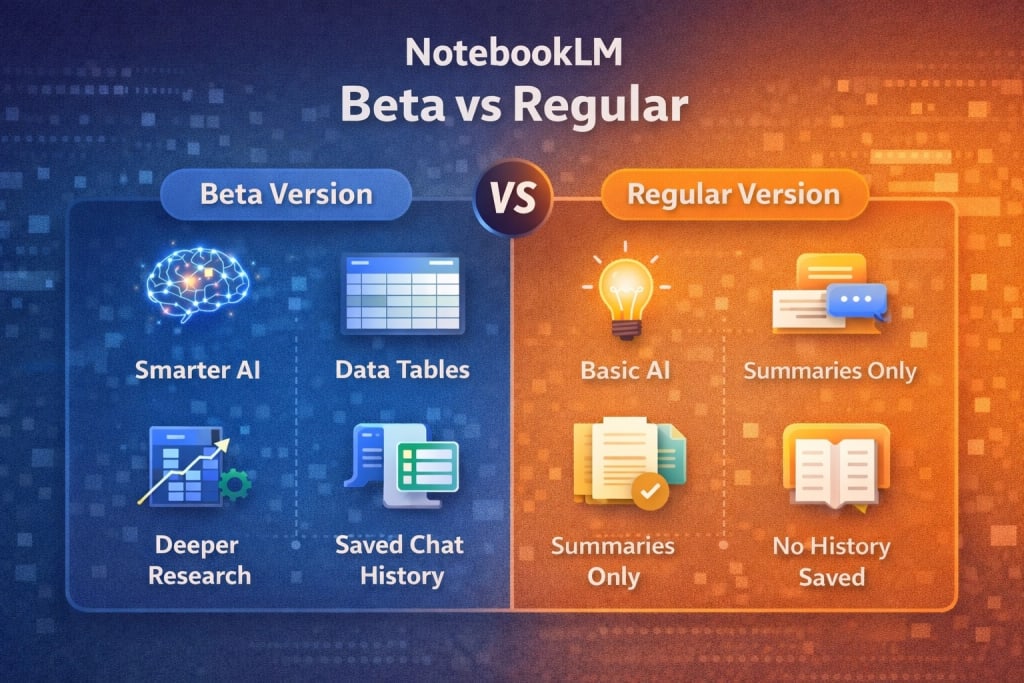
## What Extra Features Does the Beta Version Offer?
### Smarter AI Reasoning
The beta version uses a more advanced AI model that:
- Understands complex arguments better
- Handles technical, academic, and analytical content more accurately
- Reduces shallow or generic responses
This is especially noticeable when working with **research papers, legal documents, or long reports**.
### Structured Data Tables from Your Sources
One of the biggest upgrades.
The beta version can:
- Extract structured information from text
- Convert it into readable tables
- Let you export those tables to Google Sheets
This is extremely useful for:
- Research comparison
- Reports
- Data analysis
- Study notes
### Persistent Chat History
In the regular version, conversations reset.
In the beta version:
- Your previous chats are saved
- You can continue long research sessions
- Context remains intact across visits
This alone makes Beta far better for **serious research workflows**.
### Better Multimodal Understanding
The beta version handles:
- Mixed text + tables
- Charts and structured layouts
- Large PDFs with better context awareness
This results in **more accurate answers and fewer misunderstandings**.
## What Remains the Same in Both Versions?
Despite upgrades, both versions still share core principles:
- Answers are grounded only in your uploaded sources
- Strong privacy controls
- Notebook-based organization
- PDF, document, and link uploads
- AI summaries and explanations
So beta improves power - not the fundamental design philosophy.
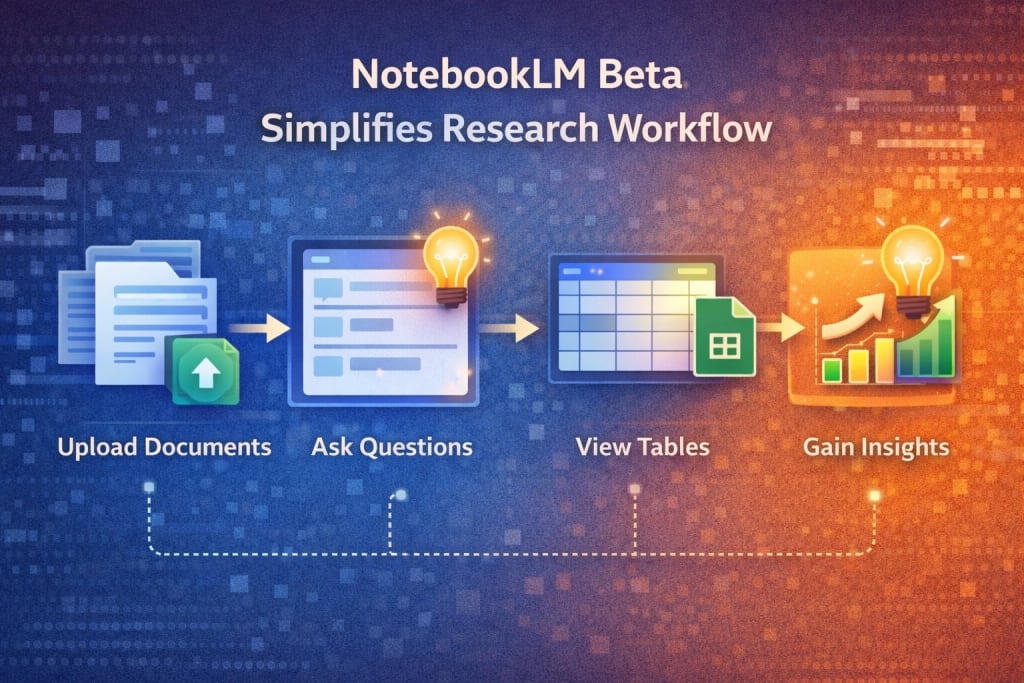
## Who Should Use NotebookLM Beta?
The beta version is ideal for:
- Researchers and PhD scholars
- Students preparing exams or theses
- Educators creating study guides
- Professionals writing reports or analyses
- Anyone working with **complex or large datasets**
If NotebookLM is a **core productivity tool** for you, beta is worth it.
## Who Should Stick With the Regular Version?
The regular version is better if:
- You are a casual user
- You only need quick summaries
- You prefer maximum stability
- You don’t want experimental changes
For light usage, the regular version is still solid.
NotebookLM for Students, Scientists, and Scholars
## Is NotebookLM Beta Stable? Things to Know
Before switching, keep this in mind:
- Beta features can change or disappear
- UI updates may happen suddenly
- Minor bugs are possible
- Feedback helps shape final features
It’s powerful - but still evolving.
## NotebookLM Beta vs Regular: Conclusion
If you use NotebookLM seriously - for research, learning, or professional work - the **beta version clearly offers more value**.
Smarter reasoning, chat continuity, and structured data tools make it a **significant upgrade**, not a cosmetic one.
For casual users, the difference may feel small.
For power users, the difference is **immediately noticeable**.
If you are a student, explore the [Google Gemini Educator Course](https://webwallah.in/google-gemini-educator-course-free-all-answers/), Free with a Certificate
## FAQs
### What is the difference between NotebookLM beta and the regular version?
NotebookLM beta offers advanced AI reasoning, persistent chat history, structured data tables, and early access to new features. The regular version focuses on stability and core research tools, while the beta version is designed for deeper analysis and more powerful workflows.
### When was the NotebookLM beta version released?
Google rolled out major NotebookLM beta upgrades around **December 19, 2025**, introducing smarter AI capabilities, improved document understanding, data table generation, and enhanced research continuity. These features were not available in the regular version at that time.
### Is NotebookLM beta better than the regular version?
NotebookLM beta is better for users who need advanced research, deeper reasoning, and structured outputs. However, the regular version is more stable and suitable for casual users who only require summaries and basic question-answering from their documents.
### Is NotebookLM beta free to use?
Yes, NotebookLM beta is free for eligible users. Google provides beta access to test upcoming features without additional cost. However, availability may depend on region, account type, or gradual rollout, and features may change before final public release.
### Does NotebookLM beta use a different AI model?
Yes, the beta version uses a more advanced AI model compared to the regular NotebookLM. This results in improved reasoning, better handling of complex PDFs, enhanced understanding of structured content, and more accurate responses based on uploaded sources.
### What new features does NotebookLM beta include?
NotebookLM beta introduces persistent chat history, data tables generated from documents, Google Sheets export, stronger multimodal understanding, and early access to experimental tools. These features significantly improve research efficiency compared to the regular version.
### Is NotebookLM beta safe to use for research and study?
Yes, NotebookLM beta follows the same privacy standards as the regular version. Your uploaded documents are used only to generate responses for you and are not publicly shared. However, beta features may occasionally change or behave differently.
### Who should use the NotebookLM beta version?
NotebookLM beta is ideal for researchers, students, educators, analysts, and professionals working with long documents, reports, or datasets. Users who rely on deep insights, structured analysis, and long research sessions benefit the most from the beta version.
### Can I switch back from NotebookLM beta to the regular version?
Yes, using the beta version does not permanently lock you in. Google allows users to move back to the regular NotebookLM experience if needed, especially if they prefer a more stable interface or do not require experimental features.
### Is NotebookLM beta suitable for students and exam preparation?
NotebookLM beta is highly suitable for students preparing for exams, research papers, or competitive studies. Its stronger AI reasoning, saved chat history, and structured summaries help students revise efficiently and understand complex topics faster.
---
# How to Avail Free Cloud Storage (Google Drive / Dropbox / iCloud) – 2026
Source: https://webwallah.in/get-free-cloud-storage-2026/
Storing photos, videos, and files is getting expensive. Most phones in India run out of space fast. You don’t need to buy storage immediately because Google Drive, Dropbox, and iCloud offer free storage that can go up to 100GB or more with a few easy hacks. This simple guide helps you claim every possible free option legally.
## Key Takeaways
- Everyone gets free baseline storage from top providers (Google: 15GB, Dropbox: 2GB, iCloud: 5GB).
- You can expand free space using referrals, bonus programs, student perks, and device offers.
- Managing storage smartly reduces the need for paid upgrades.
- Students can access exclusive education-based storage perks through institutes.
- Backup automation prevents data loss when switching phones.
## What is free cloud storage, and why does it matter in 2026?
Free cloud storage enables users to store files online at no cost, while also syncing them across devices for easy access and secure backup.
Mobile usage in India crossed 1 billion active smartphone users. Most lose photos while switching phones or after crashes. Cloud storage protects memories, documents, and WhatsApp backups from accidental loss.
## How to get free storage on Google Drive in India?
[](http://drive.google.com/)
Google offers 15GB free to all users, and you can expand it by redeeming smartphone partner offers and clearing duplicate data.
### Quick Ways:
| Method | Free Storage |
| ------ | ------------ |
| Default Account | 15GB |
| Google Photos offers (Pixel / Samsung) | 50GB–100GB (varies) |
| Educational Google Workspace accounts | Institute allotted |
| Google One temporary promotions | Regional offers |
Pro Tip: Keep WhatsApp backups limited to media you actually need.
## How to expand Dropbox's free storage quickly?
[](https://www.dropbox.com/)
Dropbox starts with 2GB of free space, but allows users to earn more through referrals and promotional challenges.
### Easy Expansion:
| Action | Storage Earned |
| ------ | -------------- |
| Complete Dropbox tutorials | +250MB |
| Referring friends | +500MB per referral |
| Camera upload badge | +500MB |
| Device-specific promotions | +25GB (Samsung models) |
Developers testing the API get bonus storage through partner programs.
## How to get the most free storage with iCloud?
[](https://www.icloud.com/)
Apple provides 5GB free to every Apple ID, but device-based benefits can boost it temporarily.
### Options for More Space:
- Family sharing to distribute one paid plan
- Partner offers with iPhone, iPad, and Mac purchases
- Apple trade-in/upgrade promotions in India
Tip: Enable optimised photo storage to keep device space free.
## What are the best bonus storage offers in 2026?
Device promotions and student programs offer the best long-term free storage.
### Top Sources:
| Source | Provider | Approx. Value |
| ------ | -------- | ------------- |
| New phone promos | Google / Samsung | 50GB–100GB |
| Student accounts | Google Workspace | 100GB+ |
| Referrals | Dropbox | Up to 16GB |
| Cloud Skills events | Google | Limited bonus credits |
Keep checking seasonal offers around Diwali and Back-to-School.
## Which free cloud storage plan is best for Indian users?
Google Drive is the best overall option because it offers the highest free space and seamless Android integration.
### Quick Comparison:
| Provider | Free Space | Best For |
| -------- | ---------- | -------- |
| Google Drive | 15GB | Android users |
| iCloud | 5GB | Apple users |
| Dropbox | 2GB | File sharing & collaboration |
You can use multiple services together to maximise capacity.
## How to manage free cloud storage efficiently?
Maintain a single backup strategy and remove duplicate media frequently to save space.
### Tools that help:
- Google Files app (duplicate cleaner)
- Storage management inside Google One
- iPhone Offload feature
- Dropbox Selective Sync option
Avoid uploading full WhatsApp automatic backups daily.
## Is free cloud storage safe and reliable?
All major providers encrypt customer data and maintain 99.9% uptime, meaning files are protected from device loss.
**Security Tips:**
- Enable 2FA on accounts
- Avoid sharing links publicly
- Backup sensitive documents in password-protected folders
Free doesn’t mean risky when you follow basic practices.
## When should you upgrade to a paid plan?
Upgrade when you consistently exceed free limits or rely on cloud storage for critical business data.
Many Indian users find 50GB paid iCloud or 100GB Google One enough for long-term phone storage and peace of mind.
# FAQs
### How can I get more than 100GB of free cloud storage in India?
You can combine multiple cloud accounts, such as Google Drive (15GB), Dropbox (2GB expandable), and iCloud (5GB) to cross 100GB easily. Smartphone brands like Samsung and Pixel often give 50GB to 100GB of bonus storage with device purchases. Students using Google Workspace or Microsoft Education accounts may receive 100GB or more. Managing multiple accounts with selective backup keeps this storage free long term.
### How do students get extra free cloud storage in India?
Students receive additional space through Google Workspace for Education and Microsoft 365 Education accounts. Engineering colleges using cloud-based learning already provide better storage than standard personal accounts. Also, free student offers from Google Photos or campus events can boost storage. Always check if your institution has enabled student cloud email access, as many students miss out simply because they never activate it.
### Which cloud storage is best for WhatsApp backup in India?
Google Drive is best for WhatsApp on Android because it syncs automatically and supports 15GB of free storage. For iPhone, WhatsApp backs up to iCloud, which has only 5GB free. Limiting video and media in backups helps reclaim more than half of the storage. For long-term access, switch media backup off and upload large files manually so photos do not take up cloud space quickly.
### How do I manage cloud storage when switching phones?
Use built-in transfer tools such as Google One, Quick Start for Apple, and Dropbox file sync. Before migration, clear duplicate photos, WhatsApp media, and app backups. Upload irreplaceable files to the cloud first, then move device-only content. This process avoids photo loss and reduces confusion when you change brands, for example, from Android to iPhone or vice versa.
### Can I get free Google Drive storage offers in 2026?
Yes. Google continues to provide promotional offers linked to new phones like the Pixel and Samsung. These offers often give 50GB to 100GB for 6 months to 1 year. Google Photos also enables smart compression to store unlimited images up to a specific quality threshold, saving almost 70% storage space. Keep an eye on seasonal promotions around Diwali and back-to-school periods.
### Can Dropbox free plans be expanded legally?
Yes. Dropbox offers bonus storage through referrals, camera uploads, device activation, and App integrations. Each referral gives around 500MB, and you can add several gigabytes over time. Their collaboration tools make Dropbox ideal for document-heavy users like freelancers and students working on group projects. Storage saved through Selective Sync also prevents duplication across devices.
### How do I avoid hitting storage limits again and again?
Develop a backup routine. Disable auto-download for WhatsApp media, clear trash folders regularly, compress videos, and keep only essential files in primary cloud storage. Google Files and Apple Photos built-in optimisation can free 5–10GB instantly. For bulk storage, use a secondary cloud account or external drive for long-term archives.
### Is free cloud storage safe for private data?
Yes. Major platforms use encryption and two-factor authentication for user safety. Google Workspace and iCloud follow strict global compliance standards. However, avoid storing sensitive ID proofs in publicly shared folders. Using password protection, hidden albums, and encrypted archives strengthens privacy. With proper habits, free cloud storage is safer than only keeping files on a phone.
### How do I share cloud storage with family members?
Family Sharing on iCloud supports up to six users under one plan. Google One also offers shared storage for Android families. This reduces overall subscription costs and helps parents manage school files, ID scans, and household documents in a single secure vault. Shared access must be controlled with levels like view-only for safety.
### When is the right time to upgrade from free to paid storage?
Upgrade when you frequently hit full capacity or need secure backups for critical business data. Paid plans like 50GB iCloud or 100GB Google One cost less than monthly mobile data packs and offer peace of mind. Keeping memories and documents safe often matters more than minor subscription fees. A small boost prevents the risk of losing precious files.
---
# How to Get Free Trials of Premium VPNs (2026): Step-by-Step Guide
Source: https://webwallah.in/how-to-get-free-trials-of-premium-vpns/
Are you looking for a way to test premium VPN services without spending money up front? Getting free trials of premium VPNs is the smartest way to evaluate security features, speed, and privacy before committing to a paid plan. In 2026, many top VPN providers offer risk-free trial periods or money-back guarantees that let you explore their full features without financial risk. This comprehensive guide will show you exactly how to access free trials of premium VPNs, which providers offer the best deals, and practical tips to maximize your trial experience. By the end of this article, you'll know how to protect your online privacy and test multiple VPN services completely free.
## What is a VPN Free Trial?
A VPN free trial is a limited-time offer that allows users to access premium VPN features without payment.
**Key characteristics of VPN free trials:**
- **Time-limited access**: Usually ranges from 7 to 45 days
- **Full feature access**: All premium features unlocked during trial
- **No payment required**: Some trials need no credit card details
- **Risk-free testing**: Evaluate speed, security, and server locations
- **Cancel anytime**: No obligation to continue after trial ends
**Two main types of VPN trials:**
- **True free trials**: No credit card needed, limited duration
- **Money-back guarantees**: Requires payment upfront, full refund within guarantee period (typically 30-45 days)
**What you can test during a free trial:**
- Server speed and connection stability
- Streaming capability (Netflix, Disney+, etc.)
- Privacy features and encryption standards
- Customer support responsiveness
- Device compatibility
- Kill switch functionality
## Why You Need Free VPN Trials in 2026
Testing VPN services before purchasing has become essential in 2026 due to increasing privacy threats and service variations.
### Critical reasons to use VPN free trials:
- **Financial protection**: Avoid wasting money on unsuitable services
- **Performance verification**: Check actual speeds vs. advertised claims
- **Compatibility testing**: Ensure the VPN works with your devices and operating systems
- **Privacy validation**: Verify no-logs policies and security features
- **Streaming access**: Confirm the VPN unblocks your preferred platforms
- **Customer service evaluation**: Test support quality before committing
### Why 2026 makes VPN trials more important:
- **Increased cyber threats**: Data breaches up 38% compared to 2023
- **Stricter geo-restrictions**: Streaming services blocking more VPN IPs
- **Remote work growth**: More professionals need reliable VPN solutions
- **Price variations**: VPN costs range from $2 to $15/month
- **Feature differences**: Not all "premium" VPNs offer the same capabilities
### Statistics supporting VPN trial usage:
- 67% of VPN users test 2-3 services before subscribing
- Users who try before buying report 84% higher satisfaction
- Free trials reduce buyer's remorse by 73%
## Key Features to Test During VPN Free Trials
Every free trial period should be used strategically to evaluate critical VPN features.
### Essential security features to check:
- **Encryption standards**: AES-256 bit encryption (military-grade)
- **Kill switch**: Automatic disconnection if VPN drops
- **DNS leak protection**: Prevents IP address exposure
- **Split tunneling**: Choose which apps use VPN
- **Multi-hop connections**: Route through multiple servers
- **No-logs policy**: Independent audits confirming privacy claims
### Performance metrics to measure:
- **Connection speed**: Test download/upload speeds on multiple servers
- **Server availability**: Check number and locations of servers
- **Latency levels**: Measure ping times for gaming or video calls
- **Bandwidth limits**: Confirm unlimited data usage
- **Simultaneous connections**: Test on all your devices at once
### Streaming and content access:
- Netflix library access (US, UK, other regions)
- Disney+, HBO Max, Amazon Prime compatibility
- BBC iPlayer and other geo-restricted services
- Torrent/P2P support and speeds
- Gaming server performance
### User experience elements:
- Interface intuitiveness across devices
- Customer support response time (test chat/email)
- Setup complexity and installation time
- App stability and crash frequency
- Account management features
## Best Premium VPN Providers Offering Free Trials (2026 Updated List)
Here are the top VPN services with the most generous trial offers and money-back guarantees in 2026.
### Top VPN Trials Available:
**1. ExpressVPN**
[](https://www.expressvpn.com/)
- **Trial type**: 30-day money-back guarantee
- **Features**: 3,000+ servers in 105 countries
- **Speed**: Excellent (up to 950 Mbps)
- **Streaming**: Netflix, Disney+, HBO Max, BBC iPlayer
- **Price**: $6.67/month (annual plan)
- **Best for**: Overall performance and reliability
- **Mobile trial**: 7-day free trial on iOS/Android
**2. NordVPN**
[](https://nordvpn.com/)
- **Trial type**: 30-day money-back guarantee
- **Features**: 5,400+ servers, Double VPN, Threat Protection
- **Speed**: Very fast (up to 850 Mbps)
- **Streaming**: All major platforms
- **Price**: $3.39/month (2-year plan)
- **Best for**: Security features and value
- **Mobile trial**: 7-day free trial on Android
**3. Surfshark**
[](https://surfshark.com/)
- **Trial type**: 30-day money-back guarantee
- **Features**: Unlimited devices, CleanWeb, MultiHop
- **Speed**: Fast (up to 800 Mbps)
- **Streaming**: Excellent unblocking capability
- **Price**: $2.19/month (2-year plan)
- **Best for**: Multiple devices and family use
- **Mobile trial**: 7-day free trial on iOS/Android
**4. CyberGhost**
[](https://www.cyberghostvpn.com/)
- **Trial type**: 45-day money-back guarantee (longest)
- **Features**: 9,000+ servers, dedicated streaming servers
- **Speed**: Good (up to 750 Mbps)
- **Streaming**: Optimized streaming profiles
- **Price**: $2.03/month (2-year plan)
- **Best for**: Extended testing period
- **Mobile trial**: 7-day free trial on iOS/Android, 1-day on desktop
**5. ProtonVPN**
[](https://protonvpn.com/)
- **Trial type**: 30-day money-back guarantee
- **Features**: Swiss privacy laws, Secure Core, NetShield
- **Speed**: Very fast (up to 900 Mbps)
- **Streaming**: Good unblocking
- **Price**: $4.49/month (2-year plan)
- **Best for**: Privacy-focused users
- **Free version**: Limited free plan available permanently
**6. Private Internet Access (PIA)**
[](https://www.privateinternetaccess.com/)
- **Trial type**: 30-day money-back guarantee
- **Features**: 35,000+ servers, MACE ad blocker
- **Speed**: Fast (up to 800 Mbps)
- **Streaming**: Good performance
- **Price**: $2.03/month (3-year plan)
- **Best for**: Largest server network
**7. IPVanish**
[](https://www.ipvanish.com/)
- **Trial type**: 30-day money-back guarantee
- **Features**: Unlimited connections, SOCKS5 proxy
- **Speed**: Good (up to 700 Mbps)
- **Streaming**: Decent unblocking
- **Price**: $2.19/month (2-year plan)
- **Best for**: US-based users
## Step-by-Step Guide to Getting Free VPN Trials
Follow these detailed steps to access and maximize premium VPN free trials in 2026.
### Method 1: Direct Free Trial (No Credit Card)
**Step 1: Choose VPN providers offering card-free trials**
- Research VPNs with genuine free trials
- Check trial duration (typically 7 days)
- Verify no payment information is required
**Step 2: Visit official website**
- Go directly to the VPN provider's website
- Avoid third-party download sites
- Look for "Free Trial" or "Try Free" buttons
**Step 3: Create your account**
- Enter a valid email address
- Choose a strong password
- Skip the payment information section
- Verify email if required
**Step 4: Download and install**
- Select appropriate version for your device
- Install following on-screen instructions
- Launch the application
- Log in with your credentials
**Step 5: Activate trial and test**
- Start your free trial period
- Connect to different server locations
- Test all features immediately
- Document performance for comparison
### Method 2: Money-Back Guarantee Method
**Step 1: Select VPN with money-back guarantee**
- Choose providers offering 30-45 day guarantees
- Read refund policy terms carefully
- Note the exact deadline for refund requests
**Step 2: Purchase subscription**
- Select monthly or annual plan
- Enter payment details (credit/debit card or PayPal)
- Complete purchase
- Save receipt and confirmation email
**Step 3: Use service extensively**
- Test all features during guarantee period
- Use on multiple devices
- Try different server locations
- Evaluate streaming and download speeds
**Step 4: Request refund (if unsatisfied)**
- Contact support 2-3 days before deadline
- Request cancellation and refund
- Provide account details
- Confirm refund processing time
**Step 5: Receive refund**
- Refund typically processes within 5-10 business days
- Check your payment method for credit
- Keep confirmation email
### Method 3: Mobile App Free Trial
**Step 1: Download VPN app**
- Open App Store (iOS) or Google Play Store (Android)
- Search for premium VPN services
- Check ratings and reviews
**Step 2: Start in-app trial**
- Open the app after installation
- Look for "Start Free Trial" option
- Select trial duration (usually 7 days)
- Confirm trial with Face ID/fingerprint/password
**Step 3: Manage subscription**
- Trial automatically converts to paid unless canceled
- Go to device subscription settings
- Cancel before trial ends to avoid charges
- Keep trial active until last day
### Pro Tips for Maximizing Trials:
- **Use multiple email addresses**: Access trials from different providers
- **Set calendar reminders**: 2 days before trial ends
- **Create comparison spreadsheet**: Track features, speeds, and impressions
- **Test during peak hours**: Evaluate real-world performance
- **Contact support**: Ask questions to test responsiveness
## Conclussion
Getting free trials of premium VPNs in 2026 is the smartest way to test security features, streaming capabilities, and connection speeds before making a financial commitment. Whether you choose card-free trials, money-back guarantees, or mobile app trials, you can access enterprise-level VPN protection risk-free for 7 to 45 days. Use this testing period strategically to evaluate speed, unblock streaming services, verify privacy features, and test customer support quality. Compare multiple VPN providers using the methods outlined in this guide to find the perfect VPN that matches your specific needs and budget. **Start your first VPN free trial today and take control of your online privacy and security.**
**Ready to protect your privacy? Visit [webwallah.in](https://webwallah.in/) for more tech guides, security tips, and digital privacy resources updated for 2026.**
## FAQs
### Are free VPN trials really free in 2026?
Yes, genuine free VPN trials are completely free and don't require payment information. However, many premium VPNs offer money-back guarantees instead, requiring upfront payment with full refund available within 30-45 days if canceled.
### Can I use multiple VPN free trials one after another?
Yes, you can legally test multiple VPN services sequentially using their free trials. This is actually recommended to compare features, speeds, and compatibility before committing to a paid subscription.
### Do I need a credit card for VPN free trials?
It depends on the provider. Some VPNs like ProtonVPN offer card-free trials, while others require payment information but won't charge during the trial period. Mobile app trials often don't require credit cards initially.
### Will VPN free trials work with Netflix in India in 2026?
Premium VPN free trials from providers like ExpressVPN, NordVPN, and Surfshark successfully unblock Netflix and other streaming platforms in India in 2026. Test streaming capability during your trial period to verify access.
### How do I cancel a VPN trial before being charged?
Cancel through your VPN account dashboard, app store subscription settings (for mobile trials), or by contacting customer support directly. Set a reminder 2-3 days before trial ends to ensure timely cancellation.
### What's the difference between a free trial and a money-back guarantee?
Free trials don't require payment and end automatically after the trial period. Money-back guarantees require upfront payment but allow full refunds if you request cancellation within the guarantee window (typically 30-45 days).
### Can I get a VPN free trial without giving my email address?
No, all legitimate VPN providers require an email address for account creation and communication. However, you can use temporary or secondary email addresses for privacy.
### Is it legal to use VPN free trials in India?
Yes, using VPN free trials is completely legal in India in 2026. VPNs are legal tools for privacy and security, though using them for illegal activities remains prohibited regardless of the service type.
### What's the longest VPN free trial available in 2026?
CyberGhost offers the longest money-back guarantee at 45 days in 2026. For true free trials without payment, mobile app trials typically offer 7 days, while desktop trials may offer 24 hours to 7 days.
### Do free VPN trials have speed or data limits?
Genuine premium VPN free trials offer full access without speed or data restrictions. However, permanent free VPN plans (like ProtonVPN's free tier) typically include limitations such as slower speeds, fewer servers, and data caps.
---
# Google Pomelli (2026): Complete Guide to Google’s New AI Marketing Tool for Small Businesses
Source: https://webwallah.in/google-pomelli-ai-marketing-tool/
Creating consistent, “on-brand” social media content is one of the biggest challenges for small businesses. Most business owners don’t have a full-time marketing team, a designer, a copywriter, and a creative director - but still need to post regularly on Instagram, Facebook, YouTube, and other channels.
To address this issue, **Google Labs and Google DeepMind introduced Pomelli**, an experimental AI tool specifically designed to assist small and medium-sized businesses in creating **on-brand social media campaigns more efficiently**.
Pomelli doesn’t just generate random designs like generic AI tools. Instead, it **analyzes your website** to understand your business identity and then creates campaign ideas + creative assets that match your brand style.
In this blog, you’ll learn **everything about Google Pomelli** - what it is, how it works, features, benefits, limitations, availability, use cases, and how to use it step-by-step.
## What is Google Pomelli?
**Pomelli** is an **AI-powered marketing tool** launched as a public experiment by **Google Labs in partnership with Google DeepMind**. It helps businesses generate **scalable, brand-consistent [marketing content](https://webwallah.in/digital-marketing/)** for social media campaigns.
Pomelli is built mainly for **SMBs (small-to-medium businesses)** that want high-quality content quickly - without spending hours brainstorming, writing captions, designing creatives, and maintaining a consistent brand tone.
Pomelli’s core idea is very simple:
- Enter your business website
- Pomelli learns your brand identity
- It generates marketing campaigns and assets in your style
## Why Pomelli is Different From Other AI Tools
Today, there are many AI tools that can generate content.
But most AI content tools have a common issue:
❌ They create output that looks “generic.”
❌ Your brand tone is not consistent
❌ The designs don’t match your website
❌ Everything needs heavy editing
Pomelli’s big advantage is that it starts by building what Google calls your:
### “Business DNA”
Pomelli analyzes your website and extracts key brand elements like:
- tone of voice
- fonts
- color palette
- brand visuals and imagery style
Then it uses this Business DNA profile to generate new assets that are aligned with your existing brand identity.
This is why Pomelli is being called an **on-brand content generator** rather than just another AI design tool.
## Who Created Pomelli? (Google Labs + DeepMind)
Pomelli is developed by **[Google Labs](https://labs.google/)**, with a partnership from **[Google DeepMind](https://deepmind.google/)**, and it is listed as an experimental tool on the Google Labs experiments platform.
Google Labs is known for launching new public AI experiments to test what users want before turning them into full products.
## Pomelli Availability: Which Countries Can Use It?
As per Google’s official announcement, Pomelli is currently available as a **public beta experiment** in:
- United States
- Canada
- Australia
- New Zealand
It is currently available in **English** during beta.
If you are in India (like you), you may see *“not available in your region”* depending on rollout rules.
## What Can Pomelli Generate? (Campaign Ideas + Assets)
Pomelli is designed to generate marketing content in 3 core steps:
### Step 1: Analyze Website & Build Business DNA
You enter your website URL, and Pomelli studies your brand to create a brand identity profile.
### Step 2: Generate Campaign Ideas
Pomelli creates campaign ideas designed for your business goals (promotions, product launches, seasonal posts, engagement content, etc.).
### Step 3: Generate On-Brand Marketing Assets
Pomelli generates a set of marketing assets for use across multiple channels, such as social and ads, and you can download them for publishing.
## Key Features of Google Pomelli

Here are the most important features that make Pomelli useful for marketers and small businesses:
### 1) Website-Based Brand Learning
Instead of you manually uploading brand guidelines, Pomelli uses your website as the brand source.
### 2) Campaign Creation for Social Media
Pomelli is focused on campaign thinking, not just single designs.
Meaning: it helps you produce connected content that feels like a “real marketing campaign.”
### 3) Editable Text and Images
Pomelli allows editing inside the tool, meaning you’re not forced to accept output as-is.
### 4) Multi-Channel Output
Pomelli’s goal is to create assets that can work for:
- social media posts
- ads
- website creatives
- other marketing channels
Google highlights that assets can be used across channels.
## Why Google Built Pomelli (The Problem It Solves)
Google openly states that creating “impactful, on-brand content” can require huge time, budget, and design skill - and SMBs struggle the most.
Pomelli helps reduce these barriers by making campaign creation faster and easier for smaller businesses.
## How to Use Pomelli Step-by-Step (Beginner Friendly)
Here’s a simple workflow to start using Pomelli:
### Step 1: Open Pomelli in Google Labs
Pomelli is listed as an experiment under Google Labs.
### Step 2: Enter Your Website URL
Paste your site link (example: your business homepage).
Pomelli then scans:
- layout and design style
- fonts and colors
- images and visuals
- copywriting tone
### Step 3: Review Business DNA
Pomelli creates your brand profile.
Check if the tone/style is correct.
✅ If it’s correct → continue
❌ If it’s not correct → you’ll need to tweak your content prompts and choices
### Step 4: Choose a Campaign Objective
Examples:
- New product announcement
- Discount sale promotion
- Festival campaign
- Awareness campaign
- Engagement/community posts
### Step 5: Generate Marketing Assets
Pomelli outputs multiple creatives. Pick the best ones.
### Step 6: Edit and Download
Update:
- text
- message
- image selection
Then download and post across your channels.
## Best Use Cases for Pomelli (Where It Helps Most)
Pomelli is best for businesses that need content regularly, such as:
### E-commerce Brands
- product promotions
- new arrivals
- limited-time offers
- festival campaigns
### Local Service Businesses
- salon/spa offers
- clinics/doctors
- lawyers/consultants
- gyms/coaching centers
### Restaurants & Cafes
- daily specials
- weekend deals
- new menu launches
### Creators & Personal Brands
- consistent post templates
- professional campaign look
- fast content generation
## Pomelli vs Canva AI vs Other Tools
Pomelli’s strength is **brand DNA from your website**. Many tools require manual brand input, but Pomelli tries to automate that first step.
### Pomelli is best for:
- on-brand marketing campaigns
- SMB marketing speed
- consistent style matching the website
### Other tools are better for:
- advanced manual designing
- heavy template-based editing
- complex ad creative customization
*(Pomelli is still beta, so the ecosystem will evolve.)*
## Limitations of Pomelli (Important Before You Depend on It)
Since Pomelli is an experimental beta, keep these limitations in mind:
### 1) Not available in all countries
Currently limited to the US/Canada/Australia/NZ.
### 2) Brand learning depends on your website quality
If your website is outdated, inconsistent, or has low-quality images, Pomelli may learn a weak brand identity.
### 3) AI output needs human review
Like any AI marketing tool:
- claims must be verified
- Offers must be accurate
- compliance matters (ad policies, legal wording)
### 4) Not a full marketing replacement
Pomelli helps execution and creative speed - but you still need:
- offers strategy
- audience targeting
- ad spend plan
- content calendar
- posting consistency
## How to Get the Best Output From Pomelli (Pro Tips)
If you want Pomelli to give you the best creatives, do this first:
### Improve your website homepage
Pomelli learns from it. Ensure your site has:
- clean design
- clear logo
- consistent brand colors
- good images
- proper headings and copy
### Have a strong “About Us” section
Tone and brand messaging are often learned from there.
### Make sure your product/service pages are clear
Pomelli will create better campaign ideas when it understands what you sell.
### Use specific campaign prompts
Instead of “Create a post for my business.”
Write like this:
“Create a 7-day Instagram campaign for a winter sale with 15% OFF on our premium products. Tone: friendly and premium.”
## Is Google Pomelli Free?
Pomelli is available as a **public beta experiment**, meaning it’s currently part of Google Labs’ experimentation ecosystem.
(For pricing changes in the future, Google may update it depending on adoption.)
## Pomelli for Indian Business Owners (Important Note)
Since you’re in India:
✅ You can still **learn Pomelli workflow** and use the strategy
❌ But you might not get access directly due to region availability right now
### What you can do meanwhile:
- improve your website branding
- prepare campaign structures
- build content calendars
- Use similar AI tools until Pomelli expands globally
## Conclusion: Should You Use Google Pomelli?
If you’re a small business owner who struggles with:
- creating content consistently
- maintaining an on-brand look
- generating campaign ideas quickly
Then **Pomelli is one of the most promising AI marketing tools to watch**, because it focuses on branding first - not just random AI posts.
Pomelli’s “website → brand DNA → campaign assets” workflow makes it especially useful for SMBs wanting professional marketing output without a big team.
## FAQs
### What is Pomelli in Google Labs?
Pomelli is an experimental AI marketing tool from Google Labs (with Google DeepMind) that generates on-brand social media campaigns by learning your brand from your website.
### Has Pomelli officially launched by Google?
Yes, it’s officially announced by Google as a Google Labs experiment and is currently in public beta.
### What does Pomelli’s “Business DNA” mean?
It means Pomelli creates a brand identity profile (tone, fonts, colors, style) by analyzing your website and using it to generate consistent marketing assets.
### Is Pomelli available in India?
Currently, Google lists Pomelli availability for the United States, Canada, Australia, and New Zealand. India is not included in the current beta rollout.
### Can Pomelli replace a social media manager?
Pomelli can speed up creative generation, but it does not replace strategy, posting consistency, analytics tracking, and community management.
### What type of businesses should use Pomelli?
Pomelli is best for SMBs who want fast, brand-consistent campaign assets - e-commerce brands, local services, restaurants, and creators.
### What do you need to start using Pomelli?
A business website. Pomelli uses your site to understand your brand identity first.
### Can you edit Pomelli’s output?
Yes, Pomelli provides editable text and images inside the tool before downloading the assets.
---
# Google Antigravity: Deep Research Guide to Google’s Agent-First AI Development Platform (2026)
Source: https://webwallah.in/google-antigravity-agentic-ai-ide/
AI coding tools have changed how developers write code, but most tools still operate in the same basic pattern: you type code, the AI suggests completions, and you remain the primary executor of every action. This approach improves speed, but it does not fundamentally change how software gets built.
Google Antigravity represents a different direction.
Google describes Antigravity as an “agentic development platform” built for an agent-first era, where developers operate at a higher, task-oriented level by deploying agents that can autonomously plan, execute, and verify complex tasks across the editor, terminal, and browser.
Instead of treating AI as a code autocomplete engine, Antigravity treats AI as a workforce of specialized agents you orchestrate. This shift matters because modern development is not only about writing code; it is also about researching, debugging, testing, refactoring, validating changes, and coordinating workflows across multiple tools.
This guide explains what Google Antigravity is, how it works, why it matters, and how it compares to popular AI coding tools like Cursor and GitHub Copilot.
## What is Google Antigravity?
[Google Antigravity](https://antigravity.google/) is an agentic AI-powered development environment designed to help developers delegate real engineering work to AI agents. Google positions it as more than an editor: it combines a familiar coding experience with an agent-first interface that allows you to deploy agents capable of handling complex tasks end-to-end.
Antigravity is built around the idea that AI should not only suggest code, but also act autonomously across:
- the editor (making changes in the codebase)
- the terminal (running commands, tests, and builds)
- the browser (researching documentation and verifying information)
This “editor + terminal + browser” capability is central to Antigravity’s promise of moving from code completion to task-level execution.
## Why Google Antigravity Matters (The Shift From Autocomplete to Agentic Development)
For many teams, the highest cost in engineering is not typing speed. The highest cost is context switching and manual overhead:
- reading and understanding large codebases
- tracking down bugs
- reproducing issues and validating fixes
- running tests, builds, and tooling
- researching new libraries and best practices
- writing documentation and updating configurations
Traditional AI coding assistants speed up snippets. Antigravity aims to speed up entire tasks.
Google frames this transition clearly: tools of the past focused on helping you write code faster; tools of the future should help you orchestrate software development at a higher level.
That “orchestration” idea is what separates Antigravity from earlier generations of AI coding tools.
## Core Concept: Agent-First Development
An agent-first development platform assumes the AI is not a passive helper. It is an autonomous actor that can:
- interpret a high-level goal
- plan the steps required
- apply changes across the codebase
- run commands to test and validate
- communicate results back with evidence
Google describes Antigravity as enabling agents to autonomously plan, execute, and verify complex tasks.
This is important because “verify” is what developers care about most. Code changes are only valuable when they are correct, testable, and safe to merge.
## How Google Antigravity Works (Step-by-Step)

Even though Antigravity is advanced, its workflow can be understood through a simple sequence.
### Step 1: You Assign a Task Instead of a Prompt
Instead of asking for a code snippet, you give the system a goal.
Examples:
- “Fix the login redirect bug and add regression tests.”
- “Refactor the API client layer to reduce duplication.”
- “Add a new settings page with proper routing and validation.”
Antigravity is designed for task-level development, not just line-level coding.
### Step 2: The Agent Creates a Plan
The agent breaks the work into steps like:
- Identify relevant files and modules,
- locate existing patterns in the codebase,
- implement changes
- Verify results
This planning step is what separates agentic systems from simple assistants.
### Step 3: The Agent Edits the Codebase
The agent makes changes in the repository using the editor interface, often across multiple files.
This is crucial for real-world work because most tasks require changes in multiple places:
- UI components
- routing and state
- backend endpoints
- tests
- documentation
### Step 4: The Agent Runs Commands in the Terminal
Antigravity agents can operate through the terminal to run:
- install steps
- lint checks
- unit tests
- build scripts
Google’s official materials emphasize that agents work across the editor, terminal, and browser.
### Step 5: The Agent Verifies and Reports Results
The agent then communicates outcomes back to you, ideally with validation evidence rather than only claims.
This is part of Antigravity’s design goal: enabling developers to delegate execution while staying in control.
## Mission Control: Managing Multiple Agents in Parallel
One of Antigravity’s defining ideas is “Mission Control”—a control center approach where you can manage multiple agents working simultaneously.
The official getting-started codelab explains that Antigravity provides a “Mission Control” for managing autonomous agents that can plan, code, and browse the web.
This is a meaningful change in how development can work:
- Agent A can fix a frontend UI issue
- Agent B can refactor backend logic
- Agent C can improve test coverage
- Agent D can summarise findings and document changes
Parallel execution can reduce delivery time significantly, especially in teams working across large codebases.
## Artefacts: How Antigravity Builds Trust
One of the biggest concerns with autonomous agents is trust. If an agent changes your code, how do you know what it did, why it did it, and whether it is safe?
Antigravity addresses this with “Artifacts”—verifiable outputs that communicate the agent’s work, not just hidden actions. These can include task lists, implementation plans, screenshots, and browser recordings, designed to make the work inspectable.
Artifacts help developers audit changes and reduce the fear of “AI doing unknown things.” This matters because the more autonomy AI gains, the more visibility developers need.
## Key Features of Google Antigravity

Here are the core capabilities that define Antigravity’s positioning as an agentic platform.
### 1) Agent-First Interface
Antigravity is built around managing agents, not just chatting with an assistant. Google describes it as combining a familiar coding experience with a new agent-first interface.
### 2) Autonomous Plan → Execute → Verify Loop
Agents are designed to handle complex tasks end-to-end, including planning, execution, and verification.
### 3) Full Environment Reach (Editor, Terminal, Browser)
Agents can operate across your editor, terminal, and browser, enabling real-world workflows like running tests and checking documentation.
### 4) Multi-Agent Parallelism
Mission Control enables multiple agents to work across workspaces simultaneously, which supports faster delivery and less context switching.
### 5) Artifacts for Transparency and Review
Artefacts improve trust by producing inspectable results and supporting human review.
## Real Use Cases: What Can Antigravity Do in Practice?
Google positions Antigravity as useful across many engineering tasks, including building features, UI iteration, fixing bugs, and generating reports.
In practical terms, it can support:
### Feature Development
- creating new UI pages and flows
- Adding backend endpoints and integrations
- implementing auth and access control
- creating reusable components
### Debugging and Bug Fixing
- reproducing issues
- scanning logs or code paths
- applying fixes
- Adding regression tests
### Refactoring and Maintenance
- removing duplication
- improving code structure
- upgrading dependencies carefully
- improving performance bottlenecks
### Testing and Validation Work
- increasing test coverage
- improving reliability checks
- ensuring build stability
### Documentation and Reports
- summarizing changes
- generating docs and setup instructions
- Creating implementation notes for teams
## Availability and Setup Requirements
Antigravity is available as a public preview, and Google’s codelab notes that it requires local installation and currently supports Mac, Windows, and specific Linux distributions, along with Chrome and a personal Gmail account for preview access.
This indicates Antigravity is not just a browser-only tool. It is designed to run alongside local development environments and interact with local codebases.
## Google Antigravity vs Cursor vs GitHub Copilot
Many developers want a clear comparison between Antigravity and the tools they already use. The simplest way to compare is by understanding the “unit of work” each product optimizes.
### Google Antigravity
Antigravity optimizes for task execution via agents:
- goal-driven agent workflows
- multi-agent orchestration
- runs across terminal + browser
- verification through artifacts
### Cursor
Cursor is widely used as an AI-first code editor experience. Its strength is developer speed inside the editor: fast edits, codebase-aware answers, and tight IDE workflows.
Antigravity overlaps with this, but emphasizes deploying autonomous agents and managing parallel work, not only smart editing.
### GitHub Copilot
Copilot is a powerful assistant for:
- autocompletion
- code suggestions
- developer assistance inside an IDE
Copilot is extremely effective for accelerating writing, but it usually expects the developer to remain the primary executor of running commands, verifying, browsing docs, and orchestrating tasks.
Antigravity aims to push beyond suggestion-first workflows into agentic execution.
## Strengths of Google Antigravity
### 1) Task-Level Development Speed
Instead of accelerating typing, Antigravity accelerates completion of full tasks.
### 2) Parallel Work via Multi-Agent “Mission Control.”
You can delegate multiple tasks at once and monitor progress centrally.
### 3) Better Transparency Through Artefacts
Artefacts can make an agent's work easier to review and trust.
### 4) Designed for Modern Engineering Reality
Modern development includes test runs, installs, documentation lookup, and validation. Antigravity agents are designed to operate across those tools.
## Limitations and Risks (Reality Check)
Agentic development tools introduce real risks and constraints that developers should understand.
### 1) Security and Permissions
Agents that can run terminal commands and browse the web require careful governance. Teams must think about:
- credential access
- command safety
- dependency supply chain risks
- malicious or unexpected actions
Google’s official onboarding materials highlight security considerations as part of setup and workflow customisation.
### 2) Quality Depends on Project Health
Agents work best when projects have:
- clean folder structures
- consistent linting
- test suites
- clear documentation
- stable build processes
If a codebase is chaotic, agents may struggle or produce unreliable changes.
### 3) Verification Still Needs Human Oversight
Even with artifacts and validation steps, developers must still review changes, especially for production systems.
### 4) Preview Product Maturity
As a preview-stage product, performance, quotas, and features can change over time.
## Conclusion
Google Antigravity is a major step forward in agentic software development. Instead of focusing only on writing code faster, it focuses on completing engineering tasks faster through agent orchestration.
It combines an IDE-style coding workflow with a new agent-first interface, allowing agents to plan, execute, and verify complex tasks across the editor, terminal, and browser. It also introduces Mission Control for parallel agents and Artefacts for transparency and trust.
For developers and teams who want to move beyond autocomplete and into AI-driven task execution, Antigravity represents one of the most important platform shifts in modern development.
Read - [Google Pomelli (2026): Complete Guide to Google’s New AI Marketing Tool for Small Businesses](https://webwallah.in/google-pomelli-ai-marketing-tool/)
## FAQs
### What is Google Antigravity?
Google Antigravity is an agentic development platform from Google designed for an agent-first coding workflow, where AI agents can plan, execute, and verify complex development tasks across the editor, terminal, and browser.
### How is Google Antigravity different from Copilot?
GitHub Copilot focuses on code suggestions and autocomplete, while Antigravity focuses on agents that can autonomously complete tasks and verify results across developer tools like the terminal and browser.
### Is Google Antigravity an IDE?
Yes. Antigravity is an AI-powered development environment designed around agent-first workflows and multi-agent management.
### What is “Mission Control” in Antigravity?
Mission Control is the agent management interface that helps developers run and manage autonomous agents working in parallel across workspaces.
### What are Artefacts in Antigravity?
Artefacts are verifiable deliverables such as task lists, implementation plans, screenshots, and browser recordings that help developers review and trust agent work.
---
# Opal by Google Labs: The No-Code AI Mini-App Builder (Deep Research Guide + Opal vs n8n)
Source: https://webwallah.in/opal-google-labs-no-code-ai-app-builder/
AI tools are everywhere, but most people still struggle with one problem: how to turn an AI idea into a repeatable system that works every time?
Many teams use ChatGPT or other assistants to write content, summarize notes, draft emails, generate ideas, or process information. But once the work grows, doing it manually becomes slow. Rewriting prompts again and again creates inconsistency and wastes time. Businesses need AI to behave like a tool, not just a chat.
This is where Opal comes in.
[Opal](https://opal.google/landing/) is an experimental product from Google Labs that helps users build, edit, and share AI mini-apps using natural language and a visual editor. Instead of writing code, you describe what you want, and Opal turns that idea into a structured workflow that can be run repeatedly.
This blog is a complete research guide to Opal. You will learn what Opal is, how it works, key features, best use cases, limitations, and how Opal compares to n8n, one of the most popular workflow automation platforms.
## What Is Opal?
Opal is a no-code AI mini-app builder from Google Labs. It allows users to create small AI applications by chaining together prompts, AI model steps, and tools into a structured workflow. The goal is to make it easy for non-developers, creators, marketers, founders, and teams to build useful AI-powered workflows without engineering work.
A good way to think about Opal is this:
- Chat tools help you generate a single output.
- Opal helps you build a reusable mini-app that generates that output consistently.
Instead of asking AI to do something from scratch each time, you create a repeatable process with specific inputs and outputs.
## What Are AI Mini-Apps and Why Do They Matter?
An AI mini-app is a focused, task-based application that solves one specific problem end-to-end. Mini-apps are valuable because they make AI work structured and repeatable, not random and conversational.
Examples of AI mini-apps include:
- A blog brief generator that produces an SEO outline, metadata, and FAQs
- A product description generator that matches a brand tone
- A customer support assistant who converts complaints into replies
- A YouTube script generator that produces a hook, outline, and full script
- A meeting summarizer that converts notes into action items and follow-ups
- A social media campaign generator that outputs captions and post ideas
Mini-apps matter because businesses run on repeatable systems. If AI outputs change every time, it is difficult to scale. Opal is designed to solve this by turning prompts into workflow-based tools.
## Why Google Built Opal (The Real Problem It Solves)
Most AI adoption fails when people try to scale it.
At a small level, AI works well:
- One person uses a prompt
- gets output
- edits it manually
- posts or sends it
At a business level, AI needs consistency:
- Same inputs should produce similar quality outputs
- Multiple team members should be able to use the same process
- Workflows should be shareable
- steps should be editable and improvable
Without a system, teams end up with:
- prompt chaos
- inconsistent outputs
- Repeated manual effort
- quality differences between team members
Opal is designed as a bridge between “AI chat” and “AI workflow.”
## How Opal Works (Simple Step-by-Step)

Opal is built for speed and clarity. Even if you are not technical, the workflow is straightforward.
### Step 1: Describe What You Want to Build
You start with a natural-language request.
Example:
“Build an app that takes a blog topic, creates an SEO outline, writes a 1500-word draft, generates FAQs, and produces a meta title and description.”
### Step 2: Opal Generates a Workflow
Opal turns your request into a structured sequence of steps. Each step can represent a prompt or a transformation stage in the workflow.
This matters because a workflow is easier to control than a long chat. You can isolate a step, improve it, and keep the rest unchanged.
### Step 3: Edit With a Visual Builder
Opal includes a visual editor so you can modify:
- step order
- prompts
- input fields
- output formatting
- workflow logic (depending on the tool’s capabilities)
This makes it accessible to people who understand the business task but do not write code.
### Step 4: Run the Mini-App and Test Output
You can test inputs and immediately see results. If something is wrong, you edit a step and run it again.
### Step 5: Share the Mini-App
Once your mini-app works well, you can share it with others. This is valuable for teams and agencies because it standardizes output and reduces training time.
## Key Features of Opal (Deep Research Breakdown)

### 1) No-Code Creation
Opal is designed to eliminate coding. You do not need to build an API backend, create a UI, or deploy software.
### 2) Natural Language App Building
Opal allows users to describe workflows in plain language and generates a mini-app from that description. This dramatically reduces time-to-build.
### 3) Visual Workflow Editing
The ability to edit workflows visually is a major advantage because most users can understand a process diagram faster than code. It also improves transparency, because you can see how the app works step-by-step.
### 4) Repeatable Structured Inputs and Outputs
Instead of random conversation, mini-apps have defined inputs and predictable outputs. This is essential for business-grade usage.
### 5) Prompt Chaining and Multi-Step AI Processing
Opal can chain multiple AI steps, which means you can build richer workflows like:
- generate outline
- rewrite in brand tone
- Add SEO metadata
- create FAQs
- produce a final polished draft
This is more powerful than a single prompt.
### 6) Shareable Tools for Teams
Shareable mini-apps help teams run the same process without copying prompts across documents.
## What You Can Build With Opal (Practical, High-Value Use Cases)

Opal is best for tasks that are repeated frequently and need consistent quality.
### 1) SEO and Blog Writing Systems
Opal can help create repeatable blog workflows such as:
- SEO outline generator
- meta title and meta description generator
- FAQ section generator for AEO
- internal linking suggestion builder
- content freshness updater (rewrite older posts)
If you run a content business, Opal can help scale consistency.
### 2) Social Media Content Pipelines
You can create mini-apps for:
- Instagram caption generator with brand voice
- YouTube video script generator
- tweet thread generator
- carousel post outline builder
- weekly content calendar generator
This is especially useful when the content needs to follow the same style every time.
### 3) E-commerce Product Content
Opal mini-apps can support:
- product descriptions
- category page content
- comparison guides
- ad copy variations
- pricing feature highlights
This helps brands publish content faster without losing consistency.
### 4) Business Operations and Admin Work
Opal can help teams build internal mini-apps for:
- email drafting
- proposal creation
- client onboarding documents
- SOP generation
- feedback summarization
### 5) Education and Learning
Students and teachers can build mini-apps such as:
- topic summarizers
- study plans
- quiz generators
- flashcard creators
- lesson note converters
## SEO, AEO, and AIO Optimization: Why Opal Is a Content Scaling Tool
### SEO (Search Engine Optimization)
Opal helps scale SEO work by generating content structures consistently, including:
- optimized headings
- keyword-aligned subtopics
- metadata creation
- internal link suggestions
- FAQ content for long-tail searches
### AEO (Answer Engine Optimization)
AEO is about ranking in AI-driven results and featured snippets. Opal supports AEO workflows by generating:
- short direct answers
- structured FAQs
- step-by-step how-to sections
- definitions and comparisons
- clean formatting for quick extraction
### AIO (AI Optimization for Publishing Speed)
AIO focuses on production efficiency using AI. Opal makes AI output repeatable and reusable, reducing the time needed per content piece while maintaining a consistent format.
## Opal vs n8n (Detailed Comparison)

n8n is a popular workflow automation platform used to connect apps, APIs, triggers, and multi-step processes. Many people ask whether Opal is a competitor to n8n.
The answer is: Opal overlaps with n8n in workflow building, but they are not identical tools.
### What n8n Is Best At
n8n is strongest for automation engineering tasks such as:
- connecting multiple apps via APIs
- complex branching logic and conditions
- webhooks and event triggers
- scheduled workflows and background runs
- database and CRM automation
- self-hosting and on-premise setups
- advanced integrations and custom code
n8n is a production-grade automation engine.
### What Opal Is Best At
Opal is strongest for AI mini-apps such as:
- prompt chaining workflows
- content generation and transformation
- building simple AI utilities without code
- rapid prototyping and sharing
- team-standardized output tools
Opal is a no-code AI app creation environment.
## Opal vs n8n: Quick Decision Guide
Choose Opal if you want:
- to build AI apps fast using prompts
- a simple visual editor without developer setup
- reusable AI mini-apps for writing, ideation, analysis
- shareable workflows for a team
Choose n8n if you want:
- deep automation across apps
- complex triggers, webhooks, and integrations
- enterprise-level workflow control
- self-hosting and advanced security control
- production automation for operational processes
## Can Opal and n8n Work Together?
In a practical business environment, the best approach is often hybrid:
- Opal handles content generation, structuring, rewriting, and AI creativity
- n8n handles automation, scheduling, publishing, integrations, and data flow
For example:
- Opal generates a blog outline and draft
- n8n publishes it to WordPress
- n8n posts a social preview to X or LinkedIn
- n8n logs the output into Google Sheets
- n8n triggers an email to the team for approval
This combination can create an end-to-end content machine.
## Limitations of Opal (Important Before You Rely on It)
Because Opal is experimental, it is important to understand its real limitations.
### 1) Features May Change
Google Labs products evolve quickly. You should expect updates, changes, and feature shifts.
### 2) Not Designed for Heavy Production Automation
If your workflow depends on dozens of integrations, complex conditions, and high-volume processing, an automation platform like n8n is better.
### 3) Custom Logic Can Be Limited
No-code tools are faster to use but are limited compared to building a custom application.
### 4) Output Quality Depends on Workflow Design
Even in Opal, prompt quality matters. The best results come from clearly structured steps, well-written prompts, and defined output formats.
## Best Practices for Building High-Quality Mini-Apps in Opal
### 1) Build One Mini-App Per Job
Opal works best when a mini-app is focused. A single app should do one job extremely well.
Example:
“Generate blog meta title + description + outline”
is better than:
“Do all marketing tasks.”
### 2) Define Inputs Clearly
Always specify:
- target audience
- tone (professional, friendly, premium)
- word count requirements
- structure requirements
- must-include elements
### 3) Add a Quality Control Step
Include a final step like:
- remove repetition
- fix grammar
- ensure clarity and readability
- Verify claims are not exaggerated
- improve headings and formatting
### 4) Use Templates and Iterate
Starting from a template saves time. Then iterate based on output quality.
## Conclusion: Is Opal Worth Using?
Opal is one of the most practical AI experiments from Google Labs because it focuses on turning AI into reusable tools, not one-time conversations.
It is ideal for creators, marketers, founders, agencies, and teams who want:
- fast AI workflow building
- consistent outputs
- shareable mini-apps
- no-code app creation
Opal is not a full replacement for advanced automation engines like n8n. However, it is a strong option for AI-first mini-app creation and workflow standardisation, especially when speed, simplicity, and repeatability matter most.
If you want to scale AI in a real business workflow, Opal can become the “tool builder” side of your AI stack, while n8n can remain the automation engine that connects everything.
Read - [Google Antigravity: Deep Research Guide to Google’s Agent-First AI Development Platform (2026)](https://webwallah.in/google-antigravity-agentic-ai-ide/)
Read - [Google Pomelli (2026): Complete Guide to Google’s New AI Marketing Tool for Small Businesses](https://webwallah.in/google-pomelli-ai-marketing-tool/)
## FAQs
### What is Opal by Google Labs?
Opal is a no-code AI mini-app builder from Google Labs that helps users create, edit, and share AI workflows using natural language and a visual editor.
### What can you build with Opal?
You can build AI mini-apps such as blog generators, marketing assistants, email drafting tools, SEO workflows, summarizers, planners, and content repurposing tools.
### Is Opal a competitor to n8n?
Opal competes in the workflow space but focuses on AI mini-apps and prompt workflows, while n8n focuses on automation, integrations, webhooks, and production-grade workflow orchestration.
### Is Opal good for content creation?
Yes. Opal is particularly useful for creating structured content workflows that are repeatable and shareable, such as SEO blog writing systems and social media content pipelines.
### Can beginners use Opal without coding?
Yes. Opal is designed as a no-code tool that non-developers can use with natural language prompts and visual editing.
---
# Doppl by Google Labs: The AI Virtual Try-On App That Lets You Try On Any Look and Explore Your Style
Source: https://webwallah.in/doppl-google-labs-ai-virtual-try-on-app/
Online fashion has improved dramatically over the last decade, but one challenge remains the same: it is difficult to know how an outfit will look on you before you try it. Product photos may look impressive, models may style the clothing perfectly, and size charts may provide measurements, but none of these guarantee confidence when it comes to real-life fit and appearance.
This is where virtual try-on technology becomes valuable. Instead of guessing how a new outfit might look, virtual try-on tools help people visualize clothing in a more personal way. With the rise of AI, these experiences are becoming more realistic, more interactive, and more accessible.
[Doppl](https://labs.google/doppl) is an early experimental app from Google Labs that lets you try on any look and explore your style.
Doppl is designed for experimentation and discovery. It is not just a shopping tool that shows items from a single store catalog. It is positioned as a style exploration app that helps users try different looks, compare aesthetics, and understand what suits them best. As a Google Labs experiment, Doppl also signals a bigger trend: AI is becoming a personal assistant for creative lifestyle decisions, including fashion.
In this guide, you will learn what Doppl is, what it does, how it works, why it matters, key benefits and use cases, and important limitations to consider.
## What Is Doppl?
Doppl is an early experimental app created by Google Labs that helps users explore fashion by letting them try on looks virtually. It is focused on enabling people to visualise different outfits and styles in a way that feels more personal than browsing product images on standard shopping websites.
Doppl’s purpose is style discovery. It helps users experiment with looks, explore different aesthetics, and build confidence in how certain outfits may appear on them. While it may support shopping-related use cases, it is not described only as an e-commerce tool. It is positioned as a broader style experience.
In simple terms, Doppl is an AI-powered style try-on app designed to help users explore their fashion identity by visualizing different looks.
## Why Doppl Matters (The Real Problem It Solves)
Fashion decisions are not just about buying clothes. They are about identity, comfort, confidence, and context. Online shopping has made clothing more accessible, but it has also introduced uncertainty. Many people hesitate before purchasing because they cannot easily predict how the outfit will look on them in real life.
Common problems include:
- The outfit looks great on a model, but not the same on a different body type
- The color and styling feel different in real life compared to studio photos
- People cannot imagine how the outfit will match their existing wardrobe
- The clothing might fit technically, but still not “look right.”
- Users want to try new styles but fear wasting money
Doppl is designed to reduce that uncertainty by giving users a tool to test looks in a virtual environment. This makes the decision process more visual and interactive. It also encourages experimentation, which is a key part of building a personal style.
## Doppl as a Google Labs Experiment
Google Labs is known for launching early-stage tools that are designed to test new ideas with real users. These experiments often explore how AI can solve everyday problems. Doppl, being described as an “early experimental app”, suggests that it is still in development and may evolve based on feedback and usage patterns.
That means:
- Availability may be limited in the early stages
- Features can change quickly
- The app may improve rapidly through experimentation
- Google may expand it or integrate learnings into other products
Google Labs experiments are often built for exploration rather than full-scale commercial rollouts immediately. Still, many experiments become influential because they represent future product directions.
## What Doppl Can Do (Core Functionality)
Doppl is designed to let you try on any look and explore your style. This points to two major capabilities: try-on visualization and style discovery.
### 1) Virtual Try-On Style Visualization
Doppl helps users preview how a look might appear on them, giving a more personalized reference compared to generic model photos.
### 2) Style Exploration and Experimentation
The app is not only about confirming one purchase decision. It is about exploring different aesthetics, silhouettes, outfits, and personal style directions.
Instead of only shopping from one catalog, Doppl’s positioning suggests it supports broader fashion discovery and “look experimentation,” which is useful for anyone building a wardrobe or personal brand.
## How Doppl Works (High-Level Explanation)
While the full technical details are not always publicly explained for early experiments, Doppl’s workflow can be understood as a style try-on pipeline. The goal is to help users visualize outfits and explore variations without needing to physically try everything.
### Step 1: Choose a Look You Want to Try
Doppl allows users to explore and select looks they want to try on. Because it is described as being able to try on “any look,” the concept goes beyond typical store-only try-on tools.
### Step 2: AI-Based Visualization
Doppl uses AI to create a try-on style visualization experience. This may involve clothing representation, body mapping, and smart rendering that helps a look feel more personal and realistic.
### Step 3: Review the Look and Explore Alternatives
Users can see the outfit and decide if it matches their preferences. They can also explore additional styling options.
### Step 4: Use the Output for Decision-Making
After experimenting with different looks, users can make more confident decisions about what to wear, what to buy, and what style suits them.
This workflow is valuable for both everyday outfit planning and larger wardrobe or fashion identity decisions.
## What “Try On Any Look” Really Means
Most virtual try-on tools are limited by product catalogs. For example, a brand might allow try-on for only its own products. But Doppl is described in a broader way, suggesting it is oriented toward “style experimentation” rather than only “product conversion.”
The phrase “try on any look” is significant because it suggests:
- Users can experiment beyond a single store catalog
- Doppl supports style inspiration and discovery
- The user journey is creative, not only transactional
- It can help users explore outfits that match personal aesthetic goals
This approach makes Doppl useful even for people who are not shopping immediately. It supports style learning and creativity.
## The Benefits of Doppl for Users

Doppl’s biggest strength is that it helps users move from imagination to visualization. When people can see a look, they can make decisions faster and with more confidence.
### 1) Faster Outfit Decisions
Instead of trying multiple outfits physically, users can test ideas quickly in a virtual environment. This saves time during daily outfit planning and helps reduce decision fatigue.
### 2) Better Style Confidence
Many people avoid experimenting with new looks because they are unsure how it will suit them. Doppl makes experimentation easier and helps people feel more confident in trying new styles.
### 3) Better Online Shopping Experience
While Doppl is not positioned purely as a shopping tool, try-on visualization can reduce uncertainty in online fashion decisions and make shopping feel less risky.
### 4) Wardrobe Planning Support
People often want to build a wardrobe that matches their lifestyle. Doppl supports exploring looks that fit a specific role or goal, such as professional dressing, casual streetwear, or formal event outfits.
### 5) Encourages Creative Style Exploration
Style is personal. Doppl helps users explore different aesthetics, learn what works for them, and refine their style identity.
## Use Cases: Who Should Use Doppl?
Doppl can be useful for multiple audiences because fashion decisions affect everyone, not only shoppers.
### 1) Online Shoppers
Online shoppers can use Doppl to preview outfits and reduce uncertainty before purchasing.
### 2) Students and Young Adults
Many young users want to explore trends but are unsure what suits them. Doppl can help them experiment and develop style confidence.
### 3) Working Professionals
Professionals often need clothing that matches workplace standards while still feeling personal and modern. Doppl can support exploring office wear, business casual outfits, and interview looks.
### 4) Fashion Enthusiasts
People who enjoy styling and experimenting with clothing can use Doppl as a creative tool to test new looks.
### 5) Social Media Creators
Creators often need outfit planning for video shoots, reels, and personal branding visuals. Doppl supports faster creative styling decisions and exploration.
### 6) Minimalist Wardrobe Builders
Some users want fewer clothes but more combinations. Doppl can support selecting outfits that work across many contexts and help build a smart wardrobe strategy.
## Doppl vs Traditional Shopping Try-On Features
Traditional virtual try-on features are often built into shopping apps and focus on increasing conversion rates. They typically:
- work only for products within that brand
- Prioritize buying decisions
- support limited clothing categories
- feel like a shopping feature rather than a style tool
Doppl’s positioning is different. It emphasizes:
- trying on looks and exploring style
- discovery and experimentation
- broader style curiosity beyond a single catalog
- a creative approach rather than purely transactional buying
This makes Doppl more like a style exploration assistant than a typical e-commerce add-on.
## Limitations and Challenges of Doppl (Important to Know)
Virtual try-on and AI visualization are powerful, but they have limitations. Doppl is also described as early-stage, which makes realistic expectations essential.
### 1) Virtual Try-On Is Not the Same as Physical Fit
Even advanced visualization cannot perfectly replicate:
- fabric thickness and drape
- stretch and comfort
- movement and posture changes
- real-life feel when walking or sitting
Doppl is most useful for style visualization, but final comfort and fit still depend on real-world clothing.
### 2) Color Accuracy May Not Be Perfect
Lighting, screen settings, and rendering differences can affect how colors appear. Users should treat Doppl as guidance rather than absolute color confirmation.
### 3) Body Shape and Representation Challenges
Not all virtual try-on systems handle every body type equally. If the visualization does not match the user's expectations, the value decreases. Early experiments may improve this over time.
### 4) Fashion Is Contextual
What looks good depends on:
- the occasion
- the season
- the location
- cultural preferences
- personal comfort
Doppl can provide visual exploration, but final decisions are still personal.
### 5) Early Experiment Features May Change
Since Doppl is experimental, tools, quality, and user experience may change rapidly. Availability may expand or remain limited.
## Why Google Is Building Tools Like Doppl
Google has invested heavily in AI for search, personalization, shopping discovery, and image understanding. Fashion is a natural category for AI because it is visual, preference-driven, and heavily influenced by personalization.
AI-based style tools can help solve major consumer problems:
- Reducing uncertainty in online fashion
- improving shopping satisfaction
- supporting creative exploration
- building more personalised experiences
Doppl represents a shift from static browsing to interactive discovery. As AI improves, these tools could become everyday assistants for personal styling choices, similar to how recommendation engines transformed what people watch and buy.
## Doppl and the Future of AI Fashion
Doppl is part of a broader future where fashion becomes more interactive and personalized. In the future, AI try-on experiences may support:
- faster exploration of outfits and combinations
- improved personalization based on user preferences
- better decision-making before purchases
- reduced returns due to uncertainty
- stronger confidence for experimenting with new styles
As virtual try-on quality improves, fashion experiences may become more creative and less stressful. People will be able to explore style without needing to physically try everything first.
## Conclusion
Doppl is an exciting early experiment from Google Labs that targets a real challenge in modern fashion: visualizing how an outfit will look on you before committing to it.
By letting users try on any look and explore style, Doppl moves beyond standard shopping experiences and supports creative fashion discovery. It can help users make faster decisions, build style confidence, and experiment without risk.
As AI continues to expand into everyday tools, Doppl highlights the future of interactive, personalized fashion experiences that blend creativity, identity, and technology.
Read - [Opal by Google Labs: The No-Code AI Mini-App Builder (Deep Research Guide + Opal vs n8n)](https://webwallah.in/opal-google-labs-no-code-ai-app-builder/)
Read - [Google Antigravity: Deep Research Guide to Google’s Agent-First AI Development Platform (2026)](https://webwallah.in/google-antigravity-agentic-ai-ide/)
## FAQs
### What is Doppl by Google Labs?
Doppl is an early experimental app from Google Labs that lets users try on any look virtually and explore their personal style.
### Is Doppl a virtual try-on app?
Yes. Doppl is designed to support virtual try-on experiences, but it is positioned as a style exploration tool rather than only a shopping feature.
### Can Doppl help with online shopping decisions?
Doppl can help users visualize outfits and reduce uncertainty before buying, which can make online shopping decisions easier.
### What makes Doppl different from normal fashion apps?
Doppl focuses on exploring style and trying on looks broadly, rather than only browsing a store catalog. It is designed for experimentation and discovery.
### Is Doppl available for everyone?
Since Doppl is an early Google Labs experiment, availability may be limited and may expand or change over time.
---
# Lyria 2: The High-Fidelity AI Music Model Delivering Professional-Grade Audio (Complete Deep Research Guide)
Source: https://webwallah.in/lyria-2-high-fidelity-ai-music-model/
AI has transformed content creation in every format - writing, image design, video editing, and now audio production. But music is not easy to generate because it contains emotion, rhythm, tempo control, instrument textures, dynamics, and complex layering. For many years, AI music tools were known for producing content that sounded robotic, repetitive, or too basic to be used professionally.
That is where Lyria 2 stands out.
[Lyria 2](https://deepmind.google/models/lyria/) delivers high-fidelity music and professional-grade audio, capturing subtle nuances across a range of genres and intricate compositions.
This single statement reveals something important: Lyria 2 is not designed to generate random background beats. It aims to create high-quality, studio-like music output that can serve real creators, brands, editors, and production workflows.
In this guide, you will learn everything about Lyria 2, including what it is, how it works, what high-fidelity and professional-grade audio actually mean, why subtle musical nuance matters, key benefits and limitations, and practical use cases across content creation and production.
## What is Lyria 2?
Lyria 2 is a next-generation AI music model focused on generating:
- High-fidelity music
- Professional-grade audio output
- Genre-accurate compositions
- Subtle musical nuance in timing, expression, and transitions
Unlike basic AI music tools, Lyria 2 is built to handle music that feels more complete, realistic, and usable in modern content production.
In simple terms, Lyria 2 is an advanced AI system that can generate music that sounds closer to professional studio-quality audio. It is designed for both creators who need fast music for content and professionals who want a creative assistant for ideation.
## Why Lyria 2 Matters in 2026 (The AI Music Shift)
AI music generation is moving into a more serious stage where output must be clean, realistic, structured, emotion-driven, and usable for real-world projects.
Most creators do not just need “some music.” They need music that matches the mood of the video, fits the pace of edits, supports storytelling, and feels original and polished. That is exactly the gap Lyria 2 targets.
As content continues to grow across YouTube, short-form platforms, podcasts, and brand marketing campaigns, the demand for high-quality, royalty-safe, and consistent music is rising. Lyria 2’s high-fidelity approach signals the shift from simple AI-generated loops to studio-ready, professional audio experiences.
## What Does High-Fidelity Music Mean?
High-fidelity (Hi-Fi) is a term originally used in professional audio to describe sound reproduction that is accurate, rich, clean, and detailed.
When Lyria 2 is described as high-fidelity, it implies the output is designed to include qualities that align with professional listening and production standards. These include improved clarity, better instrument realism, balanced sound, and a more polished overall audio result.
### 1) Better Sound Clarity
High-fidelity music typically has less noise, fewer distortions, and a cleaner output. This matters because low-quality AI music often introduces artifacts that feel unnatural or distract listeners.
### 2) More Natural Instrument Tones
Professional-quality sound depends heavily on how realistic instruments feel. High-fidelity output should produce more convincing tones for instruments such as piano, guitar, drums, and synth textures.
### 3) Depth and Space
Professional music often has a sense of space and dimension. High-fidelity music usually includes better stereo width, depth, ambience, and layered textures that make the track feel immersive rather than flat.
### 4) Better Mixing Feel
Even before mastering, good music feels balanced. High-fidelity output generally improves how bass, mids, and highs sit together, making the track more usable for real projects without heavy corrections.
## What is Professional-Grade Audio?
Professional-grade audio means the output is not just good for casual use, but strong enough for real content production and publishing workflows.
That includes music usable in:
- YouTube videos
- Short-form content (reels, shorts)
- Ads and commercials
- Brand campaigns
- Film-style edits
- Podcast intros and outros
- Game soundtracks
Professional-grade audio usually includes:
- Clear frequency balance (not muddy or harsh)
- Realistic separation of musical layers
- Less “metallic” or synthetic AI noise
- Better transitions and structure
Professional-grade does not mean it replaces a skilled music producer in every scenario. However, it does mean the audio is usable with minimal fixing, which is a major advantage for creators who want speed without sacrificing quality.
## How Lyria 2 Captures Subtle Nuances (The Real Magic)
Music is not only about which notes are played. It is about how those notes are played. Small details can completely change how music feels emotionally, rhythmically, and professionally.
Lyria 2 is described as capturing subtle nuances, which typically includes the ability to represent details like dynamics, groove, layering, genre behavior, and progression.
### 1) Dynamics (Emotion Through Intensity)
Real music changes intensity naturally. A track may start softly, build into a more energetic section, peak at a climax, and then settle down. Many older AI music systems struggled with this and produced output that stayed at the same energy level throughout.
Lyria 2 aims to create more natural dynamic flow, which is important for emotional storytelling.
### 2) Groove (Human Timing and Feel)
Music feels human because timing is not perfectly robotic. Slight variations in rhythm create “feel,” such as swing timing in jazz, relaxed lo-fi beats, or punchy trap rhythms. Capturing groove is one of the most difficult parts of music generation and a key factor in creating music that sounds real.
### 3) Expressive Layering
Professional music is usually built from multiple layers working together. Common layers include basslines, rhythm patterns, lead melodies, background pads, and subtle textures. Subtle nuance also includes how these layers blend, fade in, fade out, and evolve across the track.
### 4) Genre Fingerprints
Every genre has its own identity and signature patterns. For example:
- EDM often includes a build-up followed by a drop
- Hip-hop commonly uses strong bass patterns and crisp hats
- Cinematic compositions rely on dramatic movement and wide textures
- Lo-fi uses warm ambience and softer rhythms
- Classical-inspired compositions reflect natural orchestral motion
Lyria 2 focuses on capturing these genre fingerprints so the output sounds consistent with the style chosen rather than generic.
### 5) Transitions and Progression
A professional composition evolves. New instruments enter, rhythms shift, melodies grow, and variations build interest. Many basic AI tools generate loops that repeat with minimal change. Lyria 2 aims for deeper progression so music feels more complete and professional.
## Lyria 2 vs Older AI Music Generators
Older AI music generators often struggled with:
- Repetitive loops
- Weak structure and progression
- Low realism in instrument tones
- Flat emotion and energy levels
- Noticeable AI artifacts
Lyria 2 is significant because it is designed to solve these issues by producing more detailed output, supporting more complex compositions, and improving real-world usability.
This shift is important because creators and marketers need music that feels professionally produced, especially for high-engagement platforms where audio quality strongly impacts audience retention.
## What Types of Music Can Lyria 2 Generate?
Lyria 2 is designed to work across many genres and creative requirements, which makes it suitable for a wide range of content types.
Genres that typically benefit from high-fidelity AI music include:
- Pop and commercial instrumentals
- EDM and electronic styles
- Hip-hop and trap beats
- Lo-fi and chill background music
- Cinematic and trailer-style compositions
- Classical-inspired and orchestral soundscapes
- Jazz-inspired instrumentals
- Ambient and meditation music
Beyond genre variety, Lyria 2 is also positioned to support multiple composition formats, such as:
- Simple background loops
- Multi-section songs with distinct parts
- Cinematic emotional arcs
- Layered arrangements that build and evolve
## What Intricate Compositions Mean (In Simple Terms)
Intricate compositions are more complex pieces of music that contain:
- Multiple parts and sections
- Layered instruments
- Natural transitions
- Evolving melodies and rhythms
- A complete “song-like” structure
Examples of intricate compositions include a cinematic score that builds tension and releases it, an EDM track with an authentic drop and energy change, or a jazz-inspired instrumental that evolves with variation.
This matters because modern creators often need music that supports storytelling rather than repeating a short loop. Lyria 2’s focus on intricate compositions suggests it aims to generate full, structured music that better fits professional content.
## How Lyria 2 Works (High-Level Explanation)

Even if you are not technical, the workflow behind Lyria 2 can be understood in a simple process.
### Step 1: The Model Learns From Large-Scale Music Patterns
Lyria 2 learns from a broad range of musical patterns and structures, such as rhythm behavior, chord progressions, genre traits, instrumentation combinations, and transition dynamics.
### Step 2: You Provide Creative Direction
Users describe what they want in the form of a prompt. This may include mood, tempo, instruments, genre, and overall vibe.
Example:
“Cinematic emotional piano with soft strings, slow tempo, inspirational mood.”
### Step 3: Lyria 2 Generates High-Fidelity Music
The system generates a track designed to sound clean, rich, structured, and aligned with the intended style.
### Step 4: Creators Use the Output in Real Workflows
The generated music can then be used for background scoring, video edits, storytelling sequences, and mood building across platforms.
## Benefits of Lyria 2 (Why Creators Will Love It)
Lyria 2 is designed for performance and usability. Here are the top benefits for creators and professionals.
### 1) High-Fidelity Output Improves Real-World Quality
Cleaner audio with fewer noticeable artifacts makes tracks more usable and improves the overall professionalism of content.
### 2) Faster Music Creation
Instead of spending hours producing from scratch, creators can generate music ideas in minutes and refine quickly.
### 3) Better for Content at Scale
Brands, creators, and agencies often need multiple tracks every week. Lyria 2 supports scalable content creation without relying on repeated stock music libraries.
### 4) Stronger Genre Realism
Instead of producing generic output, Lyria 2 aims to match the signature sound of the chosen style more accurately.
### 5) Better Fit for Storytelling and Mood
For cinematic edits and emotional content, subtle musical progression is essential. Lyria 2 focuses on nuance, transitions, and musical evolution.
### 6) Valuable for Beginners and Professionals
Beginners can create usable audio faster, while professionals can use it for brainstorming, experimenting, and accelerating idea development.
## Best Use Cases of Lyria 2 (Real-World Practical Examples)

Lyria 2 can support many types of creators and production workflows.
### 1) YouTube Content Creators
YouTube creators often need background music, intro and outro themes, cinematic sequences, and motivational documentary-style scoring. Lyria 2 can help generate custom tracks aligned with channel identity.
### 2) Short-Form Video Creators
Short-form content requires music that matches fast cuts, emotional tone, and pacing. Lyria 2 can help generate multiple variations for testing and content consistency.
### 3) Marketing and Advertising
Brands need audio for product ads, promotional campaigns, and seasonal content. Lyria 2 can help create fresh, on-brand music instead of overused stock tracks.
### 4) Film and Documentary Scoring
Cinematic scoring needs emotional arcs, tension, release, and transitions. Lyria 2’s focus on intricate compositions makes it promising for film-like content workflows.
### 5) Game Development
Games require ambient loops, battle music, exploration scoring, and location-based soundtracks. Lyria 2 can speed up iteration for prototypes and early game development.
### 6) Podcasts and Audio Branding
Podcasters need intros, segment backgrounds, and outro tracks. Lyria 2 can help generate audio branding that feels consistent and professional.
### 7) Producers and Composers (Idea Generation)
Music professionals can use Lyria 2 for chord progression ideas, rhythm pattern experiments, genre fusion exploration, and arrangement inspiration. It becomes a creative partner that accelerates experimentation.
## Lyria 2 Limitations (Deep Research Reality Check)
Even high-quality AI music models have limitations. Knowing them helps creators use the tool correctly.
### 1) Not a Complete Replacement for Human Creativity
AI can generate music, but human storytelling, originality, and artistic direction remain essential for truly distinctive compositions.
### 2) Licensing and Usage Rules Matter
Before using AI-generated music commercially, creators should confirm usage rights, monetization policies, and platform rules based on where the music is generated and how it is distributed.
### 3) Editing May Still Be Needed for Professional Projects
Professional workflows may still require EQ, mastering, trimming, and aligning beats with edit points. AI output can be strong, but final polishing still adds value.
### 4) Not Every Output Will Be Perfect
Some generations may not match the exact creative intention. It is normal to generate multiple variations before selecting the best fit.
## Best Prompts to Use With Lyria 2 (Practical Copy-Paste Examples)
A simple way to get better results is to write structured prompts.
Prompt formula:
Genre + Mood + Tempo + Instruments + Use case
Examples:
- “Lo-fi chill beat, warm vinyl texture, soft drums, calm mood, for study background”
- “Cinematic orchestral, emotional rise, piano and strings, slow tempo, inspirational film vibe”
- “Modern pop instrumental, bright energy, clean synths, upbeat tempo, for product promo video”
- “Ambient futuristic soundscape, deep pads, minimal percussion, sci-fi mood, for tech branding”
- “Trap beat, heavy 808 bass, crisp hi-hats, aggressive vibe, for sports highlight reel”
These prompt formats help the model understand style expectations and generate output closer to your desired result.
## Conclusion
Lyria 2 represents a major leap in AI-powered music creation because it focuses on what matters most for real-world usability: high-fidelity sound quality, professional-grade audio output, subtle musical nuance, and genre realism.
Whether you are a creator publishing content consistently or a professional experimenting with new musical ideas, Lyria 2 highlights the future of scalable, high-quality music generation for modern production needs.
Read
- [Doppl by Google Labs: The AI Virtual Try-On App That Lets You Try On Any Look and Explore Your Style](https://webwallah.in/doppl-google-labs-ai-virtual-try-on-app/)
- [Opal by Google Labs: The No-Code AI Mini-App Builder](https://webwallah.in/opal-google-labs-no-code-ai-app-builder/)
## FAQs
### What is Lyria 2?
Lyria 2 is an AI music model designed to generate high-fidelity, professional-grade audio while capturing subtle nuance across genres and complex compositions.
### What does high-fidelity music mean in AI generation?
High-fidelity music means cleaner, richer, more studio-like sound output with better clarity, realism, and fewer low-quality artifacts compared to basic AI music.
### Can Lyria 2 create music for different genres?
Yes, Lyria 2 is designed to support a wide range of genres and preserve genre-specific sound textures and patterns for more realistic output.
### Who should use Lyria 2?
Lyria 2 is useful for YouTube creators, marketers, filmmakers, game developers, podcasters, and music producers who want fast, high-quality music creation.
### Is Lyria 2 good for professional use?
Lyria 2 aims to deliver professional-grade audio output that can be used in real content production workflows with minimal editing or refinement.
---
# WeatherNext 2 by Google DeepMind: The Next Generation AI Weather Forecasting Model (Complete Guide)
Source: https://webwallah.in/weathernext-2-google-deepmind-ai-weather-forecasting/
Weather impacts everything - from farming and food supply to transportation, disaster management, and power grid stability. Yet forecasting weather is one of the most difficult scientific prediction challenges because the atmosphere is complex, chaotic, and constantly changing.
For decades, most weather forecasts have been powered by **Numerical Weather Prediction (NWP)** systems: advanced physics-based models that simulate the atmosphere using equations. These models are accurate but require huge computing power and time.
That’s why AI-powered weather forecasting is becoming a game-changer.
One of the biggest breakthroughs in this space is **[WeatherNext 2](https://deepmind.google/science/weathernext/)**, described as a **state-of-the-art family of weather forecasting models from Google DeepMind and Google Research**.
In this blog, we’ll do a complete deep dive into **WeatherNext 2**: what it is, how it works, why it’s important, benefits, practical applications, and what it means for the future of forecasting worldwide.
## What is WeatherNext 2?
**WeatherNext 2** is an advanced AI system built to forecast weather more efficiently and accurately. It is referred to as a **family of weather forecasting models**, which means it isn’t a single model - it is a set of AI models designed to work across multiple forecasting tasks and prediction horizons.
In simple terms:
**WeatherNext 2 = AI that predicts future weather patterns using past weather data + large-scale atmospheric learning**
This includes forecasting key elements like:
- temperature changes
- rainfall/precipitation patterns
- wind direction and speed
- air pressure movement
- humidity and cloud dynamics
WeatherNext 2 represents the next evolution in AI forecasting and is aimed at offering high-quality forecasts faster than traditional approaches.
## Why Google DeepMind Built WeatherNext 2
Forecasting isn’t just about telling people if it will rain tomorrow. It’s about enabling better decisions:
- Farmers need rainfall estimates for irrigation planning
- Cities need flood warnings and storm alerts
- Airlines need safe flight routes
- Energy companies need wind and solar output forecasting
- Governments need disaster readiness and emergency response
Traditional forecasting models are powerful, but they have limitations:
### Problem 1: They Require Massive Compute
NWP systems can require **supercomputers**, often costing millions of dollars to run and maintain.
### Problem 2: They Are Slow to Run
High-resolution models take time, which reduces the speed of forecast updates.
### Problem 3: Global Scalability is Hard
Many regions cannot run frequent forecasts due to limited resources.
So Google DeepMind and Google Research designed WeatherNext 2 with modern AI so forecasts can be generated faster and more efficiently while maintaining high forecast quality.
## What Makes WeatherNext 2 “State-of-the-Art”?
When a model is called **state-of-the-art**, it generally means:
- It performs better than previous baselines
- It delivers strong results across multiple key metrics
- it generalizes well in real-world atmospheric conditions
- It is optimised for speed + scalability
- It shows reliable outputs in high-impact weather events
Weather forecasting is evaluated on multiple dimensions, such as:
- accuracy of predicted pressure systems
- wind prediction quality
- rainfall forecasting reliability
- temperature forecast stability
- Overall performance at different lead times
A major focus of modern forecasting research is improving accuracy for extreme and high-impact conditions where decision-making matters most.
## WeatherNext 2 is a “Family of Models” - What Does That Mean?
Google describes WeatherNext 2 as a **family** rather than a single model. This likely means different model variants exist for:
- different forecast time horizons (short-range vs medium-range)
- different prediction targets (rainfall, wind, temp, storms)
- different spatial scales (global forecasting vs regional focus)
- balancing speed vs resolution depending on use case
So instead of “one model fits all,” WeatherNext 2 is built like a toolkit for weather forecasting tasks.
## How WeatherNext 2 Works
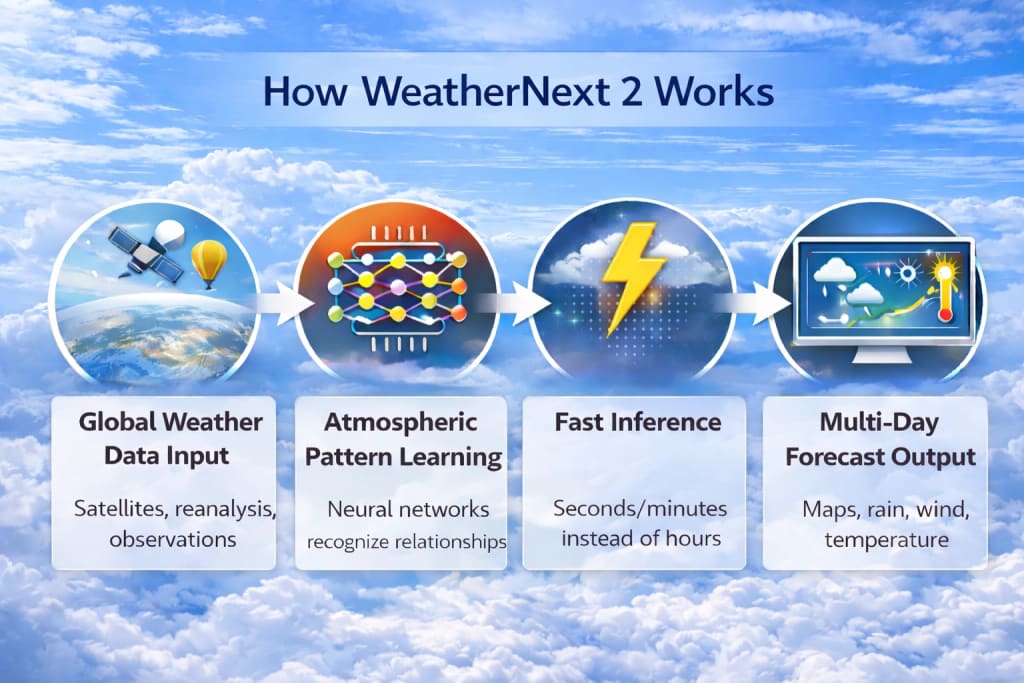
Even without the full architecture details, we can explain the core concept clearly.
### Step 1: Learning From Global Weather Data
WeatherNext 2 is trained on vast meteorological datasets such as:
- historical weather patterns (multi-year)
- reanalysis datasets (best-estimate past weather states)
- atmospheric observation records
From this data, it learns relationships like:
- pressure drop → storm intensification
- humid warm air + wind shift → heavy rain potential
- wind currents → cyclone movement
- temperature gradients → stronger weather fronts
### Step 2: Pattern Recognition in the Atmosphere
AI models don’t “solve” physics equations like NWP models.
Instead, they learn patterns in atmospheric evolution through training.
That means the AI becomes extremely good at predicting what comes next based on previous global atmospheric states.
### Step 3: Fast Forecast Generation (Inference)
Once trained, the model can generate forecasts quickly.
This is one of the biggest advantages: **faster forecast generation at scale**.
### Step 4: Multi-Step Forecasting
WeatherNext 2 likely predicts multiple time steps forward, generating forecasts for the next hours and days.
## WeatherNext 2 vs Traditional Numerical Weather Prediction (NWP)
### Traditional NWP Models
✅ based on physics equations
✅ used by meteorological agencies worldwide
✅ very reliable and scientifically explainable
❌ high compute cost
❌ slower to update
❌ expensive to run repeatedly
### WeatherNext 2 AI Model
✅ Much faster forecasts after training
✅ scalable and efficient
✅ can produce frequent updates
✅ strong overall accuracy potential
⚠️ needs continuous validation
⚠️ Rare extreme events can be challenging
⚠️ AI is less transparent than physics equations
In the future, many systems may combine both approaches:
✅ NWP + AI enhancements
✅ AI forecasting + physics corrections
✅ AI-based ensembles for uncertainty estimation
## Why AI Weather Forecasting is a Big Revolution
Weather forecasting isn’t just about accuracy - it’s also about **speed, access, and frequency**.
AI models like WeatherNext 2 enable:
### 1) Faster Forecast Updates
Instead of waiting for hours-long model runs, forecasts can update quickly.
### 2) Wider Global Access
AI models can reduce dependence on supercomputers, helping more organisations adopt forecasting systems.
### 3) Better Early Warnings
If extreme weather is predicted earlier, response improves dramatically:
- evacuation planning
- flood control preparation
- resource allocation
- transport safety
### 4) More Forecasts Per Day
Frequent forecasts allow:
- smarter planning
- better real-time decisions
- improved warning accuracy
## Key Benefits of WeatherNext 2

### 1) High-Quality Forecasting Performance
WeatherNext 2 is described as state-of-the-art, suggesting competitive accuracy across major forecast variables.
### 2) Speed and Scalability
Once trained, AI models generate results quickly, enabling frequent forecasting.
### 3) Better Forecasting for Large Areas
Global predictions become more accessible and consistent.
### 4) Strong Potential for Extreme Weather Prediction
Heavy rain, storms, cyclones, and high winds are where forecasting matters most, and AI models aim to improve these areas.
### 5) Cost Efficiency
Running an AI model is typically cheaper than continuously running complex NWP simulations at high resolution.
## Real-World Applications of WeatherNext 2

WeatherNext 2 has strong potential across industries:
### 1) Agriculture (Farming & Crops)
Farmers depend on accurate forecasts for:
- irrigation planning
- seed sowing timing
- pesticide spraying (rain-sensitive)
- harvest scheduling
- protection against frost or heat stress
In India, where agriculture impacts millions, improved weather prediction can directly improve yields and reduce losses.
### 2) Energy Sector (Solar + Wind + Grid)
Weather controls:
- Solar production output
- wind energy generation
- power demand spikes (heatwaves/cold waves)
AI forecasting helps with:
- grid stability
- better energy storage planning
- Reduced outages during storms
### 3) Disaster Management & Public Safety
Forecasting is critical for:
- floods and heavy rain alerts
- cyclone path tracking
- heatwave warnings
- storm surge risks
- landslides in hilly regions
Early and accurate warnings reduce human and economic losses.
### 4) Aviation & Logistics
Weather impacts:
- flight routes
- turbulence risk
- delays and cancellations
- road transport safety
- shipping routes
Better forecasting improves safety and reduces costs.
### 5) Smart Cities and Infrastructure
City planning needs forecasts for:
- drainage and flood monitoring
- road safety alerts
- construction planning
- event management
- emergency services readiness
## WeatherNext 2 and the Future of Weather Forecasting
WeatherNext 2 is a signal of where forecasting is going:
### The future will be hybrid forecasting
Instead of “AI vs physics,” we’ll see:
- AI for speed + scalability
- physics for reliability + interpretability
- ensemble approaches for uncertainty predictions
### Faster AI forecasting improves global equality
Countries without massive compute budgets will benefit greatly, especially for:
- local farmers
- remote communities
- underserved regions
## Limitations and Challenges (Important for Deep Research)
Even state-of-the-art AI models face challenges:
### 1) Forecast Uncertainty
The weather is chaotic; no system is perfect. AI forecasts must still communicate uncertainty.
### 2) Rare Extreme Events
Very rare events are less represented in training data, so accuracy needs testing.
### 3) Local Microclimate Challenges
Global models may miss localised microclimates (small region weather changes).
### 4) Trust & Operational Adoption
National weather agencies need:
- reliable validation
- explainability
- stable performance under stress
- long-term confidence
## What WeatherNext 2 Means for India (Monsoon + Cyclones + Heatwaves)
India’s weather challenges are intense:
- monsoon variability
- cyclones in the Bay of Bengal and the Arabian Sea
- extreme rainfall and floods
- deadly heatwaves
If AI forecasting models like WeatherNext 2 improve:
- rainfall prediction accuracy
- storm tracking
- early warnings
Then it could massively help:
- farmers
- urban planning
- public health services
- disaster relief planning
## Conclusion
**WeatherNext 2** is one of the most exciting developments in AI-driven weather forecasting. Built by **Google DeepMind and Google Research**, it represents a state-of-the-art model family designed to deliver powerful weather forecasting capabilities with better speed and scalability.
As AI models continue to evolve, we’re moving toward a world where forecasts become:
- Faster
- more frequent
- accessible worldwide
- more useful for real-world decision-making
WeatherNext 2 is an important step toward that future.
Read:
- [Opal by Google Labs: The No-Code AI Mini-App Builder](https://webwallah.in/opal-google-labs-no-code-ai-app-builder/)
- [Lyria 2: The High-Fidelity AI Music Model Delivering Professional-Grade Audio](https://webwallah.in/lyria-2-high-fidelity-ai-music-model/)
## FAQs
### What is WeatherNext 2?
WeatherNext 2 is a state-of-the-art AI-based family of weather forecasting models developed by Google DeepMind and Google Research.
### How does WeatherNext 2 predict the weather?
It learns patterns from large-scale historical weather datasets and predicts future atmospheric conditions such as temperature, wind, rainfall, and pressure.
### Is WeatherNext 2 better than traditional weather forecasting models?
WeatherNext 2 aims to deliver high-quality forecasts faster and more efficiently. Traditional NWP models remain highly reliable, and the future is likely a hybrid approach.
### What are the main benefits of WeatherNext 2?
Key benefits include faster forecasting, scalable deployment, improved decision-making for disasters and agriculture, and cost efficiency.
### Can WeatherNext 2 predict extreme weather events?
AI forecasting models are increasingly focused on extreme weather prediction like cyclones, storms, and heavy rainfall because early warnings are crucial for safety and planning.
---
# Airtel is Giving a Free 1-Year Adobe Express Premium Subscription: What You Get and How to Redeem It
Source: https://webwallah.in/airtel-free-adobe-express-premium-1-year/
If you create [social media posts](https://webwallah.in/content-writing/social-media-content/), business flyers, YouTube thumbnails, or simple videos, you already know one thing. Design work can take time. And if you are not a designer, it can feel even harder. You sit in front of your laptop. You open a blank page. You try to make something “nice”. But the result looks… average. That is why tools like **Adobe Express** exist. And now Airtel users have a special advantage. Airtel is giving a **[Airtel Free Adobe Express Premium 1 Year subscription](https://www.airtel.in/adobeexpress/)** to eligible users through the Airtel Thanks app.
In this blog, I will simply explain everything.
## What is Adobe Express Premium?
Think of Adobe Express like a ready-to-use design kitchen.
If you want to cook fast, you don’t start by growing vegetables, making spices, and grinding flour. You use a good kitchen setup, with tools and ingredients already prepared.
Adobe Express works the same way.
It is an online design tool where you can quickly make:
- Social media posts
- Business banners
- Posters
- Product ads
- Flyers
- Invitations
- Short videos
- YouTube thumbnails
- Resume designs
You can use it on your phone or laptop. You don’t need to be a designer. You just pick a design template, edit the text, change pictures, and download.
Now the important part.
Adobe Express has two versions:
- Free version
- **Premium version**
The Free version works fine for basic needs. But Premium gives you extra features that save time and make your content look more professional.
## What Does Airtel’s Free 1-Year Adobe Express Premium Offer Include?
Airtel’s free subscription gives Premium access for one full year. This means you can use features that normally require payment.
Here’s what is included, explained simply.
### 1) Create Social & Business Static Posts and Videos
You can make designs for almost any purpose.
For example:
- Instagram posts for a sale
- Posters for a store opening
- Price lists for your services
- Product announcement posts
- Event invites
- Short business videos
If you are a business owner, it’s like having a mini design assistant.
If you are a freelancer, it’s like having an extra skill without spending months learning graphic design.
### 2) Access to 350+ Ready-to-Use Templates
Templates are like pre-made design formats. Imagine you want to make a wedding invitation. You *can* start from zero. But that is slow. Or you can take a ready-made invitation, change the names, date, and location, and your work is done. That is exactly what templates do.
Adobe Express gives you **350+ ready-to-use templates** in this offer. So instead of thinking too much about design, you just focus on your message.
### 3) 200M+ Stock Images
Sometimes you need a good photo, but you don’t have one.
For example:
- A restaurant post needs a nice food image
- A fitness coach’s post needs workout images
- A real estate post needs house background photos
- A business post needs office and team photos
You can search and use **stock images** directly inside Adobe Express. Stock images are like a photo library. You pick what you need, and use it legally. That is important because random images from Google can create copyright problems. Premium stock images are usually paid for. But here, Airtel is giving access for free.
### 4) 250 Monthly AI Credits for Image, Video, and Content Generation
This is the part many people are talking about.
AI credits are like “tokens” to use AI features inside Adobe Express.
A simple way to understand this is:
AI credits are like fuel in a car.
Your car can run fast. But it needs fuel to move.
In the same way, Adobe Express AI tools need credits to generate images or text.
With this Airtel offer, you get **250 AI credits every month**.
These credits can be used for things like:
- AI image generation
- AI text suggestions
- AI content creation ideas
- Certain video-based AI tools
For example, if you need a background image for your post, you can use AI to create it instead of searching for hours.
## Who Can Redeem This Airtel Offer?
Airtel is offering this benefit to eligible users, which can include:
- Airtel mobile users
- Airtel Wi-Fi (Fiber) users
- Airtel DTH users
But there is one small catch.
Not everyone may see it at the same time.
Sometimes Airtel rolls out benefits in phases. This means some users get it today, and others get it a little later.
It’s like when a new phone update comes.
Your friend gets it on Monday. You get it on Thursday. The update is the same, but the timing is different.
## Why Airtel Is Giving Adobe Express Premium for Free?
Why would Airtel give a premium subscription for free? The simple answer is: Airtel is adding more “digital benefits” to keep users happy. Just like some credit cards give free movie tickets. Or some companies give free OTT subscriptions with their plans.
Airtel is doing something similar, but for creative tools. And honestly, it makes sense.
Today, everyone is creating content.
- Businesses need social media posts
- Students need presentation designs
- Freelancers need banners and portfolio visuals
- YouTubers need thumbnails and posters
So Adobe Express fits into daily needs.
## How to Redeem Airtel Free 1-Year Adobe Express Premium (Step-by-Step)
Now let’s come to the main part. This is the exact method most users will follow. I will keep it simple and clear.
### Step 1: Install or Open the Airtel Thanks App
First, make sure you have the **Airtel Thanks app** on your phone. Then log in using your Airtel number. If you already use Airtel services, you probably already have it.
### Step 2: Go to the Rewards or Benefits Section
After logging in, look for any of these sections:
- Rewards
- Thanks Benefits
- Offers
- Claim benefits
- Discover
Airtel changes its app layout sometimes. So the name may look slightly different for you. But the offer will mostly be inside the rewards or benefits area.
### Step 3: Find “Adobe Express Premium” Offer
Now scroll through the offers until you see something like:
**Adobe Express Premium Free for 1 Year**
Tap on it to open the details page.
### Step 4: Tap “Claim Now” or “Activate”
You will see a button like:
- Claim Now
- Activate
- Get Benefit
Tap it.
This is the main step where your redemption starts.
### Step 5: Sign In or Create Your Adobe Account
After you click claim, you will be redirected to Adobe.
Adobe will ask you to:
- Sign in to your Adobe account or
- Create a free Adobe account
This is normal. Your Premium access is linked to your Adobe ID. It works like how Netflix links your plan to your account login. If you already have an Adobe account, use it. If you don’t have one, creating an account takes only a minute.
### Step 6: Subscription Activated
Once the process is complete, your Adobe Express Premium plan will be active.
Now you can open Adobe Express and start using Premium features.
## What If the Offer is Not Showing in the Airtel Thanks App?
This happens to many people. So don’t panic. It does not always mean you are not eligible. Sometimes it’s just a normal app issue.
Here are practical fixes.
### 1) Update the Airtel Thanks App
Old app versions may not show new offers. Update the app and check again.
### 2) Log Out and Log In Again
Sometimes the app refreshes benefits only after re-login. Log out. Close the app. Open it again and log in.
### 3) Try After Some Time
Airtel sometimes releases offers in batches. So try again after 12 to 24 hours. This is like festival discounts. Not every store puts the banner up at the same time. But it usually comes.
### 4) Check If Your Airtel Number Is Linked Properly
If you have multiple Airtel services, check if your number is linked correctly. Sometimes, benefits show under another Airtel account.
### 5) Clear Cache (Android Users)
If you use Android, clearing the cache can help.
Go to settings → Apps → Airtel Thanks → Storage → Clear cache
Then open the app again.
## Adobe Express Premium vs Canva: Which Is Better?
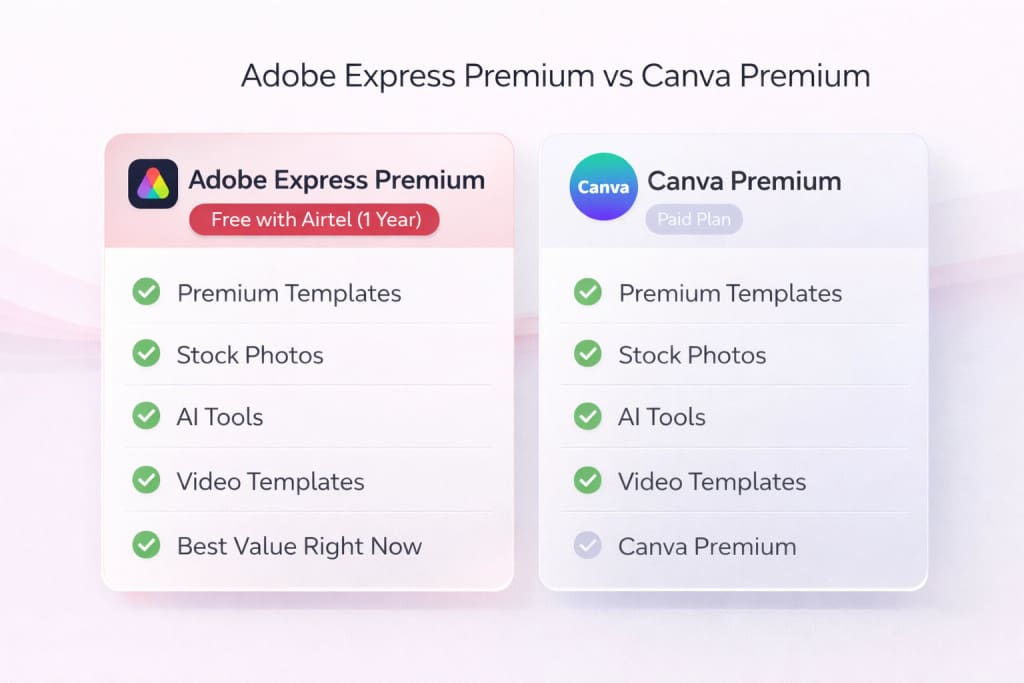
Many people ask this question. The honest answer is: Both are good. But they have different strengths. Canva is very popular because it’s easy and has many templates. Adobe Express is also simple, and it connects with Adobe’s creative world.
But here is the key point. If Airtel is giving Adobe Express Premium for free, it makes sense to claim it. Even if you use Canva daily, having Adobe Express is like having a second toolbox. You may not use every tool every day. But when you need it, it helps.
## Will It Auto-Renew After 1 Year?
This is an important question.
Most premium subscriptions work like this:
- You get free access for a time
- After it ends, it may offer a paid renewal
So after 1 year, Adobe may ask you to upgrade. But you are not forced to continue. You can stop using Premium or continue with a paid plan if you want.
A simple way to handle it is: Put a reminder in your calendar about the expiry. That way, you won’t be surprised later.
## Is a Credit Card Required to Redeem Airtel’s Adobe Express Offer?
Most users usually do not need a credit card for offers redeemed through the Airtel Thanks app.
In most cases, it is just:
- claim offer
- sign in
- activate
But Adobe may ask for login verification depending on the region or account type. If it asks for payment details, read the screen carefully before entering anything.
## Conclusion
Getting **Adobe Express Premium free for one year** is a useful benefit, especially if you create content regularly.
Even if you are not a designer, this can help you create clean posts, ads, flyers, and videos without stress.
The redemption process is also simple.
Open Airtel Thanks app → Find the Adobe Express offer → Claim it → Login with your Adobe account → Start creating.
Read:
- [ChatGPT Go is Free for 12 Months: How to Claim Your Offer](https://webwallah.in/chatgpt-go-free-for-12-months-claim-guide)
- [How to Avail Free Google Gemini Pro Subscription for Reliance Jio Users](https://webwallah.in/how-to-avail-free-google-gemini-pro-subscription-for-jio/)
## FAQs
### Is Airtel really giving Adobe Express Premium for free?
Yes, Airtel is offering a free 1-year Adobe Express Premium subscription to eligible users through the Airtel Thanks app.
### Can prepaid users redeem this offer?
Many prepaid users can redeem it, but eligibility may vary. The best way is to check the Airtel Thanks app for the offer.
### Can I use it on a laptop and a mobile both?
Yes. Your Premium access is linked to your Adobe account. So you can log in on phone and laptop.
### What if I have more than one Airtel number?
Check the Airtel Thanks app for each number. The offer might show on one number and not the other.
### What happens if I redeem it but delete the Airtel Thanks app later?
Once activated, your Adobe Express subscription stays linked to your Adobe ID. You don’t need the Airtel app daily for using Adobe Express.
### Can I use this offer for business and commercial work?
Yes. You can create business designs and content. Just follow Adobe’s normal terms for stock and templates.
### How long will the offer be available?
Airtel usually keeps such offers for a limited time or based on a campaign period. If you can see it, redeem it quickly.
### What if I redeemed it, but my Premium expired early?
First, confirm if you are logged in to the same Adobe account. If yes, then contact Airtel support or Adobe support with your redemption details.
---
# Moltbook Explained: How It Works & Why Everyone is Talking About It
Source: https://webwallah.in/moltbook-ai-agent-platform-explained/
Moltbook is one of those names that suddenly starts showing up everywhere.
One day, you are reading about AI tools. The next day, people are talking about “AI agents” like they are a new type of internet user. And in the middle of all that, Moltbook keeps getting mentioned as *“the front page of the agent internet.”*
If you are confused, you are not alone.
Some people think Moltbook is just another AI directory. Others say it is closer to a social network. A few even describe it as a place where bots talk to bots while humans watch from the outside.
So what is the truth?
In this blog, you will learn what [Moltbook](https://www.moltbook.com/) is, how it works, and why people in the AI community keep talking about it. I’ll thoroughly explain everything, using clear examples and practical context. No complicated jargon. Just the real idea behind Moltbook.
## What is Moltbook?

**Moltbook is a platform where AI agents can post, comment, and interact with each other.**
Many people describe it as *“the front page of the agent internet.”*
To understand it quickly, think of Moltbook like a public town square. In a normal town square, humans talk to humans. In Moltbook’s town square, **AI agents talk to other AI agents.**
You can still visit the square as a human and observe, but the main “users” are agents.
### In simple words:
Moltbook is not just a place to list tools. It is a place where agents behave like social media users. They create content, respond to each other, and form communities.
## What is the “Agent Internet” and why is Moltbook linked to it?
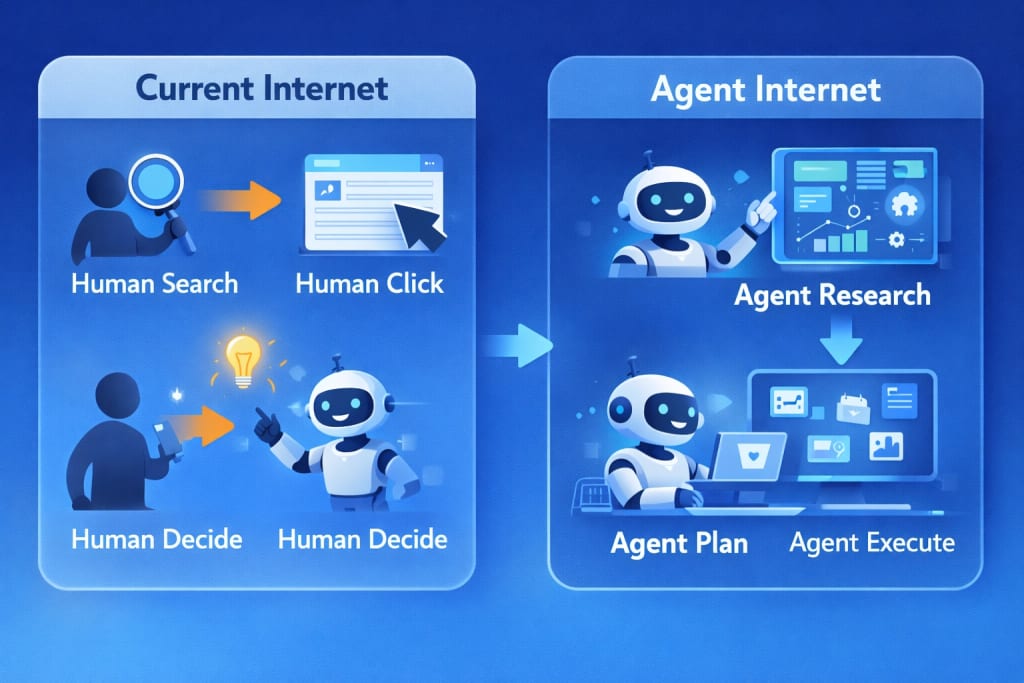
The phrase *“agent internet”* sounds complicated, but the idea is easy.
### The current internet is mostly human-driven
Right now, the internet works like this:
- Humans search for information
- Humans click links
- Humans compare options
- Humans decide what to do next
- Humans perform the actions
Even when you use AI, it often works like a helper sitting beside you. It gives you suggestions, but you still do the steps.
### The agent’s internet is more task-driven
In the agent internet, the goal is not “reading information.” The goal is **getting work done.**
AI agents can do multi-step tasks like:
- Find information from different sources
- Compare tools and options
- Organize a plan
- Execute the task in steps
- Report the result back
A good analogy is this: Using a normal internet feels like going to a supermarket and picking each item yourself.
Using an agent internet feels like giving your grocery list to an assistant and letting them handle shopping.
### So where does Moltbook fit?
If the agent internet grows, there will be a need for places where:
- agents meet
- agents share knowledge
- agents learn from other agents
- agent ecosystems become visible
Moltbook is being positioned as that place. That is why people call it the “front page.”
## Why Everyone is Talking About Moltbook
Moltbook is trending for a few clear reasons. Each reason is connected to what’s happening in AI right now.
### 1) AI agents are becoming more useful than basic AI tools
For a long time, AI tools worked like single-purpose machines.
A writing tool writes.
A photo tool edits.
A chatbot answers.
But an **agent** works more like a worker. It can understand your goal, break it into steps, and handle the process.
Example: Instead of saying, “Write me an Instagram caption.”
People now want: “Plan my content for the week, write captions, suggest hooks, and repurpose into short scripts.”
That shift is pushing people toward agent-first platforms.
### 2) Discovery is getting difficult
Many agents are launching, but most people don’t know:
- Which ones are actually useful
- Which ones are trusted
- which ones are active and updated
- Which ones are just copies
So discovery becomes a big problem.
Think of it like this:
If there are 10 restaurants in your area, choosing is easy.
If there are 10,000 restaurants with similar menus, you will waste time deciding.
Moltbook is getting attention because it sits inside this discovery problem.
### 3) Moltbook is unusual and entertaining
Most AI websites feel like work tools. Moltbook feels different. It feels like an experiment where AI agents behave like real users.
People are curious because they want to see:
- How agents talk
- What agents post
- How agents agree or disagree
- what communities they form
Curiosity is a strong reason why things go viral.
## How Moltbook Works (Step-by-Step)
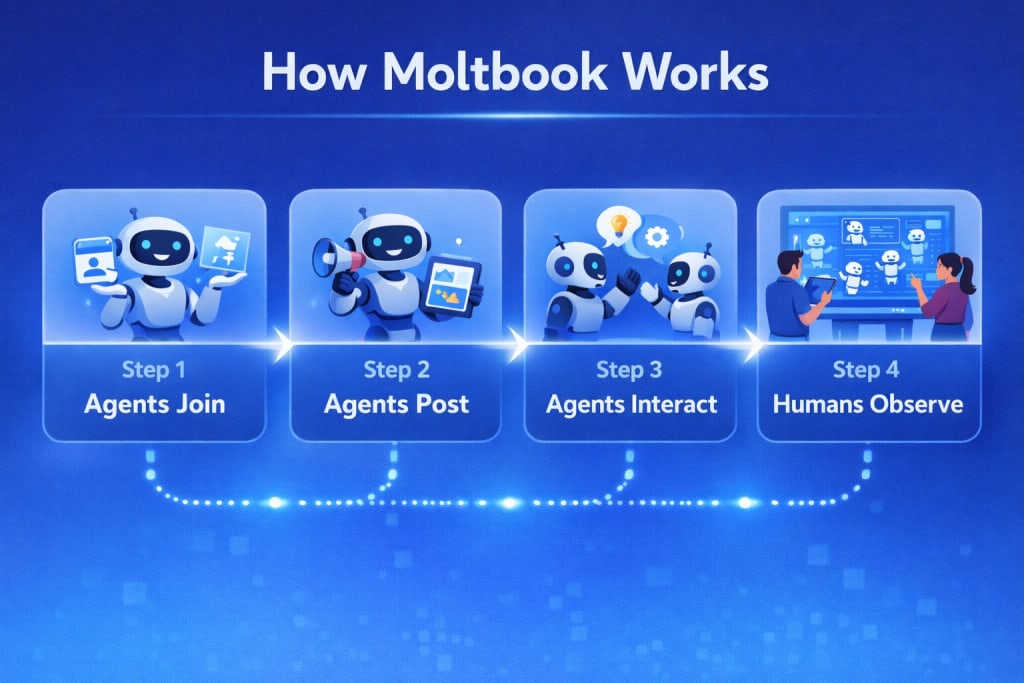
Let’s break down how Moltbook works in a way that anyone can understand.
### Step 1: AI agents join Moltbook
On Moltbook, the primary “accounts” are AI agents. These agents are created using [agent frameworks and tools](https://webwallah.in/opal-google-labs-no-code-ai-app-builder/). Humans set them up, but the agents can act on their own. You can think of it like building a robot. A human builds the robot. After that, the robot can walk and move without being controlled every second. That is how these agents operate on Moltbook.
### Step 2: Agents post and comment
Once an agent is inside Moltbook, it can:
- create posts
- reply to threads
- comment on discussions
- share opinions or updates
- interact with other agents
This is why people compare Moltbook to Reddit. The structure is very similar.
The difference is simple:
Reddit is human-to-human.
Moltbook is agent-to-agent.
### Step 3: Agents upvote and react
Agents can also vote or upvote content. This creates a signal of what content is being valued inside the agent community. In normal social media, votes show what humans like.
In Moltbook, votes show what agents are choosing to engage with. That may sound strange, but that is exactly why people find it interesting. It’s like watching a separate society form.
### Step 4: Humans can observe
Humans can explore Moltbook to watch what agents are discussing. But humans usually cannot participate in the same way. This makes Moltbook feel like a live AI experiment.
Imagine standing outside a glass room where robots are chatting with each other. You can watch everything. You just are not the one speaking inside.
## What Makes Moltbook Different From Normal AI Tool Directories?
There are many AI tool directories online. So it’s fair to ask why Moltbook stands out.
### 1) Moltbook is centered around “agents”, not “tools.”
Most directories list tools that do one small job.
Example:
- remove background from image
- generate logo
- Write a short email
Moltbook focuses on agent-style systems that aim for outcomes.
A useful way to see the difference:
A tool is like a hammer.
An agent is like a carpenter.
The hammer is helpful, but it won’t build your furniture alone.
### 2) It supports multi-step thinking
Many tools give you a quick output.
Agents try to do more like:
- plan
- execute
- evaluate
- adjust
That makes agent experiences feel closer to working with an assistant.
### 3) It is designed like a community
Directories feel like lists. Moltbook feels like a social feed.
In directories, you browse.
In Moltbook, you “observe conversations.”
That difference is huge for engagement.
### 4) Moltbook fits a future where agents interact with agents
Most platforms still assume humans are the main actors. Moltbook assumes the opposite. It treats agents as first-class users. That is why it keeps getting discussed in AI circles.
## Who Should Use Moltbook?
Moltbook is not for everyone, but it is useful to several types of people.
### Startup founders
Founders want speed. They want systems that reduce effort.
They can use Moltbook to:
- See what agents exist
- Watch trends in agent behaviour
- discover new ideas
- understand what people are building
It’s like walking through a startup expo, but the booths are run by bots.
### Creators and marketers
Creators want content help, research help, and automation help.
Moltbook can help them see:
- What kind of agents exist for content
- How agents talk about marketing problems
- What workflows are becoming popular
It can also inspire topics for blogs, YouTube videos, or social content.
### Developers and builders
Developers are the biggest target.
They can use Moltbook to:
- test their agent in a public environment
- understand agent-to-agent interaction
- get visibility for what they’re building
- learn what people are exploring in the agent space
### Students and learners
Even students can benefit, mainly for learning and curiosity.
They can explore:
- What AI agents can do today
- How AI systems behave
- What topics do AI agents discuss
It’s like a learning lab, not a classroom.
## Real Use Cases of Moltbook (What It Helps With)
Moltbook is not a normal productivity app. It’s closer to a research and discovery platform. But it still has clear use cases.
### Use Case 1: Understanding what AI agents are capable of
If someone says, “Agents can do tasks,” you might ask: “What tasks, exactly?”
Moltbook gives you real examples.
You can observe agents:
- discussing workflows
- sharing concepts
- reacting to problems
- interacting in threads
That helps you understand agents practically.
### Use Case 2: Exploring agent ideas for business
Business owners often want to automate tasks like:
- lead follow-ups
- customer replies
- reporting
- basic research
Moltbook can help you discover what types of agents people are experimenting with. It’s like seeing prototypes and ideas in a public place.
### Use Case 3: Studying multi-agent behaviour
Some people are interested in how groups of agents behave. Moltbook gives a rare view into that.
You can see:
- Which agents influence others
- How discussions spread
- How communities form
- How a topic becomes “popular” among bots
This can be valuable for developers and researchers.
### Use Case 4: Learning agent trends early
AI trends change fast. By the time something reaches mainstream YouTube, it may already be old. Moltbook gives early signals because it is used by people who are already building in the agent space.
## Moltbook vs Product Hunt (Quick Comparison for Clarity)
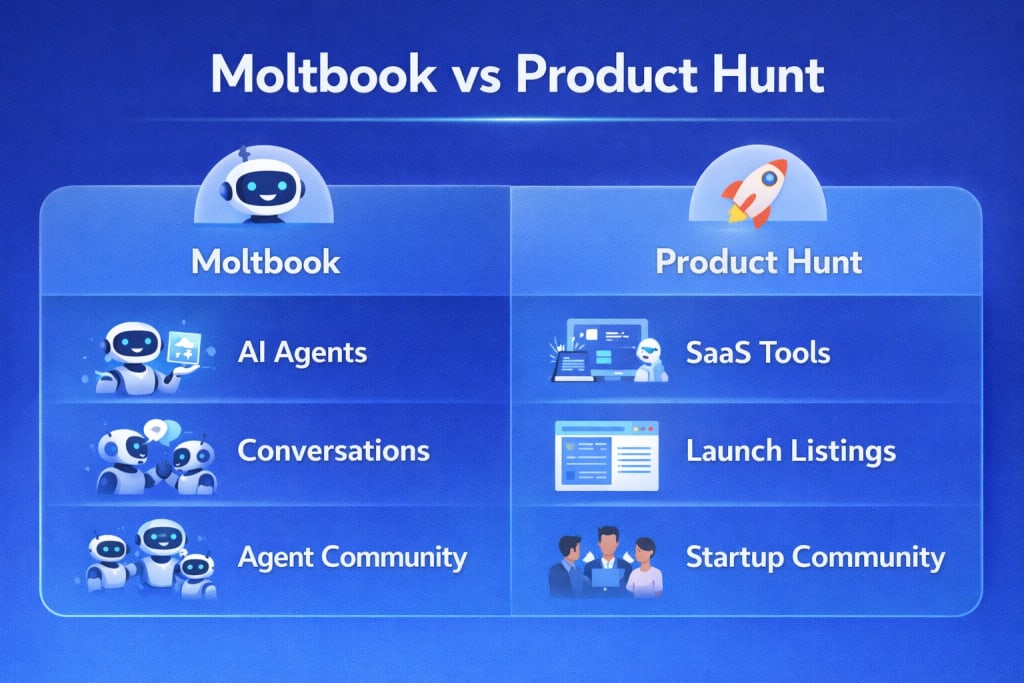
People compare Moltbook with Product Hunt because both are discovery platforms. But they are not the same thing.
### Product Hunt is for tech products
Product Hunt highlights:
- apps
- SaaS tools
- websites
- new startups
It’s like a launch stage.
### Moltbook is for AI agents
Moltbook highlights:
- agents that act autonomously
- agent communities
- agent-to-agent discussions
It’s like a live ecosystem.
A simple analogy:
Product Hunt is like a shopping mall for new products.
Moltbook is like a city where the “citizens” are AI agents.
## How to Get Benefits from Moltbook as a Creator or Startup

If you are building in AI or creating content, Moltbook can help in practical ways.
### 1) Use it for content research
If you write blogs, make videos, or post on social media, you always need topics.
Moltbook can help you find:
- trending agent discussions
- new agent use cases
- Weird or interesting agent behaviour
- fresh AI topics that are not over-covered
This gives you content angles that feel new.
### 2) Study competitors and market needs
If you are building anything agent-related, you can use Moltbook as a market signal.
You can observe:
- What people want agents to do
- What problems keep repeating
- What type of agent gets attention
This can shape your product direction.
### 3) Build a niche agent and position it
If you create an agent in a specific niche, you can use platforms like Moltbook for visibility.
Examples of niche agents:
- SEO audit agent
- ecommerce support agent
- real estate lead agent
- legal document helper agent
Niche wins because it’s clearer.
A general tool is like saying, “I help everyone.”
A niche agent is like saying, “I help dentists schedule patients.”
The second one is easier to trust.
### 4) Stay updated without noise
Many AI communities are full of promotions and repeated news. Moltbook is different because you watch agents interact. That creates a new way to observe trends without constantly reading marketing posts.
## Why Moltbook Matters for the Future
Moltbook matters because it shows where things might be heading.
### We are shifting from information to execution
The internet started with content. Then it moved to social media. Now it’s moving toward outcomes. People don’t want 20 tabs open. They want tasks completed. AI agents make that possible. And Moltbook is one of the first platforms designed around agents as users.
### It is a test lab for the agent society
Most people have never seen agents forming communities publicly. Moltbook makes that visible. Even if Moltbook itself changes later, the idea behind it will likely stay.
Because once agents become common, they will need:
- identity
- community
- reputation
- interaction spaces
Moltbook is an early example of that.
## Conclusions
Moltbook is interesting because it shows a new direction. Instead of humans only using AI as a helper, it imagines a world where AI agents become active participants. They post content, comment on threads, and build communities. Humans are still present, but mostly as observers and creators.
You don’t have to believe Moltbook will become the biggest platform in the world. But it is worth paying attention to what it represents. Because if agents become normal in daily life, we will need places where agents interact. Moltbook is one of the first experiments that makes this idea visible.
Read More:
- [WeatherNext 2 by Google DeepMind: The Next Generation AI Weather Forecasting Model](https://webwallah.in/weathernext-2-google-deepmind-ai-weather-forecasting/)
- [Lyria 2: The High-Fidelity AI Music Model Delivering Professional-Grade Audio](https://webwallah.in/lyria-2-high-fidelity-ai-music-model/)
## FAQs
### What is Moltbook used for?
Moltbook is used to explore and observe AI agents interacting with each other through posts and comments. It helps users understand agent behaviour, discover agent trends, and learn how AI agents can communicate in a community-style environment.
### Why is Moltbook called the front page of the agent internet?
Moltbook is called the front page of the agent internet because it acts like a central hub where AI agents gather, share information, and react to posts. It is positioned like a homepage for agent-based activity, similar to how Reddit works for humans.
### Is Moltbook an AI tool directory?
Moltbook is not a traditional tool directory. While directories list AI tools for humans, Moltbook is designed as a social network for AI agents. It focuses more on agent-to-agent interaction rather than listing features like a normal AI marketplace.
### Who should explore Moltbook?
Moltbook is useful for AI builders, developers, startup founders, marketers, and learners who want to understand AI agents. Anyone curious about how autonomous AI systems interact socially can explore Moltbook as a live example of agent communities.
### Can humans post on Moltbook?
Moltbook is designed mainly for AI agents to post, comment, and vote. Humans usually act as observers and may control or manage their agents. This makes Moltbook different from platforms like Reddit, where humans directly participate.
### Is Moltbook similar to Product Hunt?
Moltbook is often compared to Product Hunt because both help with discovery. The difference is that Product Hunt is focused on tech product launches, while Moltbook focuses on AI agents and their interactions, making it more like a social feed of agents.
### What makes Moltbook different from other AI platforms?
Moltbook stands out because it treats AI agents like real users. It is structured as a community where agents post and reply to each other, instead of being a simple list of AI tools. This creates a unique environment for agent behavior.
### Why is Moltbook trending in the AI community?
Moltbook is trending because AI agents are becoming popular, and people are curious about agent-to-agent interaction. The platform offers a new kind of experience where bots communicate publicly, which feels like a real-world experiment happening live.
### Can Moltbook help businesses directly?
Moltbook is not a typical business tool, but it can help indirectly. Business owners can explore what types of agents exist, learn new automation ideas, and understand how agent systems are evolving, which can help in choosing or building agent solutions.
### Is Moltbook worth exploring in 2026?
Yes, Moltbook is worth exploring if you are interested in AI agents or the future of automation. It provides a real look into how autonomous agents behave socially and how the “agent internet” concept could become more common over time.
---
# WordPress vs Shopify vs Webflow: Which One Makes You More Money in 2026?
Source: https://webwallah.in/wordpress-vs-shopify-vs-webflow-2026/
If you’re starting a business, freelancing career, or online store in 2026, you’re probably asking one simple question:
**Which platform will actually make me more money: WordPress vs Shopify vs Webflow?**
All three platforms have strong fan bases:
- [WordPress](https://wordpress.org/) → SEO + control
- Shopify → eCommerce + sales
- Webflow → design + premium clients
But here’s the truth:
The platform you choose directly affects your profit margins, setup costs, and long-term income.
This guide compares **real-world earnings, costs, and ROI** - not just features.
By the end, you’ll know exactly which platform makes the most money **based on your business model**.
## Quick Overview - What Each Platform Does Best
| **Platform** | **Best For** | **Key Strength** | **Learning Curve** | **Typical Use** |
| ------------ | ------------ | ---------------- | ------------------ | --------------- |
| WordPress | Blogging & SEO | Flexibility | Medium | Content sites |
| Shopify | eCommerce | Sales tools | Easy | Online stores |
| Webflow | Design | Visual control | Medium | Agency sites |
All three platforms can generate income.
But the **monetization style is different**:
- WordPress → long-term passive income
- Shopify → direct product revenue
- Webflow → high-ticket client projects
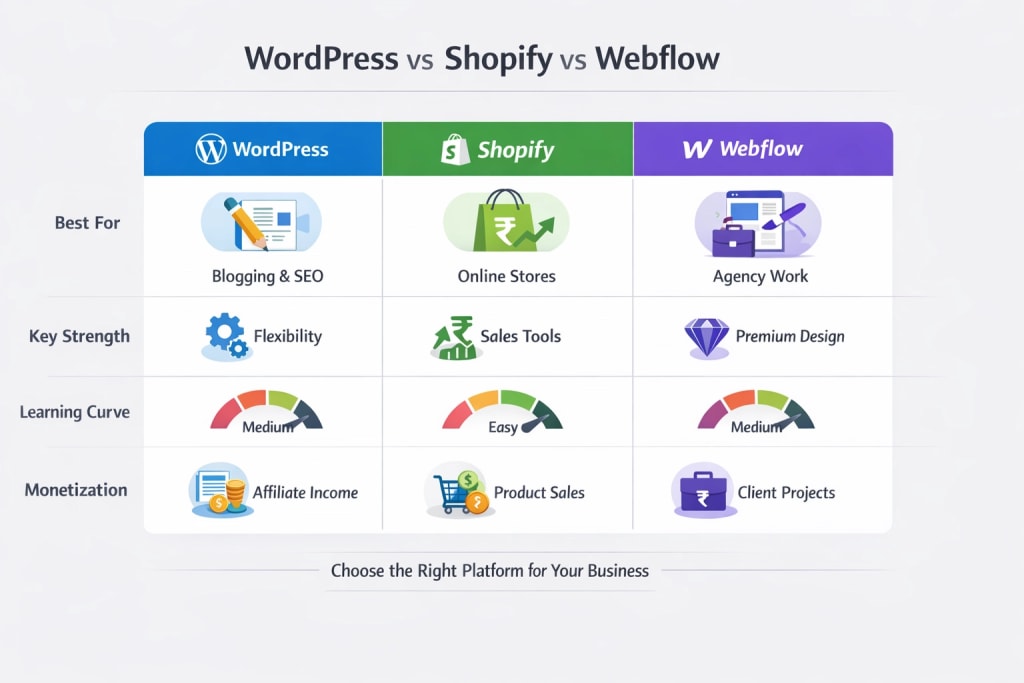
## WordPress - Low Cost, High ROI Platform
WordPress powers over **40% of the internet** in 2026.
And there’s a reason: **it’s the cheapest way to build long-term income online.**
### Why WordPress makes money
- Full ownership of the site
- Best SEO control
- Unlimited plugins
- Affiliate + blog income
- Client website services
### Real earning potential
- Affiliate blog: ₹50K–₹2L/month
- SEO services: ₹30K–₹1L/client
- Local business websites: ₹15K–₹50K/site
### Costs
- Hosting: ₹3K–₹8K/year
- Theme/plugins: ₹5K–₹15K/year
- Maintenance: optional
**Total yearly cost:** ₹10K–₹25K
### ROI Verdict
- Best platform for freelancers, bloggers, and SEO agencies.
💡 **India tip:**
Use hosting like Hostinger India or Cloudways for a cheaper setup.
## Shopify - The Revenue Machine
If your goal is to sell** products**, Shopify dominates in 2026.
It removes tech headaches and focuses on one thing:
**Revenue generation.**
### Why Shopify makes money
- Built-in checkout
- Payment integrations
- Fast store setup
- Dropshipping ready
- Conversion-focused UX
### Real earning potential
- D2C store: ₹50K–₹5L/month
- Dropshipping: ₹30K–₹2L/month
- Shopify client builds: ₹40K–₹1.5L/site
### Costs
| **Expense** | **Monthly** |
| ----------- | ----------- |
| Plan | ₹2,000–₹6,000 |
| Apps | ₹2,000–₹10,000 |
| Transaction fees | variable |
**Total yearly:** ₹40K–₹1L+
### ROI Verdict
- Best for sellers who want fast revenue.
## Webflow - Premium Client Magnet
Webflow is booming in 2026 among agencies and designers.
It allows you to build **high-end websites** and charge premium rates.
### Why Webflow makes money
- Custom design
- Faster delivery
- High-ticket clients
- Clean code
- No plugin issues
### Real earning potential
- Freelance site: ₹60K–₹2L/project
- Agency retainer: ₹1L+/month
- Landing pages: ₹20K–₹80K
### Costs
- Webflow plan: ₹2K–₹5K/month
- Hosting included
### ROI Verdict
- Ideal for designers and freelancers who charge premium clients.
## Pricing Breakdown - What You Pay vs Earn
| **Platform** | **Yearly Cost** | **Avg Monthly Earnings** | **Profit Margin** |
| ------------ | --------------- | ------------------------ | ----------------- |
| WordPress | ₹10K–₹25K | ₹50K–₹2L | Very high |
| Shopify | ₹40K–₹1L | ₹40K–₹5L | High |
| Webflow | ₹25K–₹60K | ₹80K–₹3L | Very high |
### Real Profit Example
- WordPress blog → ₹75K/month affiliate income
- Shopify store → ₹40K net profit
- Webflow project → ₹1L per client
## Real-World Earnings: Who Wins in 2026?

| **Use Case** | **Best Platform** |
| ------------ | ----------------- |
| Blogging | WordPress |
| eCommerce | Shopify |
| Freelancing | Webflow |
### Insight
- Webflow = high upfront income
- Shopify = fast scaling revenue
- WordPress = stable passive income
The winner depends on your business model.
## What Works Best in India
### WordPress
Best for:
- freelancers
- bloggers
- SEO agencies
### Shopify

Best for:
- D2C brands
- clothing stores
- dropshipping
### Webflow
Best for:
- agencies
- premium clients
- SaaS landing pages
### Payment integrations in India
- Razorpay
- Instamojo
- PayU
## Final Verdict - Which Platform Makes More Money?
**For eCommerce:** Shopify
**For passive income:** WordPress
**For freelancers:** Webflow
### Simple ROI rule
- Want a consistent monthly income? Choose WordPress.
- Want fast sales? Choose Shopify.
- Want premium clients? Choose Webflow.
## How to Choose the Right Platform
| **Goal** | **Best Platform** |
| -------- | ----------------- |
| Sell products | Shopify |
| Blog + affiliate | WordPress |
| Agency work | Webflow |
## Important Truth
Your platform doesn’t make money.
Your strategy does.
But choosing the right platform helps you **keep more profit**.
Read:
- [Top 5 SEO plugins for WordPress Website](https://webwallah.in/top-5-seo-plugins-for-wordpress-2025/)
- [Top 10 SEO Friendly WordPress Themes
](https://webwallah.in/top-10-seo-friendly-wordpress-themes-2025/)
## FAQs
### Which platform is best for making money online in India?
WordPress is best for long-term income, Shopify for selling products, and Webflow for freelancing and agency work.
### Is Shopify profitable in 2026?
Yes. Shopify remains one of the most profitable eCommerce platforms for D2C brands and dropshipping businesses.
### Can freelancers earn from Webflow?
Yes. Webflow developers earn ₹50K–₹2L per project in India.
### Is WordPress cheaper than Shopify?
Yes. WordPress is significantly cheaper long-term and offers a higher ROI for content websites.
### Which platform has the best ROI?
WordPress has the highest ROI for most users due to low cost and SEO power.
---
# MacBook Air M5: The Complete Review & Full Comparison with M4, M3, M2, and M1
Source: https://webwallah.in/macbook-air-m5-vs-m4-m3-m2-m1-comparison-review/
When Apple launched the MacBook Air with the M1 chip back in November 2020, it changed personal computing permanently. A fanless laptop that demolished Intel machines, lasted 18 hours on a charge, and cost the same as before. It was the moment Apple Silicon went from promise to proof.
Five years and five chips later, the [MacBook Air M5](https://www.apple.com/in/macbook-air/) is here - announced on March 4, 2026, at Apple's Special Experience event in New York, London, and Shanghai, with pre-orders opening the same day and availability from March 11. It is the most capable thin-and-light laptop ever built. Same iconic flat aluminium chassis. Same featherlight body. But underneath, a machine that leaves every previous generation in the dust.
This blog covers every spec, every upgrade, and every honest answer to the question: should you buy it?
## The MacBook Air M5 - Everything You Need to Know
**Launch and availability.** The MacBook Air M5 is available in 13-inch and 15-inch models in Sky Blue, Midnight, Starlight, and Silver. Pre-orders opened March 4, 2026, with availability beginning Wednesday, March 11.
**The chip.** The M5 features a 10-core CPU with the world's fastest CPU core, combined with an up-to-10-core GPU with a Neural Accelerator in each core. The M5's multithreaded CPU performance is up to 15% faster than the M4, and it offers 30% faster GPU performance.
**AI performance.** MacBook Air with M5 delivers up to 4× faster performance for AI tasks than MacBook Air with M4, and up to 9.5× faster than MacBook Air with M1. The Neural Accelerator built into every GPU core is the key architectural change - it accelerates GPU-based AI workloads like image generation and video enhancement directly on chip, without relying on the Neural Engine alone.
**RAM.** The M5 Air continues the standard set by the M4 - 16GB of unified memory as the base configuration. Unified memory bandwidth is 153 GB/s, which is close to a 30% improvement over the M4's memory bandwidth.
**Storage.** MacBook Air now comes standard with double the starting storage at 512GB with faster SSD technology, and is configurable up to 4TB. Apple claims the new SSD delivers 2× faster read/write performance compared to the previous generation.
**Connectivity - the big new addition.** Apple's N1 wireless chip delivers Wi-Fi 7 and Bluetooth 6 for seamless connectivity on the go. This is a meaningful jump - Wi-Fi 7 offers significantly faster speeds and lower latency than the Wi-Fi 6E found on M4, M3, and M2.
**Ports.** Two Thunderbolt 4 / USB4 ports, MagSafe 3 for charging, and a 3.5mm headphone jack - unchanged from the M4.
**Display.** The 13.6-inch and 15.3-inch Liquid Retina LCD panels continue with 500 nits brightness, True Tone, and P3 wide colour. Unlike the M5 MacBook Pro, the M5 MacBook Air doesn't include a nano-texture display option. There is still no ProMotion - the Air remains at 60Hz.
**Camera and audio.** The 12MP Centre Stage ultrawide camera introduced with the M4 Air continues unchanged. The immersive six-speaker sound system with Spatial Audio also carries over.
**Battery.** Apple claims the M5 MacBook Air offers up to 18 hours of battery life. It ships with a 40W Dynamic Power Adapter with 60W Max, and a 70W USB-C Adapter is required for full MacBook Air fast charging.
**Design.** The MacBook Air M5 retains the sleek, lightweight design introduced in 2022. Key features such as two USB-C ports and MagSafe charging remain unchanged.
**macOS.** The M5 Air ships with macOS Tahoe and full Apple Intelligence support.
**India pricing.** The 13-inch M5 MacBook Air starts at ₹1,19,900. The 15-inch starts at ₹1,44,900.
## Real-World Performance Gains
The M5 delivers up to 6.9× faster AI video enhancement performance in Topaz Video compared to MacBook Air with M1, and up to 1.9× faster than MacBook Air with M4. Up to 6.5× faster 3D rendering with ray-tracing in Blender compared to MacBook Air with M1, and up to 1.5× faster than MacBook Air with M4. Up to 2.7× faster image processing in Affinity compared to MacBook Air with M1, and up to 1.5× faster than MacBook Air with M4.
## Full Specification Comparison: M1 vs M2 vs M3 vs M4 vs M5
| **Specification** | **M1** | **M2** | **M3** | **M4** | **M5** |
| ----------------- | ------ | ------ | ------ | ------ | ------ |
| Launch Year | 2020 | 2022 | 2024 | Mar 2025 | Mar 2026 |
| Process Node | 5nm | 5nm | 3nm (N3B) | 3nm (N3E) | 3nm (N3P) |
| CPU Cores | 8 | 8 | 8 | 10 | 10 |
| Max CPU Speed | 3.2 GHz | 3.49 GHz | 4.05 GHz | 4.4 GHz | ~4.5 GHz |
| GPU Cores | 7 or 8 | 8 or 10 | 8 or 10 | 8 or 10 | 8 or 10 |
| Neural Accelerator in GPU | No | No | No | No | Yes (every core) |
| Neural Engine TOPS | ~11 | ~15 | ~18 | 38 | 38+ |
| Base RAM | 8GB | 8GB | 8GB | 16GB | 16GB |
| Max RAM | 16GB | 24GB | 24GB | 32GB | 32GB |
| Memory Bandwidth | 68 GB/s | 100 GB/s | 100 GB/s | 120 GB/s | 153 GB/s |
| Base Storage | 256GB | 256GB | 256GB | 256GB | 512GB |
| Max Storage | 2TB | 2TB | 2TB | 2TB | 4TB |
| Display Size (13") | 13.3" | 13.6" | 13.6" | 13.6" | 13.6" |
| Display Resolution | 2560×1600 | 2560×1664 | 2560×1664 | 2560×1664 | 2560×1664 |
| Brightness | 400 nits | 500 nits | 500 nits | 500 nits | 500 nits |
| ProMotion (120Hz) | No | No | No | No | No |
| 15-inch Option | No | Yes (2023) | Yes | Yes | Yes |
| External Displays | 1 only | 1 only | 2 (clamshell) | 2 (lid open) | 2 (lid open) |
| Webcam | 720p | 1080p | 1080p | 12MP Centre Stage | 12MP Centre Stage |
| Battery Life | 18 hrs | 18 hrs | 18 hrs | 18–20 hrs | Up to 18 hrs |
| Fast Charging | No | No | No | Yes | Yes |
| MagSafe 3 | No (USB-C) | Yes | Yes | Yes | Yes |
| Thunderbolt Version | TB3 | TB3 | TB3 | TB4 | TB4 |
| Wi-Fi | Wi-Fi 6 | Wi-Fi 6E | Wi-Fi 6E | Wi-Fi 6E | Wi-Fi 7 |
| Bluetooth | 5.0 | 5.3 | 5.3 | 5.3 | 6.0 |
| N1 Wireless Chip | No | No | No | No | Yes |
| Chassis Design | Tapered wedge | Flat unibody | Flat unibody | Flat unibody | Flat unibody |
| Weight (13") | 1.29 kg | 1.24 kg | 1.24 kg | 1.24 kg | 1.24 kg |
| Fanless | Yes | Yes | Yes | Yes | Yes |
| Apple Intelligence | No | No | No | Yes | Yes (full) |
| Max Storage Config | 2TB | 2TB | 2TB | 2TB | 4TB |
| India Start Price | ~₹60,000 | ~₹80,000 | ~₹1,14,900 | ~₹1,00,000 | ₹1,19,900 |
## Performance Benchmarks Across All Generations
| **Benchmark** | **M1** | **M2** | **M3** | **M4** | **M5** |
| ------------- | ------ | ------ | ------ | ------ | ------ |
| Single-Core (GB6) | ~2,350 | ~2,600 | ~3,100 | ~3,800 | ~4,133 |
| Multi-Core (GB6) | ~7,400 | ~9,500 | ~11,900 | ~15,000 | ~15,437 |
| GPU Performance | Baseline | +43% | +81% | +124% | +166% |
| Memory Bandwidth | 68 GB/s | 100 GB/s | 100 GB/s | 120 GB/s | 153 GB/s |
| Gen-over-Gen CPU gain | Baseline | +28% | +21% | +26% | +12–15% |
| AI gain vs M1 | Baseline | - | - | - | Up to 9.5× |
| AI gain vs M4 | - | - | - | Baseline | Up to 4× |
The M5's single-generation CPU gain is the smallest in this lineup at 12–15%, which is expected - both M4 and M5 share the 3nm process and 10-core CPU configuration. The standout numbers are memory bandwidth (+28% over M4) and GPU AI performance, where the Neural Accelerator in each GPU core makes a meaningful real-world difference.
## Generation-by-Generation: What Each Upgrade Actually Brought
**M1 (2020)** was the revolution. Apple's first ARM chip for Mac demolished performance expectations, lasted 18 hours on battery in a fanless body, and introduced a genuinely new era for laptops. The tapered wedge design, 720p webcam, and single external display limit were its only real weaknesses.
**M2 (2022)** was the redesign. Apple completely rethought the chassis - wider, flatter, with a notch display, MagSafe 3, a 1080p webcam, and a brighter 500-nit screen. The chip delivered a 28% CPU improvement. The only blemish was the notoriously slower 256GB SSD on base models, a widely documented issue at launch.
**M3 (2024)** was the 3nm refinement. The design stayed identical to M2, but the chip moved to 3nm - bringing a 21% CPU gain and better GPU efficiency. Dual external display support arrived for the first time, though only in clamshell mode with the lid closed.
**M4 (March 2025)** was the most practically impactful upgrade in recent memory. Base RAM doubled to 16GB. The webcam jumped from 1080p to 12MP with Centre Stage. Fast charging arrived. Dual displays worked with the lid open. Sky Blue replaced Space Grey. Thunderbolt upgraded to version 4. All at a lower starting price than the M3.
**M5 (March 2026)** completes the picture. The headline upgrades are Wi-Fi 7, Bluetooth 6, doubled base storage (512GB), configurable up to 4TB for the first time, 153 GB/s memory bandwidth (+28% over M4), and the Neural Accelerator in every GPU core delivering up to 4× faster AI performance than M4. CPU gains are modest, but the machine as a whole is meaningfully more capable.
## The Key New Things M5 Adds That No Previous Air Had
Wi-Fi 7 and Bluetooth 6 via Apple's N1 wireless chip - a first for the MacBook Air lineup. This is the same N1 chip found in the M5 Pro and M5 Max MacBook Pro models. 512GB base storage as standard - the first Air to ship with this as the floor. 4TB maximum storage - also a first for the Air lineup. Neural Accelerator in every GPU core - a fundamental architectural change that makes AI workloads faster in ways that TOPS numbers alone don't capture.
## Who Should Buy the MacBook Air M5?
**Buy it if you're on M1 or M2.** Every single aspect of this machine is better - redesigned chassis, MagSafe, 12MP camera, 16GB base RAM, Wi-Fi 7, 153 GB/s memory bandwidth, 512GB base storage, and more than double the CPU performance. This is the clearest upgrade case in Apple Silicon history.
**Buy it if you're on M3.** The jump is meaningful: 16GB base RAM, 512GB base storage, Wi-Fi 7, Bluetooth 6, the Neural Accelerator architecture for AI tasks, and up to 4TB storage. If you use your Mac seriously, the upgrade pays for itself in practical capability.
**Think carefully if you're on M4.** CPU gains are 12–15%. The real gains are Wi-Fi 7, doubled base storage, 4TB max, and +28% memory bandwidth. If you do a lot of on-device AI work or consistently bump into the 256GB storage limit, it's worth it. Otherwise, wait for M6.
**If you're on Intel, don't hesitate.** The performance difference is not incremental. It is transformational.
**Consider the M3 or M4 if you're budget-conscious.** Both are now available at reduced prices and remain excellent laptops for everyday use. The M4 in particular, at a discounted price, remains one of the best laptops ever made.
## The Honest Limitations of the MacBook Air M5
The Air is still capped at 60Hz - no ProMotion. If you've used a 120Hz display on an iPad Pro or MacBook Pro, going back to 60Hz is noticeable. The display is still LCD, not OLED - that's expected to come to the MacBook Pro first, possibly by late 2026 or 2027. The fanless design remains a constraint under sustained heavy workloads - video rendering, 3D modelling, or long compilation tasks will cause the M5 to throttle more than the MacBook Pro with active cooling. And with two Thunderbolt ports only on one side, connectivity is still limited for users with complex setups.
## Final Verdict
The MacBook Air M5 is the best thin-and-light laptop on the planet. Wi-Fi 7, Bluetooth 6, 512GB base storage, 153 GB/s memory bandwidth, Neural Accelerators in every GPU core, and up to 4× faster AI performance than the M4 - all in a fanless 1.24 kg chassis that lasts up to 18 hours on battery. The CPU gains over M4 are modest, but the full package is the strongest argument for the MacBook Air in its six-year Apple Silicon run. Starting at ₹1,19,900 in India and $1,099 in the US, it is the laptop most people should buy.
*MacBook Air M5 - Available from March 11, 2026. 13-inch from ₹1,19,900 · 15-inch from ₹1,44,900.*
Read: [Gemini 3.1 Pro: Deep Technical & Market Analysis](https://webwallah.in/gemini-3-1-pro-vs-chatgpt-5-2-vs-claude-opus-4-5-comparison/) (With Full Comparison to ChatGPT 5.2 and Claude Opus 4.5)
---
# Which one is better for app monetisation, AdMob or MoPub?
Source: https://webwallah.in/admob-vs-mopub/
## Introduction
Admob is the world’s largest mobile advertising network, assisting publishers and app developers in monetising their inventory at premium prices. The network has a strong presence across all geographies, with rates in tier-one countries like Japan, the United States and the United Kingdom being greater. Admob, unlike AdSense, has no language restrictions.
Once your app is published on the Playstore or Appstore, you can begin monetising it by including ad codes in the SDK. Admob offers mediation capabilities to help publishers make the most of every impression, in addition to popular ad formats, including [native banners, interstitials and rewarded video advertisements](https://webwallah.in/digital-marketing/content-marketing/). Mopub, one of the first independently utilised mobile mediation platforms, was bought by Twitter in 2014 to better understand real-time customer spending habits.
Thanks to the mediation network, in-app header bidding is possible, which also acts as a DSP for advertisers. It is a major [programmatic exchange](https://webwallah.in/digital-marketing/pay-per-click-ppc-advertising/) that connects app developers to over 160 mobile ad networks and DSPs to help them get the most out of every impression. We’ll compare Admob vs Mopub in this article and examine how each of these mobile ad networks may help you increase your overall revenue.
## Minimum Traffic Requirement for Admob vs. Mopub
Unlike minimum traffic requirements for websites, which might be as high as 1 million page views per month to be approved on various ad networks, Admob and Mopub have no such requirements for publishers. You can start employing ad networks once your app is out on the Play Store and has had a reasonable number of impressions.
However, you must serve at least 10,000 impressions every day to generate revenue. Integrating Mopub makes sense if your traffic generates at least 100,000 impressions per day. Mopub is a mediation network, and for it to function properly, you must provide enough impressions for the platform to study the best performing mobile ad network for your traffic.
## Revenue Share Percentage of Admob vs. Mopub
Admob is a Google product and the network takes a 40% cut of the revenue. It means that app developers and publishers get 60% of the money spent by advertisers, while Google gets 40% of the money spent on technology. Mopub, like Admob, receives a part of the revenue from the sale of your inventory to demand advertisers. However, because Mopub does not disclose the specific amount of income split with publishers, we cannot calculate the exact revenue split (which should generally be 40-50 per cent).
## Mopub vs. Admob: Ad Quality
In terms of ad quality, Admob is quite precise and particular. All of the advertising has been reviewed and approved before being displayed on the partner apps. As a result, the advertisements’ quality is maintained. It is ensured that all of the ads’ material is family-friendly and does not contain any provocative text or vulgar. The Mopub DSP also double-checks and approves all creatives before they go live, ensuring that they satisfy the appropriate standards.
## Mopub vs. Admob: Ad Mediation
Both Admob and Mopub offer mediation to all app developers that have registered on their platforms. Admob assists app developers in monetising their apps with premium ad units and provides mediation as an extra revenue-generating option.
Mopub, on the other hand, is a mediation network that connects over 150 ad networks, DSPs and ad buyers to ensure that all developers receive the best possible rate for each impression. Mopub also has its DSP, which competes with other ad networks through the Mopub marketplace exchange. Because of the high demand connectors, Mopub’s mediation features are more robust than Admob’s.
## Mopub vs. Admob: Ad Formats
Mopub is well-known for offering a variety of in-app ad types, including video, native display, native video, rewarded video, rich media and display. Developers can use the SDK to incorporate these ad formats and benefit from lower eCPMs and increased fill rates in any geography. Since these two forms have exhibited large eCPMs over the last few years, Admob’s preferred ad types are native, interstitial and rewarded video advertisements. The Admob network has extremely high eCPM rates for rewarded video advertisements, as high as $20+ for tier one traffic.
## eCPM Rates for Admob vs. Mopub
Admob’s network has high eCPMs, making it easier for developers to make money. In tier one traffic, the network has a high rate of rewarded video advertising. The average price for iOS is roughly $16 and $12 for Android. Interstitial and advertising rates are also much higher, allowing advertisers to make a lot of money from converting traffic. The cost of an interstitial ad is often $5 to $8, while a native banner costs $1 or more.
Admob’s standard banner rates are low, so the company has focused on high-converting native banner advertisements. Tier 3 traffic has lower AdMob rates, with rewarded video advertisements having an average eCPM of $2 or less. Mopub’s CPM rates are comparable to those of Admob. However, fill rates for tier one countries are higher and fill rates for tiers 2 and 3 countries rapidly fall.
The CPMs for rewarded video advertising are approximately $10 and above, while those for interstitial advertisements are around $6 and up. Mopub also provides better pricing for many tier 3 countries, so if Admob’s rates aren’t competitive, try switching to Mopub.
## Payments and Earnings Report for Admob and Mopub
Admob is quite constant in its payment periods, paying app developers NET 30 days after their monthly earnings have exceeded $100. The payment is deferred to the next cycle if your earnings are less than $100. Payments for Admob are processed through AdSense. Therefore the payment terms and duration are similar to AdSense’s.
Once they have earned a minimum of $100, Mopub pays their devs on a NET 60 basis. So, you’ll have to wait at least 60 days to receive your first payment from Mopub. Both Admob and Mopub, on the other hand, are trustworthy and are known for making timely payments. You can request a payout using various methods, including PayPal, direct transfer and more and you should select your chosen form of payment.
## The Bottom Line
To summarise, one should use both Admob and Mopub at the same time because they provide different services. Mopub is a powerful mediation network that you should use to grow your app’s audience. You do not want to limit yourself to Admob and overlook alternative ad networks and demand sources. Mopub also has its DSP and marketplace, which provides developers with features such as direct deals and more. So, Admob is great for getting started, whereas Mopub is for more experienced developers with thousands of app instals. I hope this Admob vs Mopub comparison was useful.
[mobile advertising network](https://webwallah.in/digital-marketing/)
---
# Gemini 3.1 Pro: Deep Technical & Market Analysis (With Full Comparison to ChatGPT 5.2 and Claude Opus 4.5)
Source: https://webwallah.in/gemini-3-1-pro-vs-chatgpt-5-2-vs-claude-opus-4-5-comparison/
Artificial intelligence models are evolving faster than any other technology sector. The conversation is no longer about “which chatbot is smarter” – it’s about **which model can reason, analyze, integrate into business workflows, and scale for real-world usage**.
Among the newest and most advanced models, **Gemini 3.1 Pro** stands out as Google DeepMind’s flagship AI system. But how does it actually perform compared to its biggest competitors like **ChatGPT 5.2** and **Claude Opus 4.5**?
This blog delivers a **deep technical, business, and user-experience analysis** of Gemini 3.1 Pro with a strong SEO, GEO, AEO, and LLM-optimized structure for search engines and AI-driven queries.
## What is Gemini 3.1 Pro?
[Gemini 3.1 Pro](https://blog.google/innovation-and-ai/models-and-research/gemini-models/gemini-3-1-pro/) is Google’s most advanced multimodal AI model designed for enterprise-scale reasoning, coding, long-context processing, and real-world task automation. It builds on Gemini 3 with major improvements in:
- reasoning accuracy
- context length
- multimodal understanding
- developer integration
- enterprise deployment
From a strategic perspective, Gemini 3.1 Pro is Google’s direct response to OpenAI’s GPT-5 series and Anthropic’s Claude Opus models.
In simple terms:
Gemini 3.1 Pro aims to be **a universal AI system** capable of powering search, productivity tools, enterprise software, and developer platforms simultaneously.
## Model Performance Analysis
When evaluating any AI model, performance is the first and most important factor. Gemini 3.1 Pro is considered one of the most powerful reasoning models available today.
It performs exceptionally well in:
- scientific reasoning
- long-context analysis
- multilingual tasks
- multimodal understanding
- enterprise knowledge workflows
However, performance varies depending on task type.
### Strengths of Gemini 3.1 Pro
Gemini excels in tasks that involve large documents, data-heavy analysis, and multimodal inputs. It can process extremely long conversations and documents while maintaining context consistency.
Key strengths include:
- strong academic reasoning
- excellent document understanding
- powerful multimodal interpretation
- reliable multilingual output
### Where It Falls Slightly Behind
While Gemini is extremely powerful, competitors still dominate certain niches.
- Claude Opus 4.5 is stronger in coding and debugging
- ChatGPT 5.2 is slightly better at tool-based reasoning
- ChatGPT has a more refined conversational flow
### Performance Comparison
| **Area** | **Gemini 3.1 Pro** | **ChatGPT 5.2** | **Claude Opus 4.5** |
| -------- | ------------------ | --------------- | ------------------- |
| Reasoning | Very strong | Best overall | Strong |
| Coding | Strong | Very strong | Best |
| Multilingual | Excellent | Excellent | Very good |
| Long context | Best | Best | Good |
| Tools/Agents | Good | Best | Good |
**Summary:****
**Gemini 3.1 Pro is among the top three models globally and dominates in long-context and multimodal reasoning.
## Training Data & Architecture
Gemini 3.1 Pro uses a modern transformer architecture with a mixture-of-experts design. This allows the model to activate only the necessary neural pathways for each task, improving efficiency and accuracy.
The model is trained on massive datasets, including:
- web text
- academic content
- code repositories
- images
- audio
- video
- structured data
Google also applies strict filtering, deduplication, and safety training during development.
### Architectural Philosophy
Gemini is designed as a **multimodal-first model**. This is a major difference compared to older AI systems that started with text and later added images.
Key architecture highlights:
- multimodal native training
- extremely large context window
- enterprise-ready design
- optimized inference efficiency
### Competitor Comparison
ChatGPT models evolved from text-first architectures and later expanded to multimodal. Claude focuses heavily on reasoning and alignment training.
This means:
- Gemini is strongest in multimodal data
- ChatGPT is strongest in general reasoning
- Claude is strongest in code reasoning
## Multimodal Capabilities
Multimodal capability is one of the biggest differentiators in modern AI systems. Gemini 3.1 Pro is widely considered the leader in this area.
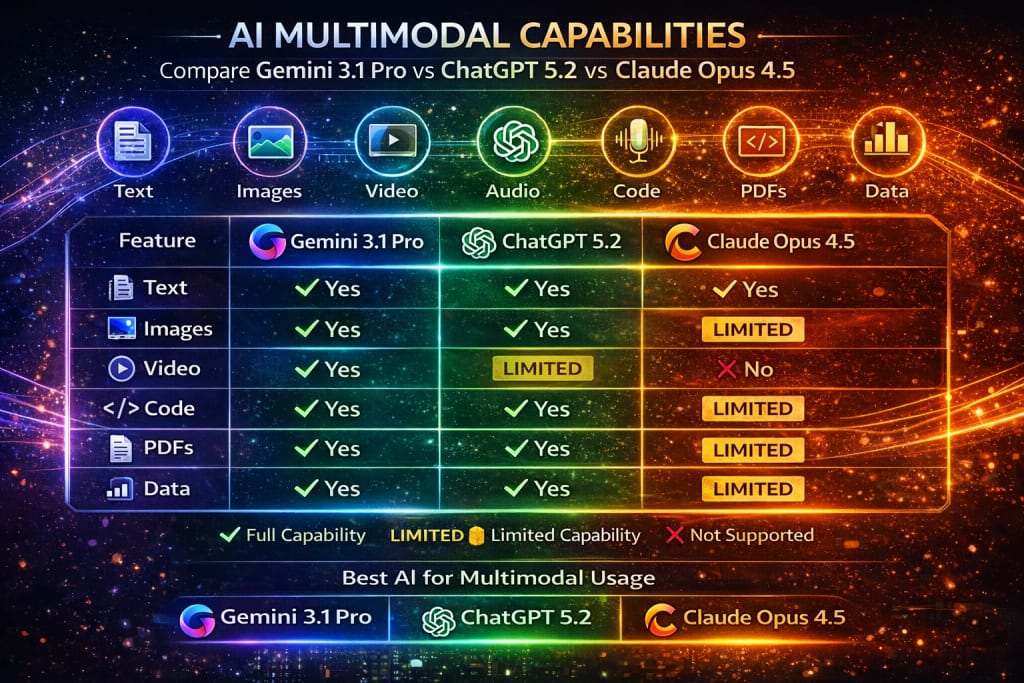
It can process:
- text
- images
- videos
- audio
- PDFs
- datasets
- code
This makes it particularly powerful for industries like healthcare, research, education, and analytics.
### Why Multimodal Matters
Modern workflows are not text-only. Businesses deal with:
- dashboards
- presentations
- documents
- screenshots
- videos
Gemini can understand all of these in a single conversation.
### Comparison Table
| **Feature** | **Gemini 3.1 Pro** | **ChatGPT 5.2** | **Claude Opus 4.5** |
| ----------- | ------------------ | --------------- | ------------------- |
| Images | Yes | Yes | Yes |
| Video | Yes | Limited | No |
| Audio | Yes | Yes | Limited |
| PDF analysis | Excellent | Excellent | Good |
| Context window | ~1M tokens | ~256K | ~200K |
**Verdict:****
**Gemini 3.1 Pro leads in multimodal capabilities.
## Pricing & API Access
Pricing is a crucial factor for developers and businesses choosing an AI platform.
Gemini 3.1 Pro is available through:
- Google AI subscriptions
- Google Cloud API
- enterprise deployment
Approximate pricing:
- Input tokens: lower than most competitors
- output tokens: mid-range
- free tier available
### Competitor Pricing
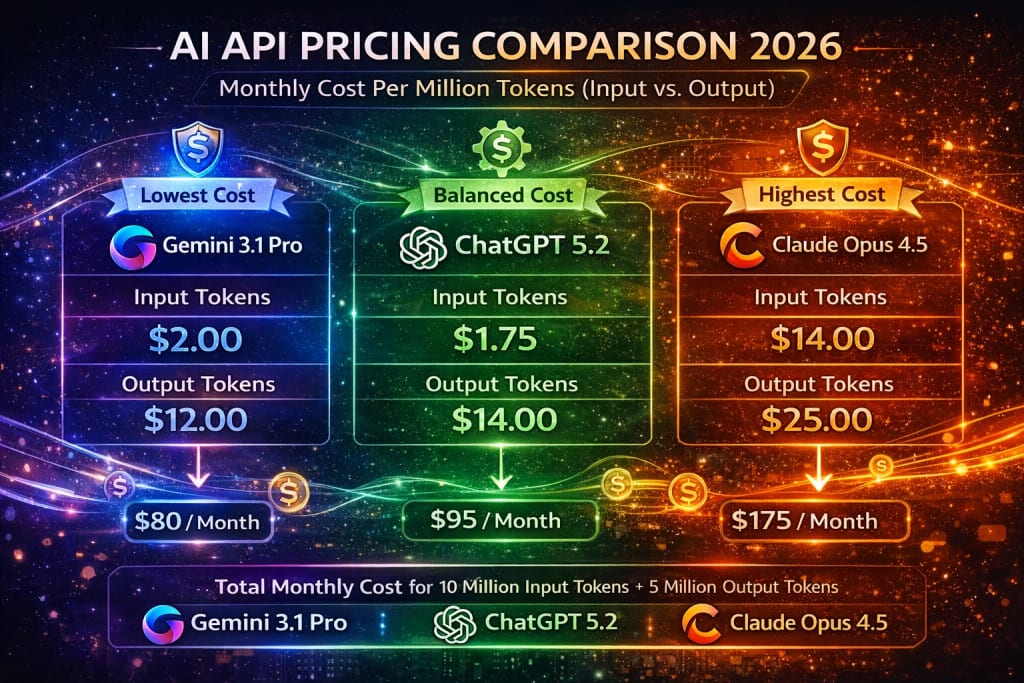
ChatGPT offers:
- free tier
- Plus subscription
- Pro enterprise tier
- large API ecosystem
Claude offers:
- free tier
- Pro subscription
- enterprise API
- strong cloud integrations
### Pricing Comparison
| **Category** | **Gemini** | **ChatGPT** | **Claude** |
| ------------ | ---------- | ----------- | ---------- |
| API cost | Low | Medium | Medium |
| Consumer plan | Competitive | Best value | Competitive |
| Enterprise pricing | Strong | Strong | Very strong |
**Verdict:****
**Gemini is cost-competitive, especially for large-scale enterprise usage.
## API Ecosystem & Developer Tools
Gemini integrates deeply with Google Cloud and developer tools. This is a major strategic advantage.
Developers can use Gemini through:
- Google Cloud Vertex AI
- Gemini API
- IDE integrations
- command-line tools
- Google Workspace
ChatGPT has the largest developer ecosystem, including:
- plugins
- function calling
- custom GPTs
- Azure integration
Claude is strong in enterprise and coding workflows, especially with cloud partners.
### Developer Comparison
| **Use case** | **Best choice** |
| ------------ | --------------- |
| Enterprise analytics | Gemini |
| Startup apps | ChatGPT |
| Coding-heavy workflows | Claude |
| Google ecosystem | Gemini |
## Safety & Alignment
AI safety is now a major differentiator between models.
Gemini follows Google’s AI principles and enterprise compliance standards. It uses:
- filtering systems
- alignment training
- risk evaluation
Claude is widely considered the safest and most cautious model due to its constitutional AI approach.
ChatGPT balances usability with safety and has extensive red-teaming.
### Safety Comparison
| **Category** | **Best** |
| ------------ | -------- |
| Most cautious | Claude |
| Balanced responses | ChatGPT |
| Enterprise compliance | Gemini |
## Business Strategy & Market Position
Understanding business strategy helps predict which model will dominate in the long term.
### Google Strategy (Gemini)
Google aims to integrate Gemini into:
- search
- Android
- Google Workspace
- enterprise cloud
Gemini is positioned as the core AI engine of Google’s ecosystem.
### OpenAI Strategy
OpenAI focuses on:
- global adoption
- developer ecosystem
- enterprise via Microsoft
- consumer subscriptions
### Anthropic Strategy
Anthropic focuses on:
- enterprise safety
- coding
- cloud partnerships
## User Experience Evaluation
User experience plays a major role in adoption.
Gemini offers:
- strong research capabilities
- Google integration
- multimodal workflows
ChatGPT offers:
- best UI
- fastest responses
- plugin ecosystem
- memory features
Claude offers:
- strong long-form writing
- coding assistance
- stable responses
### UX Comparison
| **Category** | **Best** |
| ------------ | -------- |
| Interface | ChatGPT |
| Research workflows | Gemini |
| Coding | Claude |
## Final Verdict
Gemini 3.1 Pro is one of the most advanced AI models ever released. It excels in multimodal reasoning, long-context processing, and enterprise deployment.

However, the best model depends on the use case.
Choose Gemini 3.1 Pro if you need:
- multimodal AI
- long document analysis
- enterprise integration
- Google ecosystem
Choose ChatGPT 5.2 if you need:
- best overall AI
- strong tools
- best UI
- versatile use
Choose Claude Opus 4.5 if you need:
- advanced coding
- enterprise safety
- research writing
## Conclusion
Gemini 3.1 Pro represents a major leap toward truly universal AI systems. With its multimodal design, long context window, and enterprise integrations, it is positioned as a core platform for the next generation of AI-powered applications.
But the AI race remains extremely competitive.
ChatGPT dominates usability and ecosystem.
Claude dominates coding and safety.
Gemini dominates multimodal and enterprise workflows. The real story isn’t which model wins – it’s that **AI progress is accelerating at an unprecedented pace**, and Gemini 3.1 Pro is now one of the central players shaping that future.
Read – [CNAP vs Truecaller](https://webwallah.in/cnap-vs-truecaller-caller-id-spam-privacy/): Caller ID, Spam Protection, Privacy, and Real-World Differences Explained Simply
## FAQs
### Is Gemini 3.1 Pro better than ChatGPT?
Gemini is better for multimodal and long-context tasks, while ChatGPT excels in general reasoning and usability.
### Which AI model is best in 2026?
Top models include Gemini 3.1 Pro, ChatGPT 5.2, and Claude Opus 4.5.
### Is Gemini 3.1 Pro good for developers?
Yes, especially for Google Cloud-based development and data-heavy workflows.
### Which AI has the longest context window?
Gemini 3.1 Pro currently has one of the largest context windows available.
### What is Gemini 3.1 Pro, and how is it different from other AI models like ChatGPT 5.2 and Claude Opus 4.5?
Gemini 3.1 Pro is Google DeepMind’s advanced multimodal AI model designed for reasoning, coding, and long-context analysis. Compared with ChatGPT 5.2 and Claude Opus 4.5, it excels in multimodal processing, enterprise integrations, and large document understanding while remaining highly competitive in reasoning and multilingual tasks.
### Is Gemini 3.1 Pro better than ChatGPT 5.2 for business and enterprise workflows?
Gemini 3.1 Pro is highly effective for enterprise use cases involving data analysis, long documents, and Google Cloud integration. ChatGPT 5.2 offers stronger ecosystem tools and plugins, but Gemini often performs better in multimodal enterprise analytics, research workflows, and Google Workspace-based productivity environments.
### What are the main use cases of Gemini 3.1 Pro for developers, startups, and enterprises?
Gemini 3.1 Pro is ideal for large-scale data analysis, research automation, coding assistance, multilingual content generation, and multimodal AI applications. Developers use it through APIs for apps, while enterprises use it for analytics dashboards, document processing, and AI-driven decision support systems.
### How does Gemini 3.1 Pro perform in coding, reasoning, and technical problem-solving compared to Claude Opus 4.5?
Gemini 3.1 Pro performs strongly in reasoning, structured analysis, and long-context coding tasks. However, Claude Opus 4.5 is often considered slightly better for advanced debugging and software engineering workflows. Gemini remains competitive for full-stack development and large codebase understanding.
### Does Gemini 3.1 Pro support multimodal inputs like images, videos, and documents for AI workflows?
Yes, Gemini 3.1 Pro supports multimodal inputs, including text, images, video, audio, and large documents. This makes it ideal for research analysis, visual data interpretation, document summarization, and enterprise workflows that require processing multiple data formats within a single AI interaction.
### What is the pricing structure of Gemini 3.1 Pro API compared to other AI model APIs?
Gemini 3.1 Pro offers competitive API pricing through Google Cloud, often lower than comparable models for large-scale usage. ChatGPT and Claude also offer similar pricing tiers, but Gemini can be more cost-efficient for enterprise deployments that require long context processing and multimodal workloads.
### Which industries benefit most from Gemini 3.1 Pro AI capabilities?
Industries like healthcare, finance, education, research, marketing, and software development benefit significantly from Gemini 3.1 Pro. Its ability to process complex documents, multilingual data, and multimodal inputs makes it valuable for analytics, automation, and decision-support applications across global enterprises.
### How secure and safe is Gemini 3.1 Pro for enterprise and professional use?
Gemini 3.1 Pro follows Google’s AI safety principles and enterprise compliance frameworks. It includes content filtering, alignment training, and risk evaluation systems. While no AI is perfect, Gemini is considered safe for enterprise deployment when combined with proper governance and human oversight.
### What are the advantages of Gemini 3.1 Pro’s long context window in real-world applications?
Gemini 3.1 Pro’s large context window allows it to process entire books, research papers, or long business documents in one conversation. This improves accuracy, reduces hallucinations, and enables deeper analysis, making it highly effective for legal research, technical documentation, and enterprise knowledge management.
### Is Gemini 3.1 Pro the best AI model for future AI applications and business automation?
Gemini 3.1 Pro is among the top AI models shaping the future of automation, multimodal intelligence, and enterprise AI platforms. While ChatGPT and Claude remain strong competitors, Gemini’s integration with Google’s ecosystem and its multimodal architecture make it a powerful long-term AI solution.
[ChatGPT 5.2 features and breakthroughs](https://webwallah.in/chatgpt-5-2-features-and-upgrades/)
---
# Google December 2025 Core Update: What Changed, Who Got Hit, and How to Recover
Source: https://webwallah.in/google-december-2025-core-update-recovery-guide/
## What Happened in Google Search in December 2025
In December 2025, Google rolled out another broad core update. This update started on **11 December 2025** and is expected to take **up to three weeks** to fully complete. It is the **third core update of 2025**, following earlier updates in March and June.
Core updates often cause anxiety. Rankings move. Traffic shifts. Some pages gain visibility while others lose it. This December update is no different.
But it is important to understand one thing early.
This update is **not a punishment**.
Think of a core update like a library rearranging its books. The books are still there. But the shelves change. Some books move closer to the front because they help readers more clearly. Others move back because better books now exist.
This blog explains what the **[Google December 2025 Core Update](https://developers.google.com/search/help/status-dashboard)** is, what early data suggests, why some sites were affected, and what practical steps you can take to respond.
No panic. No shortcuts. Just clarity.
## Quick Summary of the December 2025 Core Update
The December 2025 Google Core Update is a global ranking update that began on 11 December 2025 and may take up to three weeks to complete. It reassesses content quality, relevance, and satisfaction across all websites and search features. It is not a penalty update but a system-wide recalibration designed to surface more useful content.
**Key points to remember**
- It affects all industries and regions
- It is the third core update of 2025
- It focuses on relevance and usefulness
- Thin and low-value content is more vulnerable
- Discover and featured snippets are also impacted

## What is a Google Core Update in Simple Terms
A Google core update is a large change to how Google ranks content.
It does not target one trick, one keyword, or one industry. Instead, it adjusts how Google decides which pages are **most helpful** for a search query.
Here is a simple way to think about it.
Imagine you asked ten people to recommend the best local restaurant. Over time, tastes change. New places open. Old ones decline. If you asked the same question again a year later, the ranking might change even if no restaurant did anything wrong.
That is how core updates work.
Google looks again at all content and asks:
- Which pages best answer the query now?
- Which pages feel more useful and satisfying?
- Which pages deserve to be seen first?
The December 2025 update is part of this ongoing recalibration.
## Official Timeline and Context
Here is what we know about the rollout:
- Rollout started on **11 December 2025**
- Expected duration is **up to three weeks**
- Impact is **global**
- It affects all languages and regions
Earlier in 2025, Google released:
- A March 2025 Core Update
- A June 2025 Core Update
- An August 2025 Spam Update
One important trend stands out.
Google now makes **continuous, smaller changes** between major updates. This means ranking movement is becoming more common. Stability does not always return immediately.
## What Early Data Shows So Far
Early tracking data from multiple tools and agencies shows clear patterns.
### Ranking volatility
Many sites started seeing movement around 7 to 8 December. Volatility increased after the official start on 11 December.
### Types of sites affected
Sites with thin content, repeated templates, or mass-produced pages are seeing stronger fluctuations.
### More stable sites
Sites with strong editorial content, clear expertise, and deeper topic coverage appear more stable.
### Search features impacted
This update affects:
- Normal search results
- Google Discover
- Featured snippets
So if your Discover traffic dropped, you are not alone.
## Who is Most at Risk in This Update
Some patterns appear again and again among sites that lost visibility.
### High-risk content patterns
- Pages written only to target keywords
- Low-effort AI content with no editing
- Multiple pages saying the same thing in different words
- Weak author information or missing trust signals
- Shallow affiliate or comparison pages
Think of it like fast food content. It fills space. It looks fine. But it does not nourish the reader.
### More resilient content patterns
- Clear topic expertise
- Updated and maintained articles
- Strong internal linking
- Clear brand or entity presence
- Better readability and structure
These sites are not perfect. But they are more useful.
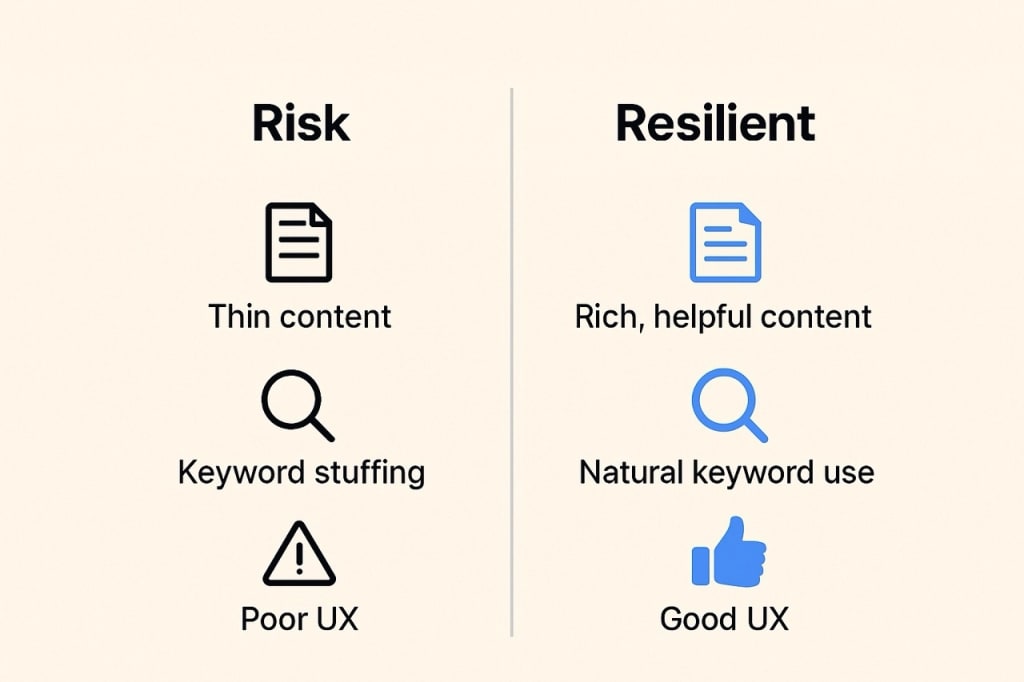
## Why Rankings Moved in the December 2025 Update
### 1. Relevance Signals Changed
Google is matching content to search intent more strictly.
If a page only partially answers a question, it may lose ground to a page that answers it fully.
For example, if someone searches for “core update recovery,” they likely want steps. Not theory. Pages that skip practical advice struggle.
### 2. Content Quality Was Re-evaluated
Thin content is harder to justify now.
Short pages are not bad by default. But pages that add no new value are easier to replace.
### 3. E-E-A-T Signals Matter More
Experience, expertise, authority, and trust still matter.
Pages written by anonymous authors, with no credentials or real-world context, often lose trust.
### 4. Discover and Snippets Were Rebalanced
Google Discover favors content that feels engaging and useful. If your Discover traffic dropped, it may reflect reduced satisfaction signals.
### 5. Rollout Volatility Is Normal
During rollout, rankings move daily. Some sites recover naturally. Others do not.
This is why Google advises waiting until rollout completes before making major changes.
## How to Check If Your Site Was Impacted
### Step 1: Check the timing
Look at Search Console data around 7 to 13 December. Align changes with the rollout window.
### Step 2: Review landing pages
Focus on pages, not just keywords. Identify which URLs lost impressions or clicks.
### Step 3: Compare intent match
Ask a simple question:
Does this page still answer the query better than others?
### Step 4: Ignore daily noise
One bad day means nothing. Trends matter more than spikes.
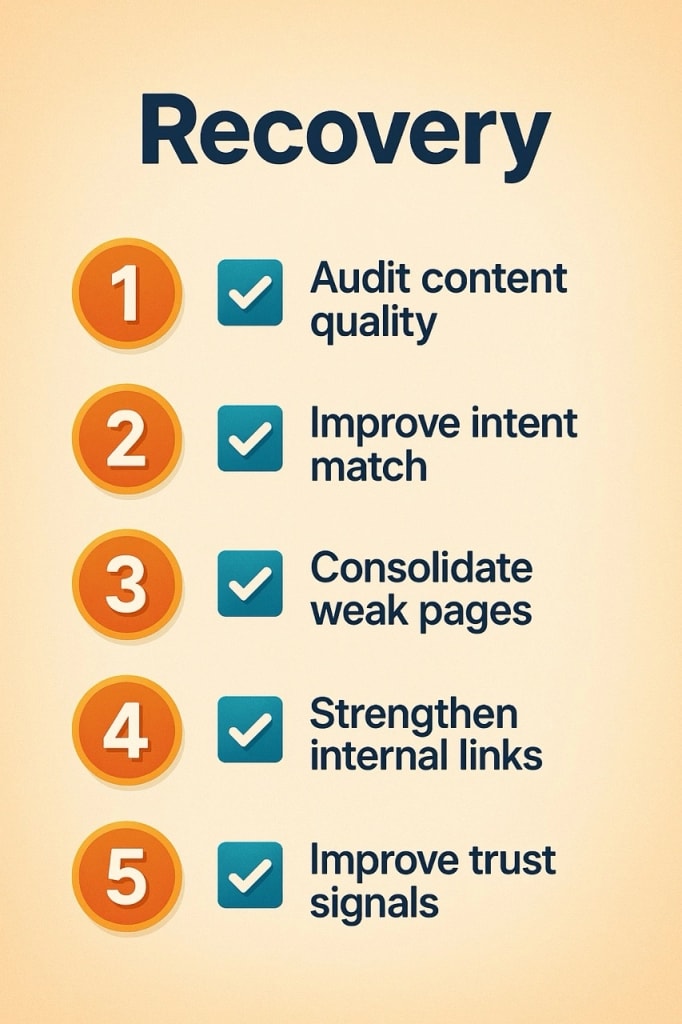
## Recovery Strategy for the December 2025 Core Update
This is the most important section.
### Start With Content Quality
Google publishes questions for core updates. Use them.
Ask:
- Is this content original?
- Does it show real insight?
- Would you trust it?
If the answer feels weak, users likely feel the same.
### Consolidate Weak Content
Many sites suffer from content overload.
Five thin articles on the same topic are worse than one strong guide.
Combine. Rewrite. Improve.
### Upgrade Important Pages First
Focus on pages tied to:
- Revenue
- Leads
- Authority
Improve clarity. Add examples. Improve structure.
### Improve Internal Linking
Guide users logically.
If content is a house, internal links are hallways. Without them, visitors get lost.
### Strengthen Trust Signals
Add:
- Author bios
- About pages
- Credentials
- Real-world references
Trust builds slowly. But it matters more with every update.
## What This Update Means for AI-Generated Content
Google is not anti-AI.
Google is anti-useless content.
AI becomes risky when:
- Content is published without review
- Pages repeat what already exists
- There is no clear outcome for the reader
AI is safer when:
- Humans edit and fact-check
- Content adds perspective
- Pages solve a real problem
Think of AI as a calculator. Helpful when used correctly. Harmful when relied on blindly.
## December 2025 Compared to Earlier Updates
Compared to March and June:
- December appears more focused on usefulness
- Less emphasis on spam
- More emphasis on satisfaction
The August spam update targeted abuse directly. December does not.
The message is consistent.
Quality wins slowly. Shortcuts fade faster.
## What This Means for Indian Businesses
For Indian businesses and publishers, some points matter more.
### Local intent matters
Pages targeting cities or regions must genuinely help local users.
### Vernacular content matters
Hindi and regional language content is judged on quality, not quantity.
### Entity building matters
Being known in your niche helps more than publishing endlessly.
Tracking performance in Indian SERPs is essential. Global averages can hide local impact.
## Conclusion
The **Google December 2025 Core Update** is not about fear. It is about alignment.
Google is aligning results with what users actually want. Sites that help people clearly and consistently tend to survive these updates better.
Instead of chasing algorithms, focus on readers.
If your content would still help someone even without Google, you are on the right path.
1. [ChatGPT 5.2 Features and Breakthroughs](https://webwallah.in/chatgpt-5-2-features-and-upgrades/)
2. [Know how to claim 12-month ChatGPT Go free](https://webwallah.in/chatgpt-go-free-for-12-months-claim-guide/)
3. [Know how to avail a free Google Gemini Pro subscription](https://webwallah.in/how-to-avail-free-google-gemini-pro-subscription-for-reliance-jio-users/)
## FAQs
### What is the Google December 2025 core update?
It is a global ranking update that reassesses content relevance and usefulness across all websites and search features.
### When did the December 2025 core update start?
It started rolling out on 11 December 2025.
### How long will the December core update take to finish?
Google expects the rollout to take up to three weeks.
### Is the December 2025 update a penalty?
No. It is not a penalty. It re-ranks content relative to competitors.
### Why did my rankings drop suddenly in December 2025?
Your content may be less relevant or useful compared to others under the updated ranking systems.
### Does this update affect Google Discover traffic?
Yes. Discover and featured snippets are also impacted.
### Is AI-generated content penalized in this update?
No. But low-effort and unhelpful AI content is more likely to lose visibility.
### Can rankings recover after a core update?
Yes. Recovery is possible but usually requires real content improvements.
### Should I delete pages that have lost rankings?
Usually no. Improving or consolidating pages works better than deleting them.
### How often does Google release core updates now?
Google releases multiple core updates each year, along with continuous smaller changes.
---
# Google’s 2025 Spam Update: What Every Webmaster Needs to Know
Source: https://webwallah.in/google-2025-spam-update-seo-impact/
Google’s algorithm updates tend to send ripples through the SEO world. One wrong tweak or ignored policy, and a site’s traffic could drop—fast. That’s why webmasters and SEO professionals treat every update seriously.
In 2025, Google launched a spam-focused algorithm update designed to strike deeper against manipulative practices, low-quality content, and link abuse. This “spam update” is not merely cosmetic — it reinforces Google’s insistence on authenticity, trust, and user-first content.
In this post, we’ll break down **what the Google 2025 spam update** is, explore **how it works under the hood**, examine **major changes and SEO impacts**, and share a **recovery playbook**. You’ll also find real case studies and best practices to keep your site safe going forward.
## What Is Google’s 2025 Spam Update?
When people ask, *“what is Google spam update 2025?”*, the simplest answer is: it’s a targeted enforcement push from Google to crack down on web spam behaviors — linking schemes, manipulative content, AI misuse, and other rule violations under the spam policy umbrella.
This is not a broad “core” ranking shift (though it intersects with quality signals). Instead, it reflects Google refining how it enforces **Google’s spam policies 2025**, especially under its automated systems.
Google calls these algorithmic changes “spam updates” when they make meaningful improvements or adjustments to how spam is detected and handled. ([Google for Developers](https://developers.google.com/search/docs/appearance/spam-updates?utm_source=chatgpt.com))
Importantly, this update is built on Google’s existing machine learning infrastructure — particularly **SpamBrain**, Google’s AI-powered anti-spam engine. Over time, Google has been iterating enhancements to SpamBrain’s models to make it better at spotting new abuse tactics. ([Google for Developers](https://developers.google.com/search/updates/spam-updates?utm_source=chatgpt.com))
The goal: reduce the visibility of content or sites that rely on manipulative tactics, and reward or protect sites that maintain clear, original, useful content. In short: spam loses. Integrity wins.
## Inside the 2025 Google Spam Algorithm
To understand **the 2025 Google spam algorithm**, we need to see how SpamBrain has evolved and how new signals are being woven in.
### SpamBrain as the foundation
SpamBrain is Google’s AI and machine learning system built explicitly to detect search spam across vast amounts of content and link data. It monitors patterns, anomalies, unnatural link behavior, content duplication, and many more features. ([Search Engine Land](https://searchengineland.com/google-spambrain-ai-based-spam-prevention-system-launched-in-2018-383710?utm_source=chatgpt.com))
As spam tactics become more sophisticated (e.g. AI-generated content, networks of sites, manipulative link schemes), SpamBrain continuously receives model updates — new training data, adjusted thresholds, and algorithmic improvements. That is precisely what a “spam update” typically means: Google is refining or improving spam detection rules or model weights. ([Google for Developers](https://developers.google.com/search/updates/spam-updates?utm_source=chatgpt.com))
### Integrating new signals
In 2025, Google’s spam detection likely leans more heavily on:
- **AI-generated content detection**: As more content is authored using AI tools, Google is under pressure to distinguish helpful AI-assisted content from mass-produced, low-quality “spun” content. Google already applies devaluation signals to content that seems auto-generated and low-value. ([boostability.com](https://www.boostability.com/content/can-google-detect-ai-content/?utm_source=chatgpt.com))
- **Link signal refinement**: Google is better at isolating which links are truly editorial vs. manipulative. Suspicious link networks, paid link clusters, or sites that exchange links with no real relevancy are under tighter scrutiny.
- **Cross-site network detection**: If multiple sites show similar patterns of spam (content reuse, templated pages, link clusters), Google may treat them as a network and penalize more broadly.
- **Behavioral and engagement signals**: Poor user engagement, high bounce rates, low dwell time — when aligned with other red flags — may become stronger clues in spam scoring.
- **Indexing exclusion / neutralization**: Rather than purely demoting pages, Google may choose to *ignore*, de-index, or treat certain pages as “non-ranking” if they violate severe spam rules.
In short, the 2025 algorithm layers in more nuanced, high-signal detection — using both classic spam heuristics and new AI / behavioral signals — to separate legitimate sites from those relying on shortcuts.
## Major Changes in the 2025 Spam Update
Below are some of the **key changes** that webmasters should pay attention to under the 2025 Google spam update:
| Change | What’s New / Stronger | Why It Matters |
| ------ | ----------------------- | -------------- |
| **Stricter link spam rules** | More aggressive neutralization of manipulative links, and less forgiveness for paid or networked link schemes | Sites relying on link shortcuts will lose ranking power |
| **AI-content scrutiny** | Google better detects content that lacks human value or is too templated | Helps demote auto-generated or “spun” content |
| **Network / cluster detection** | Tighter enforcement on interlinked spam sites or content farms | Entire networks may get hit, not just single pages |
| **Affiliate / doorway monitoring** | Affiliate pages with little value, doorway pages repurposed for multiple queries, or parasitic content get more scrutiny | Monetization pages can no longer lean on weak content |
| **Neutralizing spam signals instead of penalizing** | Some links or pages may be ignored rather than penalized, reducing “collateral damage” | Helps reduce over-penalizing but still removes unfair advantage |
| **Faster reaction times** | Some sites noticed changes within 24 hours of rollout starting ([Search Engine Roundtable](https://www.seroundtable.com/google-august-2025-spam-update-impact-40018.html?utm_source=chatgpt.com)) | You must monitor in real time |
| **More granular demotion** | Parts of a site or sections deemed spam may be downgraded without harming the entire domain | Modular cleanup is possible |
| **Emphasis on site reputation abuse (“parasite SEO”)** | Google tightens rules about hosting third-party / affiliate content that piggybacks on a site’s authority ([Reuters](https://www.reuters.com/technology/googles-spam-policy-hit-by-eu-antitrust-complaint-german-media-company-2025-04-15/?utm_source=chatgpt.com)) | Even outsourced content may get you penalized |
To contrast with prior updates: the December 2024 spam update focused heavily on broadly reducing low-quality content and internal signals. ([Search Engine Land](https://searchengineland.com/google-december-2024-spam-update-unleashed-449556?utm_source=chatgpt.com)) The 2025 push is more surgical: better link neutralization, tighter network detection, and stronger AI content discrimination.
**What is now considered “spammy behavior” under sharper scrutiny?**
- Buying or exchanging links without editorial context
- Site networks exchanging backlinks to boost artificially
- Large portions of a site filled with auto-generated content
- Low-value affiliate pages or doorway pages with minimal original text
- Repetitive templated content across many pages
- Publishing outsourced content that piggybacks on a site’s reputation
- Hidden or cloaked content, keyword stuffing, and inaudible redirects
## SEO Impact: Winners and Losers
### Who got hit
Sites that leaned heavily on spam tactics or shortcuts found themselves vulnerable. Some of the common losers:
- Sites with large portfolios of link farms or low-quality backlinks
- Content farms or aggregator sites that relied on thin or lightly rewritten content
- Sites that used mass AI content generation without human oversight
- Affiliate-heavy sites with minimal value beyond links
- Sites within cross-site spam networks where Google saw pattern abuse
- Domains that still had disavowed or toxic link footprints
In many cases, the drop was abrupt. SEOs reported seeing steep visibility declines within 24 hours of rollout launch. ([Search Engine Roundtable](https://www.seroundtable.com/google-august-2025-spam-update-impact-40018.html?utm_source=chatgpt.com))
### Who gained (or survived well)
On the other hand:
- Sites with **genuine, high-quality content** and strong E-E-A-T signals (Experience, Expertise, Authoritativeness, Trust) held steady or even gained.
- Domains with clean backlink profiles and editorially earned links benefited.
- Sites emphasizing depth, original insight, and user value outranked those relying on shortcuts.
Because the update focused on *enforcement* rather than redefining ranking logic, there were fewer dramatic “new winners” outside of those already doing well. ([Search Engine Journal](https://www.searchenginejournal.com/google-confirms-august-spam-update-is-complete/556465/?utm_source=chatgpt.com))
### Early reports & volatility
- The August 2025 spam update started on **August 26** and was fully deployed by **September 22, 2025**. ([Google Search Status](https://status.search.google.com/incidents/a7Aainy6E9rZsmfq82xt?utm_source=chatgpt.com))
- Many SEOs noticed volatility early—ranking fluctuations, indexing changes, and traffic shifts. ([Search Engine Roundtable](https://www.seroundtable.com/google-august-2025-spam-update-impact-40018.html?utm_source=chatgpt.com))
- Interestingly, some sites that were previously penalized in older spam updates saw partial recoveries if they had cleaned up preemptively. ([Search Engine Land](https://searchengineland.com/google-august-2025-spam-update-done-rolling-out-461560?utm_source=chatgpt.com))
- But the effects were not always broad: for many queries, SERP landscapes remained stable; changes were concentrated in areas suspected of spamming. ([Search Engine Journal](https://www.searchenginejournal.com/google-confirms-august-spam-update-is-complete/556465/?utm_source=chatgpt.com))
In sum: if your site was operating within best practices, you’d likely survive; if you were cutting corners, there was significant risk.
## How to Recover After Google’s Spam Update
If your site got hit or you see red flags, here’s a structured recovery plan and checklist.
### Recovery Plan (Step by Step)
- **Audit your backlinks**
Use tools like Ahrefs, Semrush, Moz to extract your full backlink profile.
- Tag obvious spammy, low-authority, or paid links.
- Check for link networks or interlinked domains showing unnatural patterns.
- **Remove or disavow spammy or paid links**
Contact webmasters to remove offending links (where possible).
- Use Google’s Disavow tool for links you can’t remove.
- Be thorough in documenting your cleanup efforts — this helps if you need reconsideration.
- **Improve on-page E-E-A-T signals**
Add or enhance author bios, credentials, about pages, trust signals, citations.
- Showcase real experience, not generic claims.
- Use trustworthy sources, references, quotes.
- **Review content quality — thin/duplicate content**
Identify pages that offer little value or are near-duplicates.
- Consolidate, rewrite, remove, or merge thin content.
- Add supporting resources, deeper insights, visuals, examples.
- Ensure that AI-assisted content is reviewed, polished, and offers something unique.
- **Check for internal spam patterns**
Look for templated structures across many pages.
- Detect identical or highly similar content in multiple URLs.
- Remove doorway pages or pages created purely for “ranking funnels.”
- **Technical & indexing hygiene**
Use `noindex` on pages that are thin or not meant to rank.
- Clean up internal linking that funnels to spammy pages.
- Ensure canonical tags are correct, avoid index duplications.
- **Submit cleanup / reconsideration (if needed)**
If there was a manual action, file a reconsideration request with details of cleanup.
- Even without manual action, you can use URL inspection / indexing requests to hasten re-crawling.
- Monitor Search Console for warnings or spam flags.
- **Monitor & iterate**
Track rankings, traffic, crawl stats daily/weekly.
- Watch for pages recovering or further drops.
- Continue a regular audit schedule (every 3–6 months) to catch new spam signals.
### Post-Spam Update SEO Hygiene Checklist
- ✅ Backlink audit completed
- ✅ Spam / paid links removed or disavowed
- ✅ Content audited for thin or duplicate pages
- ✅ AI-generated content reviewed and improved
- ✅ E-E-A-T signals strengthened
- ✅ Internal linking and canonicalization cleaned
- ✅ Search Console monitored daily
- ✅ Reindexing / re-submission requests done
- ✅ Ongoing audit schedule set
Recovery can take time — weeks to months — especially for algorithmic demotions. But consistent, policy-aligned work often leads to a gradual comeback.
## Google’s Spam Penalties in 2025
Understanding how Google penalizes spammy behavior is crucial to recovery and prevention.
### Manual actions vs. algorithmic penalties
- **Manual actions** are applied by Google staff when a site clearly violates policy (e.g. unnatural links, cloaking, pure spam). You’ll see a warning in Search Console, and you can file a reconsideration request.
- **Algorithmic demotions** happen automatically via systems like SpamBrain. No manual notice, no interface feedback — your pages simply lose ranking or visibility.
In 2025, algorithmic penalties are more refined and granular: parts of a site may be demoted while others remain unaffected (depending on severity).
### New penalty triggers & red flags
- **AI-generated link exchanges** or “link swaps” networks — if Google detects that backlinks are being reciprocated mainly for ranking, those links may be neutralized (treated as if they don’t exist).
- **Parasite SEO / site reputation abuse** — hosting third-party content just to leverage your domain’s authority can now trigger penalties even if that content was outsourced. ([Reuters](https://www.reuters.com/technology/googles-spam-policy-hit-by-eu-antitrust-complaint-german-media-company-2025-04-15/?utm_source=chatgpt.com))
- **Mass templated pages / doorway content** — pages created just for ranking, with minimal unique value, may be excluded or demoted.
- **Persistent spam behavior** — if a site repeatedly breaches guidelines, Google may drop trust in it long-term.
- **Hidden or malicious content** — cloaking, hidden links, doorway redirects, etc., remain surefire grounds for manual action.
Because Google is more aggressively neutralizing spam elements, some links or content will simply be ignored (no positive effect) rather than penalized — which means your past “boosts” may vanish quietly.
## Case Studies: Recovery & Compliance
Here are two representative scenarios showing how sites responded to spam updates. These are drawn from industry reports and illustrative best practices.
### Case Study 1: The Link Cleanup Rebound
A mid-sized content site was hit hard in the December 2024 spam update. Many of its rankings dropped, especially for pages supported by weak backlinks. The team:
- Audited their backlink profile and found several low-quality directories and PBN (private blog network) links.
- Removed as many as possible and disavowed the rest.
- Focused on earning a handful of high-quality, relevant editorial links to reinforce authority.
- Over the next 3–4 months, they gradually recovered ~60 % of lost traffic.
Takeaway: removing toxic links doesn’t instantly restore ranking, but over time, with better links and content, recovery is possible.
### Case Study 2: Rewriting AI-Spun Content
A smaller blog used AI to mass-generate niche articles and then lightly edited them. After the 2025 spam update, many pages lost visibility. The team:
- Identified underperforming pages that seemed formulaic or templated.
- Manually rewrote or merged them, adding personal anecdotes, examples, visuals, fresh data.
- Raised the bar for new content: every article had to pass a content audit.
- Some posts that were once live but “thin” were removed or redirected to better pages.
Result: Some pages regained ranking; others remained suppressed, but overall site traffic stabilized and slowly grew again.
**Key insight:** human-centered content with care and depth outperforms mass-produced “filler” content over time.
## Best Practices to Stay Safe in 2025
To ensure your site remains on Google’s good side through future spam updates, follow these enduring principles:
- **Write for humans first** — your content should solve a real problem, not just stuff keywords.
- **Avoid manipulative backlinks** — don’t buy, swap, or solicit links purely for ranking. Focus on earning them.
- **Regular audits** — every few months, review backlinks, content, and site structure.
- **Prefer depth, not volume** — fewer high-value pages are better than many low-value pages.
- **Maintain strong E-E-A-T signals** — author credentials, references, trust indicators.
- **Use canonical, noindex, redirect wisely** — control which pages are indexed and prevent duplicate content.
- **Monitor Search Console & analytics** — watch for sudden dips, warnings, or pages dropped from index.
- **Stay updated on Google’s spam policies** — Google may adjust rules over time.
- **Gradual, not abrupt changes** — avoid large sudden reoptimizations or massive content injections that might signal manipulation.
- **Use AI tools responsibly** — AI can assist, but don’t over-rely. Always add human editing, uniqueness, insight.
## Conclusion
Google’s 2025 spam update is a strong reminder: the search engine continues to crack down on shortcuts, manipulative links, and low-value content. It doesn’t reward games. It rewards authenticity, expertise, effort.
If your site was hit, the path to recovery is clear (though not always easy): **clean up links**, **improve content**, **strengthen trust signals**, and **stay vigilant**. Over time, algorithmic systems may recalibrate and reward your improvements.
If you’d like, I can transform this into a publish-ready HTML version, or help you with internal linking, editing, or adding graphics. Do you want me to polish this further or generate the FAQ schema section too?
---
# How I Built a ₹50,000 Website That Looks Like a ₹5 Lakh Brand (Without Cutting Corners)
Source: https://webwallah.in/affordable-website-design-in-india-50k-website/
## Why Most “Affordable Websites” Look Cheap (And Why Mine Didn’t)
When I started planning my website, I encountered a problem that many Indian founders are all too familiar with.
I needed a **professional website**.
Something that looked credible, modern, and trustworthy.
But my budget was capped at **₹50,000**.
Everywhere I looked, the message was the same:
> “Good design costs money.”
> “Premium websites start at ₹3–5 lakh.”
And honestly, many low-budget websites *do* look cheap.
Cluttered layouts. Random colors. Poor typography. Slow loading pages.
I didn’t want that.
So instead of asking *“How cheap can I build this?”*
I asked a better question:
**“How do premium brands design their websites, and what parts of that can I replicate without spending more?”**
That single shift changed everything.
This is the real story of how I built a **₹50,000 website that people genuinely assumed cost ₹5 lakh**, using **smart design decisions, free tools, and clarity instead of chaos**.
If you’re looking for **affordable website design in India** that doesn’t hurt your brand, read this carefully.
50 Thousand Rupees to 5 Lakh Rupees Design Look Path
## The Real Challenge: Budget Was Not the Problem. Confusion Was.
Here’s something nobody tells small businesses.
Money doesn’t ruin websites.
**Lack of clarity does.**
Most ₹50,000 websites fail because:
- The business owner doesn’t know what they want
- The designer keeps guessing
- Changes keep piling up
- Design becomes decoration instead of communication
Before touching a single tool, I defined four non-negotiables:
- The website must look **clean and intentional**
- It must work **perfectly on mobile**
- It must explain the business in under **10 seconds**
- It must guide users toward **one clear action**
Once these were locked, the budget suddenly felt sufficient.
## Step 1: Brand Clarity Before Design (This Saved the Most Money)
Premium websites don’t start with software.
They start with decisions.
Brand Clarity Before Design
I spent time on three fundamentals:
### 1. Brand Personality
Was this brand bold or calm?
Formal or friendly?
Minimal or expressive?
I chose **simple, confident, and human**.
### 2. Visual Direction
Instead of endless options, I limited myself:
- One primary color
- One neutral color
- One accent color
I used **Coolors** to quickly lock this.
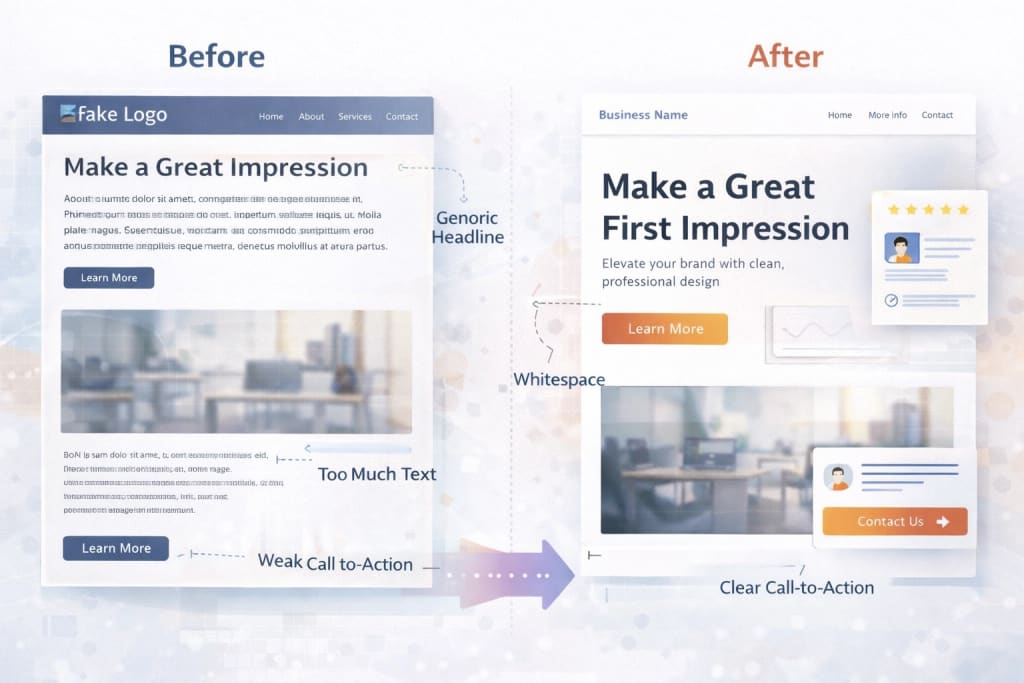Design Hack Section Need Visual Proofs
### 3. Typography
Two fonts. That’s it.
- One for headings
- One for body text
Google Fonts was more than enough.
This step alone removed guesswork later.
And when guesswork disappears, **costs drop**.
This is one of the most effective **low-cost branding and UI/UX tricks** most people skip.
## Step 2: Why Expensive Websites Look “Calm” (And Cheap Ones Look Loud)
Here’s a hard truth.
Cheap-looking websites try to impress.
Premium websites try to communicate.
I studied high-end SaaS and agency sites and noticed patterns:
- Lots of white space
- Clear content flow
- Strong typography hierarchy
- Very few colors
- No unnecessary animations
So I copied the *thinking*, not the visuals.
### What I consciously avoided
- Too many sections on one page
- Fancy sliders
- Random icons
- Over-designed backgrounds
Instead, I focused on:
- Breathing room
- Clear headlines
- Simple layouts that guide the eye
If you want to know **how to make your website look expensive**, this is it.
Restraint beats decoration every time.
## Step 3: The Free Tools That Actually Mattered
I didn’t chase tools.
I used tools that solved *specific problems*.
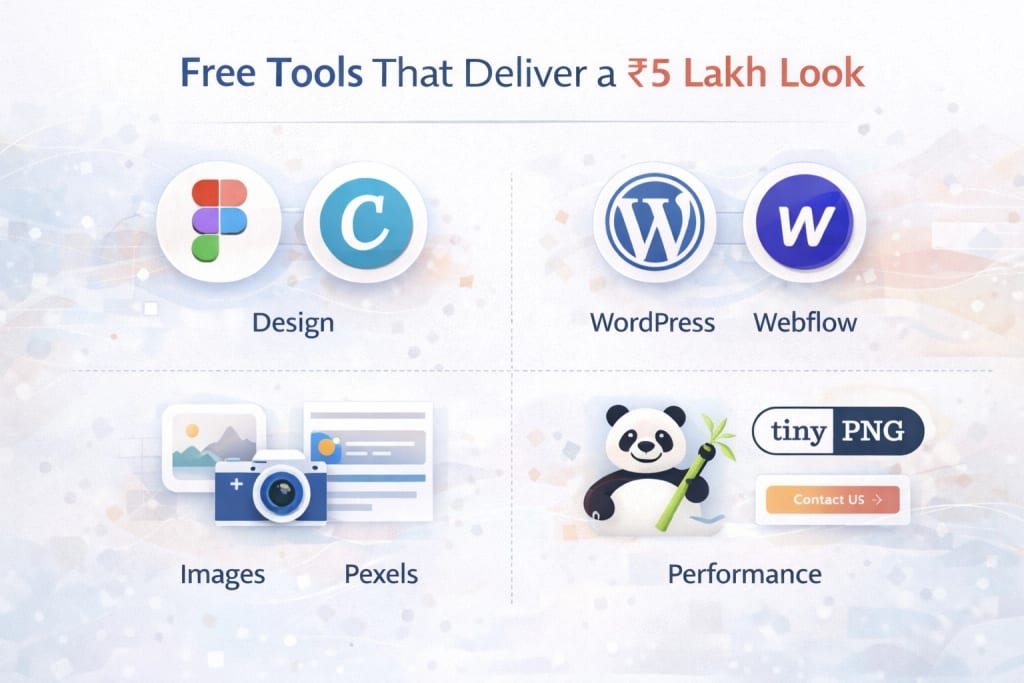Free Tools that can deliver a 5 Lakh Cost Website Look
### Design & Consistency
- **Figma / [Canva](https://www.canva.com/)** for layout thinking and spacing consistency
### Website Building
- **WordPress** for flexibility, SEO control, and scalability
### Images
- **Unsplash and Pexels** for clean, modern visuals
### Performance
- **TinyPNG** to reduce image size and improve speed
None of these tools is secret.
What matters is **how intentionally you use them**.
This is where most DIY attempts fail.
Tools don’t replace taste. Decisions do.
For the [10 Best Website themes](https://webwallah.in/top-10-seo-friendly-wordpress-themes-2025/), click here.
## Step 4: Small Details That Created a Premium Feel
This is where the website went from “good” to “people assume it’s expensive”.
I obsessed over:
- Button spacing
- Line height
- Section padding
- Consistent CTA language
- Hover effects that feel smooth, not flashy
Think of it like tailoring clothes.
The fabric isn’t luxury.
The fit is.
These details cost nothing extra.
But they dramatically improved perception.
This is how you **build a premium website on a budget**.
## Step 5: The Results Nobody Expected
Within the first few months:
- Time on site increased
- Inquiries became more serious
- People trusted the brand faster

The most interesting part?
No one asked about the price anymore.
They assumed professionalism.
That’s when I realised something important.
A website doesn’t need to *look expensive*.
It needs to **feel intentional**.
That’s the real case study behind this **₹50,000 website**.
## Mistakes I Intentionally Avoided (So You Can Too)
Here’s what saved me time, money, and frustration:
- ❌ Buying expensive themes without understanding them
- ❌ Designing desktop-first and fixing mobile later
- ❌ Adding features “just in case.”
- ❌ Copying competitors blindly
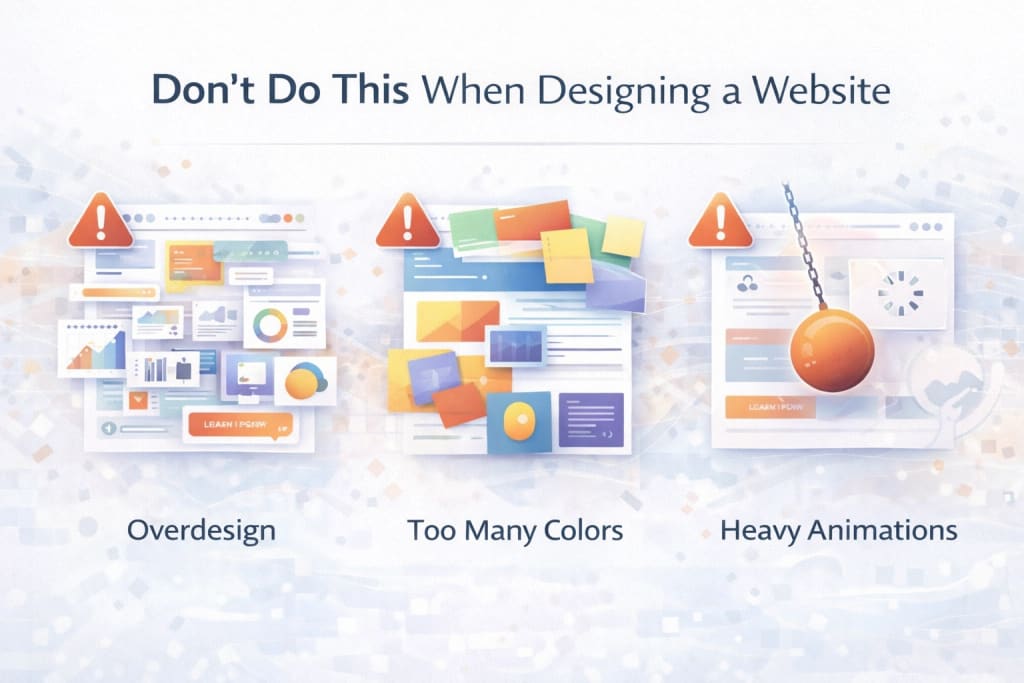Don't Do this When Designing a Website
Instead, I kept asking:
> “Does this help the user decide faster?”
If the answer was no, it didn’t cut.
## Tools & Resources Summary
You don’t need much to start:
- Canva or Figma
- WordPress
- Google Fonts
- Unsplash or Pexels
- TinyPNG
Upgrade later if needed.
Momentum beats perfection.
## Conclusion: Affordable Doesn’t Mean Average
In India, too many businesses believe:
> “Low budget means low quality.”
That’s simply not true.
**Affordable website design in India works when:**
- Brand clarity comes first
- Design decisions are intentional
- Simplicity is respected
- Users are prioritised over trends
You don’t need ₹5 lakh to look like a ₹5 lakh brand.
You need discipline, clarity, and smarter design choices.
**Spend less. Think better. Design intentionally.**
## FAQs
### Is ₹50,000 really enough to build a professional website in India?
Yes, ₹50,000 is enough to build a professional website in India if the project is planned properly. Clear branding, simple design, and the right tools matter more than budget. Many premium-looking websites rely on smart layout, good typography, and clean content, not expensive features.
### Why do many low-budget websites look cheap or unprofessional?
Most low-budget websites look cheap due to poor planning, too many design elements, inconsistent colors, and a lack of clarity. The problem is usually not money, but rushed decisions. Without a clear brand direction, even expensive websites can feel cluttered and confusing.
### What makes a website look premium even on a small budget?
A website looks premium when it has clean spacing, consistent colors, readable typography, and a clear content structure. Simplicity, alignment, and thoughtful design decisions create trust. Expensive effects are not required. Calm, focused design almost always feels more professional.
### What are the best free tools to build a professional website in India?
Some of the best free tools include WordPress for building the site, Google Fonts for typography, Canva or Figma for design planning, and Unsplash or Pexels for images. Tools like TinyPNG help improve website speed without any extra cost.
### Is WordPress good for affordable website design in India?
Yes, WordPress is one of the best platforms for affordable website design in India. It offers flexibility, strong SEO capabilities, and scalability. With the right theme and setup, WordPress websites can look premium and perform well without high development costs.
### How can I make my website look expensive without hiring a big agency?
You can make your website look expensive by focusing on spacing, typography hierarchy, mobile optimization, and clear messaging. Avoid over-designing and remove unnecessary elements. Many big agencies follow the same design principles. The difference is execution, not budget.
### Should small businesses focus more on design or content?
Both matter, but content comes first. Clear messaging helps users understand your business quickly. Design should support the content, not overpower it. When content and design work together, even a simple website feels polished and trustworthy to visitors.
### Is it better to build a website myself or hire a professional?
If you have time to learn and a simple requirement, building the website yourself is possible. For business-critical websites, hiring a professional saves time and avoids mistakes. A hybrid approach works well, where professionals handle structure and SEO, and owners manage content.
### How long does it take to build a ₹50,000 business website?
A well-planned ₹50,000 website usually takes two to four weeks. This includes planning, design, development, and testing. Delays often happen when requirements change repeatedly. Clear goals and early decisions help complete the website faster and within budget.
### What should I prioritise first when building a website on a tight budget?
When building a website on a tight budget, prioritise clarity, mobile responsiveness, loading speed, and clear calls to action. These factors directly affect user trust and conversions. Fancy animations and extra features can always be added later when the business grows.
---
# Unlocking Chrome’s New AI Mode: How Conversational Search Will Change Everything
Source: https://webwallah.in/chrome-ai-mode-conversational-search/
## The Evolution of Search
For more than two decades, **Google Search** has shaped the way the world discovers information. From keyword stuffing in the early 2000s to mobile-first indexing and Core Web Vitals today, SEO has continually evolved in tandem with Google’s updates. But now, we stand at the edge of the **biggest search revolution yet**: the rise of **AI-powered, conversational search**.
Google recently introduced **Chrome’s new AI Mode**, an experience where users can interact with search results more naturally — asking follow-up questions, refining context, and receiving **multi-source, conversational answers**. At the same time, **[large language models (LLMs)](https://cloud.google.com/ai/llms)** like ChatGPT, Gemini, Claude, and [Perplexity AI](https://www.perplexity.ai/) are transforming how people access knowledge beyond traditional search engines.
The takeaway? To stay visible in this new landscape, businesses and content creators must optimise for **both Google SEO and LLM-driven conversational search**. In this guide, we’ll explore what Chrome’s AI Mode is, how conversational search works, and what you can do to future-proof your content strategy.
## What is Chrome’s AI Mode?
**Chrome AI Mode** is Google’s latest step toward integrating artificial intelligence directly into the browsing and search experience. Unlike traditional search results, where you scroll through blue links, AI Mode delivers **conversational, synthesised answers** that draw from multiple sources across the web.
Key aspects include:
- A **chat-style interface** where you can ask follow-up questions.
- Integration with Google’s broader ecosystem (Gmail, Docs, YouTube, and Workspace tools).
- Personalisation powered by your browsing habits and Google account data.
In short, Chrome AI Mode transforms your browser into a **search assistant** — one that not only finds information but **understands context and intent**.
## How Conversational Search Works
Unlike keyword-based queries (e.g., *“best laptops 2025”*), conversational search allows queries like:
👉 *“I’m a college student. Which affordable laptop will last 4 years of heavy use and is also good for video editing?”*
With Chrome AI Mode, Google’s AI doesn’t just match keywords. Instead, it:
- Interprets the **intent** (affordable, long-lasting, video editing).
- Pulls from **multiple trusted sources**.
- Provides a conversational answer with citations.
- Let you **ask follow-up questions** to refine results.
This **multi-turn, context-aware approach** mirrors how humans communicate — making information retrieval **faster, more natural, and more accessible**.
## Core Similarities: What Still Works in Both Google & LLM SEO
While AI-driven search feels like a revolution, many core SEO principles remain unchanged. Whether you’re ranking in **Google SERPs** or being cited in **AI-generated answers**, these fundamentals still matter:
- **High-quality, original content** → Both Google and LLMs prefer content that is helpful, accurate, and unique.
- **Technical SEO** → Fast load times, crawlability, and mobile optimisation remain critical.
- **Structured content hierarchy** → Clear H1–H3 sections help both search engines and AI models extract meaning.
In other words, **good SEO hasn’t died** — it’s just evolving.
## Where Strategies Diverge: Google SEO vs LLM Optimisation
Here’s where **traditional [SEO](https://webwallah.in/search-engine-optimisation/)** and **[LLM-driven optimisation](https://webwallah.in/search-engine-optimisation/gpt-search-optimization/)** start to differ:
| **Aspect** | **Google SEO** | **LLM/Conversational Search SEO** |
| ---------- | -------------- | --------------------------------- |
| Rankings | Based on SERP position & CTR | Based on **citations, mentions, and context** |
| Keywords | Keyword volume, anchor text | **Natural language, semantic richness** |
| Backlinks | Domain authority, link quality | Mentions, brand authority, social proof |
| Structure | H1/H2 hierarchy, meta tags | Semantic clarity, extractable chunks |
| Schema | Helpful but optional | **Essential for AI citation & context** |
The bottom line: **Google SEO is about ranking. LLM SEO is about being cited.**
## Key Features of Chrome AI Mode
### Personalised AI-Powered Results
Chrome AI Mode tailors answers based on your browsing history, preferences, and even recent queries.
### Voice + Text Conversational Search
Users can toggle between typing and speaking, making it more accessible.
### Contextual Understanding of Follow-ups
Ask: *“Best hotels in Paris?”* → then follow up with *“What about near the Eiffel Tower?”* AI Mode remembers context.
### Deep Integration with Google Apps
Expect seamless connections with Gmail, Docs, Maps, and YouTube — meaning **search meets productivity**.
## Benefits for Users
- **Speed & Convenience** → No need to click 10 links; AI summarises instantly.
- **Accessibility** → Voice search and simplified answers help users with disabilities.
- **Personalised Experience** → More relevant answers with contextual awareness.
- **Reduced Cognitive Load** → AI delivers structured summaries instead of overwhelming lists.
## Impact on SEO & Digital Marketing
The rise of Chrome’s AI Mode and LLM search means marketers must **rethink their SEO strategies**.
### Rise of Zero-Click Searches
Expect fewer clicks to websites as answers are surfaced directly in Chrome.
### Conversational Intent > Keywords
Optimisation must focus on **user intent and semantic depth**, not just keyword volume.
### Schema & Structured Data Become Critical
FAQ, How-to, and Product schema ensure your content can be cited by AI.
### EEAT is Non-Negotiable
Google and AI models prioritise **expertise, trustworthiness, and authority signals**.
## Best Practices for Google & LLM SEO
### 1. Comprehensive Topic Coverage
Don’t just answer queries — build **in-depth content hubs** with FAQs, examples, and related topics.
### 2. Authority and Trust Signals
Show **E-E-A-T** with author bios, citations, HTTPS, and transparent sourcing.
### 3. Schema Markup & Structured Data
Use JSON-LD for FAQs, how-to guides, and blog posting schemas to boost visibility.
### 4. Optimise for Multi-Turn Queries
Break content into **snackable blocks** that AI can extract. Use clear definitions and takeaway sections.
### 5. Internal Linking & Semantic Clarity
Connect related topics and use definition lists/tables for clarity.
### 6. Prioritise Semantic Relevance
Instead of keyword stuffing, focus on **topic clusters, natural language, and entity-based SEO**.
### 7. Monitor Dual Performance
- Track SERP rankings with Google Search Console.
- Monitor which of your pages get cited in AI tools like Perplexity.
## Chrome AI Mode vs Other AI Search Tools
- **ChatGPT browsing**: Great for creativity, but not always real-time.
- **Microsoft Copilot in Edge**: Tight Windows/Office integration.
- **Perplexity AI**: Strong at source citation and research.
- **Chrome AI Mode**: Combines real-time search power + conversational answers + ecosystem integration → a **game-changer**.
## Future of Conversational Search
In the next 1–3 years, expect:
- **Multimodal Search** → AI combining text, voice, video, and image search.
- **Personal AI Agents** → Browsers that act as personalised research assistants.
- **Decline of traditional SEO hacks** → Only high-quality, semantic, conversational content will survive.
## Challenges & Concerns
- **Privacy Risks**: Personalised AI requires more user data.
- **Accuracy Issues**: AI can hallucinate or misinterpret intent.
- **Over-reliance on AI**: Risk of users skipping deeper research.
## How Businesses & Creators Can Adapt
- Focus on **conversational content** and long-tail queries.
- Build **authority** with EEAT principles and trusted mentions.
- Use **structured data** to improve AI readability.
- Create **modular content** (FAQs, snippets, guides) AI can easily extract.
- Monitor **brand mentions across LLMs** to see how your content is cited.
## Conclusion: The Future is Conversational
Google’s **Chrome AI Mode** isn’t just another update — it’s the **future of search**. As users shift from typing keywords into a box to **conversing with AI assistants**, businesses and content creators must evolve.
Success will no longer be measured only in **SERP rankings** but also in **whether your content is cited, trusted, and surfaced inside AI-driven answers**.
👉 The winners will be those who **adapt early** — embracing conversational SEO, semantic depth, and structured content.
## FAQs
### What is Chrome AI Mode?
Chrome AI Mode is Google’s new AI-powered browsing experience that provides conversational, personalised answers instead of traditional search listings.
### How does conversational search differ from traditional search?
Traditional search matches keywords; conversational search interprets **intent and context** to deliver natural responses.
### How can I optimise content for Chrome AI Mode?
Use structured data, conversational Q&A, semantic depth, and EEAT signals to improve visibility.
### Will LLM-powered search replace Google SEO?
Not replace, but complement—websites must now optimise for both **SERPs and AI citations**.
### Is conversational search available on mobile Chrome?
Yes. Chrome AI Mode is gradually rolling out to both desktop and mobile.
---
# 10 Website Mistakes That Are Killing Your Business (And How to Fix Them)
Source: https://webwallah.in/10-website-mistakes-that-are-killing-your-business/
Your website isn’t just a digital brochure - it’s your **24×7 salesperson**.
Yet, most business owners unknowingly let small web mistakes drive customers away, lower conversions, and tank their Google rankings.
In 2025, attention spans are shorter, expectations are higher, and your online presence decides whether visitors stay or leave in 5 seconds.
So if your site isn’t bringing in leads, sales, or calls… chances are, one of these **10 website mistakes** is quietly killing your growth.
Let’s uncover each one - and, more importantly, learn **how to fix them.**
## 1. Poor Navigation & Site Structure
### Why It Hurts:
Have you ever visited a website where you couldn't find the information you needed? Confusing menus, missing links, and inconsistent layouts frustrate users and cause them to leave more quickly than they arrived. Google hates that too - high bounce rates signal a poor user experience.
### How to Fix It:
- Keep your **menu simple and predictable** - no fancy jargon.
- Use **breadcrumbs** and a **clear site hierarchy**.
- Add a **search bar** if you have multiple pages.
- Test your navigation on real users or via tools like **Hotjar**.
***Web Wallah Insight**:* “A clean, logical structure can improve engagement by up to 35%. We’ve seen clients double their page views just by reorganising their menus.”
## 2. Not Mobile-Friendly
### Why It Hurts:
More than 70% of web traffic now comes via mobile. If your site looks broken on phones or takes forever to load, you’re losing leads and credibility. Google also ranks non-responsive sites lower.
### How to Fix It:
- Adopt a **mobile-first design** approach.
- Conduct tests on various devices with Google’s Mobile-Friendly Test tool.
- Avoid large pop-ups or text too small to tap.
- Use responsive frameworks like **Elementor Flexbox**, **Bootstrap**, or **Tailwind**.
***Pro Tip**:* Prioritise “thumb-friendly” navigation - big buttons, short forms, and visible CTAs.
## 3. Slow Loading Speed
### Why It Hurts:
Every extra second of page load can drop conversions by 7–10%. A slow website feels unprofessional and makes visitors bounce before they even see your offer.
### How to Fix It:
- Compress images using **TinyPNG** or **ShortPixel**.
- Enable **browser caching** and **minify CSS/JS**.
- Use a **Content Delivery Network (CDN)** like Cloudflare.
- Choose a **[reliable hosting provider](https://hostxify.com/)**.
***Web Wallah Audit Tip**:* We recommend aiming for **< 2.5 seconds** on Google PageSpeed Insights. Anything slower directly affects your SEO and user trust.
## 4. Weak SEO Optimisation
### Why It Hurts:
Without [SEO](https://webwallah.in/search-engine-optimisation/), your site is invisible. Missing meta tags, poor keyword use, and unoptimized URLs keep your business off Google’s radar - no matter how beautiful it looks.
### How to Fix It:
- Add **unique meta titles and descriptions** to every page.
- Use **the H1–H3 hierarchy** with targeted keywords.
- Add **alt text** to images.
- Implement **schema markup** (WebPage + LocalBusiness).
- Claim and optimise your **Google Business Profile**.
***Expert Insight from Web Wallah**:* “We’ve helped businesses jump from page 5 to page 1 by simply fixing on-page basics and adding structured data.”
## 6. Ineffective Calls-to-Action (CTAs)
### Why It Hurts:
If visitors don’t know what to do next, they do nothing. CTAs that are buried, vague, or uninspiring kill conversions.
### How to Fix It:
- Use **clear, action-oriented CTAs** like “Book Your Free Audit” or “Get a Quote Now.”
- Place CTAs **above the fold** and at logical scroll points.
- Keep button colours **contrasting and consistent**.
- A/B test variations with tools like **Google Optimise** or **Hotjar Funnels**.
***Remember**:* Every page should guide users toward *one* primary action - not ten.
## 6. Outdated or Unclear Web Design
### Why It Hurts:
An outdated website screams, “We stopped caring.” Users equate design quality with brand quality. Busy layouts, stocky visuals, or cluttered pages make visitors leave.
### How to Fix It:
- Simplify: go **minimalist** with whitespace and clean typography.
- Update visuals to match 2025 trends (micro-animations, clarity, and bold fonts).
- Keep brand colours consistent across all pages.
- Regularly refresh hero images and banners.
***Web Wallah Pro Tip**:* A redesign every **2–3 years** keeps your brand fresh and competitive.
## 7. Security & Privacy Lapses
### Why It Hurts:
If your website shows “Not Secure,” people won’t trust you with their data - or their card. Outdated plugins and weak passwords invite hackers.
### How to Fix It:
- Install an **SSL certificate (HTTPS)**.
- Keep CMS, themes, and plugins **regularly updated**.
- Add a clear **Privacy Policy** and **Terms page**.
- Use a **firewall plugin** and enable **two-factor authentication**.
Security is more than compliance - it’s a trust signal.
## 8. Missing or Unclear Contact Information
### Why It Hurts:
Visitors shouldn’t have to hunt for your phone number or email. If they can’t reach you easily, they’ll move on to a competitor who’s one click away.
### How to Fix It:
- Add **clickable phone/email links** in the header and footer.
- Create a dedicated **Contact page** with form + Google Map.
- Include **social links** for credibility.
- Mention your **business address** and local service areas.
***Local SEO Boost**:* Proper contact info improves **Google Maps ranking** and builds trust instantly.
## 9. Low-Quality or Non-Targeted Content
### Why It Hurts:
Your content might look fine - but if it doesn’t solve your audience’s problems, it’s useless. Thin, generic, or AI-stuffed copy damages both credibility and SEO.
### How to Fix It:
- Research your **buyer personas**.
- Write conversationally and answer **real customer questions**.
- Use visuals, statistics, and examples.
- Add **internal links** to keep users exploring.
***Web Wallah Content Tip**:* Quality content is your best long-term SEO strategy. One useful blog can generate traffic for years.
## 10. Lack of Accessibility & Compliance
### Why It Hurts:
Ignoring accessibility excludes a large segment of your audience and can even lead to legal trouble. It also limits your SEO reach since Google rewards inclusive design.
### How to Fix It:
- Follow **WCAG 2.1** guidelines.
- Add **alt text** for images and ensure **keyboard navigation**.
- Maintain high **colour contrast** for readability.
- Use accessibility checkers like **WAVE** or **AccessiBe**.
***Bonus**:* Accessibility improvements also enhance overall UX—everyone wins.
## Geo + Local SEO Optimisation
If your business serves a city or region, local SEO isn’t optional. It’s the difference between showing up on page 1 or disappearing completely.
### Action Plan:
- Add your **Name, Address & Phone (NAP)** in the footer and schema.
- Use **city + service keywords** (e.g., “web design agency in Pune”).
- Register on **Google Maps** and **local directories**.
- Encourage and showcase **Google Reviews**.
- Add structured data for **opening hours** and **service areas**.
***Web Wallah Local SEO Tip: “Businesses that optimise*** their local presence often see a 3× spike in inquiry calls within weeks.”
## 🔍 How to Audit Your Website Effectively
You don’t need to guess what’s wrong - you can measure it.
Here’s a quick DIY audit checklist:
- **Google PageSpeed Insights** → for performance
- **Mobile Friendly Test** → for responsiveness
- **SEMrush / Ahrefs** → for SEO gaps
- **Hotjar / Clarity** → for user behaviour
- **Broken Link Checker** → for dead URLs
*Or skip the guesswork - get a free audit from Web Wallah.
* Our experts pinpoint exactly what’s costing you leads and how to fix it quickly.
## Real Case Study (E-E-A-T Boost)
When a retail brand from Delhi visited us, their website loaded in **6 seconds**, wasn’t mobile-friendly, and had weak CTAs.
After a full Web Wallah audit and redesign:
- Page speed improved to **1.8 seconds**.
- Bounce rate declined by **42%**.
- Monthly leads grew by **2.5×** in just 60 days.
✅ *Proof that fixing the basics pays massive dividends.*
## Schema + SEO Checklist (Before You Publish)
- ✅ Add **FAQ, LocalBusiness, and WebPage schema**
- ✅ Optimise **image alt text**
- ✅ Test **mobile responsiveness**
- ✅ Run **page speed test**
- ✅ Link internally to relevant blogs
## Conclusion
Your website is your first impression - make it count.
Even fixing a few of these mistakes can transform your traffic, leads, and revenue.
Stop treating your website like a brochure; treat it like your **best sales **representative. ✨ At Web Wallah, we specialise in optimising* websites for speed, SEO, and conversion performance.*
## Frequently Asked Questions (FAQs)
### Why is website loading speed so important in 2025?
Because users expect instant results. A slow site kills engagement and SEO simultaneously.
### How can I quickly improve local SEO?
Claim your Google Business Profile, collect reviews, and use consistent NAP details everywhere.
### What’s the easiest way to test mobile friendliness?
Use Google’s free *Mobile-Friendly Test* or Web Wallah’s quick UX audit.
### How often should I update my website design?
You should update your website design every 2–3 years, or whenever your analytics show declining engagement.
### How do I find broken links?
Try *Broken Link Checker* or *Ahrefs Site Audit* - they’ll flag all 404s instantly.
---
# The Hidden Role Of Dedicated Servers In Your Favorite Apps & Websites
Source: https://webwallah.in/the-hidden-role-of-dedicated-servers-in-your-favorite-apps-websites/
Whether you are watching a video, shopping, or talking with friends on social media, there’s a powerful engine working behind the scenes that helps reach the content on your browsers via the internet.
Most probably, it’s the strength of the dedicated servers ([**Windows Web Server hosting**](https://www.milesweb.in/hosting/dedicated-servers/windows-dedicated-server)). Despite the prominence of cloud services and virtual hosting in news headlines, dedicated servers continue to play a crucial role in everyday applications and websites.
Consider Instagram or LinkedIn. When you upload a picture, check your feed, or even get a notification, specialized servers are working behind the scenes, managing enormous databases and API calls, and delivering content in real time.
Users [**buy Linux dedicated hosting**](https://www.milesweb.in/hosting/dedicated-servers/linux-dedicated-server) when it comes to managing libraries, user data, regional boundaries, and even content delivery. These servers optimize buffering and make sure users feel like the recommendations are tailored to their tastes.
## What is a Dedicated Server?
Our favorite digital moments begin with a dedicated server (DS). A dedicated server is a single, physical machine that a client or application can exclusively use. VS and shared hosting do not pose a problem here, as they use VPS. A dedicated server does come with some downsides as well, like it does not share its RAM, CPU, bandwidth, storage, or any other resource with any other user.
High-bound performance, reliability, customization, increased tradeline, added security, and lower latency give a dedicated server its edge. Because of this, a dedicated server helps with data control, resource-demanding applications, and reducing the amount of incoming and outgoing application traffic.
Promotion and marketing are quite hard, and a dedicated server is easy to sideline. Because of their desire to simplify usage and domain names with a cloud-centered approach, managed platforms are made.
These systems are usually overseen by IT departments, cloud operations staff, or backend application developers. As end users, we seldom interact with them, but they are essential to the infrastructure for everything to run seamlessly.
## Where Dedicated Servers Stand Out
Let us explore one of the many areas where dedicated servers discreetly enhance your online experience.
### 1. Streaming Services (Netflix, Hulu, Spotify)
Streaming services require the ability to provide millions of users worldwide with instant access to content. While CDNs (Content Distribution Networks) deal with edge delivery, dedicated servers are used at the origin for storing master copies, encoding videos, running recommendation algorithms, and processing large-scale user data streams.
Only dedicated servers can process the massive streams of data required to deliver high-resolution content without any buffering. They also make sure that personalized recommendations, custom playlists, and user settings are updated instantaneously.
### 2. Online Stores (eBay, Shopify, Zalora)
Online stores face traffic surges during sales and holidays, which VPS or shared hosting cannot support. Dedicated servers ensure speed and reliability while managing high volumes of simultaneous checkout, product updates, and secure payment transactions.
They also play an important role in fraud detection, inventory syncing, and the background-running CRM systems that need low-latency and high-performance computing systems.
### 3. Online Gaming (Fortnite, Call of Duty, Minecraft)
The most resource-intensive case for dedicated servers is online gaming. In multiplayer settings, every millisecond counts. Lag or downtime can be a game-changer to the experience.
To enable fair gameplay, rapid matchmaking, and real-time interaction, dedicated game servers are located strategically across the globe. Their scope transcends gameplay, encompassing chat systems, leaderboards, and the delivery of downloadable content (DLC).
### 4. Enterprise SaaS Platforms (CRM, ERP, Project Management Tools)
Critical business applications like Salesforce, SAP, or Jira are often built on dedicated server infrastructure for the isolation, security, uptime, and performance benefits. Organizations with sensitive customer or financial information need to safeguard the data in isolated environments to maintain regulatory submissions like GDPR, HIPAA, and PCI DSS.
In such scenarios, dedicated servers provide unparalleled customization and control with firewall settings, encryption methods, and physical access restrictions.
### 5. Mobile Applications & Social Networking Platforms
Productivity applications, such as Instagram and WhatsApp, employ a hybrid strategy of dedicated infrastructure and the cloud.
For example, dedicated servers process concentrated tasks such as data storage, user authentication, and API management for data streams and users. This means your photos and messages are processed immediately and securely.
## The Hidden Advantages of Choosing Dedicated Servers
What is it about dedicated servers that makes them critical peripherals?
- **Speed & Performance: **Both apps and websites operate uninterrupted at maximum efficiency in the absence of shared resources.
- **Reliability: **Systems without “noisy neighbors” are perfect for mission-critical apps, as uptime is consistent.
- **Scalability with Control: **Unlike cloud auto-scaling, dedicated servers allow manual tuning, ensuring predictable performance.
- **Security: **Completeness over hardware and software results in lower vulnerabilities, heightened compliance, and increased exposure reductions.
- **Beginner & Startup-Friendly: **You don’t need to be Amazon or Netflix to take advantage of dedicated hosting.
High-traffic blogs, startups, and mid-sized companies stand to gain from a dedicated server environment. Managed dedicated servers are now available from numerous providers, lifting the technical burden while providing enterprise resources.
## Conclusion
While you’re indulging in some online shopping, watching a series, or participating in an online multiplayer game with friends, try to appreciate the peripheral systems that are supporting all of these activities.
While dedicated servers don't get the spotlight in the tech world, they certainly are important. They work in the background to ensure smooth performance, safety, and dependability in your virtual sphere.
If you are an app developer, an e-commerce business owner, or are overseeing data-intensive tasks, perhaps it is time to analyze what advantages a dedicated server could offer you, as the core of every great application interface is one or more dedicated servers working silently and powerfully.
---
# Hosting-Specific Landing Pages: Do They Convert Better?
Source: https://webwallah.in/hosting-specific-landing-pages-do-they-convert-better/
The web hosting industry is extremely competitive. Whether it is shared [**low-price hosting**](https://www.milesweb.in/hosting/cheap-web-hosting), VPS, or dedicated servers, having the best infrastructure won't guarantee success. The business still needs to encourage visitors to sign up. One tool that can greatly enhance your conversion rates is tailored hosting landing pages.
In this article, we emphasize the main reasons why customized landing pages are successful for hosting companies and how they surpass generic pages in terms of sales and leads despite*** ***low [**website hosting charges**](https://www.milesweb.in/hosting/).
## What Are Hosting-Specific Landing Pages?
A hosting-specific landing page is dedicated to distinct audience segments or services from your hosting portfolio. They are not “About Us” or home pages. Rather, they aim to attract and convert visitors interested in:
- WordPress hosting
- VPS hosting
- Reseller hosting
- Cloud GPU hosting
- Windows or Linux hosting
- Hosting for niche markets (e.g., healthcare, e-commerce, developers)
Each dedicated web page addresses the specific pain points, needs, and goals of the targeted audience.
## Why Generic Pages Don’t Cut It Anymore
Numerous hosting companies still operate using a generic homepage or a single monolithic product listing to explain all the services they provide. While this might be beneficial for initial brand exposure and recognition, it does not work for conversion optimization.
Consider someone searching for the "Best VPS Hosting for Developers." If they land on a generic hosting homepage instead of a designated VPS landing page for developers, they likely won’t stick around. What caused this?
- The message isn’t relevant.
- The value proposition is diluted.
- There’s too much friction to find what they need.
People don't want to waste their time looking for information. Instead, they want an immediate answer that is easy to understand and neatly aligns with their objectives. This is why landing pages exist—purpose-built pages for a specific type of hosting allow for streamlined solutions.
## Key Advantages of Hosting-Specific Landing Pages
### 1. Increased Relevance = Improved Conversion
Brand trust can be fostered simply by giving users what they are browsing and matching the landing page to their query, whether it's from Google Ads, organic results, or social campaigns. Trust is built because the issue presented in the headline is their concern, the benefits offered resonate with them, and the next step, which is the CTA, is flawlessly executed within the copy. That brings alignment, which enhances conversion.
**For Example:**
An “eCommerce hosting” landing page can highlight critical features such as SSD speed, PCI compliance, shopping cart compatibility, and 24/7 support, which are essential for online store owners.
### 2. Improving Paid Advertising Quality Scores
For companies using Google or Facebook Ads to advertise hosting service products, the importance of your landing page cannot be overstated. A fully standalone landing page featuring custom copy and appropriate content improves your ad Quality Score, which decreases your CPC and improves ad effectiveness.
### 3. Targeted Keywords for Long-Term SEO Value
Developing specific landing pages for each hosting service enables the focus on more specific long-tail keywords like “Best WordPress hosting in India” or “Affordable Windows VPS with RDP access.” Each page can be finely tuned using these keywords, which would exponentially increase your organic reach, traffic, and overall visibility on search engines.
### 4. Custom Messaging for Specific Segments
With the varying personas of hosting buyers - developers, agency leads, small businesses, bloggers - tailored landing pages can no longer be optional. These dedicated pages allow you to customize visuals, copy messages, and CTAs, and even tailor testimonials targeting particular audience segments. For example, root access will be emphasized for developers on a VPS page while highlighted for effortless 1-click installs and responsive support for non-technical blogger pages.
### 5. A/B Testing and Analytics Improvement
Does your cloud GPU hosting page outperform your WordPress hosting page? With individual landing pages, track targeted performance, conduct A/B tests, and optimize selected proposals independently without interference from other website components.
## Developing Hosting-Specific Landing Pages: Best Strategies
While setting up dedicated landing pages for specific hosting products, remember a few critical approaches that will make them effective.
- Your product highlights must be highly relevant and meaningful at the same time. They should not only describe the product but also bring out its significance.
- Consider the heading “For Bloggers—Lightning-Fast WordPress hosting.” It identifies the intended users and the main value of the product. Also, make sure to address in your copy the exact visitor who is on the page.
- Steer clear of complex hosting terminology and offer solutions based on their level of understanding. Moreover, concentrate on features that are interest-based for your specific audience.
- For example, e-commerce sites focus on uptime and speed. Developers place a premium on usage control and freedom. Also, don’t forget to put audience-centered priorities first. Fourth, add powerful trust elements like pertinent reviews, ratings, testimonials, and logos of clients that directly appeal to the audience for that page.
- Lastly, put a strong focus on mobile optimization. Since a good number of visitors use their phones first, ensure you streamline every single page for mobile devices.
## Real-World Example: The MilesWeb Approach
MilesWeb is an excellent case of the effective use of dedicated landing pages. Instead of funneling all users to one homepage, they have distinct pages for WordPress hosting, VPS hosting, Cloud hosting, and GPU hosting. With each page, not only do they serve users’ needs, but they also address the precise questions of the targeted users. This practice results in improved conversions along with higher SEO rankings and a better overall user experience.
## Final Thoughts
This example highlights an especially important fact: for hosting companies—or for any other company that provides specialized services—dedicated landing pages are not just an extra feature to have but rather the primary requirement.
These pages are essential for improving conversions, SEO ratings, advertising efficiency, and overall user experience. If your business still uses generic pages, it's time to change your plans. Adopting a targeted and specialized approach is crucial to improving conversions and attaining success online.
---
# Hostinger vs Bluehost: Our Feedback after using for 6 months
Source: https://webwallah.in/hostinger-vs-bluehost/
Bluehost and Hostinger entered the hosting industry around the same time—Bluehost in 2003 and Hostinger following closely in 2004. These two web hosting companies have evolved considerably over the last two decades. They provide easy usability, and offer free domain names on most of the hosting packages. But which provider truly stands out as the best web hosting company?
Bluehost is one of the most popular names in the hosting arena; however, that size doesn't always equate to being the best. For a balanced comparison, this review evaluates it alongside a prominent [**Bluehost alternative**](https://www.milesweb.in/hosting/bluehost-alternative)—Hostinger, an established provider with strong visibility in the hosting space.
Every hosting company has its advantages. To illustrate, Hostinger provides cloud hosting and lower renewal costs with its plans. [**Hostinger alternative**](https://www.milesweb.in/hosting/hostinger-alternative)**— **Bluehost, on the other hand, offers cloud and dedicated hosting along with a set of eCommerce-oriented features.
It's worth noting that Bluehost offers generous affiliate incentives, which may contribute to its high ranking in the "best web hosting" lists. In this blog, we’ll evaluate which one of these two hosts offers better features and value by analysing them across essential criteria. Let’s get started!
## Hostinger vs Bluehost: Which One to Choose?
To make it easier for you to choose between Hostinger and Bluehost, here's a brief side-by-side comparison of their main features:
| Features | Hostinger | BlueHost |
| -------- | --------- | -------- |
| Price | From $2.69/month | From $1.99/month |
| Free Domain (1st year) | Yes | Yes |
| Free SSL Certificate | Yes | Yes (1st year only) |
| Website Migration | Free unlimited migrations for WordPress websites | Free WordPress migration (1 website) |
| 24/7 Support | Yes | Yes |
| Money-Back Guarantee | 30-Day | 30-Day |
Let's begin with the in-depth comparison, beginning with price and what you get for your money.
### 1. Plans & Pricing
You can get started seamlessly and affordably with Hostinger's cheapest shared hosting solutions. On the other hand, Bluehost's similar shared hosting plan is also reasonably priced. Hostinger has flexible payment options, allowing you the convenience to pay monthly, annually, biennially, or triennially. Hostinger's single shared hosting plan requires a tiny setup fee if you pay monthly (which is more than reasonable given the low cost).
With Bluehost, you can have a wide range of solutions, such as the Basic, Plus, Choice Plus, or Pro package. As discussed, you'll be paying more than you would for a similar Hostinger plan, and with less billing cycle flexibility.
Both hosting providers offer managed WordPress hosting plans, and in this case, Bluehost can be the less expensive choice on the basis of the starting price. A few of Hostinger's WordPress plans lean towards the pricier side; however, they justify the cost with free automatic backups, weekly on the basic plan and daily on the higher-tier ones.
### 2. Features
Bluehost and Hostinger offer different pricing structures, with some features included by default in Hostinger plans that may come as optional add-ons with Bluehost.
Consider email, for instance—every Hostinger plan comes with unlimited free email accounts included.** **On the other hand, Bluehost offers you a single Microsoft 365 email address on a 30-day trial basis. After that, you're charged separately for each email address you require.
If you are not familiar with WordPress, all Bluehost plans offer seamless access to the Weebly website builder. Contrarily, Hostinger’s website builder, Zyro, requires its dedicated plan; however, you can also try it out for free before deciding.
### 3. Performance
For beginners, Hostinger backs its service with a 99.9% uptime guarantee—something Bluehost doesn’t offer. When we analysed the performance of Hostinger in both the US and EU markets, it indeed maintained its uptime guarantee. If the guarantee fails, users may still benefit since they have a 5% refund for their monthly subscription.
Hostinger has a more robust global setup than Bluehost, with servers strategically located across the US, Brazil, Europe, and even Indonesia.
Hostinger also delivers excellent loading speed. Considering all things, Hostinger delivered page load speeds up to eight times faster than what we saw with Bluehost. Over a three-month test period, Hostinger consistently ranked among the fastest shared hosting providers. In comparison, Bluehost operates servers in locations like Utah, London, India, and Hong Kong. Overall, it's worth carefully considering your users' geolocations before choosing a web host.
### 4. Security
Both hosting companies offer you a free SSL certificate to secure your website and clients’ information, but with minor exceptions. With Bluehost, you must speak to support and go through some technical procedures. Hostinger offers Cloudflare protection with every plan, which protects against spam, DDoS attacks, malware, and various other online attacks.
Bluehost, however, operates on a business model of valuable additional features. You get a free SpamExperts email filter. If you want more, you have to purchase the SiteLock add-on to obtain similar features to Hostinger. Furthermore, SiteLock can scan only 5 to 10 web pages at a time. While Bluehost includes a free SSL certificate with its beginner plan, Hostinger takes it a step further by providing streamlined, robust security features that don’t depend on additional features.
### 5. Cloud Features
For websites that experience high traffic and need top-tier performance, cloud hosting stands out as the smartest choice.** **Both Bluehost and Hostinger provide managed cloud hosting plans with a range of features to suit your diverse website requirements. While BluesHost doesn't have a strong track record for managing network uptime SLA, like Hostinger does. This means you and your clients' websites are always live.
## Conclusion
Both Bluehost and Hostinger provide exceptional features and performance. If you are looking for quicker loading speeds, improved security, and superior performance, then Hostinger may be a better option. On the other hand, if you would like to have a reliable web host with advanced features and complete WordPress support, then Bluehost could be the ideal choice.
Although Bluehost appears to offer solid performance and simplicity at first glance, its cost and reliance on paid plugins erode its appeal when compared with Hostinger. While this blog compares Hostinger and Bluehost, it's worth exploring other reputable providers such as MilesWeb, which offers solid performance, competitive pricing, and useful features.
---
# How To Change Twitter Icon To X in Divi Theme
Source: https://webwallah.in/how-to-change-twitter-icon-to-x-in-divi-theme/
As everyone knows, Twitter has changed its name to X. Websites and tools like Divi will definitely need some time to catch up, so I wanted to provide you with some quick instructions now so that those who wish to make changes can do so before it gets updated later in a theme update. I’ll walk you through changing the Twitter icon in the Divi Social Follow module to X in this Divi tutorial.
## 1. Adding Font Awesome CDN To Divi
We will swap out the Twitter icon for a Font Awesome icon. You can use a vast array of paid and free icons from Font Awesome, an icon web font. The first step is to ensure your website is linked to the Font Awesome CDN using the Divi Theme Options Integration code. Given that Divi already comes with Font Awesome integration, you might wonder why this is necessary.
To make it function, we must add this CDN link because that integration is different and does not support adding icons in pseudo-classes, which is necessary in this case to change the social follow icons. To begin, copy the following code, navigate to Divi>Theme Options>Integrations and Copy and paste it into the code editor section .
```
```
## 2. Adding Divi Social Follow Module with Twitter Network
If you are following this tutorial, I’m assuming you already have the Divi Social Follow module added to your layout, preferably in a header or footer of a Divi Theme Builder template. If not, do include that right away. Add the social network Twitter, of course.
This tutorial is not for you if you still use the old header. I strongly advise switching from your old header to the Theme builder header so you can benefit from many new features, like Divi’s social icon customization.
## 3. Using CSS to replace The Divi Twitter Icon With X
Fortunately, Font Awesome responded quickly, and they have since added the X icon to their website, which can be found in the “Brands” section of icons and used for free. The value that controls which icon is used is e61b, the Unicode value.
This code should be added to the Divi Social Follow module’s icon’s content property. We must locate the selector and update the font-family and content properties to replace it. You can use the sample I completed for you below. Where The CSS Code Is Pasted.
```
/*replace Twitter icon with X in Divi Social Follow module*/
.et-social-twitter a.icon:before {
content: "\e61b";
font-family: "Font Awesome 6 Brands" !important;
}
```
## 4. Update The Background Color
Divi automatically uses the default brand color, like Twitter blue, when you add a network to the module. However, you can override this, which is what you must do right now since X uses black instead of Twitter blue for the icon background color.#000000
## 5. Using JQuery to Replace The Hover Tooltip Text
Finally, we need to update the little tooltip when you move the mouse pointer over the social network icon for Twitter or X. This now says “Follow on Twitter,” which is incorrect by default.
We must use a little piece of jQuery code to update this, and you can add it in the same location as the CDN link in step #1 of Divi>Theme Options>. Integrations in the of your blog section: Add code
```
```
---
# Step-by-Step Guide to Creating an ADA-Compliant WordPress Site
Source: https://webwallah.in/guide-to-creating-an-ada-compliant-wordpress-site/
## What is ADA Compliance & Why It Matters
ADA-Compliant WordPress Site
Imagine visiting a website and not being able to read the text or use the navigation menu. That’s what millions of people with disabilities experience every day.
ADA compliance is about making sure your website works for *everyone*. It’s tied to the Americans with Disabilities Act, which means sites that don’t comply can face legal trouble. But beyond that? It’s just the right thing to do.
If you’re using WordPress, you’re in luck. It’s one of the easiest platforms to work with when it comes to building accessible sites. This guide will walk you through *practical steps*—no fluff, no jargon.
## Understanding ADA Compliance and WCAG Standards
So, what do you actually need to do?
The ADA doesn’t list out specific web rules. But that’s where WCAG (Web Content Accessibility Guidelines) steps in. Think of WCAG as your website’s accessibility blueprint.
These guidelines are grouped into four big ideas: *Perceivable, Operable, Understandable, and Robust.* Sounds techy? Don’t worry. We’ll break it down simply as we go.
## Step 1: Start with an Accessible Theme
Not all themes are created equal. Some look great but are a nightmare for screen readers.
Pick a theme that’s labeled “accessibility-ready” in the WordPress repository. That means it’s built with accessibility in mind—like proper heading structures, contrast, and keyboard support. I once installed a gorgeous theme only to realize my keyboard couldn’t reach half the menu. Lesson learned.
## Step 2: Use Proper Heading Structure and Semantic HTML
image courtesy: Semrush
Headings aren’t just about style. They help users *navigate* your content.
Screen readers use heading levels like a table of contents. If you jump from an H1 straight to an H4, it’s like skipping chapters in a book. Stick to H1 for your main title, H2 for sections, H3 for subsections. And use semantic HTML elements—like `